

Kids Coloring Book by Numbers
- Reviews
- 4.3
- Version
- 3.9
- Installs
- 100,000+
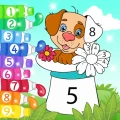
Screenshots
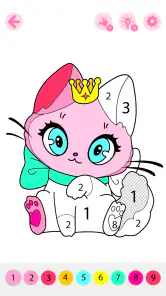


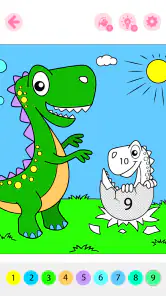
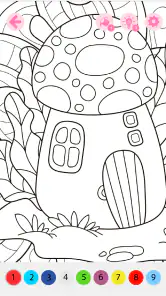


 Analysis by Frivlyz
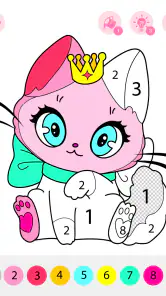
I found Kids Coloring Book by Numbers most appealing as a shared, low-pressure activity rather than as a game that tries to keep a child busy for hours. It is an educational coloring game from GOBEEZ YAZILIM TİCARET, built around animated pictures and number-guided coloring. The idea is simple enough for a young child to understand quickly, while the animated presentation gives the finished picture a little more life than a traditional paper coloring page.
My first impression is that this is best used with an adult nearby, especially during the first few sessions. A child can explore the coloring process independently once the basic interaction makes sense, but the real value comes from talking about colors, numbers, objects, and the picture as it develops. That makes it useful for a short afternoon activity, a quiet break before bedtime, or a shared screen moment when you want something calmer than a fast arcade game.
How the coloring experience feels in everyday use
The number-based approach gives the child a clear next step. Instead of facing a completely blank canvas and deciding what to do, the player follows the visual guidance and fills the matching areas. I see that as an important advantage for children who enjoy creative activities but become frustrated when there are too many open choices. The structure reduces hesitation without removing the satisfying feeling of completing an image.
The animated-book style also changes the mood. This is not simply a digital replacement for crayons, because the pictures are presented as part of an interactive scene. That can help hold attention, particularly when a child has already lost interest in ordinary coloring sheets. At the same time, parents should remember that guided coloring is not the same as unrestricted drawing. A child who mainly wants to scribble, mix colors freely, or create completely original pictures may find the number format limiting.
In my experience, the best results come from treating each picture as a conversation starter. I would ask the child to identify the number, predict the color, and describe what is appearing on the page. That turns a few minutes of tapping into a small learning routine. It also gives the adult a way to notice whether the child understands the matching task or is simply tapping around until something changes.
What makes it feel quick enough for short sessions
The basic interaction is easy to grasp, so there is little reason for a child to spend a long time learning menus before reaching the coloring activity. That matters on a phone, where complicated navigation can be more tiring than the game itself. When I want to offer a child something immediately accessible, the straightforward number-and-color relationship is more practical than a large educational app with many unrelated sections.
Perceived speed is also connected to the simplicity of the task. The player is not managing a complicated world, building a large collection, or waiting for a long chain of events. Each action is focused on the current picture. If your device handles the animated presentation comfortably, the experience should feel naturally suited to brief play sessions rather than demanding extended setup.
Gaming Stories You May Enjoy

Dancing Road Turns Short Breaks Into a Test of Rhythm and Timing

Super Stylist Makes Every Outfit a Test of Taste and Patience

Dominoes on Your Terms: Who Should Play and Who Should Pass

Pokémon GO Makes the Familiar World Feel New

Chess.com Turns Rematches Into Rivalries, but Community Has Its Costs

Archery Battle 3D Review: Sharp Aiming, Unclear Feedback
There is a useful distinction here: a simple game can feel fast because it asks less of the device and less of the child. That does not guarantee identical performance on every phone or tablet, so I would still start with a short supervised session. If the device is older or already crowded with background activity, closing unused apps before handing it to a child is a sensible precaution.
When a child uses it repeatedly
Heavy use in this case is less about complex gameplay and more about repeated tapping, returning to the same type of activity, and leaving the app open while a child works through several pictures. The number-guided format is naturally repetitive, which can be a strength for practice but a weakness for children who need constant novelty. A child who likes predictable routines may appreciate that rhythm; another may finish a few images and ask for a different kind of game.
I would avoid judging its value by how long it keeps a child occupied. A focused ten-minute session can be more useful than a longer period of distracted tapping. For younger children, I prefer setting a clear stopping point, such as finishing one picture and then talking about it. This helps prevent the game from becoming background screen time and makes the activity feel intentional.
Repeated use can also reveal whether the app suits the child’s learning style. Children who benefit from visual matching and immediate progress may return to it willingly. Children who need open-ended experimentation may need another coloring tool alongside it. I would use this game for guided practice, then switch to paper, free drawing, or a more flexible art app when the child wants control over every mark.
Stability and what to do if a session is interrupted
The game has been available since September 18, 2019, and its current version is 3.9. That gives it a longer presence than a brand-new release, which is reassuring when I am choosing something for a child, although an older app can still behave differently across modern devices. I would keep expectations practical: install it, open a picture, and test the interaction before relying on it for a trip or a planned quiet activity.
Recovery matters more with children than many adults expect. If a session is interrupted by a call, a notification, or a child accidentally leaving the app, the important question is whether returning feels understandable. With a simple coloring workflow, it should be easier for a child to recognize where to continue than it would be in a complex game with several layers of progress. I still recommend that an adult handle the first restart or return-to-game moment, because young users can interpret any unexpected screen as a problem.
I also prefer not to leave a child alone with repeated purchase prompts or unfamiliar menus. The game is free to start, but in-app purchases range from $9.99 to $149.99 per item. That is a meaningful consideration for family devices. Before giving the phone or tablet to a child, I would check the store and device purchase protections and make sure the child knows to ask before pressing anything that looks like an offer.
Device limits and practical setup
The minimum operating system is Android 5.1, so compatibility begins with a relatively broad range of Android devices. That does not mean every older phone will feel equally comfortable. Screen size, available storage, battery condition, and general system health can all affect how pleasant an animated coloring game feels. A tablet is usually the more comfortable choice for small hands because the coloring areas are easier to see and tap, while a phone is more convenient for travel.
Resource demands are difficult to separate from the device itself, but the game’s educational coloring focus suggests a lighter workload than a visually complex 3D title. I would still avoid making firm assumptions about battery use or memory behavior on a particular model. If the phone becomes warm, slows down, or starts showing interruptions, I would close other apps, lower the length of the session, and move the activity to a better-maintained device rather than expecting a young child to manage technical issues.
For travel, I would test the app before leaving home and prepare the device with the child’s session in mind. Keep the battery charged, remove distracting notifications where possible, and decide whether the child will use headphones or play quietly without them. The game’s calm format is a good match for waiting rooms and car journeys, but only if the device is already ready. A last-minute installation is not the moment to discover that an older phone needs updates or that the child cannot comfortably see the screen.
Parents should also consider supervision around screen position. A child bending over a phone for a long period can become uncomfortable, especially when concentrating on small areas. A stand or a tablet placed at a sensible angle makes the activity easier to share and gives the adult a better view of what the child is doing. That is a small practical change, but it turns the game from solitary tapping into a more comfortable joint activity.
Learning value beyond filling spaces
The strongest educational benefit is the combination of visual recognition, number matching, and hand control. The child has to notice the requested number, connect it with the appropriate part of the image, and tap with enough accuracy to make progress. Those are modest skills, but the game presents them in a way that feels more playful than a worksheet.
I would use it with questions rather than simply letting the animations run. “Which number do you see?” encourages recognition. “What do you think this picture will become?” encourages prediction. “Can you find another area with the same number?” adds a search task without changing the game. These small prompts make the app more valuable for preschool practice and help an adult see where the child may need support.
There is also an emotional advantage to the guided format. A child who becomes discouraged by mistakes may feel more comfortable when the next action is clearly indicated. Completing sections provides frequent small successes, which can build patience. The trade-off is that the app may not teach much about choosing colors creatively, because the number system narrows the decision-making. I would describe it as structured coloring practice, not a complete art curriculum.
How it compares with paper and other children’s games
Paper coloring still wins when the goal is tactile creativity, freedom of movement, and a break from screens. Crayons allow children to press lightly or heavily, blend colors, draw outside the lines, and invent details that a guided digital page may not invite. Paper also avoids battery concerns and purchase prompts. For a child who wants to make a personal picture from scratch, I would choose paper first.
This game is more convenient when cleanup matters or when you want a repeatable activity in a small space. There are no loose crayons to collect, and an adult can join the child without preparing a table. Compared with fast educational games, it is calmer and less dependent on speed, scores, or competition. That makes it a better fit for a child who needs a gentle transition between activities, but a poorer fit for someone looking for quizzes, storytelling, or substantial problem-solving.
Compared with a completely free digital drawing app, the number system offers more direction but less freedom. That is the central trade-off. I would choose this title when the child needs help getting started or enjoys completing clearly defined steps. I would choose an open canvas when the child already has a strong interest in drawing and wants to decide what every part of the image should look like.
Who should use it and who should skip it
I think it suits families looking for a free educational game that can support a short shared activity. Its Everyone age rating makes it broadly approachable, and the focus on animated coloring gives younger children an inviting entry point. It is particularly suitable for parents who want to practice number recognition without presenting the task as formal homework.
I would be more cautious if your main requirement is unrestricted creativity, deep progression, or a large range of learning subjects. The app’s appeal depends on enjoying guided coloring, so a child who quickly rejects repetition may not stay interested. I would also skip installing it on a device that a child can use without purchase safeguards, because the optional items can be expensive for an accidental tap.
The developer, GOBEEZ YAZILIM TİCARET, has positioned the game around a simple family activity rather than a competitive challenge. That focus is reflected in how I would recommend using it: sit together at first, let the child lead the conversation, and stop while the activity is still enjoyable. The goal is not to maximize minutes but to make the minutes feel worthwhile.
My performance verdict
Kids Coloring Book by Numbers feels best when expectations match its design. I would not install it expecting a demanding game, a full drawing studio, or a broad early-learning platform. I would install it for guided, animated coloring that a child can understand quickly and an adult can turn into a small learning moment.
Its average rating is 4.3 from around 924 ratings, and it has passed 100K+ installs, which suggests that the format has found an audience. Those figures do not replace personal testing, especially because device performance and a child’s patience vary widely, but they fit my overall impression: this is a focused children’s game with a clear purpose rather than an ambitious all-in-one app.
My recommendation is to try it on the device your child will actually use, with purchase protections enabled and an adult present for the first session. If the child enjoys matching numbers and watching pictures develop, the free entry point makes it easy to add to a family’s collection of quiet activities. If the child wants to draw freely or needs richer educational variety, paper coloring or a more open-ended app will be the better companion. For the right child and the right moment, though, it offers a pleasant, manageable way to combine screen time with early learning.
Kids Coloring Book by Numbers Pros and Cons
Pros
- Simple number-based coloring suits young children and beginners.
- Bright illustrations make completed pictures feel rewarding.
- Helps children practice color recognition and number matching.
- Works well as a quiet activity during travel or waiting times.
- Large touch areas make coloring easier on smaller screens.
Cons
- Some pictures or tools may require in-app purchases.
- Repeated patterns can become less engaging for older children.
- Accidental taps may color areas before a child is ready.
- Limited creative freedom compared with blank coloring canvases.
- Ads may interrupt play in the free version.
Frequently Asked Questions
What is Kids Coloring Book by Numbers?
Kids Coloring Book by Numbers is a digital coloring app designed for children who enjoy drawing, filling pictures, and learning through simple number-based activities. Each illustration is divided into numbered sections, and children select the matching color to complete the image. The app generally focuses on animals, vehicles, characters, and other child-friendly themes, making it suitable for creative play and basic color recognition.
Is Kids Coloring Book by Numbers suitable for young children?
The app is designed primarily for children, especially those who can recognize basic numbers and colors and use simple touch controls. Younger children may need help understanding the numbered areas at first, while older kids can usually play more independently. Parents should check the recommended age rating, available content, and device settings before downloading, since difficulty, advertisements, and features can vary between versions.
Does the app require an internet connection to work?
Many coloring activities in Kids Coloring Book by Numbers can typically be used after the app and its available picture packs have been installed, which is convenient for travel or offline play. However, an internet connection may still be needed for downloading additional images, displaying advertisements, restoring purchases, or receiving updates. It is a good idea to open the app once while online and confirm which content remains available offline.
Is Kids Coloring Book by Numbers free to download and use?
The application may be available as a free download, but free versions can include advertisements, locked coloring pages, optional subscriptions, or in-app purchases for premium collections and extra tools. Before allowing a child to use it, parents should review the store listing and purchase settings carefully. Using parental controls or disabling unauthorized purchases can help prevent accidental charges during gameplay.
Is Kids Coloring Book by Numbers safe for children?
The app is intended to provide a child-friendly coloring experience, but safety depends on the version installed, advertising practices, permissions, and the device’s parental-control settings. Parents should review the privacy policy, check whether the app collects usage information, and supervise ads or external links. Keeping the application updated and downloading it only from the official Google Play Store or Apple App Store is also recommended.


