

KidloLand Kids & Toddler Games
- Reviews
- 4.4
- Version
- Varies with device
- Installs
- 10,000,000+

Screenshots

 Analysis by Frivlyz
On a shared family phone or tablet, a children’s game has to do more than fill a quiet moment: it needs to be approachable for a young child, easy for an adult to hand over, and suitable for the particular age and situation. KidloLand Kids & Toddler Games is an educational game from IDZ Digital Private Limited, and its mix of playful activities makes it a practical option for short stretches at home or on the go. I’d treat it as a ready-made activity shelf rather than a substitute for reading, conversation, or adult-led play.
One device, several little users
A familiar household scenario is waiting for a meal, a sibling’s appointment, or a quiet few minutes while an adult finishes a task. On a shared device, the main advantage of a broad children’s app is that a caregiver can offer a simple activity without switching between several narrowly focused games. Different children may gravitate toward different themes, and a child who is not ready for one kind of task can try another.
That flexibility also calls for a bit of adult coordination. I’d decide in advance which activity is suitable for the child using the device, then hand it over with a clear stopping point: one song, one puzzle, or a short play session. This avoids turning a quick diversion into an open-ended screen habit. If several children take turns, it helps to agree on whose turn comes next rather than relying on the app to manage household routines.
Set expectations before handing over the screen
Because this is a collection of children’s activities rather than a single game with one fixed path, I’d explore it with a child before expecting them to use it independently. A quick adult-led tour can show where the appealing activities are and make it easier to steer a toddler away from tapping around without a purpose. It also gives a caregiver a chance to judge whether the pace and task style suit that child.
For a shared phone or tablet, a useful boundary is to keep the device in a common room and make the transition back to ordinary play part of the plan. The app can help occupy a child during a wait, but it works best as one option in a day rather than the default answer to every quiet moment. Families looking for a tightly scheduled learning program or a detailed progress record may prefer a dedicated educational tool built around those needs.
A World of Wonder Awaits
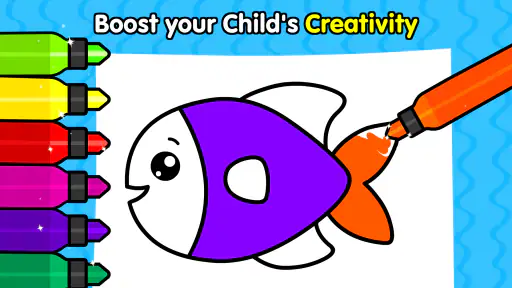
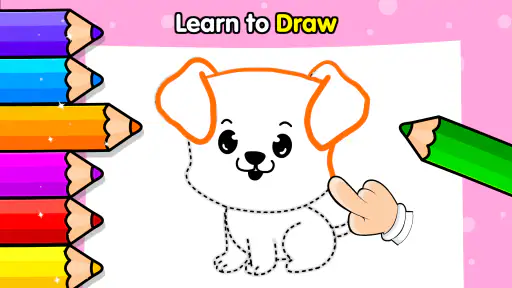
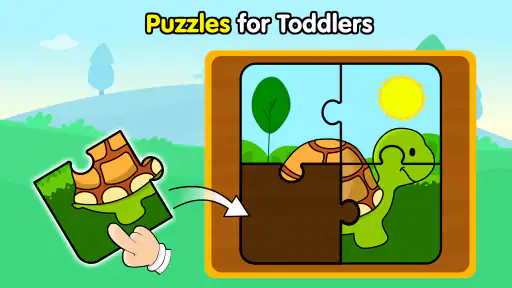
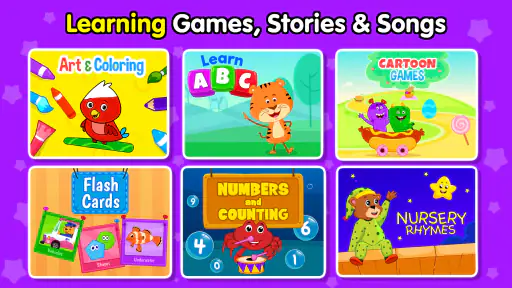
When I first downloaded KidloLand Kids & Toddler Games, I was greeted with a colorful and engaging interface that immediately caught my attention. The app is designed for children aged 1 to 8 years, and boy, does it deliver! With over 3,000 interactive games, songs, and stories, it’s like a treasure trove of activities that cater to different interests and learning levels.
What sets this app apart is the sheer variety it offers. Whether your child is into nursery rhymes, puzzles, or simply loves to explore new stories, there’s something here for everyone. The developers have really put in the effort to ensure that the content is both entertaining and educational, which is a big win in my book.
Gaming Stories You May Enjoy

Dancing Road Turns Short Breaks Into a Test of Rhythm and Timing

Super Stylist Makes Every Outfit a Test of Taste and Patience

Dominoes on Your Terms: Who Should Play and Who Should Pass

Pokémon GO Makes the Familiar World Feel New

Chess.com Turns Rematches Into Rivalries, but Community Has Its Costs

Archery Battle 3D Review: Sharp Aiming, Unclear Feedback
Easy Navigation for Tiny Fingers
Navigating through the app is a breeze, even for the tiniest of fingers. The intuitive design means that kids can easily find their favorite games and songs without needing much help. It’s like the app understands that kids are curious little explorers eager to learn and discover new things.
Each category in the app is neatly organized. Whether it's learning about animals, numbers, or alphabets, the app presents information in a way that’s easy for kids to digest. Plus, the animations are vibrant and engaging, keeping the little ones hooked.
Learning through Play
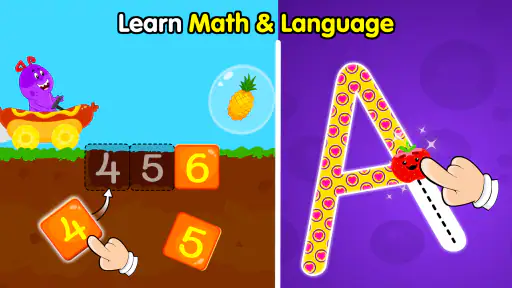
One of the standout features of KidloLand is its approach to learning through play. The games are designed to enhance various skills, from cognitive and motor skills to language development. For instance, there are games where kids can practice counting or recognize shapes and colors, all while having fun.
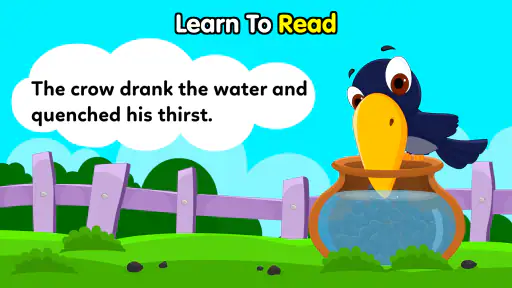
Moreover, the songs and stories often come with interactive elements. Imagine a nursery rhyme where your child can tap to make characters dance or objects move. It’s this level of interaction that keeps children engaged and eager to learn more.
Parental Controls and Safety
As a parent, I’m always concerned about online safety, and the developers of KidloLand seem to understand this worry. The app includes parental controls that allow you to manage what your child can access. No more worrying about accidental purchases or inappropriate content!
The app is also ad-free, which is a huge relief. There’s nothing more frustrating than having an ad pop up right in the middle of a game. KidloLand ensures that your child’s playtime is uninterrupted and safe.
Subscription and Offline Mode
KidloLand operates on a subscription model, offering monthly or yearly plans. While some might find this a downside, I believe the vast array of content justifies the cost. Plus, once you subscribe, you can download games and songs for offline use. This feature is a lifesaver during long car rides or flights.
Having access to offline content means that your child can enjoy their favorite games and songs without needing an internet connection. It’s like having a portable entertainment center that’s ready to go whenever you are.
Age, trust, and a realistic learning role
The game is free to install, has an Everyone content rating, and is listed as an educational title. Those are useful starting points, but I wouldn’t treat an age label as a guarantee that every activity will suit every child. A preschooler’s attention span and familiarity with touchscreens can differ a lot from another child’s, so watching the first few sessions is more informative than assuming the same experience will work for all.
I also see a difference between practice and instruction. Short activities around letters, counting, shapes, or colors can give a child another way to encounter those ideas, especially when an adult names what is happening and asks a small follow-up question. The game is less suitable if you want a structured lesson with a clear sequence, assessment, or evidence of a child’s progress. For that, a focused learning resource—or an activity together away from the screen—is likely a better fit.
Free to try, with a purchase decision to make
There is no charge to get started, while optional in-app purchases range from $1.99 to $59.99 per item. That spread is worth keeping in mind in a household where a child can tap freely on a device. I’d check the purchase settings on the device and make the adult responsible for any buying decision; a child’s interest in a locked activity should not become an accidental checkout.
The practical trade-off is breadth versus commitment. A large variety can keep the app useful as a child’s interests change, but families who only need a few alphabet or number activities may find a simpler, single-purpose app easier to supervise. The game has been available since April 19, 2013, and its 4.4 average from around 41,000 ratings, alongside over 10 million installs, suggests it has reached many families. Those figures are context, not a promise that its style will click with every child.
Choosing activities and keeping sessions manageable
One way I’d make the variety work in a shared household is to pick an activity to match the moment rather than browse indefinitely. A child waiting for food might do better with a familiar song, while a calmer stretch at home may be a better time to explore a puzzle. This small choice gives the session a purpose and reduces the chance that the child spends more time switching between options than engaging with one.
When a child is learning letters or counting, an adult can turn a tap-based activity into a conversation: ask them to point out the same shape in the room, count a few toys, or sing part of a rhyme together. That is a more useful role for the app than expecting it to teach independently. For a child who gets frustrated by repeated prompts or needs a slower pace, I’d sit alongside them and move on when the activity stops being enjoyable.
Offline use and everyday planning
The offline option is especially useful for travel or places where a connection may be unreliable, but it calls for a little preparation. I’d choose and download suitable content while connected, check that it is available before leaving, and leave enough room on the device for whatever else the family needs. Offline play can remove one source of travel friction; it does not remove the need to set a time limit or keep an eye on a young child’s use.
For a caregiver juggling several children, it can help to keep expectations modest: one activity for the toddler, then hand the device back rather than promising an unlimited catalogue. Older siblings may prefer more challenging games or open-ended play, while a very young child may need help choosing and understanding what to do. That difference is why I would not use the app as a one-size-fits-all activity for every child in the household.
How it compares with simpler alternatives
Compared with a single-purpose alphabet game, KidloLand is more flexible when a child’s mood changes or when siblings have different interests. Compared with a general video app, its learning activities invite tapping and responding rather than only watching. The trade-off is that a broad collection can feel less focused: if the goal is specifically handwriting practice, a carefully chosen early-writing app or paper and pencil may be more useful.
Likewise, a physical picture book is a better choice when the aim is a calm shared reading routine, and an adult-led game may be better when a child needs movement or social interaction. I’d choose KidloLand for a brief, supervised screen activity with variety, not as the automatic alternative to every other kind of play. That distinction helps the app serve a clear purpose without asking it to do more than it can.
What the household should decide first
Before installing it on a shared device, I’d settle three practical questions: which adult handles purchases, when the child may use the device, and whether the child needs help selecting an activity. These are household choices, not functions I’d assume the game will organize for you. A shared device also makes it sensible to keep adult accounts and purchase access out of a child’s hands wherever the device settings allow.
My overall view is that this educational game suits families who want a colorful selection of preschool-friendly activities in one place and are comfortable guiding screen time themselves. It is less compelling for adults seeking a formal curriculum, detailed learning reports, or a completely hands-off way to manage multiple children. If those are your priorities, a focused educational product or offline activity will serve you better.
A measured household recommendation
KidloLand is free to begin with, and its broad mix of games, songs, and stories gives a caregiver several ways to make a short wait more engaging. IDZ Digital Private Limited has built an app that can fit into everyday family routines, but its usefulness depends on adult choices around age suitability, purchases, turn-taking, and session length. I’d try it with a child nearby, see which activities genuinely hold their attention, and keep it as one tool among books, toys, and time together.
In conclusion, if you’re looking for an app that combines fun, education, and safety, KidloLand Kids & Toddler Games is a fantastic choice. It’s an app that grows with your child, offering new challenges and learning opportunities as they develop. So, go ahead and give it a try—I’m sure it’ll become a favorite in your household just as it has in mine!
KidloLand Kids & Toddler Games Pros and Cons
Pros
- Engaging and colorful graphics.
- Wide range of educational games.
- Offline play available.
- Parental control features.
- Regular updates with new content.
Cons
- Some content requires in-app purchases.
- Occasional app performance lags.
- Limited free content available.
- Ads can be distracting.
- Requires a stable internet connection for updates.
Frequently Asked Questions
What age group is KidloLand Kids & Toddler Games suitable for?
KidloLand is designed for children aged 1 to 8 years old. The app provides a wide range of activities suitable for toddlers and preschoolers, including songs, stories, and interactive games that help with early learning and development. Parents can adjust settings to match their child's specific age and abilities.
Is KidloLand available on both Android and iOS devices?
Yes, KidloLand is available for download on both Android and iOS platforms. You can find it on the Google Play Store for Android devices and the Apple App Store for iOS devices. This ensures that users can access the app regardless of their device preference.
Does KidloLand require an internet connection to function?
KidloLand can be used offline after initial download and setup, which is convenient for traveling or when internet access is limited. However, for updates, new content, and certain features, an internet connection will be necessary. This dual functionality ensures flexibility for parents and children.
Are there any in-app purchases or subscriptions required in KidloLand?
KidloLand offers a subscription model that provides access to its full content library, ensuring a rich and varied learning experience. While the app is free to download, subscribing unlocks additional features, games, and updates. Parents can choose from various subscription plans, including monthly and yearly options.
How does KidloLand ensure child safety and privacy?
KidloLand prioritizes child safety by adhering to strict privacy guidelines. The app is COPPA-compliant, meaning it follows regulations for protecting children's online privacy. It does not collect personal information without parental consent and offers a safe, ad-free environment for kids to explore and learn.


