

Keiki Learning games for Kids
- Reviews
- 4.4
- Version
- 8.4.1
- Installs
- 1,000,000+

Screenshots






 Analysis by Frivlyz
When I want a young child to spend a little time practising early learning skills on a screen, I look for something that feels more like play than a lesson. Keiki Learning Games for Kids is an educational game from Benipol Limited, aimed at early learners. Its mix of activities makes it useful as a short, supervised addition to a child’s day, though I would not treat it as a replacement for books, conversation, hands-on play, or time with a teacher.
A simple routine works best
I would start by sitting with the child and letting them choose an activity, rather than handing over the device and expecting a long stretch of independent learning. A few minutes with letters or numbers can fit naturally before a meal, during a quiet moment at home, or while waiting somewhere. Staying nearby gives you a chance to notice when the child is enjoying a task, getting stuck, or ready to stop.
That small routine is more useful than trying to cover everything in one sitting. If a child is drawn to alphabet activities, begin there and invite them to name a letter or sound aloud. On another occasion, switch to shapes, colors, or number practice. The point is to use the game as a prompt for interaction: ask the child what they see, then connect it to something around them. A shape activity, for instance, can lead to spotting circles or squares in the room.
Keiki is free to download, but it also offers in-app purchases priced from $3.99 to $69.99 per item. I would check the purchase options before making the app part of a child’s regular routine, and keep any buying decisions in an adult’s hands. The range makes it especially sensible to explore the free experience first and decide whether the activities suit your family before spending anything.
Choosing activities without turning play into a test
The most helpful way I see to use a collection of children’s learning games is to follow the child’s interest while keeping expectations modest. If a child keeps returning to letters, that is a good reason to spend time there; it is not proof that they have mastered reading. Likewise, getting through a matching activity is a moment of practice, not a complete measure of a child’s ability.
I would also vary the way the screen is used. Let the child tap and explore, but sometimes take turns: you name an item, and the child finds it, or the child chooses a task and explains what they are doing. These simple changes make the activity more social without requiring extra equipment or a complicated plan. They are particularly useful when a young child loses interest in simply repeating the same interaction.
The game is rated for Everyone, and its educational focus makes it most relevant to families with children beginning to explore early concepts. The Android version requires Android 6.0 or later. It has a 4.4 average from around 44,000 ratings, with more than a million installs. Those figures suggest that many families have tried it, but they cannot tell you whether a particular child will like its activities or find them the right level.
Gaming Stories You May Enjoy

Dancing Road Turns Short Breaks Into a Test of Rhythm and Timing

Super Stylist Makes Every Outfit a Test of Taste and Patience

Dominoes on Your Terms: Who Should Play and Who Should Pass

Pokémon GO Makes the Familiar World Feel New

Chess.com Turns Rematches Into Rivalries, but Community Has Its Costs

Archery Battle 3D Review: Sharp Aiming, Unclear Feedback
Where it fits among other learning options
Compared with a single-purpose alphabet or counting app, Keiki’s range of early-learning activities can make it easier to shift topics when a child’s attention changes. Compared with a paper workbook, it offers a more interactive screen-based experience, but a workbook gives children room to draw, write, and handle materials away from a device. I would use Keiki when a child is keen to tap and explore, and choose physical activities when the goal is handwriting, crafts, or a break from screen time.
It is also different from simply putting on a video. A game asks the child to take part rather than only watch, which can make a short session feel more engaging. Still, interaction alone does not guarantee learning; a young child may be tapping quickly without thinking about the letters or numbers. Sitting alongside them and talking about what appears on screen is a practical way to make the activity more meaningful.
Parents deciding whether it is suitable may also wonder how much guidance a child needs. I would expect to help at first, especially if the child is unfamiliar with navigating apps or is still learning to follow on-screen prompts. For a child who already handles simple games confidently, a short independent turn may work, but I would keep the device within reach and check in rather than assuming every session is purposeful.
Keiki was released on August 11, 2020, and its current version is 8.4.1. I would keep the app updated through the usual device settings and check the device’s compatibility before installing, particularly on an older Android phone or tablet. The age rating is a useful starting point, but it does not replace a parent’s own judgement about screen time, purchases, or whether a particular activity suits their child.
Practical habits for parents
A repeatable approach can make the app easier to manage. Decide on a natural stopping point before opening it, such as finishing one activity or ending when the child’s attention fades. That is more workable than promising an open-ended session and then trying to negotiate a stop once the child is absorbed. If the child asks to keep playing, I would acknowledge the request and offer a clear next step, such as choosing a book or an offline game.
It can also help to treat the child’s choices as clues about what engages them, not as a formal progress report. Notice whether they gravitate toward pictures, sounds, sorting, or numbers, then use that interest in conversation later. If the app includes progress information, I would read it as one small piece of context, not as a verdict on development. Children learn at different paces, and activity results cannot capture everything they understand away from the screen.
One trade-off with a broad collection is that variety can encourage exploration but make it harder to settle into a focused practice session. When the goal is specifically to support letter recognition or counting, an adult can steer the child toward that topic instead of letting the session become a rapid tour of activities. If the child is tired or frustrated, switching to another game may not solve the problem; ending the session can be the better choice.
I would skip this kind of app for a child who dislikes touchscreens, becomes upset when screen time ends, or needs direct instruction and feedback that a game cannot provide. It is also not the right tool when a family wants a fully offline activity or a structured curriculum to follow step by step. In those situations, shared reading, blocks, drawing, or guidance from an educator may be a better fit. The app works best as one option among several, not as the centre of a child’s learning.
Keiki Learning Games for Kids suits parents looking for a flexible, playful way to introduce early concepts and who are willing to take part in the experience. I would begin with a short shared session, see which activities hold the child’s attention, and check the purchase options before making it a regular habit. Its strongest use is as a small, enjoyable prompt for practice and conversation; its limits are the usual ones for screen-based learning, including the need for adult judgement, breaks, and real-world activities alongside it.
Hey there, fellow parents! If you’re like me, you’re always on the lookout for something that’s not just fun but also educational for your kiddos. Enter Keiki Learning Games for Kids! Now, I had the chance to dive into this app, and let me tell you, it’s quite the gem.
What’s the Buzz About?
So, what makes Keiki stand out from the sea of apps out there? Well, first off, it’s designed with little ones in mind, catering primarily to kids aged 2-6. The app offers a variety of engaging games that focus on early childhood education. Think of it as a digital playground where learning and fun go hand in hand.
A World of Learning Awaits
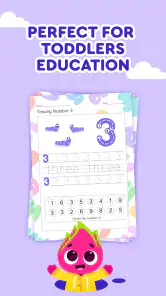
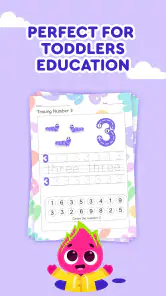
The app is packed with colorful games that cover everything from numbers and letters to shapes and colors. My little one was particularly hooked on the alphabet adventures. The interactive nature of the games ensures that kids are not just passive viewers but active participants in their learning journey. The graphics are vibrant, and the animations are smooth, making the experience visually pleasing for the young eyes.
One thing I really appreciate is the variety. Whether it’s puzzles, matching games, or even virtual drawing pads, there’s something to keep every child entertained. And the best part? It’s all educational! As a parent, knowing that my child is developing essential skills while having fun is a huge win.
Parent-Friendly Features
Keiki didn’t forget about us parents, either. The app includes a handy progress tracker that lets you see how your child is doing. It’s a great way to keep tabs on their development and see which areas they’re excelling in or might need a bit more practice. Plus, the app’s interface is super user-friendly, so you won’t need a manual to navigate through it.
I also love the fact that the app is ad-free. In a world where ads are everywhere, it’s refreshing to have a safe space where kids can play and learn without distractions.
Final Thoughts
All in all, Keiki Learning Games for Kids is a fantastic tool for any parent looking to supplement their child’s education. It combines fun and learning in a way that’s engaging and effective. While it’s primarily for the younger crowd, I’ve found that even older siblings sometimes join in on the fun. So, if you’re on the hunt for an app that’s both entertaining and educational, give Keiki a try. Your kids will thank you for it!
Keiki Learning games for Kids Pros and Cons
Pros
- Engaging and colorful interface for kids.
- Wide variety of educational games.
- Supports multiple languages.
- Regular updates with new content.
- Encourages learning through play.
Cons
- Requires internet for some features.
- Contains in-app purchases.
- Ads can be distracting.
- Not suitable for all age groups.
- Limited free content.
This Game in Other Languages
Frequently Asked Questions
What is Keiki Learning Games for Kids?
Keiki Learning Games for Kids is an educational app designed to engage children in interactive learning activities. It offers a variety of games and exercises that focus on developing cognitive skills, problem-solving abilities, and creativity. The app is suitable for children aged 2-8 and aims to make learning a fun and enjoyable experience.
Is Keiki Learning Games for Kids safe for my child to use?
Yes, Keiki Learning Games for Kids is designed with children's safety in mind. The app contains no third-party ads, ensuring a distraction-free environment. Additionally, it complies with COPPA (Children’s Online Privacy Protection Act) regulations, ensuring that your child’s data is protected and their online experience is safe.
What kind of educational content does the app provide?
Keiki Learning Games for Kids offers a wide range of educational content, including puzzles, memory games, number and letter recognition, and creative drawing activities. These games are designed to enhance children's cognitive development, improve problem-solving skills, and encourage creativity, making it a comprehensive learning tool for young learners.
Do I need an internet connection to use Keiki Learning Games for Kids?
No, Keiki Learning Games for Kids can be used offline, which makes it a convenient option for parents on the go. Once the app is downloaded and installed, most of the games and activities are accessible without an internet connection, allowing your child to learn and play anytime, anywhere.
Are there any in-app purchases in Keiki Learning Games for Kids?
While Keiki Learning Games for Kids offers some free content, there are optional in-app purchases available. These purchases unlock additional games and features, providing a more extensive learning experience. Parents can control these purchases through device settings, ensuring that any transactions require parental approval.


