

John GBA
- Reviews
- 3.4
- Version
- v4.11
- Installs
- 100,000+

Screenshots
 Analysis by Frivlyz
When a device moves from one person to another, an emulator can turn into a small household project: someone wants to continue a game, someone else wants to try it, and nobody wants to lose a hard-won stretch of progress. That is where I find John GBA most interesting. It is an Android arcade game emulator focused on Game Boy Advance play, and its appeal is less about a complicated gaming setup than about making older games accessible on a phone or tablet already in the home.
A shared screen, with one important caveat
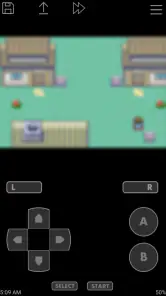
I can picture using it on a quiet afternoon when one person is playing and another is watching, taking turns at a tricky section, or choosing which familiar game to revisit. The virtual controls make a phone usable without carrying a separate handheld, while support for external controllers gives a shared session a more console-like feel when a compatible controller is available. That flexibility is useful, but I would still treat the device as belonging to one player at a time: an emulator session is not automatically a household profile system, and a shared screen does not mean separate people have separate progress.
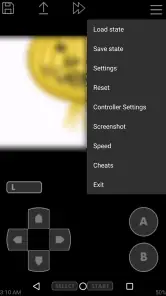
The practical question is how to avoid mixing up saves. Before handing the device to someone else, I would finish the current session, save deliberately, and make sure the next player knows which game and save they are opening. Save states are convenient snapshots, but they are easy to confuse with a game’s own save process. I would use them as a quick checkpoint rather than the only record of progress, especially in a longer game. That small habit matters more on a shared device than it does when one person keeps the phone to themselves.
Setting expectations before handing over the device
John GBA is paid, at $2.99, so I would decide who is likely to use it before buying it for a device that several people share. The app itself does not solve account boundaries or decide who may change settings; those are choices to handle at the device level. If several people take turns, agree on a simple routine: close the game when finished, avoid overwriting another person’s progress, and return the controller or device to the agreed place. It sounds basic, but a little coordination can prevent the most common kind of shared-use frustration.
For a parent or caregiver, I would also distinguish between the emulator and the games played through it. John GBA has an Everyone age rating, but that rating should not be treated as a blanket judgment about every game someone chooses to run. Check the specific game and decide whether it suits the person using the device. The emulator is a tool for playing GBA titles; the household still has to make the content decision for each title. That is a more useful way to think about age and trust than assuming the app’s rating settles every question.
Emulating the Classics
Ever found yourself reminiscing about the good old days of gaming on a Game Boy Advance? Well, let me introduce you to John GBA, an emulator app that brings those nostalgic moments right to your fingertips on modern devices. As someone who’s spent countless hours trying to beat those pixelated bosses, this app is like a time machine.
Performance and Features
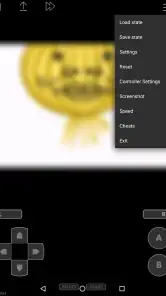
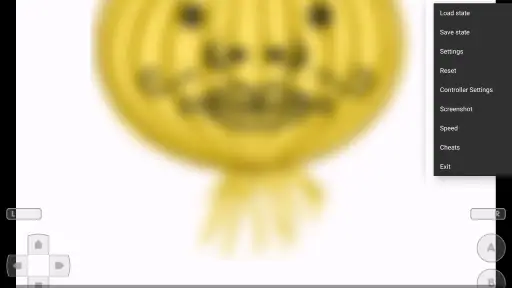
Now, let’s talk performance. I’ve tried a few emulators before, but John GBA stands out due to its seamless gameplay. Whether you’re in the middle of a fast-paced action game or a slow-paced RPG, the app handles it all without breaking a sweat. Plus, with features like save states, you can pause your game, save your progress, and pick up exactly where you left off. Handy, right?
Gaming Stories You May Enjoy

Dancing Road Turns Short Breaks Into a Test of Rhythm and Timing

Super Stylist Makes Every Outfit a Test of Taste and Patience

Dominoes on Your Terms: Who Should Play and Who Should Pass

Pokémon GO Makes the Familiar World Feel New

Chess.com Turns Rematches Into Rivalries, but Community Has Its Costs

Archery Battle 3D Review: Sharp Aiming, Unclear Feedback
Another cool feature is the ability to use cheat codes. Remember those? Yeah, you can still use them here to unlock secrets or just make the game a bit easier if you’re stuck on a tough level. The app also supports external controllers, which is a huge plus if you want that authentic gaming feel.
Audio and Visuals
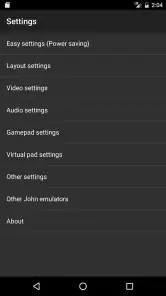
One of the best parts about John GBA is how it handles audio and visuals. The sound is crisp and clear, just like the original console, and the graphics are as vibrant as ever. You might even forget you’re playing on an emulator and not the actual device. The app also allows you to adjust the sound and graphics settings to better suit your preferences, which is a nice touch.
How I would use it day to day
A realistic routine for me would be to pick a game before leaving home, play a short section during a break, and use a save state when I need to stop unexpectedly. On returning later, I would load that checkpoint, then make an in-game save at a sensible point if the game supports it. This is a useful distinction: a quick snapshot helps with interruptions, while the game’s own save system is better for keeping a clean, understandable record of progress. It also makes handing the phone to someone else less confusing.
Cheat codes can be more than a way to skip a challenge. I would keep them separate from a regular playthrough where possible: try one when curiosity or a roadblock is getting in the way, but preserve a normal save before experimenting. That avoids turning a casual test into a surprise change to a longer run. Likewise, an external controller is most worthwhile for games where precise directional input matters; for a brief session or a menu-heavy game, the on-screen controls may be quicker than pairing and carrying extra hardware.
Choosing the right kind of emulator experience
Compared with the usual alternatives, John GBA’s straightforward focus is a strength if all I want is to play Game Boy Advance games on Android. A multi-system emulator may suit someone who wants several older console libraries in one place, while a physical handheld is the better fit for someone who values dedicated buttons and a separate screen. Those options involve different trade-offs: an Android phone is convenient because it is already nearby, but touchscreen controls can cover part of the display and the experience depends on the phone’s layout and settings.
I would also keep the expectations realistic. An emulator recreates a console experience through software; it cannot make a phone feel exactly like holding the original hardware. Screen size, control placement, and the way a particular game uses sound or timing can affect comfort. If you mainly want a simple way to revisit GBA games and do not mind adapting to a phone, this is a sensible category of app to consider. If you want dedicated handheld controls above all else, a separate gaming device is likely a better match.
Who should install it, and who should pass
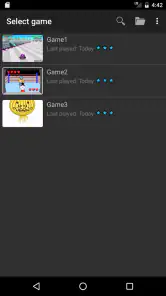
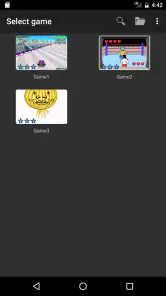
I would recommend it to an Android user who already has a game collection they can use, enjoys retro titles, and wants convenient sessions rather than a new piece of hardware. It can also suit a household where adults and older children take turns, provided they agree on saves and check the suitability of each game. The app is less compelling for someone who expects a built-in library of games, wants a unified setup across different mobile platforms, or does not want to manage save files and controls at all.
There is a practical boundary worth keeping in mind: an emulator and a game are not the same thing. Before settling in, I would make sure the game file I intend to use is available to me and that I am comfortable managing it on the device. I would not buy the app assuming that its purchase supplies a collection of titles. That simple check avoids disappointment and makes the first session much smoother.
What its track record tells me
John GBA is made by John emulators, has been available since February 2, 2013, and its current release is version 4.11. It requires Android 6.0 or later, so the first practical check is whether the device meets that minimum. The app has more than 100,000 installs, with an average rating of 3.4 from around 15,000 ratings and roughly 1,600 written reviews. I read that as a sign that it has found a real audience, while the middling average is a reminder that emulator experiences can vary with device, game, and personal expectations.
For me, that makes testing the basics early a smart move: open the game you plan to play, check that the controls feel comfortable, adjust the audio and visual settings, and make a test save before investing time in a long session. If anything feels awkward, it is better to discover that during a short trial than after getting deep into a game. The app’s appeal is convenience, so a little setup is worthwhile only if it makes actual play easier.
My household verdict
John GBA is a practical pick for bringing GBA play to an Android device, especially when the device is already part of your everyday routine. Its save states, cheat-code support, controller compatibility, and adjustable presentation give me useful ways to tailor a session, but they do not remove the need to manage shared progress or choose suitable games carefully. For a household, the best arrangement is a clear turn-taking habit and one player responsible for checking that a save is made before the next person starts.
Overall, if you’re a fan of retro gaming, John GBA is a must-have app. It’s like carrying a piece of your childhood in your pocket. The app is available on Android, and I’d say it’s definitely worth a try if you’re looking to relive those classic gaming moments.
John GBA Pros and Cons
Pros
- User-friendly interface for easy navigation
- Accurate emulation of classic GBA games
- Supports customizable on-screen controls
- Compatible with most Android devices
- Regular updates with bug fixes
Cons
- Limited to Android platform only
- Requires ROMs to play games
- Ads in the free version can be intrusive
- Save states sometimes fail to load
- No multiplayer support available
This Game in Other Languages
Frequently Asked Questions
What is John GBA and what makes it stand out from other GBA emulators?
John GBA is a Game Boy Advance emulator for Android devices. It stands out due to its user-friendly interface, high compatibility with a wide range of GBA games, and support for features such as save states and fast forward. Additionally, it offers a straightforward, ad-free experience and doesn't require any additional files or BIOS to function, making it accessible even for those new to emulation.
Does John GBA require a BIOS file to run games?
No, one of the advantages of using John GBA is that it does not require a BIOS file to run games. This makes it easier for users to set up and start playing without having to search for and configure additional files. This feature is particularly beneficial for users who are new to emulating games on their devices.
What are the system requirements for running John GBA smoothly?
To run John GBA smoothly, you need an Android device with at least Android 4.1 (Jelly Bean) or higher. While the app is designed to be lightweight, having a device with a decent processor and at least 1GB of RAM is recommended to ensure optimal performance, especially when running more demanding games that might require additional processing power.
Can I use external controllers with John GBA?
Yes, John GBA supports the use of external controllers, making it easy for users who prefer physical buttons over touchscreen controls. You can connect a Bluetooth controller or use USB OTG to connect wired controllers. This feature enhances the gaming experience by providing more precise control and a more authentic feel when playing your favorite GBA titles.
Is it possible to customize the on-screen controls in John GBA?
Yes, John GBA allows users to customize the on-screen controls to better suit their preferences. You can adjust the size and position of the buttons, ensuring a more comfortable and personalized gaming experience. This customization feature is particularly useful for those who frequently switch between games that might require different control layouts.


