

Jigsawscapes® - Jigsaw Puzzles
- Reviews
- 4.6
- Version
- 3.8.12
- Installs
- 10,000,000+

Screenshots
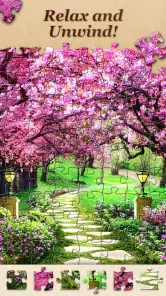
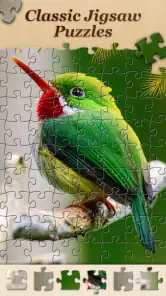

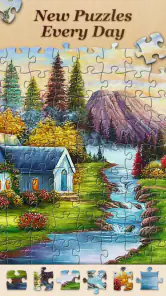
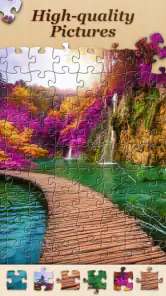
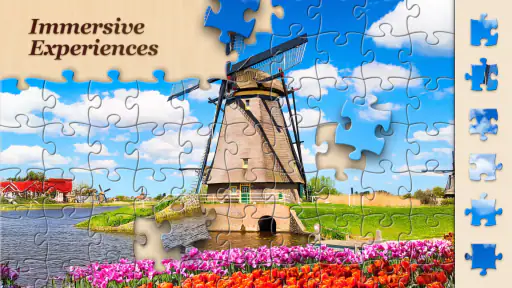
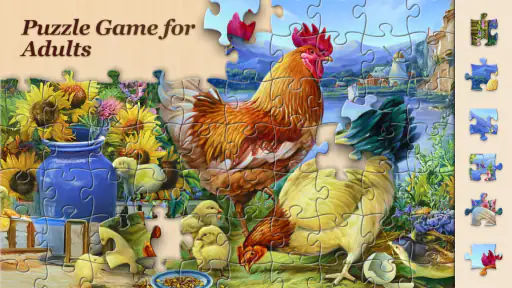
 Analysis by Frivlyz
What makes a digital jigsaw work for me is not just the picture selection; it is whether I can settle in, find my way around, and play comfortably in the moment I have. Jigsawscapes® - Jigsaw Puzzles is a puzzle game by Oakever Games, and its large selection gives me plenty of ways to spend a quiet few minutes or stay with a picture longer. I would especially consider it if you enjoy visual sorting and want a low-pressure activity that can be picked up at your own pace.
Finding a puzzle without making the menu a puzzle
A large catalogue is useful only if browsing it feels manageable. The main appeal here is having a broad choice of jigsaw images, rather than needing to buy or prepare a physical puzzle before getting started. I can browse for a scene that suits my mood, then focus on the image instead of clearing a table or keeping loose pieces together. The range is also a practical advantage when one kind of picture stops holding my interest: changing the subject can make the same basic activity feel fresh.
The game is free to download and has an Everyone content rating. Its current version is 3.8.12, and it requires Android 7.0 or later. It has a 4.6 average from around 535,000 ratings, with more than 10 million installs. Those figures suggest that it has found a substantial audience, but they do not tell me whether its visual and touch-based presentation will suit a particular player. I would treat the rating as a useful sign of popularity, not a guarantee that every control or image will work well for everyone.
Making touch play more comfortable
Jigsaws ask you to look closely, compare shapes and move individual pieces with care. On a phone, that can be more demanding than a physical puzzle, especially if small pieces are hard to distinguish or precise dragging is uncomfortable. The app’s adjustable piece count, described in the game experience, gives players a way to choose a lighter or more involved challenge. I would begin with a simpler puzzle and see how the pieces feel on your screen before committing to a more demanding session.
One useful habit is to choose a picture with clear colour regions when you want an easier visual search, and save more subtle scenes for when you have the patience to compare details. This is not a special setting; it is a way to make the image itself do some of the work. A busy pattern may be satisfying for a confident puzzler but tiring if you are already dealing with eye strain. If music is not comfortable in your setting, consider lowering your device’s media volume; the calming soundtrack may suit some players, but quiet play is often more practical in shared spaces.
Different moments call for different puzzles
I can see this being handy during a quiet break at home, while waiting for an appointment, or as a short evening routine when I want something more engaging than scrolling. The digital format avoids the setup and cleanup of a tabletop puzzle, and being able to save progress makes it easier to stop when real life interrupts. For a family member who enjoys picture matching but is not ready for a large physical puzzle, a modest piece count could be a comfortable starting point, with someone nearby helping choose an image if browsing is the harder part.
It is less suited to people who want a tactile activity, dislike manipulating objects on a touchscreen, or prefer puzzles with a story, timed competition or a strong social component. A paper jigsaw may be better for anyone who likes handling pieces and seeing a whole board at once. Likewise, a logic puzzle may be a better fit if you want deduction rather than matching visual fragments. I would also avoid treating a phone puzzle as a substitute for a break from screens: if your eyes or hands need rest, a physical activity is the more sensible choice.
Gaming Stories You May Enjoy

Dancing Road Turns Short Breaks Into a Test of Rhythm and Timing

Super Stylist Makes Every Outfit a Test of Taste and Patience

Dominoes on Your Terms: Who Should Play and Who Should Pass

Pokémon GO Makes the Familiar World Feel New

Chess.com Turns Rematches Into Rivalries, but Community Has Its Costs

Archery Battle 3D Review: Sharp Aiming, Unclear Feedback
Endless Pieces of Fun
From the moment you launch Jigsawscapes® - Jigsaw Puzzles, you're welcomed with a vibrant array of puzzles to choose from. Whether you're a fan of nature scenes, cityscapes, or abstract art, there's something for everyone. The app includes thousands of high-definition images that make each puzzle a work of art. You can easily lose track of time as you get absorbed in the challenge of fitting each piece into its rightful place.
Features That Stand Out
One of the features that really caught my eye is the ability to adjust the number of pieces in each puzzle. This means you can start with a simple 9-piece puzzle and work your way up to a complex 400-piece challenge. It's perfect for both beginners and seasoned jigsaw enthusiasts. Plus, the app allows you to save your progress, so you can return to your puzzle at your own pace.
The interface is incredibly user-friendly. Navigating through the app is a breeze, with intuitive controls that make it easy to drag and drop pieces into place. I also appreciate the calming background music which adds to the relaxing atmosphere, making it a great way to de-stress.
Community and Creativity
Another aspect I love about Jigsawscapes is the community feature. You can share your completed puzzles with friends or even on social media. It’s a nice touch that brings a social element to what is typically a solitary activity. Moreover, if you're feeling creative, you can even upload your own photos and turn them into custom puzzles. This adds a personal touch and keeps the experience fresh and engaging.
The app also regularly updates its library with new puzzles, ensuring that there's always something new to tackle. It keeps the experience fresh, and I find myself checking back frequently to see what's new.
When the digital format is a trade-off
Compared with a physical jigsaw, this one is easier to pause and put away, but it cannot offer the feel of sorting pieces by hand or spreading them across a large table. Compared with quick-match or number-based puzzle games, its challenge is more visual and patient: you are looking for relationships between image fragments, not racing through a sequence of prompts. That makes it a good fit when I want a calm, self-directed task, but not when I am looking for a fast burst of action.
A practical approach is to match the session to your energy. When I have only a few minutes, I would choose a simple image and piece count rather than start a difficult picture that I cannot comfortably finish. If I have a longer stretch, I can settle into a more intricate image and use the save feature when it is time to stop. Saving progress is especially helpful for interrupted play, though I would still treat a puzzle as something to enjoy at my own pace rather than a task to complete on a schedule.
What to expect before settling in
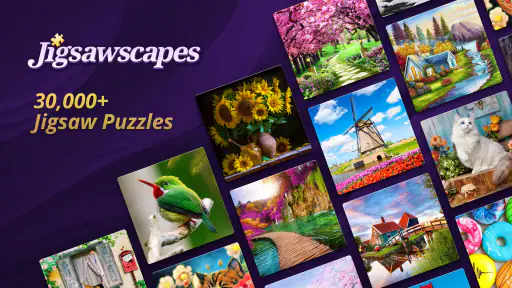
The catalogue is presented as having more than 30,000 HD puzzles to choose from, so there is a lot of variety to explore. That is a strength if you like browsing, but a very broad selection can also make choosing feel like work. I find it helps to decide on a subject first—something like a landscape or a familiar kind of scene—then pick an image that looks clear at the size of my screen. If you are choosing for someone else, letting them pick the picture can make the activity feel more inviting than simply handing over a puzzle.
There are in-app purchases, priced from $6.99 to $69.99 per item. The game is free to start, but I would keep that distinction in mind if you are downloading it for a child or sharing a device. The Everyone rating makes the age classification broad, yet it does not remove the need for an adult to review purchase settings and decide what is appropriate. If you do not want to spend, you can begin with the free experience and see whether the available puzzle choice and play style are enough for you before considering any purchase.
Who is likely to enjoy it—and who may not
I would recommend trying it if you already like jigsaws, want an easy-to-carry option, or need an activity that can pause when a call, meal or commute interrupts. It can also work well as a shared quiet activity: one person can choose the image while another helps spot colour groups or edges. For a short everyday example, I might open it during a calm part of an evening, pick a picture with distinct areas, complete a few pieces, and leave the rest for another time rather than turning the session into a commitment.
I would be more cautious if small visual details are difficult to see, touch gestures cause discomfort, or prolonged screen time is not suitable. In those situations, a larger physical puzzle, a puzzle with larger components, or a different kind of game may be more comfortable. The game’s adjustable piece count offers a way to vary challenge, but it does not by itself solve every vision, dexterity or sensory need. I would test a short session first and stop if the interaction feels tiring.
Final Pieces of Thought
In conclusion, Jigsawscapes® is a fantastic app for anyone looking to enjoy some quality puzzle time. Its vast selection of puzzles, combined with its flexible difficulty settings and user-friendly design, make it an ideal choice for both casual players and hardcore puzzle fans alike. The addition of custom puzzles and community sharing features further enrich the experience, making it more than just a puzzle app. It's a community of puzzle lovers.
So, if you're on the hunt for a new pastime or simply want to unwind with a calming activity, I highly recommend giving Jigsawscapes® - Jigsaw Puzzles a try. Who knows? You might just find your new favorite way to relax!
Jigsawscapes® - Jigsaw Puzzles Pros and Cons
Pros
- Wide variety of puzzle categories.
- Daily challenges enhance engagement.
- High-quality
- colorful images.
- User-friendly interface.
- Offline play available.
Cons
- Contains in-app purchases.
- Ads can be disruptive.
- Limited free puzzles.
- Needs regular updates.
- Some puzzles are too easy.
This Game in Other Languages
Frequently Asked Questions
What is Jigsawscapes® - Jigsaw Puzzles?
Jigsawscapes® - Jigsaw Puzzles is a mobile application designed for both Android and iOS platforms, offering an array of jigsaw puzzles with varying levels of difficulty. Users can enjoy assembling beautiful high-definition puzzles, which are continuously updated, providing endless fun and brain exercise. The app is designed to cater to puzzle enthusiasts of all ages, featuring intuitive controls and a user-friendly interface.
Is Jigsawscapes® - Jigsaw Puzzles free to download and play?
Yes, Jigsawscapes® - Jigsaw Puzzles is free to download on both Android and iOS devices. However, the app offers in-app purchases that allow users to unlock additional puzzle packs, remove ads, and access premium features. While the free version provides a substantial amount of content, some users may choose to make purchases for an enhanced experience.
How often are new puzzles added to Jigsawscapes®?
Jigsawscapes® regularly updates its library with new puzzles, ensuring that users always have fresh content to explore. The frequency of updates may vary, but users can typically expect new puzzles to be added weekly. This consistent addition of new puzzles helps maintain the app's appeal and keeps the gameplay experience engaging and challenging.
Can I play Jigsawscapes® offline?
Yes, Jigsawscapes® allows users to play puzzles offline once they have been downloaded. This feature makes it convenient for users to enjoy their favorite puzzles without the need for a constant internet connection. However, accessing new puzzles or syncing progress across devices will require an internet connection.
Does Jigsawscapes® offer any customization options for puzzles?
Jigsawscapes® provides various customization options to enhance the puzzle-solving experience. Users can select the number of pieces for a puzzle, adjust the difficulty level, and even choose different themes and backgrounds to personalize their gameplay. These customization features allow users to tailor the experience to their preferences, making it suitable for both beginners and seasoned puzzle solvers.


