

JigFun-Jigsaw Puzzle HD Photo
- Reviews
- 4.3
- Version
- 1.0.6
- Installs
- 1,000,000+

Screenshots
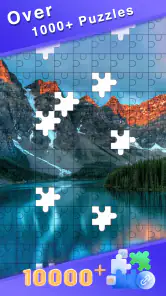
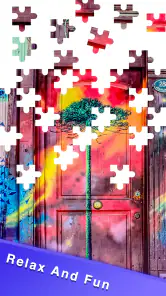
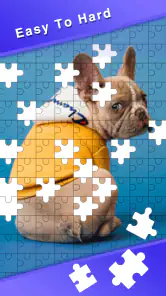
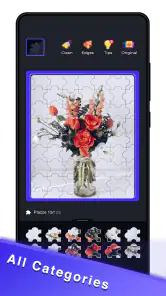
 Analysis by Frivlyz
When I want a small, focused break rather than another sprawling mobile game, a jigsaw puzzle is an easy choice. JigFun-Jigsaw Puzzle HD Photo is a free puzzle game from Milton Clarke, built around assembling photo images on a phone or tablet. I find the appeal straightforward: choose a picture, settle into the search for matching shapes and details, and stop when I have had enough. It is aimed at everyone, but its best fit is someone who enjoys visual problem-solving more than timers, competition, or a story that demands regular attention.
How the puzzle loop earns its place
The first useful decision is not how quickly to finish, but how much attention I want to give the next puzzle. Photo jigsaws can be soothing when I work on a few obvious pieces, yet they can also become absorbing once the image is spread across the board. That makes this kind of game suited to short pauses as well as longer, quieter sessions. I would not treat it as an automatic stress remedy; a difficult image can be more demanding than relaxing. But I can choose to make progress gradually, which is part of the appeal.
Starting with a manageable goal
A good first session is about finding a comfortable rhythm, not trying to prove anything. I look for distinctive colors, strong edges, and recognizable objects before tackling broad areas of sky, water, or similar tones. Those visual anchors give me a few pieces to place and help the image feel less like a jumble. With a photo puzzle, choosing an image whose subject is easy to recognize can matter as much as choosing a lower difficulty: clear contrast and varied detail make the early search more satisfying.
The published article describes a range of piece counts and the option to turn personal photos into puzzles. Those possibilities make the game sound flexible, but they also point to a practical trade-off: more pieces and familiar images do not automatically make a puzzle easier. A personal photo may be meaningful, yet a picture full of similar colors can be surprisingly hard to solve. I would start with a visually varied image, then save a subtle or sentimental photo for a session when I have more patience.
Progress you can feel without a race
Jigsaws communicate progress through the picture itself. Each placed piece sharpens the image and creates new clues around it; a completed corner or recognizable face can be a better nudge than an arbitrary score. That steady visual change is a natural reward for people who like seeing a task become more orderly. It also means the game can be enjoyed without turning every session into a contest against other players.
In my experience, it helps to give a session a small personal target: finish the border, connect one distinctive object, or work until a particular section becomes clear. This keeps a large puzzle from feeling like one enormous unfinished job. If I am interrupted, I can return to the visual clues I have already created instead of needing to remember a plot or a chain of instructions. The most useful measure of progress is whether I still feel curious about the next piece.
Difficulty, focus, and sensible stopping points
The challenge in a photo jigsaw changes with the image as well as with the number of pieces. A picture with separate objects and strong color boundaries offers obvious sorting clues; a scene with repeated textures asks for closer attention. More pieces can stretch a familiar puzzle into a longer activity, but they can also make small details harder to distinguish on a compact screen. I would adjust the task to my available time and patience rather than assume that the highest piece count is automatically the most rewarding choice.
Gaming Stories You May Enjoy

Dancing Road Turns Short Breaks Into a Test of Rhythm and Timing

Super Stylist Makes Every Outfit a Test of Taste and Patience

Dominoes on Your Terms: Who Should Play and Who Should Pass

Pokémon GO Makes the Familiar World Feel New

Chess.com Turns Rematches Into Rivalries, but Community Has Its Costs

Archery Battle 3D Review: Sharp Aiming, Unclear Feedback
Touch controls are central to the experience because the puzzle is handled directly on a touchscreen. That is convenient for a quick session, although finger placement can feel less exact when I am working with tiny visual details. A larger display may be more comfortable for extended play, while a phone makes the game easier to pick up in spare moments. If I notice myself repeatedly moving pieces without gaining new information, switching to a more distinctive part of the picture is a better response than forcing the same difficult patch.
What keeps play going—and what does not
The earlier published description mentions daily challenges, coins, unlockable puzzle packs, and hints. Those goals can give a returning player a reason to open the game, especially if a fresh task feels more inviting than choosing an image from scratch. I see that kind of reward loop as a prompt, not a promise that every session will be compelling. The core enjoyment still depends on whether I like the selected picture and whether the chosen difficulty feels fair.
There is a trade-off in any system that attaches rewards to repeated play: it can create a pleasant routine, but it can also make a relaxing pastime feel like another daily obligation. I would use challenges when they add direction and ignore them when I only want a quiet puzzle. Hints can be useful when I am genuinely stuck, but leaning on them too quickly may take away the satisfaction of spotting a visual connection myself. A good rule is to try a new region or sort by color before spending a hint.
For someone who wants a game with levels that constantly introduce new mechanics, a strong narrative, or head-to-head competition, this is probably not the right choice. A traditional jigsaw app is at its best when the simple act of matching image details is enough. Compared with word puzzles or number grids, it relies more on visual recognition and spatial patience; compared with a physical puzzle, it is easier to carry and start, but the touchscreen cannot reproduce the tactile feel of handling cardboard pieces.
Everyday use and who will enjoy it
A realistic use for me is a short break between tasks: I open a picture, make progress on a clear edge or object, and leave the puzzle when I need to return to work. In the evening, I might choose a more involved image and take my time. This is especially appealing if I want entertainment that does not require sound, quick reactions, or remembering a complicated sequence. It can also suit someone who likes photography and enjoys studying the details in an image while solving it.
It is less suitable if I am looking for a game that supplies constant novelty through changing rules, social play, or a tightly directed campaign. The basic jigsaw activity is deliberately familiar, so the picture and the challenge have to carry the session. People who find repetitive visual searching tedious may tire of it, particularly on a small screen or with an image whose colors blend together. I would also avoid choosing a very intricate puzzle when I only have a few minutes; a task that cannot reach a satisfying stopping point can make a break feel unfinished.
One small strategy makes photo puzzles more pleasant: alternate between different kinds of clues instead of scanning the entire board in the same way. I might start with edge pieces, move to a bright object, then use a distinctive pattern or color to locate another cluster. If I am using a personal image, choosing a photo with several clear subjects gives me natural landmarks. These habits do not make the puzzle effortless; they reduce aimless searching and help me decide whether I am enjoying the challenge or simply stuck.
Choosing it with realistic expectations
JigFun is listed as a puzzle game with an average rating of 4.3 from around 1,500 ratings, and it has more than a million installs. That suggests a sizeable audience for this straightforward format, though popularity alone cannot tell me whether its particular puzzle selection suits my taste. Milton Clarke is the developer, and the game is free, which makes it easy to consider as a low-commitment option. It was released on March 15, 2024, and version 1.0.6 is the current version. The stated minimum operating system is version 7.0, while its age rating is Everyone.
Those details answer some practical questions before installing: it costs nothing to get started, is intended for a broad age range, and has a stated minimum OS requirement. They do not change the more important choice for a puzzle fan: whether assembling photo images is the kind of focused, unhurried play I want. If I prefer a tactile tabletop puzzle, a competitive leaderboard, or a logic game with a different kind of challenge, another option will fit better. If I want a portable visual pastime that I can approach at my own pace, this is a reasonable one to try.
A measured progression verdict
What works best here is the possibility of setting my own pace. Early goals can be as small as finding a border or completing a recognizable section; progress appears in the image; and difficulty comes from how much visual information I must sort through. The rewards and challenges described in the published article may encourage a routine, but they should remain optional motivation rather than the reason to keep playing. That balance matters: a jigsaw should invite me back, not make me feel behind.
My recommendation is for casual puzzle fans who want a familiar activity that can fit around ordinary days, especially people who enjoy image details and prefer calm concentration to reflex-based play. I would skip it if I need a deep progression system or dislike repeating the central action of sorting and matching pieces. For everyone else, the best approach is to begin with a clear, varied picture, set a modest goal, and see whether the act of gradually revealing it is satisfying.
Hey there, fellow puzzle enthusiasts! If you're anything like me, you're always on the lookout for a fun and relaxing way to unwind after a long day. Well, let me introduce you to JigFun-Jigsaw Puzzle HD Photo, an app that’s been keeping me entertained and blissfully stress-free. Let's dive into what makes this app a must-have for puzzle lovers!
Discovering the World of JigFun
First off, let me tell you how JigFun-Jigsaw Puzzle HD Photo caught my attention. As someone who loves puzzles, I was thrilled to find an app that offers a vast collection of high-quality images to piece together. The app boasts a wide variety of categories, from stunning landscapes to adorable animals, ensuring that there’s something for everyone. Whether you're a casual player or a hardcore puzzler, you'll find plenty to keep you engaged.
User-Friendly Interface
One of the first things you'll notice about JigFun is its sleek and intuitive interface. The developers have done a fantastic job of making sure that even the tech-challenged among us can navigate the app with ease. The layout is clean, with all the options you need right at your fingertips. Plus, the touch controls are smooth and responsive, making the puzzle-solving experience as enjoyable as possible.
Customizable Experience
What really sets JigFun apart from other puzzle apps is the level of customization it offers. You can choose the number of pieces for each puzzle, ranging from a simple 9-piece setup to a challenging 400-piece masterpiece. This flexibility allows you to tailor the difficulty to your skill level or mood, which I absolutely love. If you're feeling particularly adventurous, you can even upload your own photos to create personalized puzzles. Talk about a personal touch!
Daily Challenges and Rewards
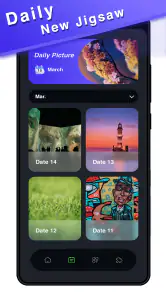
To keep things fresh and exciting, JigFun offers daily challenges that reward you with coins upon completion. These coins can be used to unlock new puzzle packs or hints, providing an incentive to keep coming back every day. It's a rewarding system that adds a layer of motivation and keeps you hooked for the long haul.
In conclusion, JigFun-Jigsaw Puzzle HD Photo is a delightful app that brings the joy of jigsaw puzzles to your fingertips. With its user-friendly design, customizable features, and engaging daily challenges, it’s easy to see why this app has become a staple on my device. So, if you’re looking for a way to relax and have fun, give JigFun a try. You might just find it to be your new favorite pastime!
JigFun-Jigsaw Puzzle HD Photo Pros and Cons
Pros
- High-quality HD images enhance puzzle experience.
- Variety of puzzles for diverse preferences.
- User-friendly interface with smooth navigation.
- Regular updates with new puzzles added.
- Offline mode available for uninterrupted play.
Cons
- Limited puzzle pieces in free version.
- Ads can be intrusive during gameplay.
- Requires significant storage space.
- Occasional app crashes reported by users.
- No multiplayer mode for collaborative play.
Frequently Asked Questions
What is JigFun-Jigsaw Puzzle HD Photo and how does it work?
JigFun-Jigsaw Puzzle HD Photo is a mobile application that offers a vast collection of high-definition jigsaw puzzles for users to solve. The app provides an interactive and engaging experience, allowing users to select puzzles based on various categories and difficulty levels. It works by letting users drag and drop pieces to complete the puzzle, offering hints and tools to assist when needed. The app is designed for both casual players and puzzle enthusiasts, providing hours of entertainment and mental exercise.
Is JigFun-Jigsaw Puzzle HD Photo available for both Android and iOS devices?
Yes, JigFun-Jigsaw Puzzle HD Photo is available for download on both Android and iOS platforms. Users can easily find the app on the Google Play Store for Android devices and the Apple App Store for iOS devices. This cross-platform availability ensures that users can enjoy the puzzle-solving experience regardless of their preferred mobile operating system. Make sure to check for compatibility with your device's version before downloading.
Are there any in-app purchases or subscriptions in JigFun-Jigsaw Puzzle HD Photo?
JigFun-Jigsaw Puzzle HD Photo offers a range of free puzzles to get started, but it also includes in-app purchases and subscription options for accessing premium content. Users can purchase individual puzzle packs or subscribe for unlimited access to the entire library of puzzles. Subscriptions may also provide benefits such as ad-free gameplay and exclusive puzzles, enhancing the overall experience for dedicated puzzle enthusiasts.
Can I play JigFun-Jigsaw Puzzle HD Photo offline?
Yes, JigFun-Jigsaw Puzzle HD Photo allows users to download puzzles and play them offline, making it convenient for users who may not always have access to the internet. This feature is particularly useful for long trips or areas with poor connectivity, ensuring that users can continue enjoying their puzzle-solving sessions without interruption. Simply download your desired puzzles in advance to access them anytime, anywhere.
Does JigFun-Jigsaw Puzzle HD Photo offer any features for social interaction or sharing?
JigFun-Jigsaw Puzzle HD Photo includes features that encourage social interaction and sharing among users. Players can share their completed puzzles on social media platforms or directly with friends through messaging apps. Additionally, the app may offer leaderboards or challenges where users can compete with friends or other players globally, adding a competitive edge to the puzzle-solving experience. These social features enhance user engagement and create a more connected community of puzzle lovers.


