

Intellecto Kids Learning Games
- Reviews
- 4.0
- Version
- 4.70.1
- Installs
- 1,000,000+

Screenshots
 Analysis by Frivlyz
If this is your first time choosing a learning game for a young child, I’d approach Intellecto Kids Learning Games as a short, shared activity rather than a replacement for books, toys, or time with an adult. Its appeal is the mix of early learning tasks and playful presentation: a child can move between letters, numbers, phonics, and puzzles without the app needing to feel like a formal lesson. That makes it a useful option when you want a gentle starting point, while still leaving room to see which kinds of activities your child actually enjoys.
What to expect from the activities
This is an educational game from IntellectoKids Ltd, aimed at making early-learning practice feel approachable. The range gives parents several ways to invite a child in: a child who likes matching may be drawn to puzzles, while another may prefer counting or sounds. I would not treat a broad collection as a promise that every activity will suit every learner. A young child’s interest can depend on mood, familiarity, and whether an adult is nearby to help them get started.
For a first session, I’d keep the goal small: let your child choose one activity, sit with them, and notice whether the instructions and interaction make sense to them. If they hesitate, try demonstrating one move rather than explaining the whole game. This keeps the experience low-pressure and gives you a better read on whether the app’s style fits your child than simply handing over the device and expecting them to explore independently.
Making the first session feel successful
A practical first win is not finishing a level or collecting a reward; it is seeing your child understand what the activity is asking and make a choice on their own. If a puzzle feels difficult, help them describe what they notice, then let them try again. For a numbers or letter activity, pause to connect what appears on screen with something familiar, such as counting a few objects nearby or pointing out a letter in a book. The app works best as a prompt for that small exchange, not as a substitute for it.
That approach is especially handy during a short wait at home or while you need a calm activity before dinner. I’d choose a moment when an adult can remain close enough to help, rather than introducing it when everyone is rushed. Once the child has a feel for the controls and activity style, you can decide whether they are comfortable continuing on their own for a little while.
Who is likely to enjoy it—and who may prefer something else
The game is most promising for families looking for varied, screen-based practice with early concepts, especially when a child responds well to colorful activities and brief prompts. Its Everyone age rating is reassuring as a content classification, but it does not mean the same activity will suit every child’s stage or attention span. I’d use your own judgment about readiness, stay nearby at first, and treat frustration or repeated tapping without understanding as a sign to switch activities or take a break.
If your child is already comfortable with a particular school or home-learning routine, a focused workbook, physical puzzle, or shared reading session may be a better fit for that moment. Those options can be easier when you want hands-on practice or a quiet activity away from a screen. This game is more useful when you want an interactive change of pace and are willing to take part in the first few minutes instead of expecting it to teach everything by itself.
Gaming Stories You May Enjoy

Dancing Road Turns Short Breaks Into a Test of Rhythm and Timing

Super Stylist Makes Every Outfit a Test of Taste and Patience

Dominoes on Your Terms: Who Should Play and Who Should Pass

Pokémon GO Makes the Familiar World Feel New

Chess.com Turns Rematches Into Rivalries, but Community Has Its Costs

Archery Battle 3D Review: Sharp Aiming, Unclear Feedback
First setup and a sensible way to explore
It is free to download, though in-app purchases range from $0.99 to $149.99 per item, so I’d check the purchase details before letting a child use the device independently. The game has a 4.0 average from around 8,200 ratings, with about 381 written reviews and over 1 million installs. It was released on February 25, 2017, and its current version is 4.70.1; it requires Android 7.0 or later. Those figures offer a little context about its reach, but they cannot tell you whether its activities match your child’s interests.
At the beginning, I’d browse together rather than trying to sample everything at once. Ask the child to pick between two activity types, then stay with that choice long enough to understand the basic interaction. This is also a sensible point to agree on a simple device boundary: for example, finish the current activity and then put the device away. A clear stopping cue can make the end of play less abrupt than closing the app without warning.
The World of Intellecto Kids
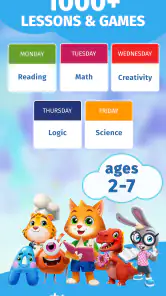
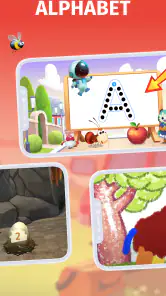
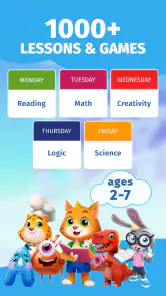
First off, what exactly is Intellecto Kids Learning Games? It’s a colorful and interactive educational app designed for kids aged 3-7. The goal is to make learning fun, which is something we all can get behind. The app covers a wide range of subjects, including math, logic, memory, and creativity. It’s like having a mini school right in your pocket.
Design and Interface
Right away, the design is super appealing, with vibrant colors and friendly characters that draw your child in. The interface is intuitive, which means even the littlest users can navigate around without much help. I love how the app guides kids through the activities with clear instructions and engaging animations. It’s almost like the characters are right there, cheering them on!
Game Variety and Educational Value
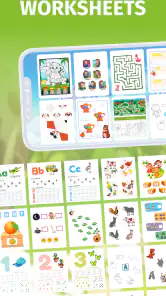
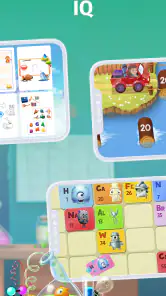
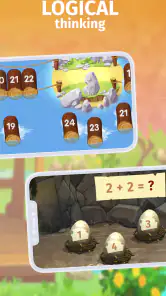
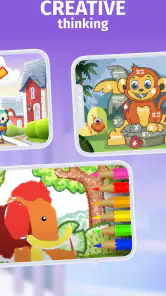
Now, onto the games themselves. There’s a bunch of them, each targeting different skills. For instance, there are puzzles for boosting logic, number games for math skills, and even art activities to unleash their creativity. What makes these games stand out is how they combine fun with learning. My cousin, who’s usually squirming to get away from anything ‘educational,’ was glued to the screen, solving puzzles and counting numbers without realizing he was learning.
The educational value is solid. The app uses a progressive difficulty level, which means the games get more challenging as your child’s skills improve. This keeps them engaged and always learning something new. Plus, there’s a reward system that gives out virtual stickers and trophies, which is a great way to keep them motivated.
Parental Controls and Safety
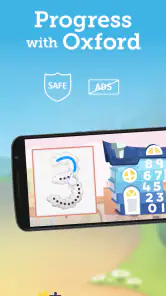
One thing that’s super important to us parents is safety, and Intellecto Kids Learning Games takes that seriously. The app has no ads, which is a huge relief, and there’s a parental control feature that lets you set time limits and monitor progress. It’s nice knowing that the app prioritizes a safe, ad-free environment for our kids.
Subscription and Cost
Now, let’s talk about the cost. The app is free to download, but it does offer a subscription model for full access to all the games and features. While some might balk at the idea of a subscription, I found it to be reasonably priced considering the content and educational benefits. There’s also a free trial, so you can give it a test run before committing.
How to get the most from a few minutes of play
I’d use the app as a rotation of small activities rather than leaving a child to move through it without a stopping point. One useful routine is to invite them to pick a game, ask what they think it is asking them to do, and then let them try before offering a hint. That tiny pause can reveal whether they understood the prompt or are simply tapping at random. It also gives you a chance to praise effort and reasoning, not only a correct answer or a virtual reward.
For a child who is learning letters, keep the session connected to something away from the screen: after an activity, look for the same letter in a picture book or on a familiar package. With number practice, count a few toys together rather than turning the game into a test. These are simple ways to make screen time feel purposeful, and they help you judge whether the activity is reinforcing something your child recognizes or merely holding their attention.
Trade-offs compared with other learning choices
Compared with a single-purpose phonics or counting app, the broad mix here can make it easier to find an activity that catches a child’s interest on a particular day. The trade-off is that variety can make it less focused if your main goal is sustained practice in one skill. A dedicated book, flashcards, or a physical puzzle may be more suitable when you want a specific lesson or less screen exposure. I’d choose this game for variety and interaction, and switch to those alternatives when a child needs slower, hands-on repetition.
The same distinction matters for independent use. A child who already understands the controls may be able to explore more comfortably, but a first-time user can benefit from an adult nearby to translate a prompt into familiar language or help them recover after a wrong choice. If you are looking for a completely hands-off activity, I would test that expectation cautiously rather than assuming the app will hold attention and teach effectively without your involvement.
When to pause, change activities, or stop
Not every session needs to end with a completed task. If your child starts guessing, becomes irritated, or asks to leave the activity, I’d treat that as useful feedback rather than a reason to push through. A quick switch to a different type of task may help if they are bored with one format; if they remain unsettled, stopping is the better choice. Educational play is most useful when the child is engaged enough to think, not simply when the screen is on.
It is also worth watching how rewards affect your particular child. Stickers and trophies can make progress feel visible, but some children may focus on earning the next reward instead of the learning action. In that case, I’d draw attention back to what they figured out—matching a shape, recognizing a sound, or counting carefully—and keep the reward as a small extra rather than the reason to continue.
Cost, expectations, and who should skip it
The free download makes it possible to see whether the style suits your family before spending anything, but the purchase range is wide enough that I would review the in-app choices with care. Do not assume that every activity or feature is available at no cost just because the game itself is free to install. If you are considering paying, first check what access the specific purchase offers and whether your child returns to the activities often enough to justify it. I would skip a purchase if you only need occasional practice or already have a learning routine that works well.
Likewise, this is not the best match for a family trying to avoid educational screen play altogether, or for a child who learns better through movement, conversation, and physical materials. It may also be a poor fit if your priority is a tightly sequenced course in one subject rather than a collection of early-learning activities. For those needs, an adult-led lesson, library book, or targeted practice resource can offer a clearer path.
My final take
Overall, Intellecto Kids Learning Games is a win in my book. It’s engaging, educational, and safe, which checks all the boxes for what I want in a learning app for kids. If you’re looking for a way to make learning fun for your little one, give it a shot. You might just find them asking if they can do more math—which, let’s be honest, is every parent’s dream!
So, what are you waiting for? Head over to your app store and check out Intellecto Kids Learning Games for yourself. Happy learning!
Intellecto Kids Learning Games Pros and Cons
Pros
- Engaging educational content for kids.
- User-friendly interface suitable for children.
- Regular updates with new activities.
- Colorful graphics and fun animations.
- Supports offline access for key features.
Cons
- Limited free content
- subscription needed.
- May require parental guidance for setup.
- Some games are too simple for older kids.
- Occasional in-app ads can be distracting.
- Requires stable internet for full features.
This Game in Other Languages
Frequently Asked Questions
What age group is Intellecto Kids Learning Games suitable for?
Intellecto Kids Learning Games is designed for children aged 3 to 7. The application offers a variety of games and activities tailored to engage young learners, helping them develop essential skills such as math, reading, and problem-solving. Each game is crafted to be age-appropriate, ensuring a fun and educational experience for kids.
Is Intellecto Kids Learning Games available on both Android and iOS?
Yes, Intellecto Kids Learning Games is available for download on both Android and iOS platforms. Parents can easily find the app in the Google Play Store for Android devices and the Apple App Store for iOS devices, ensuring accessibility for a wide range of users.
Does Intellecto Kids Learning Games require an internet connection to function?
Many of the games and activities within Intellecto Kids Learning Games can be accessed offline, making it convenient for use in situations without internet connectivity. However, some features may require an internet connection, such as downloading new content or updates.
Are there any in-app purchases or subscriptions in Intellecto Kids Learning Games?
Intellecto Kids Learning Games offers a mix of free content and premium features that may require in-app purchases or a subscription. Parents should be aware of these options and can manage purchase settings to control spending. Subscriptions often provide access to additional content and features.
How does Intellecto Kids Learning Games ensure the safety of its young users?
Intellecto Kids Learning Games prioritizes child safety by offering a secure, ad-free environment. The app adheres to strict privacy policies, ensuring that no personal data is collected without parental consent. Parents can also use built-in controls to manage and monitor their child's app usage effectively.


