

Incredibox
- Reviews
- 4.8
- Version
- 0.7.0
- Installs
- 500,000+

Screenshots
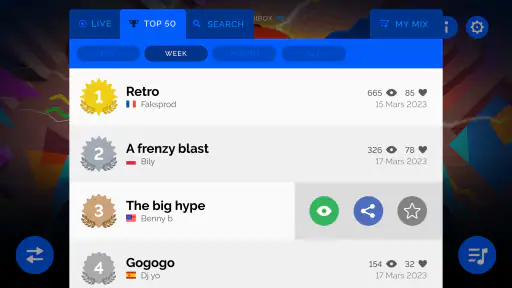
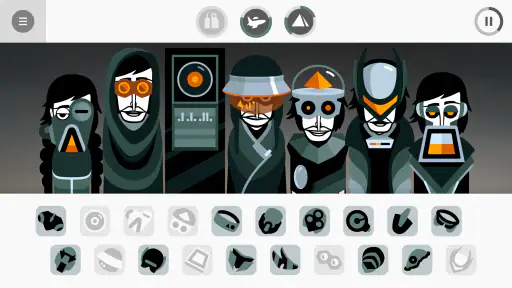
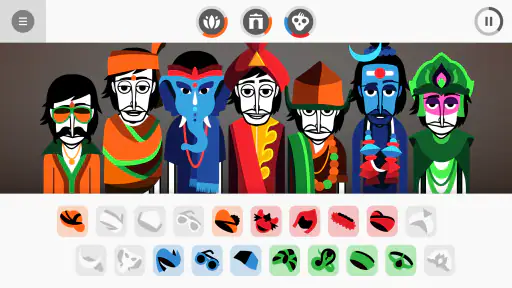
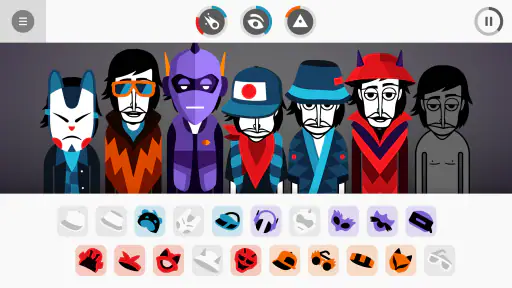
 Analysis by Frivlyz
When I have a few spare minutes and want to make something rather than just listen, Incredibox is an easy game to reach for. I can put together a beat without knowing music theory, then keep adjusting it until the mix feels like mine. That low-pressure approach is the main appeal, though it also means this is better for playful arranging than for anyone looking for a full music-production studio.
Making Music at Your Own Pace
I find the relaxed pace most useful when I treat each session as a small experiment, not a task to finish. Trying one sound at a time also gives me a clearer sense of what I’m hearing and lets me stop whenever I need to. That same unhurried approach matters even more when considering how the interface guides attention and movement.
Readability and navigation
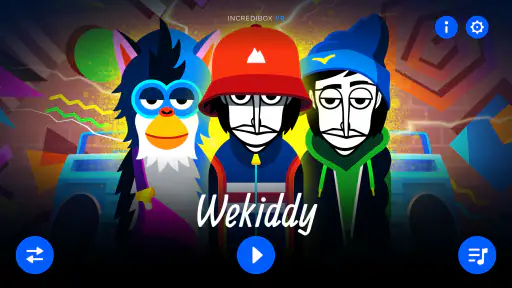
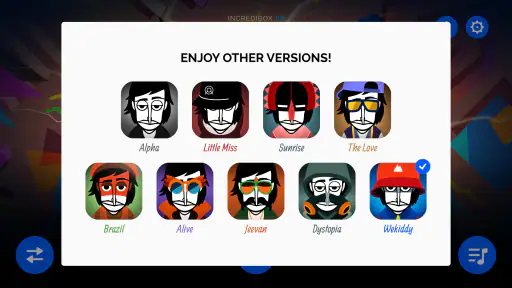
The first thing you notice when you open Incredibox is its slick, animated interface. It’s like stepping into a world where you’re the maestro, and your band members are these quirky, animated characters ready to drop some beats. You get to choose from different musical styles or "versions" like Alpha, Little Miss, and Sunrise, each offering a unique sound palette.
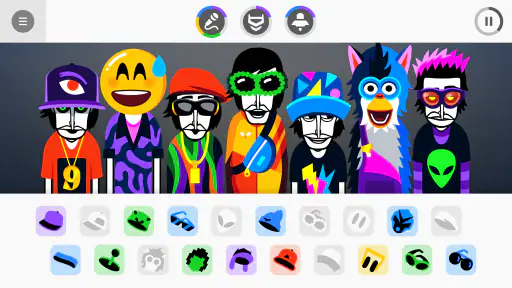
Once you select a version, it’s all about dragging and dropping different sound icons onto your characters. It’s so intuitive that you don’t need any musical training to start crafting your tunes. The app provides you with beatboxing, melodies, effects, and vocals which you can mix and match until you find your groove. Honestly, the way it all comes together is pure magic!
That direct visual setup is helpful when I want to understand a mix at a glance: the characters show me who is contributing, so I can listen to the arrangement and make a change without navigating a complicated track editor. It also makes experimentation less intimidating for a child or a first-time music maker. I would still take a moment to explore the available icons rather than dropping everything in immediately; hearing a few sounds on their own makes it easier to notice how they interact when layered.
The game is made by So Far So Good and is listed as a music game for Everyone. Its average rating is 4.8 from around 49,000 ratings, with over 500,000 installs, which suggests that its simple, hands-on premise has found a broad audience. The current version is 0.7.0, and it costs $4.99. I’d treat that as a one-time purchase for a focused creative toy, not as a substitute for a general-purpose recording app.
The creative process and practical uses
One of the highlights for me was the simplicity and depth of creativity Incredibox allows. You can start with a simple beat, layer it with some bass, and then throw in some catchy vocals. The possibilities feel endless. Each sound and character brings a unique flavor to your composition, and it’s super satisfying to see your creation come to life.
Gaming Stories You May Enjoy

Dancing Road Turns Short Breaks Into a Test of Rhythm and Timing

Super Stylist Makes Every Outfit a Test of Taste and Patience

Dominoes on Your Terms: Who Should Play and Who Should Pass

Pokémon GO Makes the Familiar World Feel New

Chess.com Turns Rematches Into Rivalries, but Community Has Its Costs

Archery Battle 3D Review: Sharp Aiming, Unclear Feedback
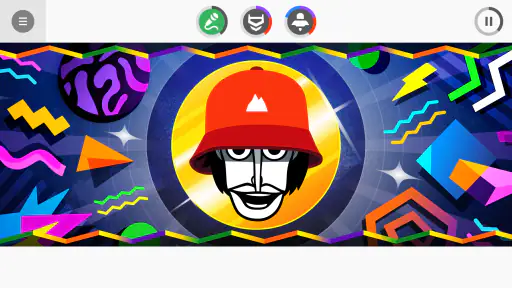
But here’s the kicker: as you continue to build your track, the app rewards you with animated sequences that sync with your music. It’s almost like creating your own mini music video! And if you’re feeling particularly proud of your creation, you can share it with friends or even download it to keep forever.
A useful way to explore is to build a rough rhythm first, then add contrasting sounds one at a time. If a new layer makes the whole mix feel crowded, removing it can be a better choice than adding yet another sound. This is a small but valuable lesson in arranging: a track often feels more coherent when each part has room, and the character-based presentation makes those changes easy to hear as well as see.
I can imagine using it during a short break, on a quiet afternoon with a child, or as a casual prompt for a classroom activity about rhythm and listening. In a realistic everyday moment, I might have ten minutes before heading out: I can open a version, try a few combinations, and leave with a short musical idea rather than needing to set up a project. For a shared activity, taking turns choosing sounds gives everyone a clear role without requiring one person to operate a complex interface.
The trade-off is that this guided approach limits how far I can shape a piece. If I want detailed control over timing, recording, or a polished song workflow, a digital audio workstation or a loop-making app is a better fit. Those tools demand more learning, but they are designed for editing and production; this game is strongest when discovery and immediate feedback matter more than precision.
Motor, sensory, and situational access
The playful presentation makes the activity approachable, but it is also busy: animated characters and music compete for attention. If movement or visual activity is distracting, I’d try it in a calmer setting and focus on a small number of sounds at a time. Likewise, the drag-and-drop interaction may not suit every player equally. Anyone who finds repeated touch gestures difficult should try a brief session before deciding whether the controls feel comfortable on their device.
Sound is central to the experience, so it is most rewarding when I can listen without interruption. Headphones can help when I want to hear the layers clearly or avoid disturbing people nearby, while a quiet room is useful for a child who gets overwhelmed by competing noise. I would not assume it works equally well in every setting: a noisy commute can make the musical details harder to judge, and playing aloud may not be appropriate in a shared space.
It can still fit different routines because a complete session does not have to become a serious project. I can experiment briefly, save or share a result when I want to keep it, and return later with a different arrangement in mind. That makes it a more natural choice for casual creative breaks than for long, structured practice sessions. The app’s minimum operating-system requirement is version 6.0, so it is worth checking device compatibility before buying.
Where it fits—and where it doesn’t
In a world filled with music apps, Incredibox stands out because of its unique blend of fun and functionality. It’s not just about making music; it’s about enjoying the process and sharing that joy with others. Whether you’re looking to kill some time or seriously dive into music creation, this app has something to offer.
For me, the key distinction is between making a satisfying musical sketch and producing a finished track. Compared with typical music-creation apps, it asks less of the user up front and gives a more characterful, visual experience, but it also offers less room for detailed editing. Compared with rhythm games, it puts the emphasis on assembling a mix rather than simply following a fixed sequence. If you want guided, low-pressure experimentation, that balance works well; if you need professional controls or structured lessons, I’d choose another tool.
Moreover, the app’s design is both playful and professional, striking a perfect balance that caters to both kids and adults. It’s no surprise that Incredibox has gained a dedicated following. It’s educational, entertaining, and incredibly accessible.
That accessibility is strongest in the sense that the basic idea is easy to grasp, not that every interaction will suit every person or situation. I’d recommend it to curious beginners, families looking for a creative shared activity, and listeners who enjoy trying combinations without worrying about musical rules. I’d skip it if I mainly want to record vocals, edit a song in fine detail, or play something that rewards fast reactions rather than experimentation.
A considered recommendation
All in all, if you’re looking for an app that lets you unleash your inner musician without overwhelming you with technical details, Incredibox is the way to go. It’s a refreshing take on music creation that’s sure to strike a chord with anyone who gives it a try. So why not give it a whirl? You might just find a new hobby or, at the very least, have a blast making some groovy tunes!
My practical advice is to treat the purchase as a compact creative experience: take time to sample the sounds, build a mix gradually, and judge it by how enjoyable the process is rather than by whether it becomes a finished song. At $4.99, it makes the most sense for someone who expects to revisit that playful process. For me, the appeal is not technical depth but the way it makes musical trial and error inviting; that is a clear strength, as long as you know where its limits are.
Incredibox Pros and Cons
Pros
- Engaging music creation tool.
- Visually appealing interface.
- Easy to use for all ages.
- Variety of sound options.
- Encourages creativity and fun.
Cons
- Limited free version features.
- Repetitive gameplay for some.
- Requires internet connection.
- No offline mode available.
- Paid app for full features.
This Game in Other Languages
Frequently Asked Questions
What is Incredibox and how does it work?
Incredibox is a music app that allows users to create music by assembling a band of beatboxers. The app presents you with a group of animated characters, each representing a different sound or rhythm. You drag and drop these characters into the scene to create various musical compositions. The interface is user-friendly, making it accessible for all ages to enjoy creating music.
Is Incredibox available for both Android and iOS devices?
Yes, Incredibox is available for download on both Android and iOS platforms. This cross-platform availability ensures that a wide range of users can enjoy the app, regardless of their device preference. You can find Incredibox on the Google Play Store for Android devices and the Apple App Store for iOS devices.
What are some of the key features of Incredibox?
Incredibox offers several features that enhance the music-making experience. Users can experiment with different sound combinations and themes, record their mixes, and share them with friends. The app also includes interactive elements and unlockable bonuses that add to its replayability. Its visually appealing graphics and intuitive interface make it a favorite among music enthusiasts.
Do I need any musical knowledge to use Incredibox effectively?
No, you don't need any prior musical knowledge to enjoy Incredibox. The app is designed to be intuitive and user-friendly, allowing anyone to create impressive musical mixes. Its drag-and-drop interface makes it easy for beginners to get started, while the variety of sounds and themes offers enough depth for more experienced users to explore.
Is Incredibox free to download and use?
Incredibox is a paid app, meaning it requires a one-time purchase to download and use. However, the price is reasonable considering the rich features and entertainment value it provides. There are no additional in-app purchases or subscriptions required, ensuring that users have full access to all content and features after the initial purchase.


