

House Designer : Fix & Flip
- Reviews
- 4.6
- Version
- 1.60
- Installs
- 100,000,000+

Screenshots
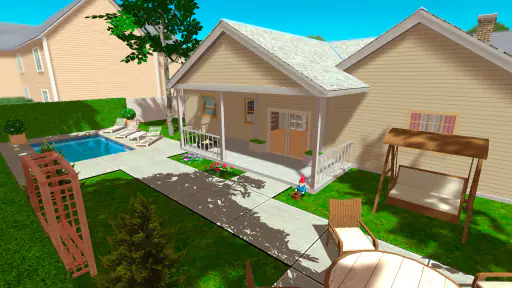
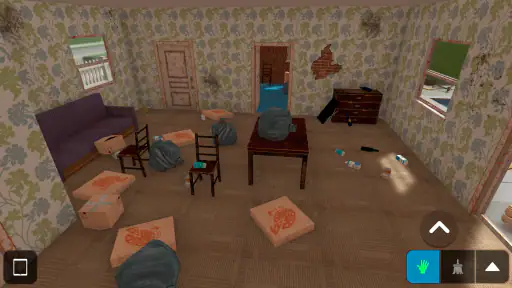
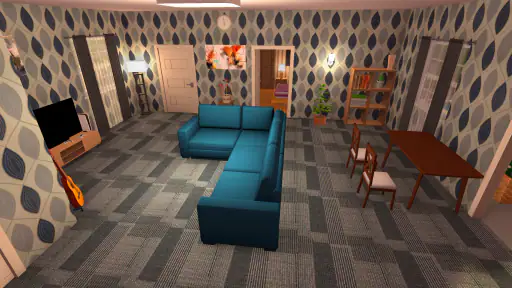
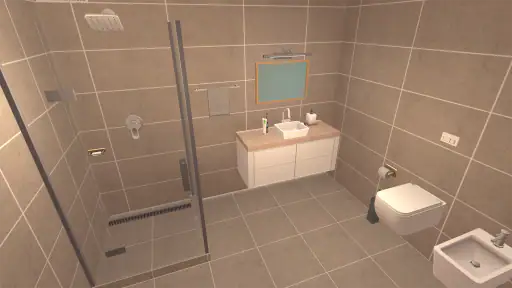
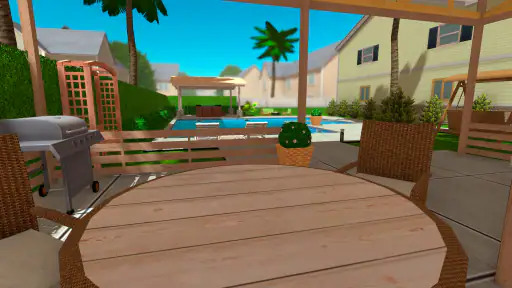
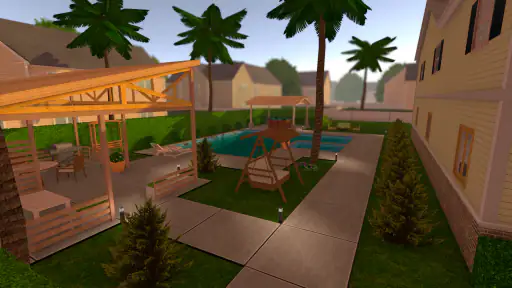
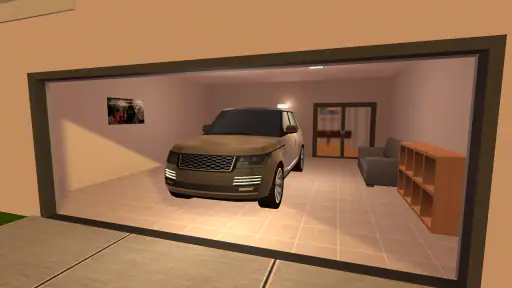
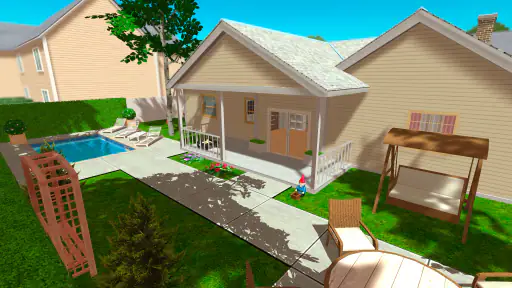
 Analysis by Frivlyz
Ever wondered what it’s like to be an interior designer, but without all the schooling and real-world pressure? Well, let me introduce you to House Designer : Fix & Flip. This game is like HGTV in your pocket, giving you the chance to unleash your inner designer and renovator without leaving your couch. I’ve spent some time tinkering around with it, and let me tell you, it’s as fun as it is addictive.
Who Will Enjoy This Kind of Renovation?
I’d recommend this home-design adventure game to anyone who likes making visual choices and seeing a project take shape at an unhurried pace. It suits short visits when I want to tackle one small decorating decision, but it can also hold my attention when I have time to work through a larger renovation. The appeal is less about mastering a complicated simulation and more about enjoying the before-and-after transformation.
It is not the best fit if you want a tightly plotted adventure, realistic construction management, or a competitive game with a clear multiplayer focus. Players who mainly want to sketch floor plans with precise professional tools may prefer a dedicated design program. Here, the pleasure comes from working on properties inside a game, rather than using it as a substitute for real renovation planning.
Our Stories on House Designer : Fix & Flip
Why Gym Heros: Fighting Game Redefines Strategy in Combat
NewsWhy Dragon Mania Legends Is a Must-Play Adventure
NewsDigital Identity and Culture in Vlogger Go Viral: Tuber Life
NewsFashion Show: Makeup, Dress Up Transforms with AR and OS Updates
NewsDancing Road Turns Short Breaks Into a Test of Rhythm and Timing
NewsSuper Stylist Makes Every Outfit a Test of Taste and Patience
NewsJumping Into the Design World
When you first dive into House Designer : Fix & Flip, you’re greeted with a simple yet inviting interface. It’s super easy to get started, and trust me, you won’t feel overwhelmed. The game starts you off with a modest house and a toolbox of basic skills. From there, it’s up to you to buy, fix, and sell properties. You get to channel your creativity and sense of style as you choose everything from paint colors to furniture. And the best part? Watching your virtual bank account grow every time you flip a house successfully.
A Steady Workflow Beats Random Decorating
I get more out of each property when I pause before making cosmetic choices. I first look at the space as a whole, decide what kind of home I want it to feel like, and then make related decisions together: wall color, furniture, and outdoor touches. That simple order helps me avoid ending up with a collection of attractive items that do not feel connected. It also makes the finished house easier to judge as a complete project.
For a quick play session, I pick one clear task rather than trying to perfect every room at once. I might focus on a single paint choice or furnish one area, then leave the next decision for later. When I have more time, I can step back and check whether the rooms share a consistent mood. This is a useful habit in a game where the temptation is to keep browsing options just because there are more choices to try.
Features That Keep You Hooked
The game boasts a plethora of features that make it really stand out in the simulation genre. First off, the variety of items you can choose from to decorate your houses is impressive. You’ve got everything from chic modern furniture to rustic farmhouse pieces. Plus, the level of customization is incredible. Want to paint the walls a daring shade of red? Go for it! How about adding a pool in the backyard for that extra wow factor? You can do that too!
Gaming Stories You May Enjoy

Dominoes on Your Terms: Who Should Play and Who Should Pass

Pokémon GO Makes the Familiar World Feel New

Chess.com Turns Rematches Into Rivalries, but Community Has Its Costs

Archery Battle 3D Review: Sharp Aiming, Unclear Feedback

Should You Switch to Geometry Dash Meltdown? A Test of Timing and Patience

Fidget Toys Trading・Pop It 3D: What Happens When the Game Stumbles
My practical tip is to treat furniture and color as a small palette, not as separate purchases. If I choose one strong feature, such as a vivid wall, I keep the surrounding choices calmer so it stays intentional. If I want a room to feel warm and understated, I can make the furnishings and paint support that direction instead. This approach gives each makeover a clearer identity, and it stops me from changing things simply because another option caught my eye.
Freelance Jobs as a Lower-Pressure Practice Ground
Another feature that I absolutely love is the ability to take on freelance jobs. Not only is it a great way to earn some extra cash, but it also helps you hone your skills before you take on bigger projects. It’s like practice for the real deal, and it’s a nice touch that adds to the overall experience.
I find those jobs especially useful when I want a defined objective instead of an open-ended design session. They give me a reason to experiment with choices before committing my attention to a larger flip. The trade-off is that a job’s brief can narrow the creative freedom that makes property work satisfying. If I’m in the mood to follow my own taste, I would rather spend that session shaping a home than treating every task as a checklist.
Settings and Small Habits That Help
Before settling into a longer session, I check the game’s available settings and make sure the controls feel comfortable on my device. I avoid assuming that a layout or sensitivity that works for someone else will suit me; a little adjustment can make moving around and placing items feel less fussy. I also keep my sessions focused, since repeated browsing and backtracking can make a relaxing design game feel like work.
There is no need to rush through every choice. I make a quick mental note of the look I’m aiming for, then pause before adding a new item that might pull the room in another direction. If I’m unsure about a bold decision, I compare it with the rest of the space before continuing. That is a simple, repeatable way to get more coherent results without relying on any hidden shortcut or elaborate strategy.
Why You’ll Keep Coming Back
What really keeps me coming back to House Designer : Fix & Flip is the satisfaction of seeing a project through from start to finish. There’s something incredibly rewarding about transforming a rundown property into a beautiful home and then selling it for a profit. Plus, the game’s developers are constantly updating it with new features and items, so there’s always something fresh to explore.
That loop also makes it easy to turn a spare moment into a small creative routine. For example, after a busy day, I might open the game, make one deliberate improvement, and stop once I have a result I like. On a quieter evening, I can spend longer comparing styles and working toward a more complete transformation. The freedom to choose the scale of a session is part of its appeal, although players who need a strong story or a fixed sequence of missions may find the open-ended rhythm too loose.
As an adventure game focused on renovation, it sits between a pure decorating app and a more demanding management simulation. Compared with a simple room-styling game, buying, fixing, and selling properties gives the work a satisfying sense of progression. Compared with a detailed building simulator, it is easier to approach and more centered on visual decisions than on technical planning. I see that as a strength for casual play, but a limitation for anyone seeking realistic costs, structural detail, or professional design tools.
A Few Trade-Offs Before You Settle In
The game is free to start, with in-app purchases priced from $0.49 to $69.99 per item. I would approach purchases cautiously and first decide whether I’m enjoying the basic renovation loop; the broad price range makes it sensible to check each item before spending. It is rated for Everyone, and TURBOGOOSE GAMES is the developer. The game was released on August 1, 2018, and version 1.60 lists Android 5.0 as its minimum operating system requirement.
Its scale is clear from its 4.6 average rating, around 1.1 million ratings, roughly 20,000 written reviews, and over 100 million installs. Those figures suggest that the basic idea has reached a wide audience, but they do not mean every player will enjoy its pace. I would skip it if I wanted a deep narrative, a realistic renovation simulator, or a tool for planning an actual home project. It makes more sense as a casual creative game than as practical design software.
One question I’d ask before downloading is whether it works for a quick daily break. In my view, yes: choosing one manageable task makes it easy to dip in without needing to plan a long session. If you prefer to play for extended stretches, the larger property transformations give you room to spend more time refining a look. Another useful question is whether you need to pay to enjoy the design side. Since the game is free and purchases are optional items, I’d try the core experience first and only consider spending if a particular purchase genuinely adds to your enjoyment.
Final Thoughts
All in all, if you’re looking for a game that’s both relaxing and engaging, House Designer : Fix & Flip is worth checking out. It’s perfect for those moments when you want to unwind and let your creativity shine. Whether you’re a seasoned gamer or a casual player, this app has something for everyone. So, grab your virtual paintbrush and start designing your dream home today!
For me, the best way to enjoy it is to treat each property as a small design challenge: settle on a direction, make choices that support it, and take satisfaction in the finished transformation. That keeps the decorating focused while leaving room to experiment. If that sounds like the kind of low-pressure creativity you want, I think it is a pleasant pick; if you need realism, a strong story, or exact planning tools, another option will serve you better.
House Designer : Fix & Flip Pros and Cons
Pros
- Intuitive controls for easy navigation.
- Wide variety of furniture and decor options.
- Realistic graphics enhance user experience.
- Regular updates with new features.
- Engaging gameplay for creative minds.
Cons
- Some in-app purchases are expensive.
- Occasional bugs disrupt gameplay.
- Limited tutorial for new players.
- Long loading times on older devices.
- Requires constant internet connection.
This Game in Other Languages
Frequently Asked Questions
What is the primary objective of House Designer: Fix & Flip?
House Designer: Fix & Flip focuses on providing a realistic home renovation experience. Players buy, renovate, and sell houses for profit. The game emphasizes creativity and strategic planning, allowing users to express their design skills while managing budgets to maximize returns. It's an engaging way to explore interior design and renovation.
Can I play House Designer: Fix & Flip offline?
Yes, House Designer: Fix & Flip can be played offline. This feature makes it convenient for users who want to enjoy the game without the need for a constant internet connection. However, for certain features like updates or social sharing, an internet connection may be required.
What platforms is House Designer: Fix & Flip available on?
House Designer: Fix & Flip is available on both Android and iOS devices. This cross-platform availability ensures that a wide range of users can access and enjoy the game, whether they are using smartphones or tablets. It's easily downloadable from the Google Play Store and Apple App Store.
Are there in-app purchases in House Designer: Fix & Flip?
Yes, the game includes in-app purchases. These allow players to buy additional resources or unlock special features that enhance gameplay. While the game can be enjoyed without spending money, in-app purchases offer the opportunity to progress faster or access exclusive items.
How does House Designer: Fix & Flip ensure user privacy and data security?
House Designer: Fix & Flip adheres to stringent privacy and data security standards to protect user information. The game developers have implemented robust security measures to ensure that personal data is safeguarded. Users should review the privacy policy for detailed information on how their data is handled.


