

Hidden Differences : Spot It
- Reviews
- 4.9
- Version
- 1.0.9
- Installs
- 500,000+

Screenshots
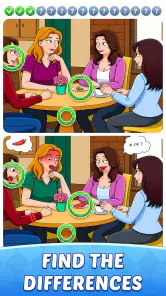
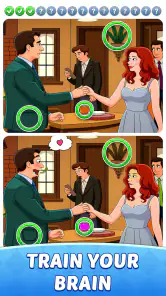
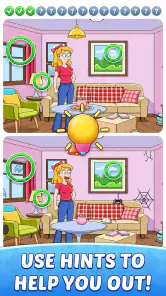
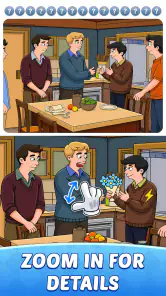
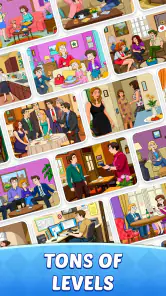
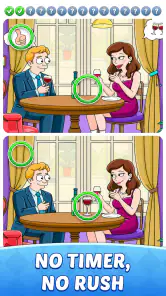
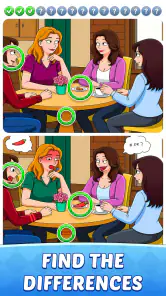
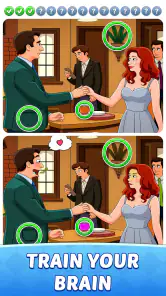
 Analysis by Frivlyz
I usually reach for a spot-the-difference game when I want something focused but not demanding a long commitment. Hidden Differences: Spot It suits that mood: its basic appeal is the familiar search across paired images, with the challenge coming from noticing small changes rather than learning complicated controls. That makes it easy to understand quickly, though the pace depends more on how carefully I scan a picture than on fast reactions.
What a quick session feels like
The simple premise is also useful when I have only a few spare minutes. I can settle into a puzzle without first learning a set of rules, and the side-by-side comparison gives my attention a clear job. On a short break, I find that more satisfying than opening a game that needs a long setup or asks me to remember a complicated sequence. It is still a concentration game, however: if I am distracted or trying to hurry, I am more likely to overlook a change and spend longer searching.
For a more comfortable search, I would look at the image systematically instead of jumping from one tempting detail to another. Sweeping across the scene in rows, then checking crowded areas and edges, helps prevent repeatedly revisiting the same spots. This is a practical habit rather than a special feature, but it makes a difference in visual puzzles where two small details can compete for attention. Taking a brief pause when I feel stuck can help too; staring harder is not always the same as seeing more.
Who will enjoy the pace
I think this kind of puzzle works especially well for casual players who like visual challenges but do not want action-game pressure. It can also be a reasonable choice for a shared, low-key activity: one person can scan the left side while another checks the right, then compare what they noticed. That turns a solo observation task into an easy conversation without requiring either player to be an expert.
It is less suited to someone who wants a story, strategic depth, or a strong sense of progression beyond solving picture puzzles. Players who find repeated visual searching tiring may also prefer a word puzzle or a game built around varied mechanics. The key question is whether noticing small differences feels relaxing to you or starts to feel like visual busywork. I would choose another genre on days when I want a more active challenge or a wider range of things to do.
First Impressions
As soon as you open Hidden Differences: Spot It, you're greeted with a colorful and intuitive interface. The visuals are vibrant and crisp, making it easy to spot each intricate detail. The app’s design is straightforward, which is great because you don’t want to spend forever trying to figure out how to start a game. The main menu offers easy navigation with options to start playing immediately or explore different levels and themes.
Gameplay Experience
The game itself is pretty straightforward: you’re presented with two seemingly identical images, and your task is to find all the differences between them. Sounds easy, right? Think again. The developers have done a fantastic job of hiding these differences in plain sight, creating a challenge for even the most eagle-eyed players. Each level progressively increases in difficulty, which keeps things interesting and addictive.
Gaming Stories You May Enjoy

Dancing Road Turns Short Breaks Into a Test of Rhythm and Timing

Super Stylist Makes Every Outfit a Test of Taste and Patience

Dominoes on Your Terms: Who Should Play and Who Should Pass

Pokémon GO Makes the Familiar World Feel New

Chess.com Turns Rematches Into Rivalries, but Community Has Its Costs

Archery Battle 3D Review: Sharp Aiming, Unclear Feedback
What I particularly love is the variety in the image themes. From serene landscapes to bustling city scenes, there’s always something new to discover. And if you’re anything like me, you'll appreciate the subtle details that make each picture a work of art. Plus, the game offers hints to help you out if you’re really stuck, although using them might feel like cheating!
Reading the details without rushing
Visual puzzles can be deceptively demanding when played on a small screen. A scene that looks clear at first may contain tiny changes that are easier to assess when I slow down and compare one region at a time. If I am playing while walking, multitasking, or dealing with glare, I would expect to miss more; a steadier moment and a comfortable viewing angle are better conditions for careful spotting.
Hints are most useful when I have already made a genuine attempt and need help past one stubborn area, rather than as a shortcut through the whole puzzle. Saving them for that point preserves the satisfaction of finding most changes myself while giving me a way to avoid getting stuck indefinitely. It is a small trade-off: use help too early and the search may feel less rewarding; refuse it entirely and a single elusive detail can make a quick session drag.
How it compares with other puzzle choices
Compared with word searches or number puzzles, this game asks me to inspect images instead of manipulating letters or calculations. Compared with fast arcade games, it gives observation more importance than reflexes. That makes it a useful change of pace, not a replacement for every kind of puzzle. If I want a quiet screen break that still keeps my eyes and attention engaged, the format fits; if I want varied objectives or a deeper planning challenge, another puzzle style is likely a better match.
For an everyday example, I could play a level while waiting for an appointment, then stop when my name is called without needing to remember a complicated strategy. At home, it may also work as a short shared challenge after dinner. I would avoid treating it as a guaranteed way to relax, though: people who are sensitive to prolonged close-up screen use may prefer shorter sessions and a break between puzzles.
Speed, stability, and device fit
I would set expectations around the pace of the puzzle rather than expecting a performance-heavy game. Its central activity is comparing images, so the meaningful question for me is whether the screen remains comfortable to inspect and the controls feel manageable during a search. I cannot infer a particular loading time or battery impact from the game’s description, and I would not choose it on the promise of either. A practical first session is the best way to see how it feels on your own device.
The game is free, is developed by CRAZYART TECHNOLOGY, and is rated for Everyone. It was released on February 8, 2025, and version 1.0.9 supports Android 7.0 and later. Its average rating is 4.9 from around 18,000 ratings, with 261 written reviews and over 500,000 installs. Those figures show that it has found an audience, but they do not guarantee that every player will enjoy the same image-search pace.
If a puzzle seems difficult to read, I would first try changing my viewing angle or moving to a less distracting setting before assuming the game itself is the problem. A smaller display can make fine visual details harder to judge, while a larger screen may feel more comfortable for a long search. I would also keep expectations modest about resource demands: without a confirmed device-specific test, it is better to judge responsiveness and comfort during actual play than to assume it will behave identically on every phone.
Why It's Worth Your Time
While there are a plethora of "spot the difference" apps out there, Hidden Differences: Spot It stands out with its engaging gameplay and high-quality images. It’s perfect for killing time on a lazy afternoon or sharpening your observation skills. Plus, it’s a great way to challenge your friends and see who has the keenest eyes.
One thing to note is that the app is free to download, but it does offer in-app purchases. These can range from additional hints to unlocking new levels. It’s not necessary to spend money to enjoy the game, but it’s an option if you’re eager to explore more content.
My performance verdict
For me, this is a deliberately unhurried visual puzzle, not a game I would judge by rapid transitions or demanding action. Its appeal rests on the simple loop of comparing two scenes and staying attentive long enough to catch what changed. I would recommend trying it if that kind of focused search sounds pleasant, while keeping sessions short if close viewing becomes tiring. Anyone looking for a broad mix of mechanics, a story-led experience, or proof of specific device performance should consider a different option or try it firsthand before deciding.
In conclusion, Hidden Differences: Spot It is a delightful and challenging app that brings a classic puzzle concept into the modern era. Whether you're a fan of puzzles or just looking for a new game to try, this app is definitely worth a download. Happy spotting!
Hidden Differences : Spot It Pros and Cons
Pros
- Engaging gameplay with challenging puzzles.
- High-quality graphics enhance user experience.
- Various levels and themes for all ages.
- Encourages focus and attention to detail.
- Regular updates with new content.
Cons
- Contains in-app purchases.
- Ads can be intrusive during gameplay.
- Requires internet for some features.
- Limited free hints available.
- Can be repetitive after a while.
Frequently Asked Questions
What is Hidden Differences: Spot It about?
Hidden Differences: Spot It is an engaging puzzle game where players must identify subtle differences between two seemingly identical images. The game challenges your observation skills and attention to detail, offering various levels of difficulty and a wide array of themes. It's perfect for those who enjoy brain teasers and visual puzzles.
How do I play Hidden Differences: Spot It?
To play Hidden Differences: Spot It, you need to carefully examine two side-by-side images and find the differences between them. The game usually provides a certain number of differences to spot within a time limit. Players can use hints if they get stuck, and successfully finding all differences lets you progress to the next level.
Is Hidden Differences: Spot It free to download and play?
Yes, Hidden Differences: Spot It is free to download and play on both Android and iOS platforms. While the game is free, it may offer in-app purchases to enhance the experience, such as buying additional hints or unlocking new levels. However, these purchases are entirely optional and not necessary to enjoy the game.
Are there any in-app purchases or ads in Hidden Differences: Spot It?
Hidden Differences: Spot It includes in-app purchases and ads. Players can purchase hints or unlock new levels to enhance their gameplay experience. Additionally, ads may appear periodically, but they can often be removed through an in-app purchase. The game maintains a balance to ensure ads do not significantly disrupt gameplay.
What are some tips for finding differences in Hidden Differences: Spot It?
To excel in Hidden Differences: Spot It, start by scanning both images from top to bottom, looking for obvious differences. Pay attention to colors, shapes, and patterns. If you're stuck, try focusing on specific areas of the image or take a short break before returning. Using hints sparingly can also assist without diminishing the challenge.


