

GBA Emulator - 90s Retro Games
- Reviews
- 4.7
- Version
- 1.2.81
- Installs
- 1,000,000+

Screenshots

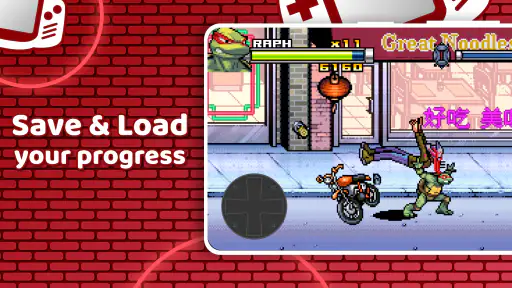
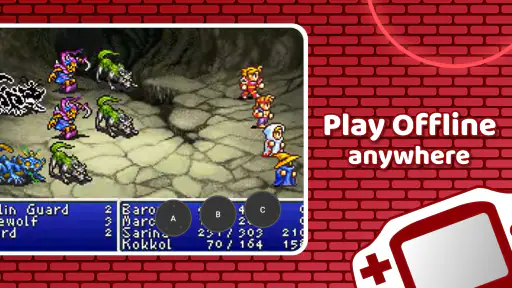
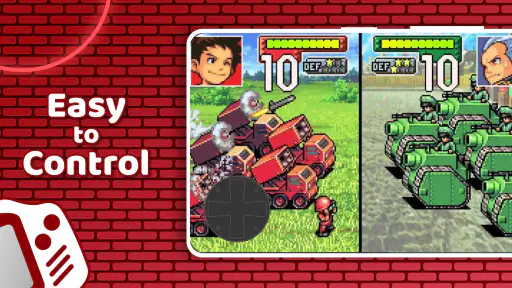
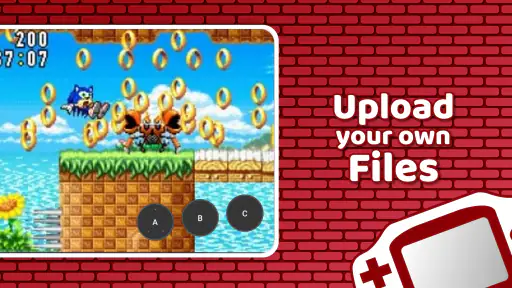
 Analysis by Frivlyz
I approached GBA Emulator - 90s Retro Games as a practical way to revisit handheld arcade-style gaming rather than as a replacement for every modern game on a phone. Its appeal is easy to understand: it focuses on classic Game Boy and GBA-style play, keeps the entry price at free, and offers a compact route into a familiar era of games. After spending time with it, I think the most important question is not whether retro emulation sounds attractive, but whether you want convenience and nostalgia more than the polish, social features, and guided setup found in newer gaming apps.
This is an arcade game from serplabmob, with a store average of 4.7 from around 40 thousand ratings and more than a million installs. Those figures suggest that the basic idea connects with a large audience, but popularity alone does not tell you whether it suits your habits. I found it most interesting for short sessions, older players who already know what kind of games they enjoy, and anyone who wants a simple handheld-style experience without committing to a large modern download.
What I looked for before recommending it
When I judge a retro emulator, I start with the everyday experience: how quickly I can get from opening the app to playing, whether the controls feel manageable on a touchscreen, and whether the presentation helps or gets in the way. I also look at the practical side. A good emulator should make a phone feel usable as a small handheld, but it should not make a user spend more time adjusting menus than actually playing.
The app’s description points toward classic and DS-era gaming through a retro emulator, while its short store label identifies it simply as a GBA emulator. That distinction matters. I would not install it expecting a full modern game library, a curated subscription service, or a catalog of officially included games. The value is in the emulator experience itself and in how comfortably it lets you play compatible classic titles that you already have the right to use.
My first decision criterion is therefore clarity. People new to emulation sometimes expect the app to work like a regular game: install it, tap a title, and begin. In practice, an emulator is a tool. The quality of your experience depends partly on how you organize your own game files and how comfortable you are with the setup process. That is not necessarily a flaw, but it is an important difference from downloading a conventional arcade game.
The second criterion is control. Touchscreen buttons can be perfectly acceptable for turn-based adventures, puzzle games, menu-heavy role-playing games, and slower platforming. They are less convincing when a game demands repeated rapid presses, precise directional changes, or comfortable use of several buttons at once. I found that the app makes more sense for relaxed sessions than for someone chasing the exact physical feel of an original handheld.
The third criterion is cost. The app is free, which makes trying it easy, but it includes in-app purchases ranging from $1.99 to $29.99 per item. I would treat that as a reason to inspect the purchase prompts carefully rather than as an automatic negative. A free starting point is useful, but users who dislike optional spending in utility-style apps may prefer an emulator with a simpler payment model.
Gaming Stories You May Enjoy

Dancing Road Turns Short Breaks Into a Test of Rhythm and Timing

Super Stylist Makes Every Outfit a Test of Taste and Patience

Dominoes on Your Terms: Who Should Play and Who Should Pass

Pokémon GO Makes the Familiar World Feel New

Chess.com Turns Rematches Into Rivalries, but Community Has Its Costs

Archery Battle 3D Review: Sharp Aiming, Unclear Feedback
Why the retro format still works on a phone
Classic handheld games are unusually well suited to mobile play. Many were designed around small screens, short levels, and clear visual feedback. That makes them comfortable during a commute, while waiting for an appointment, or during a short break when a large three-dimensional game would feel excessive. I like that this format does not demand a long uninterrupted evening.
A realistic example is a train journey with only fifteen minutes available. I can open the emulator, load a familiar title, play through a few stages or make progress toward a nearby objective, and stop without feeling that I abandoned a complicated live session. The phone becomes a pocket-sized time machine rather than another demanding entertainment platform.
There is also a practical benefit for people who already own a collection of legally obtained classic game files. Instead of keeping an old handheld charged and carrying another device, they can use a current phone as the screen and control surface. That convenience is the strongest reason I would recommend trying this app. It turns an old library into something easier to reach, provided the user understands the responsibility of supplying games legally.
Where this emulator feels strongest
The clearest strength is focus. The app is built around the GBA and Game Boy idea, so it does not present itself as a giant all-purpose gaming platform. That focus can be refreshing. If I want a quick retro session, I do not need to browse through modern recommendations, online events, or a large social layer before reaching the game.
It is also a sensible starting point for someone who has never used an emulator. The free download removes much of the risk involved in experimenting. A curious user can discover whether touchscreen retro controls work for them before buying dedicated hardware or paying for a more specialized solution. The Everyone content rating also makes the app approachable for households where age restrictions are a consideration, although the suitability of individual game files still depends on their own content.
Another advantage is the way a focused emulator can support different kinds of play. I can use it for nostalgia, but I can also approach the older library as a history lesson in game design. Short levels, limited menus, and straightforward objectives often reveal mechanics more clearly than modern games overloaded with tutorials and systems. For a parent introducing a child to older handheld design, or for a player studying how arcade conventions evolved, that simplicity has real value.
The best use case is controlled, short-form play with a library you already understand. If you know which games you want to revisit, the app has a clear purpose. If you are hoping the installation itself will provide a complete, ready-made catalog, your expectations are likely to be disappointed.
Small habits that improve the experience
I recommend organizing your legally owned game files before opening the emulator repeatedly. A tidy folder structure with clear names saves more time than constantly searching through a crowded download directory. This is a small step, but it changes the app from a technical experiment into something I can use casually.
I would also test one familiar game before importing a large collection. That gives you a chance to judge the touchscreen layout, screen size, and general comfort with a title whose controls you already remember. If a game feels awkward, the problem may be the phone’s screen or your preferred grip rather than the emulator itself. Testing one title first prevents a lot of unnecessary setup.
For longer sessions, I prefer using a stable grip and taking breaks rather than treating the phone like a tiny dedicated console. Touch controls can encourage cramped hands, especially in action-heavy games. A slower title may feel excellent while a fast platformer may expose the limits of virtual buttons. That difference is easy to miss if you judge the whole app from only one game.
Finally, I would keep expectations realistic about older software. Emulation is not the same as remastering. The original visuals and control assumptions remain part of the experience. If you want sharper modern interfaces, achievement systems, online matchmaking, or automatic access to a licensed catalog, a contemporary retro collection will probably feel more convenient.
When another option may be the better fit
The usual alternatives fall into several categories, and each solves a different problem. Official retro collections are generally the easier choice for people who want licensed games, a polished menu, and minimal technical involvement. They may not cover the exact titles you remember, but they tend to make the path from purchase to play more straightforward.
Dedicated handheld hardware is better for players who care deeply about physical controls. A real directional pad and buttons can make a major difference in fast arcade games, fighting games, and platformers. The trade-off is carrying another device, charging it, and accepting that it may be less convenient than the phone already in your pocket.
Other emulator apps may suit advanced users who want extensive configuration or broad system support. That extra flexibility can be useful, but it can also create more menus, more decisions, and more opportunities for setup friction. I would not automatically choose the most feature-heavy option. For a casual GBA player, a narrower tool may be easier to live with.
Cloud gaming and modern mobile arcade games serve a different purpose altogether. They are stronger choices if you want current visuals, online play, frequent updates, or a large streamable library. They are weaker when you want offline-friendly nostalgia and the distinctive limitations of old handheld design. The right comparison is not “which app is best?” but “which kind of gaming do I want today?”
There is also a legal and organizational trade-off that deserves attention. An emulator is not a substitute for obtaining games responsibly. Users should rely on game files they are allowed to use and should be cautious with random download sites. That extra responsibility is the main cost of choosing an emulator over an official collection. For some people it is manageable; for others, it removes the convenience that motivated the download in the first place.
What switching away would involve
If you begin here and later move to another emulator, the biggest investment is usually not the app itself but your setup. You may need to locate your game files again, recreate your preferred organization, and become familiar with a different control layout. That is why I suggest keeping your library in a clear, device-independent folder rather than scattering files across app-specific locations.
Your habits matter too. If you become comfortable with a certain screen orientation or button arrangement, another app may feel worse even if it offers more technical options. Switching can be worthwhile when you need a feature this app does not provide, but changing simply because another emulator has a longer settings menu may not improve actual play.
The current version is 1.2.81, and the app supports devices running Android 7.0 or later. In practical terms, that gives it a broad place among Android phones that are still in ordinary use, but compatibility on paper does not guarantee identical comfort across every screen size or hardware configuration. I would judge it on the specific phone you intend to use, especially if you are sensitive to small controls.
Because the app is free to install, the cost of testing it is relatively low. The more meaningful cost is time: preparing files, learning the interface, and deciding whether touchscreen play suits your favorite games. The in-app purchase range also means I would avoid assuming that every useful convenience is part of the free experience. Read each prompt before confirming anything, particularly if children use the device.
Who should install it, and who should skip it
I would recommend giving it a try if you already enjoy Game Boy or GBA-era games, want a portable way to revisit a personal collection, or prefer short offline-style sessions to large modern releases. It is also a reasonable first experiment for someone curious about emulation but unwilling to buy separate hardware immediately.
I would skip it if your priority is a ready-to-play catalog with no file management, if you need physical controls for demanding action games, or if you want modern multiplayer and ongoing content. It is not the right tool for someone who sees setup as part of the hobby’s appeal only when that setup leads to extensive customization. Users who want a fully guided, officially packaged experience will likely be happier elsewhere.
Families should also separate the app’s Everyone rating from the content of individual games. The app itself is broadly accessible, but parents still need to choose suitable titles and supervise purchases on shared devices. That is a simple distinction, yet it prevents the common mistake of assuming that an age label for the utility automatically describes every game used with it.
My recommendation after using it
My honest view is that this is a useful gateway to retro handheld gaming, not a universal answer for mobile players. Its free entry point, focused GBA and Game Boy identity, and large installed audience make it easy to justify trying. I especially like it for familiar games played in short bursts, where convenience matters more than perfect physical controls or a modern presentation.
The recommendation becomes conditional once your needs become more specific. If you want a precise arcade feel, buy or use hardware with real buttons. If you want a licensed, effortless catalog, choose an official collection. If you want deep emulator customization across many systems, investigate a more advanced tool. Those alternatives are not automatically superior; they simply prioritize different things.
For me, the deciding factor is whether I already have a clear, lawful game library and a willingness to spend a few minutes making the setup comfortable. When the answer is yes, the app turns a phone into a convenient retro companion. When the answer is no, the download can feel like an empty shell until the user solves the library question.
serplabmob has positioned this game in an accessible part of the arcade category, and the 4.7 average indicates that many users find the concept worthwhile. I would still treat the rating as a starting signal rather than a promise that every title or device will feel perfect. Touchscreen controls, file organization, and optional purchases shape the actual experience far more than a number in a store.
In the end, I recommend GBA Emulator - 90s Retro Games to nostalgic players and curious newcomers who want a low-risk way to explore classic handheld gaming on Android. I would not recommend it as a replacement for a dedicated console, a modern mobile arcade platform, or an official collection. Install it for the focused retro experience, test it with one familiar game, organize your library responsibly, and decide based on how naturally it fits your hands and your available time.
GBA Emulator - 90s Retro Games Pros and Cons
Pros
- Supports classic Game Boy Advance titles with smooth emulation.
- Simple controls make games comfortable to play on touchscreens.
- Save states let you resume progress almost instantly.
- Lightweight app that runs well on many Android devices.
- Retro-style interface feels familiar to longtime handheld players.
Cons
- Game compatibility may vary depending on the ROM and device.
- Touch controls can feel less precise than physical buttons.
- Some features may require permissions or in-app purchases.
- The app may show advertisements during use.
- Downloading copyrighted ROMs may be illegal in some regions.
Frequently Asked Questions
What is GBA Emulator - 90s Retro Games, and what can I play with it?
GBA Emulator - 90s Retro Games is designed to recreate the experience of playing classic Game Boy Advance-style titles on a mobile device. It generally functions as an emulator rather than a game collection, so the available content may depend on legally obtained game files supported by the app. Before downloading, check the store description carefully to confirm supported formats, included features, and whether any games are actually bundled.
Is GBA Emulator - 90s Retro Games legal and safe to use?
The emulator software itself may be legal, but downloading or sharing copyrighted game ROMs without permission can violate copyright laws in many countries. For a safer experience, use only game files that you own or that are legally distributed by their copyright holders. Install the app from an official app store, review its requested permissions, and avoid unofficial downloads that may contain modified files, intrusive advertising, or malware.
Does the app include classic games, or do I need to add my own ROM files?
This is one of the most important details to verify before installation. Many emulator apps provide the emulation tools but do not include copyrighted games, meaning users must import legally obtained ROM files themselves. Depending on the version, the app may scan device storage or offer a file-selection option. Read the current listing and privacy information because included content and file-management features can change.
What features and controls can I expect while playing?
A typical GBA emulator experience includes on-screen buttons, adjustable display settings, save and load states, audio controls, and support for landscape gameplay. Some versions may also offer customizable controls, fast-forwarding, vibration, screenshots, or external controller compatibility. Performance can vary between phones, especially with older or heavily advertised versions, so test touch responsiveness, input layout, and save reliability before committing to long play sessions.
Will GBA Emulator - 90s Retro Games work on my Android or iPhone?
Compatibility depends on the exact app version, operating system, device hardware, and the developer’s current support policy. Android users should check the minimum Android requirement and available storage, while iPhone users should confirm iOS compatibility and whether the app permits importing files under Apple’s restrictions. Older or budget devices may run basic games smoothly, but battery use, advertisements, audio glitches, or controller support can differ significantly.


