

Garden Joy: Exterior Designer
- Reviews
- 4.7
- Version
- 1.49.31
- Installs
- 1,000,000+

Screenshots
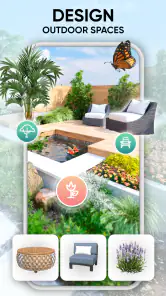
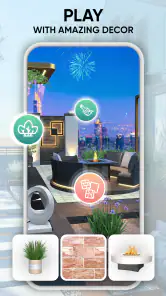
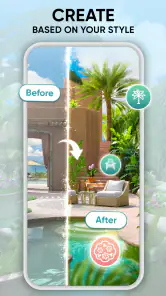
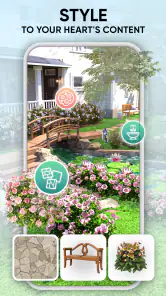
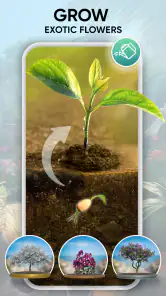

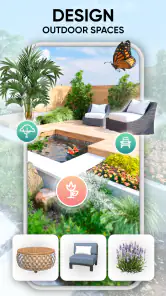
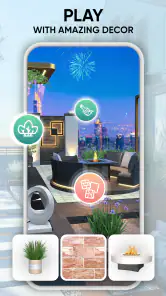
 Analysis by Frivlyz
I approach Garden Joy: Exterior Designer as a place to test outdoor-design ideas without having to commit to buying plants or moving furniture around. That makes it useful even if you are only daydreaming about a balcony or yard, rather than planning a full renovation. It is a free simulation game from Burlingame Studios, and its appeal is the chance to arrange an inviting outdoor scene at your own pace. I would recommend it most to people who enjoy visual experimentation; anyone looking for a precise construction plan will want to treat it as inspiration rather than a substitute for measuring a real space.
Making choices before changing your real space
The first useful decision is what you want the design to do. A garden that looks lush in a screenshot may not suit a narrow entrance, a quiet reading corner, or a space where people need to walk through. I find it helps to choose one practical purpose before placing decorations. That gives each later choice a reason and makes it easier to spot when a design is attractive but crowded.
Start with the shape of the idea
When I am trying a layout, I place the larger structural elements first and leave the smaller decorative choices until later. Paths, patios, and other hardscape pieces can establish where the eye travels and how the scene is divided. Plants and pots then become accents rather than a collection of unrelated objects. This order is a helpful way to avoid spending time polishing details that may need to move once the overall arrangement changes.
The game’s visual approach is better suited to exploring a mood than producing a contractor-ready blueprint. I would use it to compare a calm, open arrangement with a fuller, more layered one, then take the most promising idea outside and check the actual dimensions. If exact spacing, materials, or site conditions are central to your project, a dedicated planning tool or a paper sketch with measurements is a safer companion.
Balance appealing ideas against practical limits
A design tool makes it tempting to keep adding attractive pieces. The trade-off is that a scene can become busy before it feels complete. I get a clearer result by leaving some open space and checking the composition from the main viewing angle, instead of filling every available patch. That small pause can make a patio or garden feel more deliberate, and it gives the focal point room to stand out.
There is also a useful distinction between visual inspiration and plant-care guidance. The original experience describes plant information such as sunlight and watering needs, which can help you think about whether a combination is plausible. I would still check local growing conditions before spending money: a plant that suits a sunny virtual scene may not suit a shaded real yard or the climate where you live. Treating those details as a starting point, not a guarantee, keeps the design enjoyable without overpromising what a game can decide for you.
Rework designs instead of settling too early
One of the more practical ways to use the editor is to keep a first version simple, save it, and then try a contrasting arrangement. For example, you could compare a route that leads directly to a seating area with one that bends past planting. Looking at the alternatives side by side makes the decision less dependent on memory. It is also a good way to get useful feedback when you share a design: ask a friend which route feels clearer or where their eye lands first, rather than asking only whether they like it.
Gaming Stories You May Enjoy

Dancing Road Turns Short Breaks Into a Test of Rhythm and Timing

Super Stylist Makes Every Outfit a Test of Taste and Patience

Dominoes on Your Terms: Who Should Play and Who Should Pass

Pokémon GO Makes the Familiar World Feel New

Chess.com Turns Rematches Into Rivalries, but Community Has Its Costs

Archery Battle 3D Review: Sharp Aiming, Unclear Feedback
This kind of iteration is where the game’s low-pressure feel matters. You can test a bolder arrangement without creating waste or committing to a purchase. But if you are someone who wants exact costs, dimensions, or a materials list before making a choice, you may find the visual process too loose. I would keep a separate note of real measurements and possible purchases, rather than assuming a saved scene will answer those practical questions.
A relaxed fit for some players, not every project
Garden Joy is a simulation game, not a replacement for specialist landscape-design software. Compared with a gardening reference app, it puts more emphasis on arranging a scene than on detailed cultivation advice; compared with a general home-design game, its focus is specifically on outdoor spaces. That narrower focus is a strength when you want to play with planting and exterior décor, but it may feel limited if you want to redesign rooms as well or manage a complex build.
It is free to start, has an Everyone age rating, and includes optional in-app purchases ranging from $0.99 to $99.99 per item. I would try the basic design experience before considering any purchase, especially if you are unsure how often you will use it. Its average rating is 4.7 from around 42,000 ratings, with roughly 11,000 written reviews and over a million installs, which suggests a sizable audience but cannot tell you whether its particular style will suit you. The current version is 1.49.31, and it requires Android 7.0 or later.
Small decisions that make a session more useful
When I have only a few minutes, I set one narrow goal for the session: test a path, choose a focal feature, or compare two planting arrangements. That prevents casual browsing from turning into an unfinished overhaul. For a longer session, I would first make a broad layout, then revisit it with a different time of day or season if those viewing options are available in the design. A scene that works under one look may feel quite different under another, so checking more than one presentation can reveal whether the concept depends too heavily on a single mood.
Sharing is most helpful when the question is specific. Instead of asking someone to judge an entire garden, I might ask whether the seating area feels private or whether a path seems to lead naturally to the entrance. A focused question turns a saved design into a conversation about choices, rather than a vote on personal taste. It also helps to keep the first version untouched while trying changes in another iteration, so a spontaneous experiment does not erase the layout you preferred.
Who will enjoy it, and what to expect
I can see this being a good fit for someone who likes decorating games, wants a gentle creative activity, or needs a visual prompt before discussing a yard project with family. It can also help a beginner gather preferences: do you lean toward open paving, a greener border, or a more decorative focal point? That is a meaningful first step, even if the final real-world design needs adjustments for access, weather, maintenance, and budget.
I would skip it if the main goal is to calculate an installation, identify plants with certainty, or manage a detailed maintenance schedule. It is also not ideal if you prefer games with fast objectives and constant progression; the pleasure here comes from trying arrangements and deciding what looks right. The most realistic everyday use is a short evening session after noticing an awkward corner outdoors: try a few layouts, save the one that feels balanced, and use it to guide a real conversation or rough sketch later. That is a modest outcome, but a practical one.
The game is free, so there is little commitment in trying it, though optional purchases are worth keeping in mind if you prefer to avoid spending inside games. Its free-to-play structure does not change my advice: first see whether you enjoy the design process itself. If you do, its focused outdoor theme gives you room to explore; if you need precision or comprehensive horticultural help, pair it with a more specialized source rather than expecting one game to cover every part of a garden project.
Getting Started with Your Dream Garden
When you first download Garden Joy: Exterior Designer, you’re greeted with a friendly interface that’s as inviting as a stroll through a botanical garden. The app is designed to be intuitive, making it super easy to dive right into your first project. Even if you’re not a tech whiz or a gardening guru, you’ll find yourself navigating through the features with ease.
Exploring the Features
One of the coolest aspects of the app is its extensive library of plants and outdoor décor. You can choose from a plethora of flowers, trees, and shrubs, each with detailed information about sunlight and watering needs. This feature is a lifesaver for anyone who wants to make informed decisions about their garden layout. I loved being able to drag and drop different elements into my virtual garden space—it's like being a kid in a candy store!
Besides plants, you can also experiment with various hardscapes like pathways, patios, and water features. The app even allows you to adjust the time of day and season to see how your garden would look throughout the year. Talk about planning ahead!
Design Tools That Inspire Creativity
As I spent more time with the app, I discovered its robust set of design tools. You can customize every aspect of your garden, from the color of your pots to the texture of the soil. The app’s 3D visualization feature is particularly impressive, giving you a realistic view of your creations. It’s almost like you can smell the roses through the screen!
Another neat feature is the ability to save and share your designs with friends. This came in handy when I wanted to get some feedback on my layout. Who knew designing a garden could be such a social activity?
Why I’m Hooked on Garden Joy
What truly sets Garden Joy: Exterior Designer apart is its balance of fun and functionality. It’s not just about making beautiful spaces; it’s about learning and growing (pun intended) your gardening skills. The app includes helpful tips and tutorials, which are perfect for both beginners and seasoned gardeners.
On a personal note, I found myself spending hours tweaking my designs, trying out new combinations, and learning more about plant care. It’s a wonderful way to unwind at the end of a long day. Plus, it’s inspired me to try some of these designs in my own backyard!
Wrapping It Up
In the end, Garden Joy: Exterior Designer is a delightful app that effectively combines creativity with practicality. Whether you’re planning a complete garden overhaul or just looking for some inspiration, this app offers everything you need to transform your outdoor space. So go ahead, give it a download, and let your imagination run wild. Who knows, you might just find your green thumb along the way!
Garden Joy: Exterior Designer Pros and Cons
Pros
- User-friendly interface for easy navigation.
- Wide variety of plants and decor options.
- Realistic graphics enhance design experience.
- Interactive tutorials for beginners.
- Frequent updates with new features.
Cons
- Limited free features without subscription.
- Occasional lag on older devices.
- Ads can interrupt gameplay experience.
- Requires internet for full functionality.
- In-app purchases can be pricey.
Frequently Asked Questions
What is the main purpose of Garden Joy: Exterior Designer?
Garden Joy: Exterior Designer is designed to help users create and visualize beautiful outdoor spaces. Whether you're a professional landscaper or a homeowner looking to redesign your garden, the app offers tools and features to plan layouts, choose plants, and add decorative elements to your outdoor area.
Is Garden Joy: Exterior Designer suitable for beginners?
Yes, Garden Joy is user-friendly and caters to all skill levels. The app provides tutorials and templates that guide beginners through the design process, making it easy to create a professional-looking garden without any prior design experience. Advanced users can also enjoy more detailed customization options.
What features does Garden Joy: Exterior Designer offer?
Garden Joy includes a variety of features such as 3D visualization, a plant encyclopedia, and customizable templates. Users can experiment with different layouts, select from a wide range of plants and materials, and view their designs in a realistic 3D environment. The app also offers seasonal planning and maintenance tips.
Is Garden Joy: Exterior Designer available on both Android and iOS?
Yes, Garden Joy: Exterior Designer is available for both Android and iOS devices. You can download it from the Google Play Store or the Apple App Store. The app is regularly updated to ensure compatibility with the latest operating systems and to introduce new features and improvements.
Are there any costs associated with using Garden Joy: Exterior Designer?
Garden Joy offers a free version with basic features, but there are in-app purchases available for premium content and advanced tools. Users can choose from various subscription plans to unlock additional features, such as exclusive design elements, advanced planning tools, and expert tips for creating stunning outdoor spaces.


