

Gabbys Dollhouse: Games & Cats
- Reviews
- 4.0
- Version
- 3.0.0
- Installs
- 10,000,000+

Screenshots
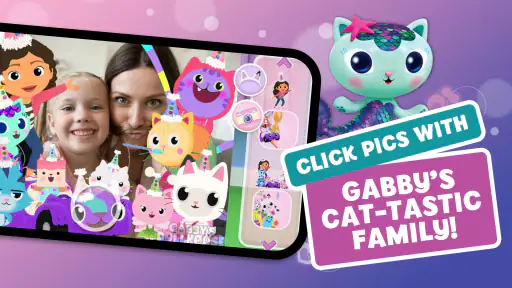
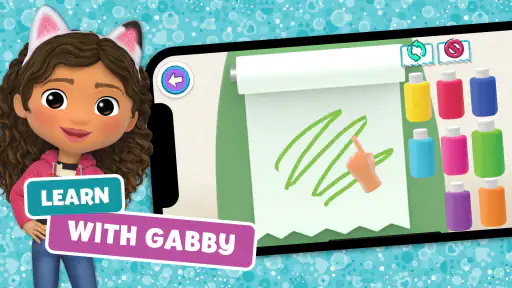
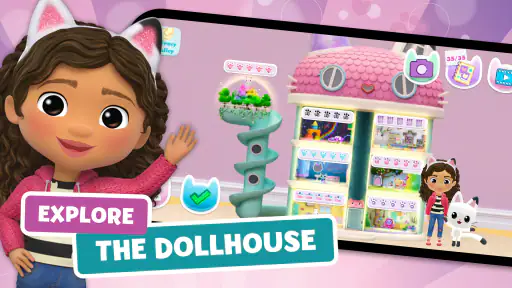
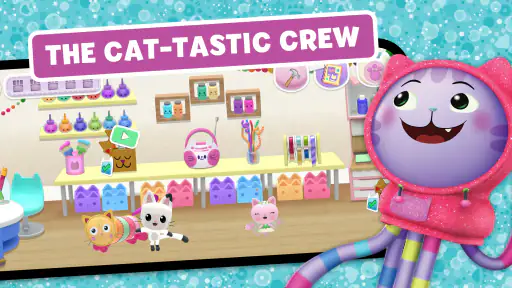
 Analysis by Frivlyz
My main impression of Gabbys Dollhouse: Games & Cats is that it works best as a gentle, character-led play space rather than a game with a strong goal to beat. It brings familiar dollhouse-style exploration together with activities aimed at young children, so a child can move between rooms, try things, and return to favorite moments without needing to master complicated controls. I’d recommend it to families looking for a playful screen-time option, with one caveat: it is more about discovery and make-believe than deep, steadily escalating challenges.
Spin Master, Ltd. made this educational game for an Everyone-rated audience, and its broad appeal shows in its reach: it has passed 10 million installs and holds a 4.0 average from around 27,000 ratings. It is free to start, while optional in-app purchases range from $0.99 to $12.99 per item. That makes it easy to try, but I’d still suggest an adult look at purchase settings before handing a device to a child. The game’s current version is 3.0.0, and it runs on Android 6.0 or later.
What Makes the Dollhouse Worth Exploring
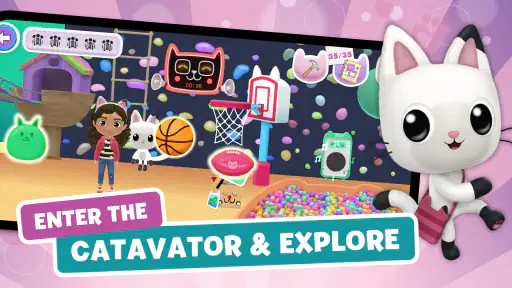
From the moment you launch Gabbys Dollhouse: Games & Cats, you’re greeted with a vibrant and colorful interface that instantly captures your attention. It’s like stepping into a cartoon, and trust me, you’ll feel like a kid again. The app is designed to resemble a dollhouse, where each room is packed with interactive elements and charming details.
Play That Follows a Child’s Curiosity
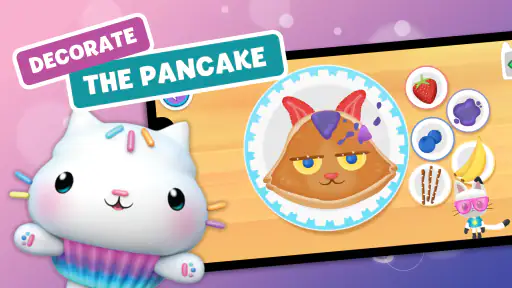
Inside the dollhouse, every room offers a new adventure. Whether you’re in the kitchen whipping up some pretend cupcakes or in the music room jamming with the cats, there’s never a dull moment. The developers have done an incredible job in creating an interactive environment that encourages exploration and creativity. You can tap on various objects to see what happens next, and that’s where the magic lies.
That open-ended quality is also a useful way to set expectations. A child who likes to poke around, repeat a funny interaction, or invent a little story can get more out of the rooms than someone waiting for a long sequence of levels and clear win conditions. I’d treat it as a collection of small play invitations: choose a room, let the child lead, and ask what they think might happen when they tap an object. That simple back-and-forth can turn solo screen time into a shared activity without forcing a lesson or a rigid plan.
Characters, Music, and Make-Believe
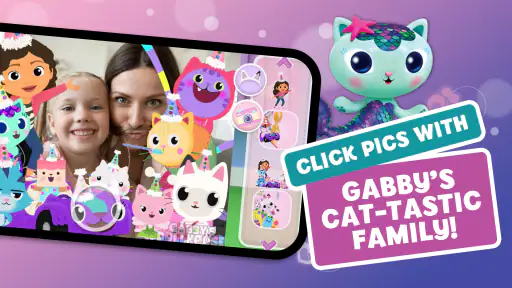
Let’s talk about the stars of the show—the cats! These furry friends are not just cute; they’re downright entertaining. Each cat has its own personality and set of activities it enjoys. Whether it’s playing dress-up or solving puzzles, the cats in Gabbys Dollhouse are always ready for fun. I found myself losing track of time just watching their adorable antics.
The character focus is a particular strength for children who already enjoy the show’s world or simply connect more with animated companions than with abstract puzzles. It gives activities a friendly context: the child is not just completing a task but spending time in a playful space with recognizable characters. For a parent or caregiver, that makes it easier to join in naturally—follow the child’s choice of cat, imitate a character’s reaction, or invite them to describe what is happening. The trade-off is that children who want a more open creative studio, where they can build or draw freely, may find the character-led format less flexible.
Gaming Stories You May Enjoy

Dancing Road Turns Short Breaks Into a Test of Rhythm and Timing

Super Stylist Makes Every Outfit a Test of Taste and Patience

Dominoes on Your Terms: Who Should Play and Who Should Pass

Pokémon GO Makes the Familiar World Feel New

Chess.com Turns Rematches Into Rivalries, but Community Has Its Costs

Archery Battle 3D Review: Sharp Aiming, Unclear Feedback
Mini-Games with a Light Learning Angle
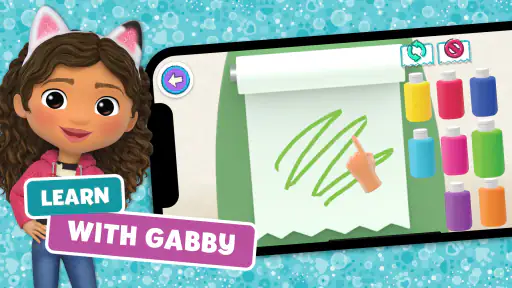
If you love mini-games, then you’re in luck. Gabbys Dollhouse is packed with a variety of games that are not only fun but also educational. From simple puzzles to more challenging memory games, there’s something for everyone. These mini-games are a great way for kids to develop problem-solving skills while having a blast. Plus, the rewards system keeps you motivated to keep playing and exploring.
I see the best use for these activities in short bursts rather than as a substitute for a structured learning app. A quick puzzle or memory challenge can make a convenient change of pace after a child has explored the rooms, while the surrounding characters keep the experience from feeling like a worksheet. If you are choosing between this and a dedicated early-learning game, the distinction is useful: this leans toward playful variety and familiar personalities, whereas a more instructional alternative may be a better fit when you want a focused practice routine or a clearer progression through skills.
How It Fits into an Everyday Routine
A realistic moment for this game might be a quiet stretch before dinner, when a child needs something engaging while an adult finishes a nearby task. I’d start by letting the child pick a room, then stay close enough to notice whether they are exploring happily or getting stuck. If attention begins to wander, switching from tapping around to a short mini-game can give the session a new rhythm. The point is not to keep the child occupied indefinitely; it is to offer a contained, low-pressure activity that can be paused when dinner is ready.
For a smoother first session, I’d explore alongside the child instead of explaining every control in advance. Let them discover which objects respond, then use their choices to guide the next step. This is a small but practical advantage of a dollhouse layout: rooms give the child an easy mental map, so you can suggest moving somewhere new without needing to introduce a complicated menu system. It can also help a child who is shy about puzzles begin with familiar characters and switch to a challenge only when they feel ready.
Where It May Not Be the Right Fit
The same relaxed design can be a limitation. Children who prefer clear objectives, a visible sense of progress, or a challenge that grows steadily may tire of wandering between playful interactions. Older children looking for deeper strategy or a more demanding educational game are likely to get more from a title built around sustained puzzles or skill practice. I would also choose a drawing or open-ended building app for a child whose main interest is making original creations rather than interacting with a themed world.
There is also a practical distinction between a free download and a completely cost-free experience: optional purchases are available, so families should decide in advance whether those are appropriate. I’d make that choice before a child starts playing, rather than turning a pleasant session into a negotiation after they encounter a purchase prompt. The game’s Everyone rating makes its intended audience broad, but an age label alone does not tell a caregiver whether its play style suits a particular child; watching the first session is a better way to judge that.
A Helpful Way to Choose Between Alternatives
Compared with a standard puzzle game, this offers more character interaction and room-to-room discovery, but less emphasis on one steadily developed challenge. Compared with a coloring app, it offers a broader mix of activities, while a dedicated coloring tool will usually make the act of drawing itself the central experience. And compared with a lesson-based educational app, it feels more like play with light learning opportunities than a guided curriculum. I’d pick it when a child wants cats, familiar dollhouse play, and variety; I’d choose one of those alternatives when a specific skill, creative output, or clear level structure matters more.
One useful way to keep the experience fresh is to let a child choose a different kind of activity on successive visits instead of trying to see everything at once. A room exploration session, a character-led pretend-play session, and a mini-game session can feel distinct even within the same app. This also makes it easier to notice what the child actually enjoys, rather than assuming that the most colorful activity will hold their attention longest. If the same interaction becomes repetitive, there is no need to push through it; move on, or end the session while the child is still content.
The Verdict
In conclusion, Gabbys Dollhouse: Games & Cats is more than just an app; it’s an experience. It’s perfect for kids and even for adults who are young at heart. The combination of interactive elements, cute cats, and engaging mini-games creates a magical environment that’s hard to resist. So, if you’re looking for an app that offers both entertainment and a touch of nostalgia, give Gabbys Dollhouse a try. You won’t be disappointed!
My recommendation is a little more specific: I’d try it for a young child who enjoys the characters, likes to explore at their own pace, and benefits from short activities that can be shared with an adult. Its 4.0 average and roughly 1,200 written reviews suggest plenty of people have tried it, but the right test is still whether the child returns to the rooms willingly and stays engaged without needing constant prompting. If that kind of relaxed, themed play is what you want, the free entry point makes it a reasonable option to sample. If you need a focused teaching tool, a demanding game, or an unrestricted canvas for original art, another kind of app will serve that purpose better.
Gabbys Dollhouse: Games & Cats Pros and Cons
Pros
- Interactive and engaging for kids.
- Colorful graphics and animations.
- Includes educational mini-games.
- Easy navigation for young users.
- Regular updates with new content.
Cons
- In-app purchases can add up.
- Requires internet for some features.
- Limited content without premium.
- Advertisements can be intrusive.
- Some games are repetitive.
This Game in Other Languages
Frequently Asked Questions
What is Gabby's Dollhouse: Games & Cats about?
Gabby's Dollhouse: Games & Cats is a delightful app designed for children, inspired by the popular kids' series Gabby's Dollhouse. The app offers a mix of interactive games and activities featuring adorable cat characters. Kids can explore different rooms in Gabby's Dollhouse, engage in creative play, and enjoy mini-games that enhance problem-solving skills while providing endless fun.
Is Gabby's Dollhouse: Games & Cats safe for children?
Yes, Gabby's Dollhouse: Games & Cats is safe for children. The app is designed with kids in mind, featuring age-appropriate content free from any explicit material. It also includes parental controls and privacy settings to ensure a safe and secure environment for young users. Parents can confidently allow their children to explore and play within the app.
What age group is Gabby's Dollhouse: Games & Cats suitable for?
Gabby's Dollhouse: Games & Cats is primarily designed for children aged 4 to 8 years. The app's engaging and colorful interface, along with its simple controls, make it accessible for young children. It helps in developing cognitive skills and creativity, making it an excellent choice for early childhood entertainment and learning.
Are there any in-app purchases in Gabby's Dollhouse: Games & Cats?
Yes, Gabby's Dollhouse: Games & Cats does offer in-app purchases. While the app provides a range of free content, additional features and items can be purchased to enhance the gaming experience. Parents are advised to set up parental controls to manage or restrict in-app purchases to prevent unauthorized transactions by children.
Can Gabby's Dollhouse: Games & Cats be played offline?
Gabby's Dollhouse: Games & Cats offers limited offline functionality. While some basic features and mini-games can be accessed without an internet connection, certain aspects of the app require online access for full functionality. It is recommended to have an internet connection to enjoy the complete experience and access all available content.


