

FPse for Android devices
- Reviews
- 4.5
- Version
- 12.1
- Installs
- 500,000+

Screenshots
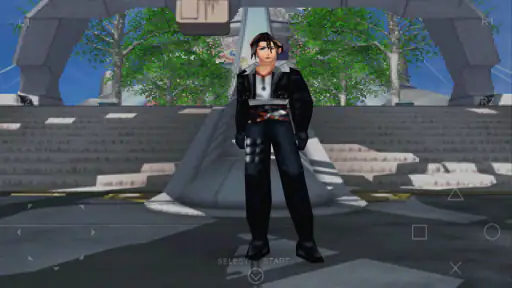
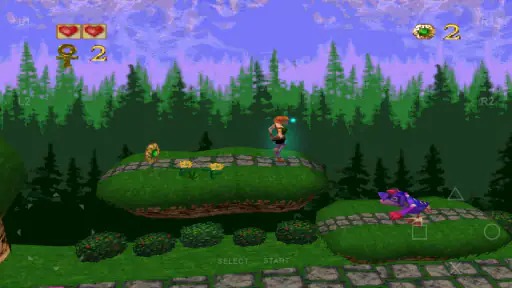
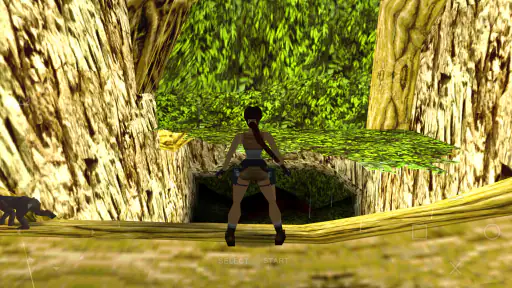
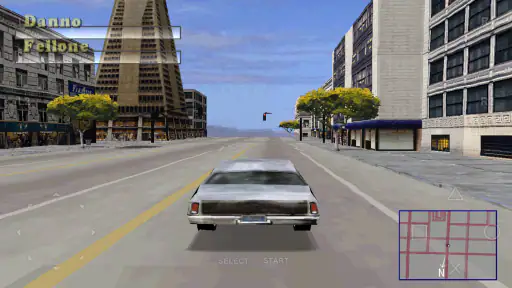
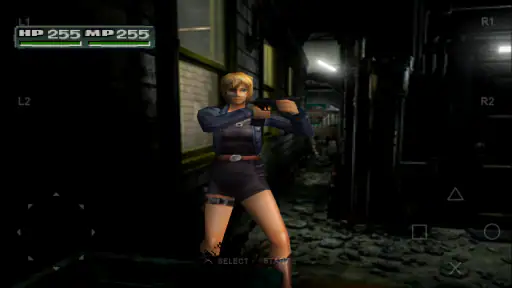
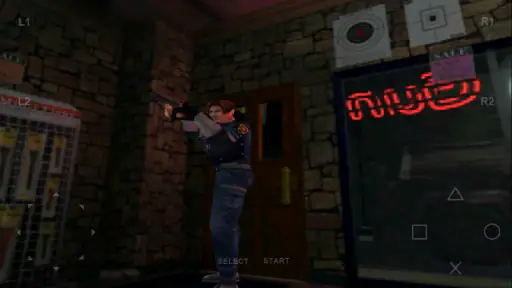
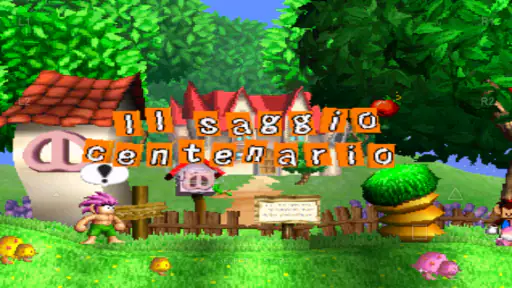
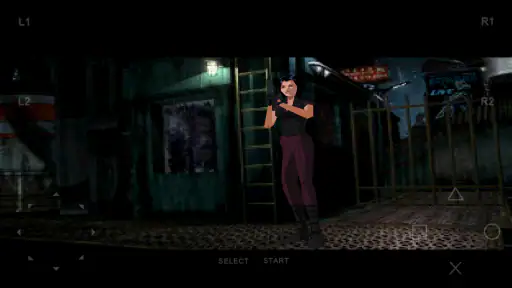
 Analysis by Frivlyz
I like FPse most when I think of it as a way to revisit games I already know, rather than as a plug-and-play game collection. It is a paid PlayStation emulator for Android, so the experience depends on bringing your own game files and being willing to spend a little time getting things arranged. If that sounds reasonable, it can make older console games much easier to fit into everyday life. If you expect to install it and immediately browse a built-in library, this is not that kind of app.
Where FPse stands today
FPse is a casual game from Schtruck & LDchen, and its current version is 12.1. It has been around since February 12, 2011, which gives it a long history as an Android option for playing PSone titles. The current snapshot is encouraging: it holds a 4.5 average from around 65,000 ratings, with more than 500,000 installs. Those figures suggest a well-established audience, though they cannot tell you how a particular game will behave on your particular phone.
The app costs $2.99, and its Everyone age rating makes clear that the app itself is broadly suitable for general audiences. That rating should not be confused with the content of every game you choose to run, which has its own character and age guidance. I would treat the purchase as paying for the emulator, not for a collection of PlayStation games.
What a long-running emulator means in practice
The version number is one firm marker of the app’s evolution: FPse is now at 12.1. Its release history reaches back to 2011, but those facts alone do not establish which specific features arrived in which update or how each change affected performance. I would avoid assuming that a newer version guarantees flawless support for every title. Emulator compatibility is still something to judge game by game, especially if you care about a particular favorite.
For someone returning after a break, the practical question is less “has the app changed?” and more “does my setup still suit the way I play?” Check that your game files are organized, try the touch controls before settling into a long session, and keep a separate save in addition to any quick state saves you use. That small bit of housekeeping can make switching phones or troubleshooting much less stressful.
Revisiting the Classics
One of the most exciting features of FPse is its ability to transform your Android device into a full-fledged PlayStation emulator. As someone who spent countless hours playing PS1 games, the idea of reliving those moments on my phone was too tempting to resist. From "Final Fantasy VII" to "Crash Bandicoot," the app supports a wide range of titles, allowing you to carry a library of classics wherever you go.
Setting Up and Interface
Getting started with FPse is surprisingly straightforward, even if you're not particularly tech-savvy. After downloading the app, you'll need to load your game ROMs. Once that's done, you're greeted with an intuitive interface that's both user-friendly and visually appealing. I was particularly impressed with the customizable on-screen controls, which you can tweak to suit your gaming style. Whether you're a fan of virtual buttons or prefer using a connected gamepad, FPse has got you covered.
Gaming Stories You May Enjoy

Dancing Road Turns Short Breaks Into a Test of Rhythm and Timing

Super Stylist Makes Every Outfit a Test of Taste and Patience

Dominoes on Your Terms: Who Should Play and Who Should Pass

Pokémon GO Makes the Familiar World Feel New

Chess.com Turns Rematches Into Rivalries, but Community Has Its Costs

Archery Battle 3D Review: Sharp Aiming, Unclear Feedback
Getting comfortable with the controls
There is a meaningful difference between being able to play with touch controls and finding them comfortable. For a menu-heavy role-playing game, virtual buttons may be perfectly serviceable because many actions involve selecting options rather than making split-second inputs. A platformer or fighting game asks for more precise timing, and a screen covered with buttons can make those moments awkward. I would test the control layout in a forgiving early section before committing to a difficult stage.
One useful approach is to change only one thing at a time when adjusting the controls. If a jump feels unreliable, first reposition or resize the relevant button, then try the same move again; changing the whole layout makes it harder to tell what helped. If you already own a compatible gamepad, it may be the better choice for games built around quick directional input. That is a comfort decision, not a requirement for every player.
Performance and Graphics
Performance-wise, FPse delivers a smooth and lag-free experience. The app utilizes OpenGL technology, which means you're getting enhanced graphics that breathe new life into those polygonal classics. The first time I booted up "Tekken 3," I was blown away by how crisp and vibrant the visuals looked on my phone's display. It's almost like seeing your favorite game through a new lens.
There is a trade-off to keep in mind: a sharper presentation can make an old game look cleaner, but it does not change the game’s original design or make every scene look modern. Some players will enjoy seeing familiar characters and environments more clearly; others may prefer the softer, older-school appearance they remember. I would treat visual enhancement as a personal preference and choose the setting that makes a specific title easiest to look at, rather than assuming maximum enhancement is always best.
Saving progress without losing your place
Another noteworthy aspect is the app's ability to save and load game states. This feature is a lifesaver for those tricky levels or boss fights you just can't seem to conquer in one go. And let me tell you, being able to save your progress anytime is a game-changer.
Quick states are especially handy when a real-life interruption is likely: you can pause a short play session and return to the same moment instead of searching for the next in-game checkpoint. I would still use the game’s ordinary save system when it is available. A state save is best treated as a convenient snapshot, not as the only copy of progress you trust for a long campaign. Keeping a clean, recognizable set of saves also helps if you revisit several games and do not want to load the wrong point by mistake.
Sound and Compatibility
Sound quality is another area where FPse shines. The audio output is clear and faithful to the original PS1 experience, immersing you in the game world. The app also boasts impressive compatibility with most Android devices, ensuring you can enjoy your favorite titles without any hiccups.
Compatibility in real use
Broad compatibility is useful, but I would not read “most Android devices” as a promise that every game will run identically on every handset. If one title has a visual glitch, uneven sound, or controls that feel off, test another game before deciding whether the issue is the emulator, that particular title, or your setup. This is a practical way to avoid spending an evening repeatedly changing settings when the problem is limited to one game.
Storage and file organization matter too. Before loading a large library, I would keep the game files together in a clearly named folder and use names that make them easy to recognize. That is a modest bit of preparation, but it saves time when you want to launch a particular title on a break. It also makes it easier to distinguish your own game files from saved progress and other emulator-related files.
How it compares with simpler options
Compared with a native mobile game, FPse asks more of you before the fun begins: you need suitable PlayStation game files, a little setup, and some patience if a title needs adjustment. In return, it serves a different purpose from a typical casual game. It is for carrying forward games from an older console, not for discovering a fresh mobile experience designed around touchscreens.
Compared with other emulators, the choice often comes down to which one handles your preferred titles and controls in the way you like. I would not choose solely by a headline claim of broad compatibility. Try the game you actually want to play, evaluate how it feels on your device, and consider whether the interface and controller options suit you. A simpler emulator may be preferable if it gets your one or two games running with less effort; FPse is a more appealing fit if its control customization, graphics presentation, and save-state workflow match your habits.
Who will enjoy it—and who may not
I would recommend FPse to someone who already has a short list of PSone games they miss and enjoys the idea of tuning an emulator to personal taste. It suits a commute or a quiet few minutes at home particularly well when you can save at a convenient point and continue later. Imagine waiting for a train, opening a role-playing game, making progress through a section, and saving before your stop: that is a more natural fit than trying to finish a long session in one sitting.
On the other hand, I would skip it if you want a ready-made game library, dislike managing files, or mainly play games that demand precise physical controls but do not have a gamepad available. It is also not the right choice if your goal is simply a quick, modern mobile game with no setup. The value is tied to your interest in PlayStation-era games and your willingness to do a little configuration, not just to the low purchase price.
Small habits that make sessions easier
Before a long playthrough, I would check three things: that the game launches correctly, that the buttons are comfortable, and that a normal in-game save works. Then I would create a quick state only when it is genuinely useful, such as before a difficult encounter or when I need to stop unexpectedly. This avoids relying on a single snapshot and gives you a clear fallback if you later want to continue in the game’s own intended way.
For a game you have not played before, start with a short test session rather than investing an entire evening immediately. Listen for whether the audio feels right, check that text and menus are readable on your screen, and see whether the control layout works for that game’s pace. Different genres put different demands on an emulator, so a setup that feels great for a slower adventure may be frustrating in a fast action game.
What remains uncertain for a prospective buyer
The most useful question is whether your own titles work well, not whether an emulator has a strong general reputation. I would buy with a particular game and device in mind, then test that combination promptly. The app’s long presence and sizeable audience are reassuring context, but they do not remove the possibility of title-specific quirks or personal discomfort with touch controls.
Another sensible question is whether you will use it often enough to justify paying for a dedicated emulator. If you expect to revisit several games and value portable saves, the one-time cost may feel worthwhile. If you only feel a passing wave of nostalgia and do not already have game files ready, the setup could become more effort than the occasional session deserves.
Sound, setup, and the learning curve
However, it's worth mentioning that the initial setup might involve a bit of trial and error, especially if you're new to emulation. But once you've got everything up and running, the payoff is more than worth it.
That learning curve is not a reason to avoid the app, but it is worth being honest about what “getting started” means. You are not just choosing a game from a catalog; you are organizing files and working out a setup that feels right for your phone. If you enjoy making those choices, the process can be satisfying. If you want every step hidden behind a single play button, it may feel like friction rather than part of the hobby.
What I would watch next
Version 12.1 is the current reference point, while the app’s history reaches back to its February 2011 release. I would watch for clear, practical signs of ongoing development, especially improvements that help users understand compatibility, keep saves dependable, and make control setup less fiddly. Those are the areas that matter most in everyday use; a version number by itself does not tell me whether a particular game has become easier to play.
For existing users, I would avoid changing a stable setup just for the sake of experimenting. Keep a known-good arrangement for the games you play often, and test adjustments with a title you can easily restart. For newcomers, the same cautious approach makes the first session less frustrating: begin with one game, learn the controls, and build from there instead of configuring an entire library at once.
In conclusion, FPse for Android is a must-have for any retro gaming enthusiast. It offers a seamless way to relive the golden era of PlayStation gaming, right from your smartphone. So, if you're ready to embark on a nostalgic journey filled with pixelated adventures, give FPse a shot. Who knows, it might just become your new favorite app.
FPse for Android devices Pros and Cons
Pros
- High-quality graphics rendering.
- Wide compatibility with PS1 games.
- Customizable control settings.
- Smooth gameplay experience.
- Regular updates and support.
Cons
- Limited free version features.
- Occasional emulation glitches.
- Requires BIOS file to function.
- Some games may not run smoothly.
- UI can be confusing for beginners.
Frequently Asked Questions
What is FPse for Android, and what does it do?
FPse for Android is a highly popular PlayStation emulator that allows users to play PlayStation 1 games on their Android devices. It is renowned for its high compatibility with a vast array of PlayStation games, offering features like enhanced graphics, fast game loading, and customizable controls. This app brings nostalgic gaming experiences to modern devices, providing a seamless blend of old-school charm and modern technology.
Is FPse for Android compatible with all Android devices?
FPse for Android is designed to work on a wide range of Android devices, but compatibility may vary depending on the device's hardware and software specifications. Users should ensure their device meets the minimum requirements, such as having sufficient RAM and processing power, to run the emulator smoothly. It's also recommended to check for any device-specific issues in user reviews or forums before downloading the app.
How user-friendly is the FPse for Android interface?
The FPse for Android interface is designed with user-friendliness in mind, providing intuitive navigation and easy-to-use controls. It offers customizable settings that allow users to adjust graphics, sound, and control preferences to enhance their gaming experience. Whether you're a novice or a seasoned emulator user, FPse's interface aims to provide a hassle-free setup and gameplay experience.
Are there any additional features in FPse for Android beyond basic emulation?
Yes, FPse for Android includes several advanced features that enhance the overall gaming experience. It supports OpenGL for improved graphics, cheat codes, and save states, allowing users to save and load games at any point. Additionally, it offers multiplayer support through Wi-Fi, customizable on-screen controls, and support for external controllers, making it a comprehensive tool for PlayStation enthusiasts.
What should users be aware of regarding the legality of using FPse for Android?
While FPse for Android itself is legal to use as an emulator, users should be cautious about the legality of the game ROMs they play. It's essential to own a physical copy of the game to legally download and use its ROM. Distributing or downloading ROMs without proper ownership is illegal in many regions, and users should always adhere to local laws regarding game emulation.


