

Fairway Solitaire - Card Game
- Reviews
- 4.7
- Version
- 1.60.0
- Installs
- 5,000,000+

Screenshots
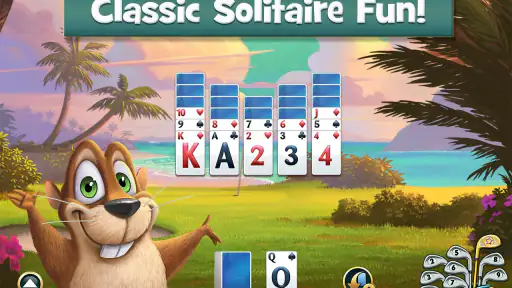
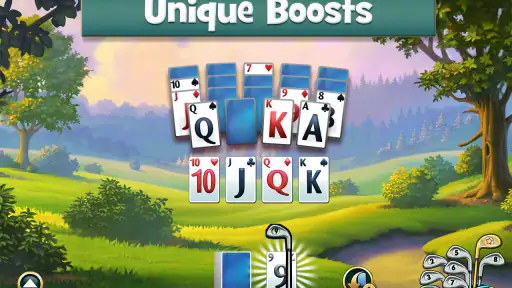
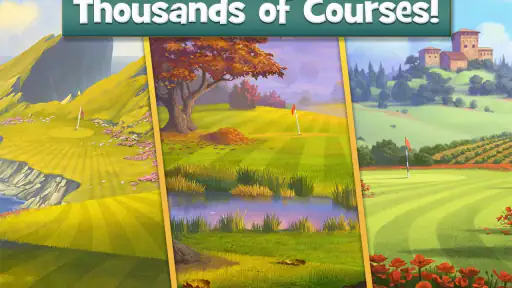

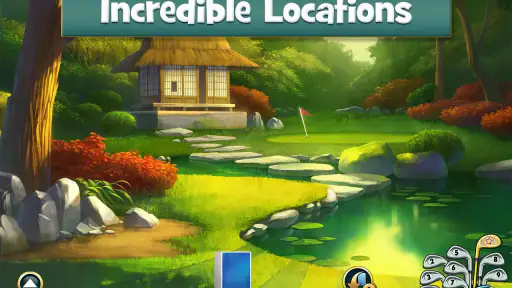
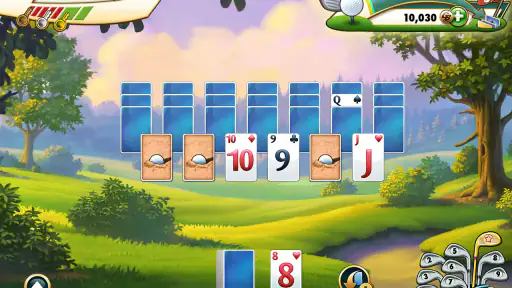
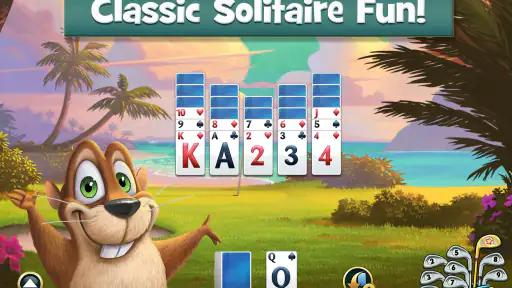
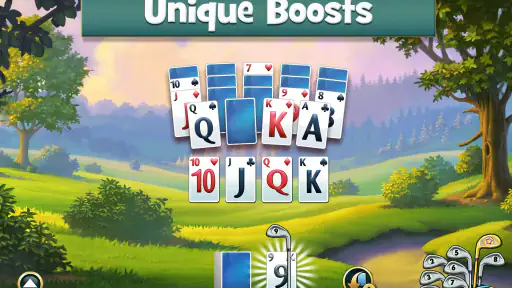
 Analysis by Frivlyz
I found Fairway Solitaire easy to understand within a few minutes, but its appeal goes beyond putting a card game on a golf-themed background. It turns familiar solitaire rules into short puzzle sessions, then places those sessions across scenic courses. I like that combination because it gives me a clear task when I only have a little time, while still offering enough visual variety to keep the format from feeling completely flat.
This is a free card game from BFG Entertainmnent Inc, rated for Everyone. It has built a substantial audience, with a 4.7 average from around 184 thousand ratings and more than 5 million installs. Those figures suggest that the basic idea has connected with many players, but they do not remove the need to consider how comfortably different people can actually use it. In my experience, the strongest part of the design is its simple card interaction; the weaker part is that the decorative golf presentation can compete with the information you need to read.
How comfortably the game communicates its puzzle
I find that the game’s puzzle is easiest to enjoy when I treat each layout as a small decision problem, not just a sequence of taps. Its familiar card logic makes the basic goal approachable, while the course setting gives each session a sense of direction. In the next section, I’ll look at how that combination holds up in ordinary moments when I have only a short break.
Readability and navigation
The central play area is straightforward: I look at the available cards, decide which move can extend my sequence, and try to clear the layout without wasting useful choices. That makes the first interaction less intimidating than a more rule-heavy card game. Someone who already knows solitaire can usually understand the rhythm immediately, while a newcomer can learn by doing rather than studying a long explanation.
The golf-course structure also gives the game a sense of direction. Instead of opening into an apparently endless collection of unrelated card tables, I move through a themed journey. Scenic locations provide visual context and make progress easier to recognize. I found that helpful when returning after a break because the course setting reminded me where I was in the broader experience.
Navigation is most comfortable when I focus on the active puzzle rather than the surrounding decoration. The environment adds personality, but it can make the screen feel busier than a plain solitaire table. Players with reduced vision, attention difficulties, or a preference for very high visual contrast may need more effort to separate the playable cards from background elements. I would have preferred a stronger emphasis on the cards whenever the scenery becomes especially detailed.
The game’s card-based logic is a genuine advantage for cognitive accessibility. The objective is local and visible: I can inspect the cards in front of me and plan the next move. There is less need to remember a complicated control scheme. The challenge comes from choosing well, not from discovering obscure gestures or navigating a large set of menus.
Gaming Stories You May Enjoy

Dancing Road Turns Short Breaks Into a Test of Rhythm and Timing

Super Stylist Makes Every Outfit a Test of Taste and Patience

Dominoes on Your Terms: Who Should Play and Who Should Pass

Pokémon GO Makes the Familiar World Feel New

Chess.com Turns Rematches Into Rivalries, but Community Has Its Costs

Archery Battle 3D Review: Sharp Aiming, Unclear Feedback
That simplicity does not mean every decision is obvious. A tempting card may open a better chain later, and a careless move can leave the layout harder to solve. I enjoy that tension, but it means the game is not merely a passive card-flipping activity. Players who want completely predictable, low-pressure solitaire may find the puzzle layer more demanding than expected.
Cards, touch control, and motor comfort
Touch interaction suits this format naturally. I can concentrate on the cards instead of learning virtual buttons, and the action feels direct because the objects I want to use are also the objects I touch. For many players, that reduces the gap between intention and result. A short session can be played with one hand when the device and layout allow it, which is useful during a commute or while waiting for an appointment.
Still, card games depend on accurate selection. A player with tremors, limited dexterity, or difficulty making small taps may find a crowded layout tiring. A mistaken touch can matter because the game is built around choosing a particular card at the right moment. I would not describe the controls as complicated, but precision remains part of the experience, especially when several cards sit close together.
This is where the difference between a phone and a larger tablet becomes meaningful. On a larger screen, cards have more room around them and are easier to inspect without repeatedly zooming mentally into the layout. On a smaller phone, the same puzzle can feel more compressed. I would choose a tablet for longer sessions if hand comfort and visual clarity were priorities, while a phone works well for quick rounds.
The game is also a better fit for players who enjoy deliberate taps than for people seeking physical, rapid-fire interaction. There is no need for fast reflexes in the usual arcade sense, but there can be pressure to make a sequence of decisions before the useful options disappear. If repeated tapping is uncomfortable, I would treat that as a practical limitation rather than assume the game will suit every motor profile.
One useful habit is to slow down before committing a move. I often examine the visible options first instead of tapping the first available card. That helps with strategy and reduces accidental selections. It also makes the game more manageable for players who need extra time to process the layout, provided they are comfortable with the puzzle’s pace.
Visual atmosphere and sensory load
The scenic golf presentation is the feature that separates this from an ordinary solitaire app. Courses give the game a calmer, more playful identity, and I appreciate having something pleasant to look at during a short break. The setting can make repeated card puzzles feel like progress through a place rather than a series of identical screens.
At the same time, visual charm is not automatically the same as visual clarity. Background scenery, motion, decorative elements, and card information all compete for attention. Players who are sensitive to visual stimulation may prefer to keep sessions short or play in a quieter environment. If you need a stark, distraction-free card table, a traditional solitaire app with minimal decoration may be the better choice.
The card layout itself carries the important information, so I try not to judge the game only by its attractive scenery. The practical question is whether I can distinguish suits, values, and available choices without strain. That experience will depend on the device, screen size, lighting, and a player’s eyesight. In a dim room or under bright outdoor glare, small card details can become harder to read, so I would adjust the screen brightness and viewing angle before deciding that the game is unusable.
Sound can also affect whether a relaxing card game feels relaxing. Some players enjoy feedback that confirms a move; others find repeated effects distracting. I usually play this kind of game with the device muted when I want to concentrate, especially in a shared space. That simple choice makes it more suitable for libraries, waiting rooms, and public transport, where audible game feedback would be inconsiderate.
Using it in real situations
For me, the most useful test is whether a game fits naturally into the pauses that already happen during the day. This one can offer a focused solo activity without requiring another player, though its colorful presentation and visible progress may make it less discreet or harder to put down than plain solitaire. The next section considers who is most likely to appreciate those trade-offs.
Situational access during short breaks
The strongest everyday use case is the awkward gap in a schedule: waiting for food, sitting before an appointment, or taking a short break from work. I can open the game, focus on one puzzle, and put the phone away without needing to remember a complicated story. The golf-course progression gives the session a little more purpose than endlessly shuffling a standard deck.
That convenience has a trade-off. A puzzle that looks like a quick diversion can encourage me to continue because the next course or challenge is visible. For someone trying to limit screen time, the attractive progression may make stopping less automatic. I recommend deciding in advance whether the session is for one puzzle or for a longer stretch, particularly when using the game late at night.
It works well offline in the practical sense of being a self-contained card experience on a phone, but I would not make broad assumptions about every part of the app’s behavior away from a connection. What I can say from normal use is that the core appeal does not depend on another human player sitting across from me. That makes it more flexible than competitive card games when I have no one available to play with.
For shared environments, the game is relatively discreet. I can play quietly and keep the screen close, although the bright scenery may still attract attention. A plain solitaire app is less visually noticeable, while this one is more inviting for players who enjoy a bit of atmosphere. That distinction matters on public transport or in a workplace where a colorful game can look less neutral than a simple deck.
Who benefits most from the design
I would recommend it to people who want solitaire with a sense of place and gradual discovery. It suits players who enjoy making small tactical decisions, appreciate scenic presentation, and prefer solo play that can be paused naturally. It is also a reasonable introduction for someone who finds complex card games intimidating but wants more structure than a completely bare card table.
Older players or anyone returning to mobile games may appreciate the recognizable card foundation, but screen size deserves attention. I would set up the game on the largest comfortable display available and avoid judging readability from a quick glance at a small phone. A stylus might help some users with precise selection, although I would view that as a personal workaround rather than a guaranteed solution.
Players with color-vision differences should pay close attention to whether the card symbols remain distinguishable in their own setup. Suits and values need to be identified quickly, and decorative scenery should not be the only visual cue. If the cards are difficult to separate under normal lighting, a more minimal solitaire alternative would be a sensible choice rather than forcing the issue.
The game is less suitable for someone who wants multiplayer competition, a completely quiet visual interface, or a purely random traditional solitaire experience. Its identity comes from combining card puzzles with a golf-course journey. If that layer feels unnecessary, another card app may deliver the same basic activity with fewer distractions and less progression pressure.
Monetization and the cost of continuing
It is free to download and play, which makes it easy to try without committing money at the start. In-app purchases range from under a dollar to amounts reaching $119.99 per item. That wide range is important because a free entry point does not automatically mean every player will find the full experience financially comfortable.
I would approach the purchase system with a clear personal rule: enjoy the free portion first, then decide whether any optional spending genuinely improves the way I play. This is especially useful for families, even though the age rating is Everyone. A child-friendly rating describes the intended content level, not a guarantee that spending will never become a concern.
For accessibility, monetization can create a second kind of pressure. A player who needs more attempts, more time, or a particular convenience may feel tempted to pay rather than adapt their play style. I would not recommend treating purchases as a substitute for comfortable controls or readable cards. If the basic interaction is already tiring, spending more is unlikely to solve the underlying problem.
What long-term play feels like
The current version is 1.60.0, and the game has been available since August 31, 2016. That long presence helps explain why the presentation feels like an established mobile game rather than a small experimental card project. I also like that the golf setting gives repeated puzzles a recognizable theme, but the same structure can become repetitive for players who need constant mechanical novelty.
The best way to keep it enjoyable is to treat it as a collection of focused breaks rather than a game that must occupy every spare hour. I get more from it when I stop after a satisfying puzzle instead of pushing through fatigue. That approach also reduces visual strain and makes the scenic theme feel like a pleasant accent rather than something I have to stare at continuously.
One strategy that helps is to separate “solving” from “finishing quickly.” I first scan the layout and identify moves that preserve future options. Only then do I act. This makes the game more accessible to players who process information slowly and also improves decision quality for experienced solitaire fans. The trade-off is that a thoughtful approach can feel less exciting to anyone who prefers immediate, rapid play.
Remaining barriers worth considering
The biggest barrier is the dependence on visual card reading. Even with a simple objective, the game asks me to distinguish values, suits, available cards, and the current state of the layout. Players with low vision may find the scenic presentation and compact card arrangement more difficult than a high-contrast solitaire design. I would choose a different app if enlarged cards, strong contrast, or a screen-reader-first experience were essential requirements.
Motor precision is the second concern. Touch cards are simpler than a large control panel, but they still require accurate taps. A player who uses an alternative input method should test the interaction carefully rather than assume every tap or switch-access setup will behave comfortably. The game’s accessibility is therefore strongest for users who can see the cards clearly and select them reliably.
There is also a cognitive trade-off between familiarity and choice. The solitaire foundation is approachable, but the puzzle decisions can punish rushed play. Someone looking for a soothing activity with no possibility of failure may prefer a freer card layout. Conversely, someone who finds open-ended games confusing may appreciate having a defined objective and a visible course to follow.
Finally, the free-to-start model requires attention from anyone managing spending. I would use device-level purchase controls for a shared phone or tablet and explain the difference between playing and buying before handing it to a child. That is ordinary good practice, but it matters here because the game is accessible to a broad age range and includes paid items.
My inclusive verdict
Fairway Solitaire is a welcoming choice for many solo card-game players because its main action is easy to grasp, its golf-course theme gives progress a friendly shape, and its short-puzzle format fits real life. I especially like it for quiet breaks when I want more purpose than a random deal but less commitment than a large strategy game.
Its inclusive strengths are practical rather than universal: familiar card logic, direct touch interaction, and a presentation that can make solitaire feel less sterile. Its limits are equally practical. Visual decoration may compete with card readability, precise taps may challenge some users, and the purchase range deserves careful handling in family settings.
My recommendation is to try it on the device you actually plan to use, in the lighting where you normally play. Check whether the card values and suits are comfortable to distinguish, whether the touch targets feel dependable, and whether the scenery helps or distracts you. If those basics work, the game offers a pleasant, approachable spin on solitaire. If you need maximum contrast, minimal stimulation, alternative-input support, or no purchase pressure, a simpler card app will likely serve you better.
For everyone else, this remains a solid free card game with a distinct personality. I would not call it the most accessible option for every ability or context, but I do think its scenic courses and compact puzzles make it unusually easy to fit into everyday routines. The right audience will find a thoughtful little game that rewards patience without demanding a large time commitment.
Fairway Solitaire - Card Game Pros and Cons
Pros
- Easy-to-learn solitaire rules with a relaxing golf theme.
- Thousands of levels provide plenty of content for casual play.
- Short rounds fit well into quick breaks or commutes.
- Power-ups add variety when a level becomes difficult.
- Bright visuals and satisfying card-clearing animations.
Cons
- Progress can feel repetitive after playing many similar levels.
- Some challenging stages may depend heavily on lucky card layouts.
- Energy or retry limits can interrupt longer play sessions.
- Frequent ads may appear unless you make an in-app purchase.
- Extra clubs
- boosts
- and features can become expensive over time.
Frequently Asked Questions
What is Fairway Solitaire - Card Game?
Fairway Solitaire is a casual card game that combines classic solitaire mechanics with a golf-themed setting. You clear cards from the board by selecting cards one value higher or lower than the current card, while trying to create long streaks and finish each hole successfully. The game adds courses, challenges, power-ups, and collectible elements to make traditional solitaire feel more progressive and entertaining.
Is Fairway Solitaire free to download and play?
Yes, Fairway Solitaire can generally be downloaded and played for free on supported Android and iOS devices. However, the game may include optional in-app purchases for coins, boosters, extra lives, or other premium items. Progress can usually be made without paying, although some players may encounter waiting periods, limited resources, or more difficult levels that encourage optional purchases.
Does Fairway Solitaire require an internet connection?
An internet connection may be needed for certain features, including advertisements, cloud synchronization, special events, account-related services, and in-app purchases. Some solitaire rounds may remain playable when you are offline, but availability can vary depending on the version and device. For the most reliable experience, especially when saving progress or accessing events, it is best to connect to Wi-Fi or mobile data.
Is Fairway Solitaire suitable for beginners?
Fairway Solitaire is generally easy for beginners to understand because its main rule is simple: play a card that is one number higher or lower than the active card. Early levels introduce the mechanics gradually, while helpful boosters and visual indicators make the game accessible. Later courses can become more strategic, requiring players to plan card sequences and use power-ups carefully rather than relying only on luck.
Are there advertisements and in-app purchases in Fairway Solitaire?
The game may display advertisements, commonly between rounds or when players choose to receive optional rewards. It can also offer in-app purchases for extra coins, boosters, lives, or other game resources. These purchases are not always necessary to enjoy the basic gameplay, but they may help players progress faster or recover from difficult levels. Parents should review device purchase settings before allowing children to play.


