

ePSXe for Android
- Reviews
- 4.6
- Version
- 2.0.17
- Installs
- 1,000,000+

Screenshots
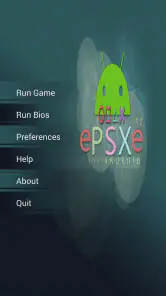
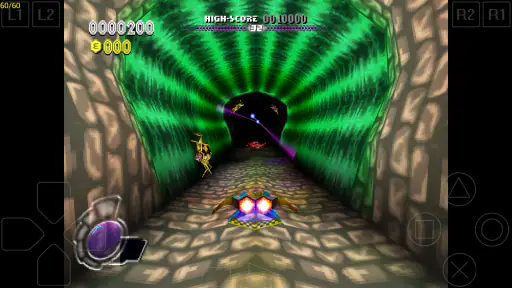
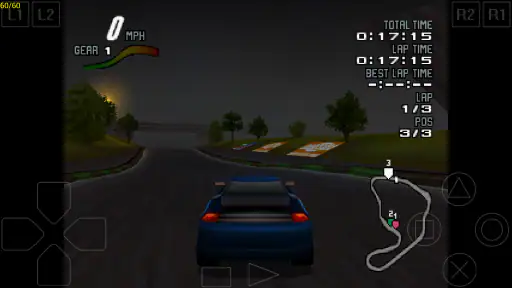

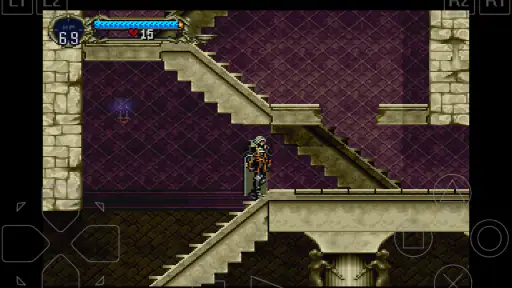
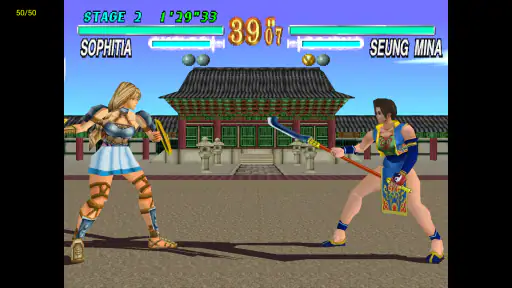
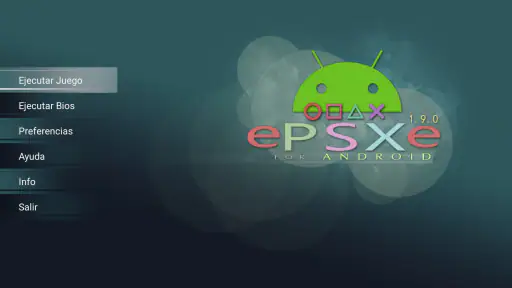
 Analysis by Frivlyz
Have you ever wanted to relive the glory days of PlayStation gaming right on your Android device? Well, say hello to ePSXe for Android, a fantastic emulator that brings all those nostalgic gaming moments back to life. The app has been around for quite a while, and it's still going strong, offering excellent performance and compatibility for a huge library of PlayStation games. Let’s dive into what makes this app a must-have for retro gaming enthusiasts.
Getting Started with ePSXe
First things first, downloading and setting up ePSXe for Android is a breeze. You can find it on the Google Play Store, and it’s a paid app, but trust me, it’s worth every penny if you're serious about your old school gaming. Once you’ve got it installed, you’ll need to load up your game ROMs. The app doesn’t come with games, so you’ll need to source these yourself. It’s as easy as transferring files to your device’s storage and locating them through the app.
Performance and Compatibility
When it comes to performance, ePSXe is a beast. I was genuinely impressed with how smoothly it ran even the most demanding games. The app supports OpenGL HD enhanced graphics, which means your games will look even better than you remember. Plus, the compatibility is top-notch; I’ve yet to find a game that doesn’t work. This is partly due to the app’s regular updates and the active community that helps keep it in peak condition.
One of the standout features has to be the customizable controls. You can adjust the on-screen controls to suit your gaming style, or even better, connect a Bluetooth controller for a more authentic experience. I found that using a controller really added to the nostalgia, making it feel like I was back on my old couch playing Crash Bandicoot for hours on end.
User Interface and Experience
The user interface of ePSXe is pretty straightforward and user-friendly. It’s not cluttered with unnecessary features, which makes navigating through your library of games a breeze. You’ve got your basic settings and a few advanced ones for those who like to tinker around. The app also supports split-screen mode, a feature that’s great for some multiplayer action.
One nifty feature is the save state functionality. You can save your game at any point and pick up right where you left off, which is perfect for those quick gaming sessions on the go. No more worrying about finding a save point in-game!
Final Thoughts
All in all, ePSXe for Android is a stellar choice for anyone looking to dive back into the world of classic PlayStation games. Its robust performance, wide game compatibility, and ease of use make it stand out from the rest. Whether you're a seasoned retro gamer or just looking to explore some classics for the first time, this app is a gateway to hours of entertainment. It’s a small price to pay for such a rich library of nostalgia.
Gaming Stories You May Enjoy

Dancing Road Turns Short Breaks Into a Test of Rhythm and Timing

Super Stylist Makes Every Outfit a Test of Taste and Patience

Dominoes on Your Terms: Who Should Play and Who Should Pass

Pokémon GO Makes the Familiar World Feel New

Chess.com Turns Rematches Into Rivalries, but Community Has Its Costs

Archery Battle 3D Review: Sharp Aiming, Unclear Feedback
So, if you’re ready to embark on a trip down memory lane, ePSXe is your ticket. Just remember to have your game ROMs ready, and you’ll be set for some epic gaming adventures!
ePSXe for Android Pros and Cons
Pros
- High compatibility with PS1 games
- Customizable control layouts
- Supports external controllers
- Cheat code support
- Regular updates enhance performance
Cons
- Some games may require BIOS files
- Occasional graphical glitches
- Limited support for multiplayer
- Ads in free version
- Setup can be complex for beginners
This Game in Other Languages
Frequently Asked Questions
What is ePSXe for Android and what does it do?
ePSXe for Android is an emulator that allows users to play PlayStation 1 games on their Android devices. It replicates the PlayStation console environment, enabling you to run your favorite classic games from the original discs or from ISO files. The app offers a seamless gaming experience with high compatibility, speed, and sound quality. It's an ideal solution for retro gaming enthusiasts looking to relive the nostalgia of PS1 games on the go.
Is ePSXe for Android easy to set up and use?
Setting up ePSXe for Android is a relatively straightforward process. After downloading the app, you'll need to load your PlayStation 1 game files (ISOs) onto your device. The app provides a user-friendly interface with options to customize controls, graphics, and sound settings for an optimal gaming experience. Additionally, there are various tutorials and community forums available to assist with any setup issues, making it accessible even for those new to emulators.
What devices are compatible with ePSXe for Android?
ePSXe for Android is compatible with most Android devices running Android 2.3 or higher. It is designed to work on both phones and tablets, allowing for flexible gaming options. For optimal performance, it's recommended to use a device with a reasonably powerful CPU and GPU, as this will ensure smoother gameplay and better graphics rendering. Always check the app's compatibility with your specific device to ensure the best experience.
Are there any legal concerns with using ePSXe for Android?
Using ePSXe for Android itself is legal, as it is an emulator. However, the legality of using ROMs (copies of games) can vary depending on your location and how you obtain them. It's important to own the original game discs if you plan to use their ROMs with the emulator. Always ensure you are complying with your local laws regarding game emulation and ROM usage to avoid any legal issues.
What features does ePSXe for Android offer to enhance gameplay?
ePSXe for Android offers a variety of features designed to enhance the gaming experience. These include high compatibility with PlayStation games, superior sound quality, and customizable controls. The app also supports hardware controllers via Bluetooth or USB, OpenGL HD enhanced graphics, and split-screen mode for multiplayer gaming. Additionally, features like save and load states allow players to easily pick up where they left off, making it a robust choice for playing classic PS1 games.


