

EA SPORTS FC™ 26 Companion
- Reviews
- 3.5
- Version
- 26.4.0.10509
- Installs
- 50,000,000+

Screenshots
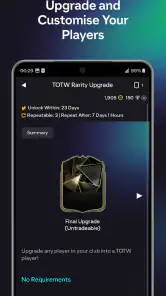
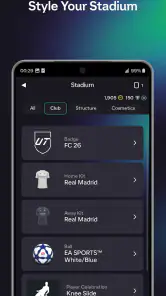
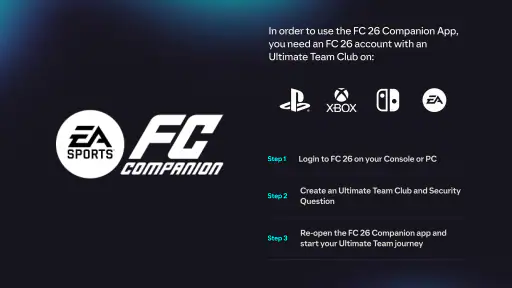
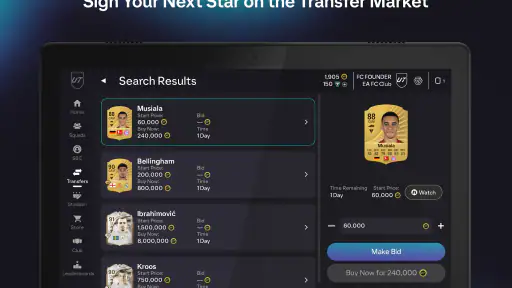
 Analysis by Frivlyz
My first move with a football companion app is usually a quick check: can I make a useful squad decision without sitting down at a console or PC? EA SPORTS FC™ 26 Companion is built for that gap between playing sessions. It is a free sports game companion from ELECTRONIC ARTS, focused on managing an Ultimate Team away from the main game. I find its appeal less about replacing match play and more about giving team decisions their own short, convenient sessions.
That distinction matters. If you want to play football matches on your phone, this is not the right kind of app; its purpose is team management and related activity. If you already spend time on Ultimate Team and like checking your squad, market activity, or challenges when you have a spare moment, it can make that time feel useful. The key question is whether you enjoy the decisions around building a team as much as controlling it on the pitch.
The first action: make a small team decision
When I open the app, I think of it as a place to handle one manageable task rather than recreate a full console session. I might check the squad, consider a lineup change, or look at a challenge. That is a practical fit for a short break: I can make a choice, see what needs attention, and leave the deeper playing for later. Its value depends on having an active interest in the Ultimate Team side of EA SPORTS FC™ 26.
The first useful habit is to decide what you want to do before browsing. A quick visit to review a squad or check a market listing can stay focused; an open-ended search for the perfect player can easily eat up the break. I would treat phone time as a planning window, not as a promise that every decision will be final. For changes that deserve careful comparison, I prefer to slow down rather than tap through choices just because the screen is in front of me.
That also helps answer a common question: is this useful if I only play occasionally? It can be, provided you still care about maintaining your Ultimate Team between matches. If you rarely touch that mode, the companion’s central activities may have little to offer. Players who mainly want a standalone mobile football game would be better served by a game designed around playing matches on a phone.
Feedback that turns a spare minute into a routine
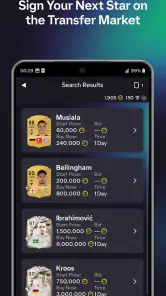
The app’s rhythm comes from taking an action and then checking what happened: adjust a squad, follow a bid, or return to a challenge. Transfer Market access gives that loop a clear point of feedback because buying and selling players are part of the team-building process. I like that these tasks can be separated from match time, though market activity also asks for patience. A bid or sale is not the same as an immediate squad upgrade, and checking repeatedly can turn a handy tool into a distraction.
Notifications can help with that rhythm, but I would keep them purposeful. If every update interrupts you, the convenience stops feeling convenient. I would enable the alerts that relate to the actions I actually follow, then use a planned check-in rather than opening the app each time I have a spare few seconds. That is a small boundary, but it makes a management companion easier to live with during a busy day.
Gaming Stories You May Enjoy

Dancing Road Turns Short Breaks Into a Test of Rhythm and Timing

Super Stylist Makes Every Outfit a Test of Taste and Patience

Dominoes on Your Terms: Who Should Play and Who Should Pass

Pokémon GO Makes the Familiar World Feel New

Chess.com Turns Rematches Into Rivalries, but Community Has Its Costs

Archery Battle 3D Review: Sharp Aiming, Unclear Feedback
A realistic routine might be checking the squad during a lunch break, making one considered adjustment, and leaving a market decision to resolve while you return to work. Later, a brief follow-up tells you whether there is anything else worth doing. This is where a companion app differs from the usual football game on mobile: the main reward is not a match played on the spot but a more convenient way to handle decisions connected to your Ultimate Team.
Rewards, trade-offs, and sensible spending
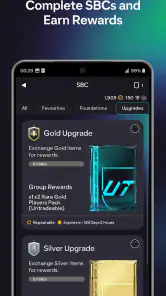
Squad Building Challenges give the app another reason to open. You can view challenges and assemble squads away from the console or PC, then use the app to make progress toward the rewards attached to them. The useful trade-off is convenience versus attention: squad-building can be easier to fit into a short break, but it still deserves a careful look before you commit players to a challenge. I would check the requirements and the squad I have selected before confirming, especially if I am doing it quickly on a small screen.
The app is free to download, and its in-app purchases range from under a dollar to around one hundred and fifty dollars per item. That range is worth knowing before you use it: free access does not mean every optional purchase will feel small. I would approach any spending deliberately, set a personal limit, and avoid treating a purchase as a shortcut to enjoyment. If you prefer a game with no optional spending decisions, that may be a reason to choose another way to spend your gaming time.
There is also a useful difference between progress and entertainment. The app may help keep team tasks moving, but it does not provide the same immediate payoff as playing a match. I would recommend it to someone who enjoys planning a squad and following its development; I would not recommend it as a substitute for the on-pitch part of football gaming. Knowing which of those experiences you want makes the decision much easier.
Managing Your Ultimate Team on the Go
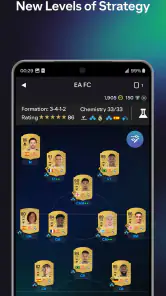
First things first, if you're a fan of Ultimate Team, this app is your best friend. It lets you manage your squad wherever you are. Waiting for your coffee? Optimize your lineup! Stuck in traffic? Make some cheeky transfers. The app offers a super intuitive interface that lets you seamlessly navigate your team options. You can easily swap players, adjust tactics, and even open packs right from your phone.
One of the coolest features is the live Transfer Market access. You can buy and sell players in real-time, which is a game-changer when you're trying to snag that perfect addition to your squad. The interface is clean, and the notifications keep you updated on your bids and sales. It's like having the ultimate football manager experience right in your pocket.
Squad Building Challenges and More
If you're into Squad Building Challenges (SBCs), this app makes it super easy to complete them. You can view available challenges and build squads without the need to boot up your console or PC. The app provides a streamlined way to craft squads and earn rewards, which is perfect for those of us who like to make the most of our commutes or lunch breaks.
And it's not just about managing the team. The app also gives you insights into the latest EA SPORTS FC™ 26 news, keeping you updated on events, promotions, and any other exciting developments in the game. It's like having a personal assistant who keeps you in the loop with everything FC-related.
Design and User Experience
The design of the app is top-notch. It's visually appealing with a slick interface and easy navigation. The developers have clearly put a lot of thought into making it user-friendly. Even if you're not the most tech-savvy person around, you'll find it easy to use. The app loads quickly, and transitions between different sections are smooth, which is a huge plus when you're juggling multiple tasks.
Another highlight is the personalization options. You can customize notifications to ensure you never miss out on important updates or player transfers. It’s designed to cater to both hardcore players and casual fans, making it versatile and accessible.
Why You Should Download the App
If you're serious about your EA SPORTS FC™ 26 experience, the Companion app is a must-have. It enhances the gaming experience by offering flexibility and control over your team management. Plus, being able to handle transfers and squad adjustments on the go means you're never out of the loop.
Moreover, the app is completely free, which makes it a no-brainer for anyone playing the game. It doesn’t bombard you with ads or unnecessary notifications, focusing instead on delivering a seamless experience that complements your gaming sessions.
So, if you haven't already, give the EA SPORTS FC™ 26 Companion app a try. Whether you're a seasoned player or new to the world of FC, this app is sure to elevate your game. Trust me, once you've started using it, you'll wonder how you ever managed without it. Happy gaming!
Who gets the most from a companion app
I see the strongest fit for players who already return to Ultimate Team regularly and want to use little pockets of time for squad upkeep. A player who enjoys comparing options, planning a lineup, or tackling challenges can get value without needing to be at their main device. It is also handy for someone who wants to check on a transfer decision between other tasks instead of waiting until their next full gaming session.
By contrast, I would skip it if the appeal of football games for you is almost entirely playing matches. A companion app cannot deliver that core experience, and opening it out of habit may feel like administration rather than fun. It is also not ideal for someone who dislikes managing a team, monitoring transactions, or making small decisions on a phone. In that case, going straight to the game when you actually have time to play is a cleaner routine.
Small-screen choices and a better workflow
Phone-based squad work has a real advantage: it lets you separate planning from play. I would use that separation deliberately. Before a session, decide whether you are checking a challenge, adjusting a lineup, or reviewing a market move. Keeping to one purpose makes it easier to notice what changed and reduces the chance of making a rushed choice while multitasking.
For challenges, I would review the requirements first, then assemble the squad, and give the final selection a second look before committing. That quick pause is especially useful when you are working on a small screen or fitting the task between errands. The app makes squad building more accessible away from a console or PC, but convenience should not replace checking that your chosen players fit the task you intend to complete.
For market activity, I would think of notifications as a prompt to review rather than an instruction to act immediately. A bid update can be useful feedback, but it does not automatically mean the next move is obvious. The better workflow is to decide what kind of player or squad change you are pursuing, check the result when it is convenient, and avoid letting every alert dictate your day. This keeps the app’s on-the-go access helpful rather than demanding.
What to expect from the experience
The app sits alongside the main game rather than competing with it. A traditional mobile football game is usually the better choice when you want direct matches and touch-screen play; this one is for the management layer around Ultimate Team. That narrower focus is a strength when you want to handle a team task quickly, but a limitation if you expect a complete football game in your pocket.
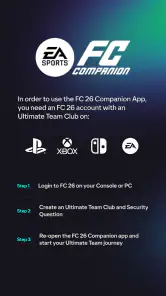
Its audience is broad in age terms: the content rating is Everyone. The current version is 26.4.0.10509, and it requires Android 10 or later. Those details help with a practical decision before installing: check that your device meets the system requirement, and consider whether you want a companion to your Ultimate Team routine rather than another game to play independently.
The wider reception is mixed rather than unanimous, with an average rating of about three and a half stars from roughly 659,000 ratings. I take that as a reminder to judge it by its specific job. A focused companion can be useful to an active Ultimate Team player while still being unnecessary to someone who only wants matches. Its value is less about serving every football fan and more about fitting neatly into an existing habit.
When the loop works—and when it does not
The most satisfying routine is simple: open the app with a clear goal, make a considered squad or challenge decision, get feedback from the result, and close it until there is a reason to return. That gives the activity a beginning and an end. The next session can start when a new team task or market check matters, not merely because the app is available.
I would not call every visit rewarding. If you keep refreshing without a plan, the loop can become repetitive, and market activity may not produce the outcome you hoped for. The app is at its best when it saves you from postponing a useful team decision; it is less compelling when it becomes a substitute for playing or a stream of small checks with no clear purpose.
With more than 50 million installs, it is a well-established companion in the sports-game space, but popularity alone does not make it essential for everyone. I would try it if Ultimate Team management is already part of how you enjoy FC, then keep the notifications and time you give it under your control. If that management layer sounds like extra chores, skip it without missing the reason you play football games in the first place.
EA SPORTS FC™ 26 Companion Pros and Cons
Pros
- User-friendly interface enhances experience.
- Real-time squad management on the go.
- Efficient transfer market navigation.
- Seamless integration with console version.
- Detailed player stats and analytics.
Cons
- Limited features compared to main game.
- Requires constant internet connection.
- Occasional lag during peak times.
- No offline gameplay options available.
- In-app purchases can be costly.
This Game in Other Languages
Frequently Asked Questions
What is the EA SPORTS FC™ 26 Companion app used for?
The EA SPORTS FC™ 26 Companion app is designed to enhance your gaming experience by allowing you to manage your Ultimate Team on the go. You can access features such as squad management, player transfers, and custom tactics directly from your mobile device, ensuring you stay connected and competitive even when away from your console.
Is the EA SPORTS FC™ 26 Companion app free to download and use?
Yes, the EA SPORTS FC™ 26 Companion app is free to download on both Android and iOS devices. However, while the app itself does not require payment, certain in-game purchases or features may require additional spending. Always review in-app purchase options if you're concerned about costs.
What are the system requirements for the EA SPORTS FC™ 26 Companion app?
To run the EA SPORTS FC™ 26 Companion app smoothly, you need a device with at least Android 6.0 or iOS 12.0. Ensure your phone has sufficient storage space and is updated to the latest operating system version to avoid compatibility issues. A stable internet connection is also necessary for optimal performance.
Can I manage multiple accounts with the EA SPORTS FC™ 26 Companion app?
Currently, the EA SPORTS FC™ 26 Companion app supports one account per device. If you wish to manage multiple accounts, you would need to log out and back in with the different credentials each time. This can be cumbersome, so it's generally recommended to use the app with a single account for seamless management.
Are there any security measures within the EA SPORTS FC™ 26 Companion app?
The EA SPORTS FC™ 26 Companion app employs several security measures to protect your account. These include two-factor authentication and regular password updates. It’s crucial to enable these features and use strong passwords to safeguard your account from unauthorized access, ensuring your in-game assets remain secure.


