

Driving Zone: Germany
- Reviews
- 4.1
- Version
- 1.25.720
- Installs
- 10,000,000+

Screenshots
 Analysis by Frivlyz
When Driving Zone: Germany feels less straightforward than expected, it helps to separate setup friction from the driving itself. A mobile racing game can be affected by controls that do not suit your hands, a phone that is busy with other tasks, or expectations shaped by more competitive racers. I’d approach it as a driving-focused game first: take a moment to get comfortable, then judge it on whether its roads, cars, and handling make you want to keep going.
Where players can get stuck
The first adjustment is usually learning how the car responds on a touchscreen. Tilting and tapping are both options, but neither is automatically right for everyone. Tilt steering can feel natural when you have room to hold the phone steadily; tapping may be easier if you are playing one-handed or prefer not to move the device. If your first drive feels twitchy, that does not necessarily mean the game is difficult or broken. It may simply mean the chosen control method is a poor match for your grip.
I would also avoid treating every drive like a sprint. This game is built around driving as well as racing, and the difference matters. If you immediately push for speed, small steering corrections can become harder to make and the scenery and road conditions become secondary. Starting at a more measured pace gives you time to learn how the controls feel and whether the current conditions suit the way you want to play.
Another possible source of confusion is comparing it with a tightly structured racing title. Driving Zone: Germany is a street-driving game with a focus on German cars and their handling, rather than a promise of the same competitive format found in a dedicated circuit racer. I would choose it for the feel of taking a car onto the road, not because I expect every session to deliver an elaborate championship or a packed multiplayer race.
Simple checks before a drive
Before changing settings or blaming the game, I’d check the basics. Close anything on the phone that is making it sluggish, make sure the screen is clean and registering taps normally, and hold the device in a position that makes steering comfortable. These are ordinary checks, but they can make a noticeable difference in any touch-controlled driving game.
Then choose one control style and give it a few turns before switching. Repeatedly changing between tilt and tapping makes it harder to tell whether the car is responding poorly or whether your inputs are simply inconsistent. If you prefer tilt, keep your wrists relaxed and try to move the phone smoothly rather than making sharp gestures. If you prefer taps, use deliberate, brief inputs instead of holding the screen longer than needed.
The game offers different weather conditions, so I’d treat that choice as part of the setup rather than a decorative extra. A sunny drive is a sensible place to learn the basic feel of the car; tougher conditions are better approached after you are comfortable steering. That order makes it easier to tell whether a challenge comes from your control method or from the conditions you selected.
Gaming Stories You May Enjoy

Dancing Road Turns Short Breaks Into a Test of Rhythm and Timing

Super Stylist Makes Every Outfit a Test of Taste and Patience

Dominoes on Your Terms: Who Should Play and Who Should Pass

Pokémon GO Makes the Familiar World Feel New

Chess.com Turns Rematches Into Rivalries, but Community Has Its Costs

Archery Battle 3D Review: Sharp Aiming, Unclear Feedback
Getting a session back on track
If a drive goes badly, restarting with a small change is more useful than changing everything at once. Keep the same car and control method, but choose a less demanding weather condition, or keep the weather and try the other steering style. This simple one-variable approach helps you identify what is actually making the session uncomfortable.
I’d also think about what kind of session I want before launching into a drive. For a short break, a relaxed run is a better fit than trying to master every handling detail at once. When I have more time, I can pay closer attention to how the cars feel and experiment with customization. That makes the game easier to enjoy without turning every session into a test of patience.
Customization can be tempting to treat as a quick fix for a car that does not feel right. I would first get a sense of its handling before changing anything, then make one adjustment at a time. That way, you can tell whether a change actually improves the drive for you. If you alter several things together, it becomes harder to understand which choice made the difference.
When the phone, not the game, is the problem
A control issue can sometimes come from the device rather than the driving model. If taps fail in other apps too, check the screen and try again after closing background tasks. If tilt feels inconsistent, hold the phone steadily and test the same motion in a calm drive. A stable grip is particularly useful when a control scheme relies on movement; a cramped posture can make smooth steering harder than it needs to be.
Performance can also vary with the phone and what else is running. If the game stutters, I’d close unused apps and give the device a little breathing room before concluding that the game itself is at fault. A warm or heavily loaded phone can make a visually detailed driving game feel less responsive. If the problem continues, restarting the game and trying a simpler drive is a reasonable first step.
It is worth keeping expectations grounded, too. The game’s German-car theme and realistic driving emphasis may appeal to enthusiasts, but a mobile game cannot replace the feel of a wheel and pedals. If you want precise simulation controls or a competitive racing environment built around close online matches, a different kind of racing game may serve you better. The appeal here is a more accessible, road-oriented experience.
A driving game for the right kind of break
Ever wanted to take a joyride through the picturesque streets of Germany without leaving your couch? Well, that’s what Driving Zone: Germany is here for. This app isn’t just another racing game; it’s a whole vibe that lets you experience the thrill of German engineering and scenic landscapes, all packed into your smartphone.
First Impressions
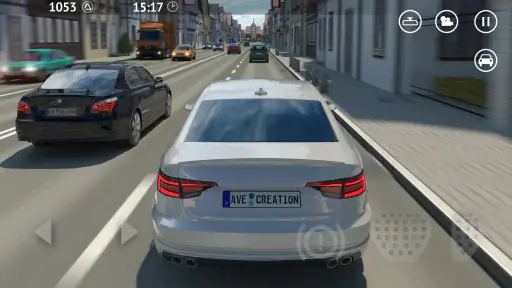
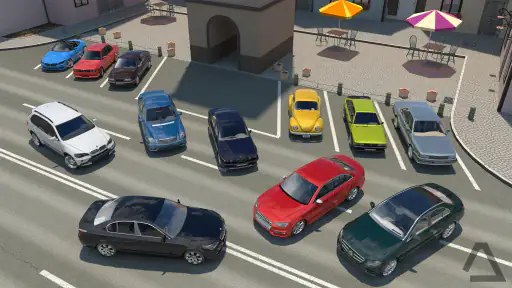
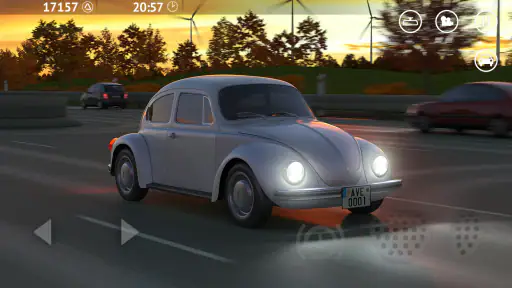
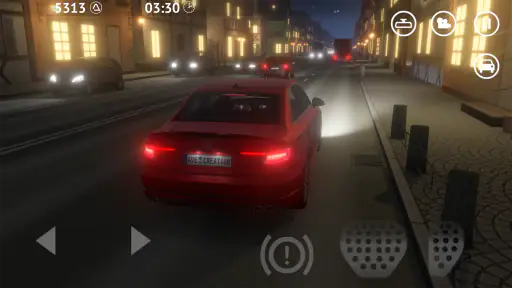
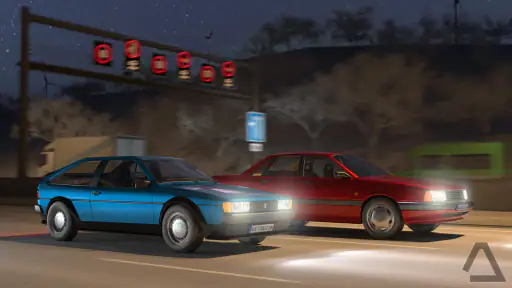
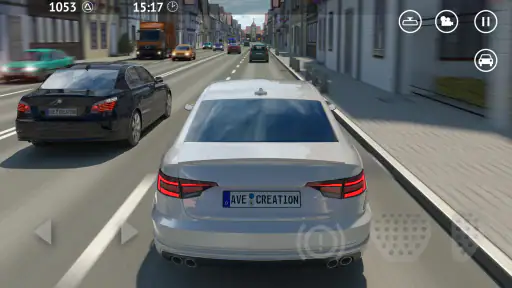
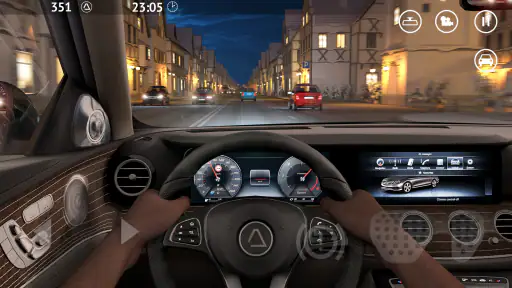
Firing up the game for the first time, I was immediately impressed by the attention to detail. The graphics are top-notch, and the cars look like they’ve driven straight off a German autobahn. From classic models to the latest speed demons, the selection is pretty impressive. And let's not forget about the roads — they’re beautifully rendered to give you a real sense of being there. The app doesn't just focus on speed; it’s about the journey, the scenery, and the cars themselves.
Gameplay and Features
The gameplay is where this app truly shines. It’s not just about racing; it’s about driving. You can choose from different weather conditions which add a layer of realism that I wasn’t expecting. Ever tried driving in a snowstorm or through a sunny day in the Bavarian countryside? If not, this is your chance. The controls are intuitive, whether you prefer tilting your device or tapping on the screen, making it accessible for all types of players.
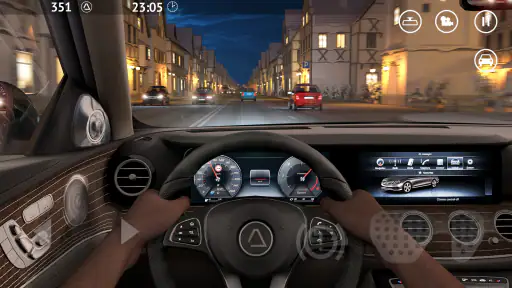
One of the standout features is the customization. You can tweak your cars to suit your style, from engine upgrades to paint jobs. Plus, the game’s dynamic day-night cycle means no two drives are the same, keeping things fresh and exciting. This level of detail is something you don’t often see in mobile games, and it’s a testament to the developers’ commitment to quality.
The Realism Factor
Okay, let’s talk realism. The sound design is so immersive that you might find yourself checking if you’re actually in a car. The roar of the engine, the screeching of the tires, and even the subtle hum of the road beneath — it’s all there. If you’re an auto enthusiast, you’ll appreciate the effort put into making every car feel unique. They even behave differently according to their specs, so every drive feels like a new adventure.
Choosing it over other racers
Compared with the usual mobile racing alternatives, this game makes more sense for someone who wants to spend time with cars and roads rather than chase a highly structured competitive season. It suits players who enjoy experimenting with driving conditions and appreciating how different vehicles feel. If lap times, head-to-head competition, or a more demanding simulation are your priorities, I’d look elsewhere. The best fit is a player who wants a casual driving session with enough variation to make a familiar route feel different.
A realistic everyday use is a short break at home: pick a car, settle on a comfortable control method, and take a calm drive rather than trying to master everything at once. Later, when you have more time, you can explore another weather condition or tune a vehicle to your taste. That split works well because the game can be enjoyed as a quick escape, while its customization and changing conditions give curious players reasons to return.
For a newcomer, my practical advice is to begin with a familiar control style and a forgiving drive, then explore the car choices gradually. For an experienced racing fan, the useful question is not simply whether it is “realistic,” but whether its version of realism is the one you want: road-focused handling and atmosphere, rather than a full driving-rig simulation. That distinction will save you from expecting the wrong kind of experience.
Who will enjoy it, and who may not
A fan of German cars, relaxed cruising, and mobile driving games will find a lot to like here. It is also a reasonable choice for someone who wants more than a basic speed challenge, since the roads, weather, sound, and vehicle customization give a drive several things to pay attention to. AveCreation has kept the central appeal focused on driving, which is exactly what makes the game attractive to this audience.
On the other hand, I would not recommend it as a first choice for someone who only enjoys tightly controlled races with clear competitive goals, or for a player who dislikes steering on a touchscreen. The driving may take some adjustment, and phone controls are inevitably less precise than a dedicated controller or wheel. If you need every session to be a short, tightly guided race, a more conventional arcade racer may be a better match.
Cost, compatibility, and a balanced verdict
The game is free to download, with optional in-app purchases ranging from $0.49 to $31.99 per item. I’d start without spending and first decide whether the handling and driving style suit you. That is the sensible way to approach any free-to-play game: enjoy the basic experience, then consider a purchase only if it solves a genuine need or adds something you personally want.
It is rated Everyone 10+, and its Android minimum requirement is version 6.0. Its current version is 1.25.720. The game was released on May 27, 2017, and AveCreation remains its developer. Its 4.1 average comes from around 154,000 ratings, with about 1,200 written reviews and over 10 million installs. Those figures suggest a well-established audience, but they do not tell you whether the controls will feel comfortable on your particular phone, so trying a few drives is still the best test.
My overall view is that this is a satisfying option when I want a car-focused mobile game that leaves room to enjoy the drive instead of making every moment a competition. The strongest reasons to try it are the German-car theme, the changing conditions, and the ability to approach a session at your own pace. The main trade-off is that touch controls and a road-driving focus will not satisfy everyone, especially players looking for precise simulation or nonstop racing action.
Final Thoughts
In conclusion, this game is more than just a game; it’s an experience. Whether you’re a hardcore racing fan or someone who enjoys a leisurely drive, this app has something for everyone. It combines stunning visuals, realistic sound effects, and engaging gameplay into a package that’s hard to resist. So, if you’re looking for a driving game that offers more than just speed, this is definitely worth a download. Buckle up, because this is one ride you won’t want to miss!
Driving Zone: Germany Pros and Cons
Pros
- Realistic driving experience
- High-quality graphics
- Variety of German cars
- Dynamic weather conditions
- Free to play
Cons
- In-app purchases
- Requires internet connection
- Occasional ads
- Limited map options
- Can be repetitive
Frequently Asked Questions
What is Driving Zone: Germany?
Driving Zone: Germany is a realistic driving simulator game that immerses players in the scenic roads of Germany. The game offers a variety of German cars and allows users to experience driving in different weather conditions and times of the day. It's designed for both casual players and those who want a more immersive driving experience.
What features does Driving Zone: Germany offer?
Driving Zone: Germany offers a range of features including realistic car physics, detailed car models, and dynamic day-night cycles. Players can choose from a selection of German cars, each with unique handling characteristics. The game also includes various weather conditions, enhancing the realism of the driving experience.
Is Driving Zone: Germany free to play?
Yes, Driving Zone: Germany is free to download and play. However, it contains in-app purchases that allow players to enhance their gaming experience by unlocking additional features, cars, or customization options. It's important to manage these purchases to avoid unexpected expenses.
What are the system requirements for Driving Zone: Germany?
Driving Zone: Germany requires a device running Android 4.1 or later, or iOS 8.0 or later. The game is optimized to run smoothly on most modern smartphones and tablets, but performance may vary depending on the hardware capabilities of the device. Ensure your device has enough storage space for installation.
Can I play Driving Zone: Germany offline?
Yes, Driving Zone: Germany can be played offline, allowing you to enjoy the game even without an internet connection. However, some features, such as in-app purchases or online leaderboards, will require an active internet connection to access. Playing offline won't affect the core gameplay experience.


