

Drawing Games: Draw & Color
- Reviews
- 4.3
- Version
- Varies with device
- Installs
- 50,000,000+

Screenshots

 Analysis by Frivlyz
When I want a low-pressure creative activity for a child or a quiet moment at home, I look for something that feels welcoming rather than like a drawing lesson. Drawing Games: Draw & Color is an educational game from RV AppStudios, and its appeal is easy to understand: it brings drawing and coloring together in a format meant to be approachable. I would treat it as a casual creative option, not as a replacement for art instruction or a full-featured drawing studio.
What the free price means for choosing it
The game is free to download, so trying it does not require an upfront purchase. That makes it easier to test whether its style suits your household before making it part of a child’s routine. I would still separate “free to start” from assumptions about every possible cost or feature: the confirmed price is free, and I wouldn’t plan around details that aren’t established.
Its Everyone age rating makes it broadly suitable for a family audience, while the educational-game label points toward play with a creative angle rather than a professional tool. The game was released on May 25, 2021, and its popularity is substantial: it has over 50 million installs. Those figures suggest wide reach, but they do not tell me whether a particular child will enjoy the activities, so a short tryout is more useful than popularity alone.
Where the value comes from
For me, the clearest value is having a simple activity ready for small stretches of free time. A child can draw or color without needing paper, a box of supplies, or an adult to set up a craft project. That convenience matters on a waiting-room visit, during a quiet break at home, or when a family needs a calm activity for a short journey. It is not the same sensory experience as coloring on paper, but it can be easier to start and tidy away.
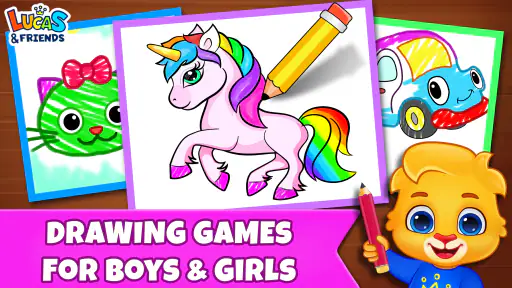
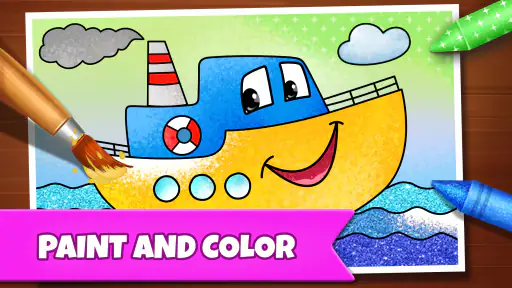
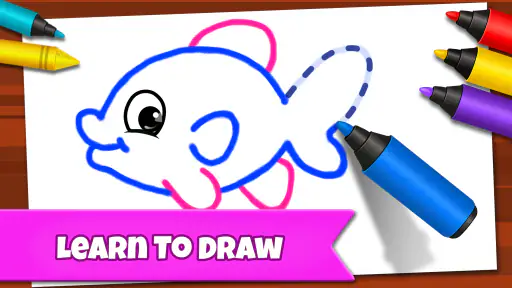
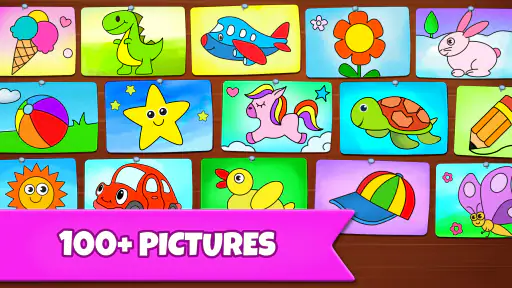
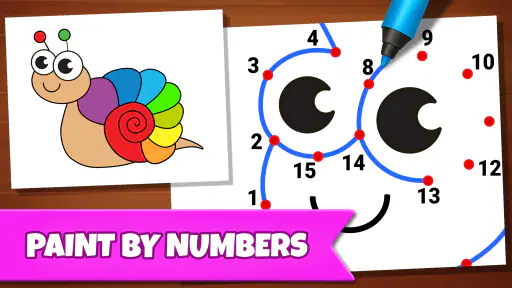
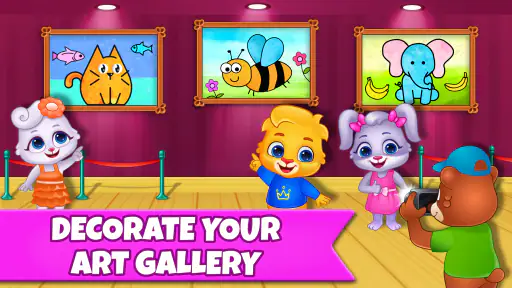
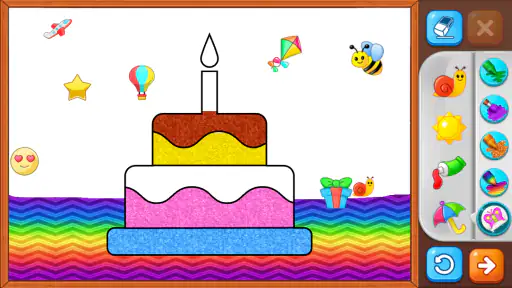
The store summary describes drawing games that include coloring-book, glow, and paint-by-numbers activities. Those different approaches can suit different moods: open-ended drawing leaves room for a child to invent, while a guided coloring activity gives a clearer task. A useful way to choose is to offer the child a small decision—“Would you rather make something yourself or fill in a picture?”—instead of expecting one mode to hold attention every time.
RV AppStudios has an average rating of 4.3 from around 22,000 ratings, alongside about 100 written reviews. I take that as a broad sign that many players find the game worthwhile, not as a guarantee of a perfect fit. Ratings can’t account for a child’s age, patience, artistic preferences, or the particular device in use.
Tradeoffs to keep in mind
The biggest practical tradeoff is that digital coloring is not paper coloring. A screen gives less tactile feedback, and a child who enjoys the feel of crayons or wants to display a finished page on the fridge may be happier with physical supplies. I’d also choose a different kind of app for someone who wants a serious art workflow, precise control, or lessons that build drawing technique; this is positioned as an accessible game, not a specialist studio.
Gaming Stories You May Enjoy

Dancing Road Turns Short Breaks Into a Test of Rhythm and Timing

Super Stylist Makes Every Outfit a Test of Taste and Patience

Dominoes on Your Terms: Who Should Play and Who Should Pass

Pokémon GO Makes the Familiar World Feel New

Chess.com Turns Rematches Into Rivalries, but Community Has Its Costs

Archery Battle 3D Review: Sharp Aiming, Unclear Feedback
Another useful distinction is between guided activities and free creation. Paint-by-numbers can help a child who feels stuck when asked to draw from a blank page, but it gives less room for personal decisions. Free drawing offers more choice but can frustrate a child who wants a clear model to follow. I’d let the child switch between these styles rather than insisting that one is the “better” way to create.
For a realistic everyday routine, I might offer it after a snack while dinner is being prepared, with a clear stopping point once the meal is ready. That keeps the game in the role of a brief activity rather than an open-ended screen session. If the child becomes annoyed by a task or starts tapping without enjoying it, I’d close the game and bring out paper or another activity instead. The value is in making creative play easy to begin, not in keeping a child occupied at any cost.
Explore Your Creative Side
The first thing that struck me when I opened Drawing Games: Draw & Color was the sheer simplicity of the interface. No complicated menus or overwhelming options – just pick up your virtual brush and start creating. Whether you're a seasoned artist or someone who just enjoys a bit of coloring here and there, this app caters to all skill levels. It's like having a portable art studio right in your pocket.
Features That Stand Out
One of the coolest features is the variety of tools available. From pencils and markers to paintbrushes and spray cans, the options are seemingly endless. And let's not forget the color palette – it's like having a rainbow at your fingertips! You can mix and match colors to create your unique shades, adding a personal touch to your artwork. Plus, the app supports layers, so you can work on different elements separately without messing up your masterpiece.
To get more from this kind of toolset, I’d start with one small goal rather than trying every option at once. For example, a child could sketch a simple shape, choose a couple of colors, and then experiment with a different tool on one part of the picture. That makes the range of brushes feel like a creative choice instead of a menu to memorize. If the child is very young, I’d demonstrate one action and let them explore rather than correcting every mark.
There is also a useful tradeoff between digital flexibility and learning with real materials. A screen can make it easy to try another color or separate parts of an image, while paper encourages a different kind of control and makes the result tangible. I’d use the game as one option in a mix: it can be handy when supplies are inconvenient, while paper is better when the aim is a hands-on craft or a finished drawing to keep.
Challenges and Competitions
If you're the competitive type, you'll love the challenges and competitions within the app. They are a fantastic way to test your skills against others and maybe even learn a trick or two. Plus, it's always fun to see how your art stacks up against others from around the world. Who knows, you might even pick up some inspiration along the way!
For a child who enjoys comparing work, I’d keep the focus on ideas rather than ranking: ask what colors or shapes they noticed in another drawing, then invite them to try a different approach of their own. That makes a challenge a prompt for observation and experimentation instead of a verdict on who is best. A child who dislikes competition, on the other hand, may get more out of drawing or coloring privately and can simply skip that style of activity.
This is where the game differs from a basic coloring-book app. A conventional digital coloring book is mainly about filling prepared spaces; the mix of drawing and challenge-oriented play can offer a broader reason to return. But if a child only wants quiet, predictable pages and has no interest in comparing or trying new activities, a simpler coloring app—or a real coloring book—may be a better match.
Relax and Unwind
For those days when you just need to relax, the coloring pages are perfect. With intricate designs and patterns, they offer a calming experience that helps you unwind. It's like therapy but with colors. Just sit back, relax, and let your worries fade away as you fill in the lines. Trust me, after a session with Drawing Games: Draw & Color, you'll feel refreshed and ready to tackle whatever comes your way.
I’d be more modest about what a coloring session can do: it may give someone a pleasant pause, but it is not a guaranteed way to change a mood or solve stress. The best time to offer it is when the child already wants a calm activity, not as a demand to settle down. If a page feels too detailed or the child loses interest, switching to free drawing or stopping altogether is a sensible choice.
Parents deciding whether it fits may wonder if it is best for young beginners or older children. I see the strongest fit as someone who likes making pictures but benefits from accessible, varied prompts; an experienced artist seeking precise professional controls should look elsewhere. It can also suit adults who enjoy casual coloring, though its educational-game framing makes it especially easy to consider as a family activity.
Another likely question is whether it can replace drawing lessons. I wouldn’t use it for that purpose: enjoying colors and experimenting with images are worthwhile, but they are different from structured instruction in observation, technique, or composition. Similarly, it can complement a physical coloring book, but it cannot provide the same paper-and-pencil experience. Choosing between them comes down to whether convenience and on-screen variety or tactile materials matter more in the moment.
In conclusion, Drawing Games: Draw & Color is more than just an app; it's a doorway to a world where creativity knows no bounds. Whether you're drawing, coloring, or competing, every moment with this app is pure joy. So if you're looking for a way to express yourself or simply want to pass the time creatively, give this app a try. You won't regret it!
My recommendation is a little more specific: because it is free and rated for Everyone, it is a low-commitment option to try with a child who likes pictures and short creative activities. Its 4.3 average and more than 50 million installs indicate that it has found a large audience, but they should be context, not the deciding factor. I’d skip it if the goal is professional drawing, structured art teaching, or an offline-feeling craft experience. For an easy digital activity that can move between guided coloring and making a picture, it is worth seeing whether it clicks with the person who will actually use it.
Drawing Games: Draw & Color Pros and Cons
Pros
- Variety of drawing tools available.
- User-friendly interface for all ages.
- Offline mode supports drawing anywhere.
- Encourages creativity and imagination.
- Regular updates with new features.
Cons
- Limited free content
- many in-app purchases.
- Occasional app crashes reported by users.
- No social media sharing directly from app.
- Ads can be intrusive during use.
- Lacks advanced features for professional artists.
Frequently Asked Questions
What are the main features of Drawing Games: Draw & Color?
Drawing Games: Draw & Color offers a wide array of features, including a variety of brushes, colors, and patterns to choose from. It also provides users with the ability to draw freehand, use coloring pages, and apply special effects. The app is designed for both beginners and experienced artists, providing a platform to enhance creativity and improve drawing skills.
Is Drawing Games: Draw & Color suitable for children?
Yes, Drawing Games: Draw & Color is designed to be user-friendly and suitable for children. The app includes simple navigation and easy-to-use tools that allow children to explore their creativity safely. Additionally, the app features parental controls to ensure a safe and appropriate environment for younger users.
Can I use Drawing Games: Draw & Color offline?
Drawing Games: Draw & Color allows users to access many features offline, so you can continue drawing without an internet connection. However, some advanced features and updates may require an internet connection. It's advisable to check the specific functionalities you wish to use to ensure they are available offline.
Are there in-app purchases in Drawing Games: Draw & Color?
Yes, Drawing Games: Draw & Color includes in-app purchases that offer additional content such as exclusive brushes, premium coloring pages, and special effects. While the basic version of the app is free, these purchases can enhance your creative experience. Users should be aware of these options, especially when allowing children to use the app.
Is Drawing Games: Draw & Color available for both Android and iOS devices?
Drawing Games: Draw & Color is available for download on both Android and iOS devices. The app is compatible with a wide range of smartphones and tablets, making it accessible to most users. Whether you are using an Android or an iOS device, you can easily find and download the app from the respective app stores.


