

DIY Keyboard
- Reviews
- 4.6
- Version
- 2.2.0.8
- Installs
- 50,000,000+

Screenshots
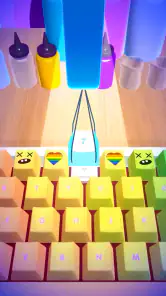
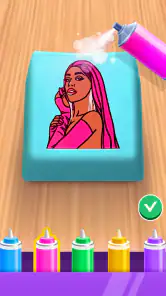
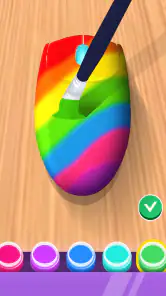

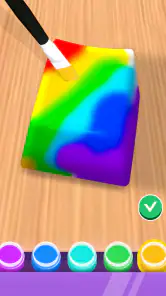
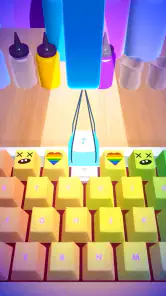
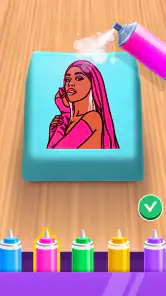
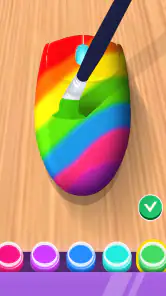
 Analysis by Frivlyz
The first few sessions with DIY Keyboard are easy to enjoy because they turn a familiar object into a small creative project. Instead of simply choosing a ready-made look, I can spend time shaping a keyboard that feels more personal. That initial novelty is real, but the question I care about is whether a custom design remains useful after the excitement of making it wears off. My answer is that it can, especially if you enjoy visual tinkering, though the appeal depends on how much you value decoration in something you use every day.
A satisfying first week of small experiments
As a free simulation game from CrazyLabs LTD, DIY Keyboard is aimed at people who like hands-on customization more than conventional typing tools. Its premise makes the keyboard itself the creative canvas. During the first week, I would treat each design as an experiment rather than trying to make a perfect, permanent setup immediately. A bold color choice may look exciting in the editor but feel distracting when you use it repeatedly; a calmer version can be more comfortable once the novelty settles.
That difference suggests a useful routine: make one design for visual impact, then try a more restrained variation before deciding what you actually like. If a design is meant for frequent use, check whether its colors make the keys easy to distinguish at a glance. A keyboard can look impressive as an image and still be less pleasant to use when you are replying quickly or entering a short note. For me, the best result is not necessarily the most elaborate one; it is the design I do not feel like changing after a few days.
Where the creative loop earns another visit
The game is most appealing when I have a few spare minutes and want a low-pressure activity with a visible result. I can imagine opening it while waiting for a kettle to boil, trying a new look, and then returning to ordinary messages without committing to a major project. That quick-session quality matters: a creative game does not need to become a daily habit to be enjoyable, but it should make each return feel like more than repeating the same choice.
It also suits people who like comparing styles and collecting ideas before settling on one. Rather than copying a design outright, I would borrow a single detail from something I like and test it in a different direction. That keeps the process personal and gives each session a clear purpose. If you are making a keyboard for someone else, a practical approach is to think about their usual mood and visual tastes first; a design that suits a friend’s messaging style is more thoughtful than one chosen only because it looks loud on screen.
Making a design work beyond the preview
Customization always involves trade-offs. Strong contrast can make a layout feel lively, while a crowded mix of colors may become tiring during longer typing sessions. I would also avoid spending too long polishing a detail before checking the overall look at normal size. Tiny adjustments can be satisfying, but they are not automatically noticeable once the full keyboard is in view. A quick step back to judge the complete design is often more useful than continuing to refine one small area.
For an everyday scenario, imagine choosing a keyboard look before a busy day of messages and errands. A restrained palette is less likely to pull attention away from what you are writing, while a playful design can make casual chats feel more expressive. I would keep the practical version as my usual choice and save more adventurous ideas for occasions when I want the keyboard to stand out. This is a simple way to enjoy the creative side without turning every interaction into a design decision.
Gaming Stories You May Enjoy

Dancing Road Turns Short Breaks Into a Test of Rhythm and Timing

Super Stylist Makes Every Outfit a Test of Taste and Patience

Dominoes on Your Terms: Who Should Play and Who Should Pass

Pokémon GO Makes the Familiar World Feel New

Chess.com Turns Rematches Into Rivalries, but Community Has Its Costs

Archery Battle 3D Review: Sharp Aiming, Unclear Feedback
Unleashing Creativity with Custom Keyboards
First off, the installation was a breeze. Once I got the DIY Keyboard app up and running, I was greeted with a user-friendly interface that welcomed me to a world of customization. Whether you’re a fan of neon lights or vintage typewriter sounds, this app has got you covered.
Getting Started with Setup
Setting up my first custom keyboard was surprisingly straightforward. The app provides a step-by-step guide that even a newbie could follow. It’s like having a buddy guiding you through the process. I started by selecting a base template and then moved on to the fun part - choosing colors, fonts, and even sounds for my keys! Imagine typing out your grocery list with the sound of a typewriter - it’s quirky, but I absolutely loved it.
Features that Hook You In
One feature that really hooked me was the option to create different keyboard profiles for different apps. So, I have a professional-looking keyboard for work emails and a funky, vibrant one for chatting with friends. The transition between profiles is seamless, making it super convenient.
Moreover, the app supports a wide range of emojis and GIFs making conversations more expressive and fun. It’s like having a mini-party on your keyboard every time you type.
Interactivity and Community
Another cool aspect of the app is its interactive community features. Users can share their keyboard designs and get inspired by others. I spent hours browsing through quirky, creative designs and even picked up a few tips and tricks along the way. It’s a community that celebrates creativity and individuality.
The comparison with a typical keyboard app is important here. A standard keyboard puts speed, prediction, and utility first; this game puts the pleasure of designing a look at the center. If you mainly want faster typing, fewer corrections, or a familiar layout, a conventional keyboard is the more sensible choice. DIY Keyboard is better understood as a creative diversion for people who enjoy personalizing the visual side of their device, not as a replacement for every feature-focused typing tool.
Keeping the novelty from becoming upkeep
There is a small maintenance burden with any customization habit: once you start changing the look, it is tempting to keep tweaking it. I would set a simple limit for myself—finish a design, use it for a while, and only revisit it when I have a real reason. That prevents the editor from becoming a loop of endless minor adjustments. If you enjoy making things more than using the finished result, that is still a valid reason to play, but it is worth recognizing that the lasting value may be in the creative session rather than in a permanent keyboard makeover.
One practical tip is to decide what you want a design to do before you begin. “Make something calmer for everyday use” gives you a clearer direction than “make it look cool,” and it makes comparisons between attempts easier. Another is to save your most experimental ideas for a separate session instead of repeatedly changing the design you rely on. That way, a passing burst of inspiration does not leave you with a look you quickly want to undo.
What can wear thin, and who should pass
The main source of fatigue is repetition: if the satisfaction comes mostly from choosing another appearance, the choices can begin to blur together. People who are not interested in visual customization may find that the central activity has little to hold their attention. Likewise, anyone seeking a serious keyboard utility, a typing course, or a game built around complex goals should look elsewhere. The age rating is Everyone, which makes the presentation broadly accessible, but personal interest in design is still what determines whether it feels worthwhile.
For someone deciding whether it deserves a place on a phone, the audience figures offer context without answering that personal question: it has a 4.6 average from around 177,000 ratings and has passed 50 million installs. It is free, and the current version is 2.2.0.8, with Android 6.0 as its minimum requirement. I would take its popularity as a reason to consider trying it, not as proof that every player will enjoy returning to it. A quick first session is a better test: if you find yourself wanting to try a second design for a specific reason, there is probably enough here for your tastes.
Design fatigue and a sensible stopping point
Another question is whether the game remains rewarding after the first few designs. In my view, that depends on whether you bring a new purpose to each visit. Making a work-friendly look, a playful one, or a design inspired by a particular color combination gives the activity a natural endpoint. Repeating the same broad choices without a theme can make the process feel less fresh. I would not force a daily routine; returning when an idea occurs is a better fit for a casual creative game.
It is also worth separating the fun of designing from the convenience of using a customized keyboard. The two do not always rise together. A finished look might make you smile but still be less legible or less comfortable than a simpler version. If that happens, there is no need to treat the less elaborate design as a failure. In a tool that centers on appearance, choosing readability and comfort is part of good design, not a compromise that defeats the point.
How I would decide whether to keep it
DIY Keyboard has been available since July 3, 2021, and its simulation-game framing helps set expectations: I would approach it as a relaxed creative activity rather than a must-have system utility. Its strongest case is for someone who enjoys trying visual variations, appreciates playful keyboard details, and wants an easy project to pick up in short sessions. It is a weaker fit for anyone who never changes their device’s appearance or who expects customization to improve typing speed by itself.
Before settling on a design, I would compare it with the default keyboard in the situations that matter most to me: a quick message, a longer note, and a moment when I need to type without looking closely. That small test reveals whether the new look is just attractive in a preview or genuinely comfortable to keep. If you prefer function over appearance, the default option or a utility-first keyboard is likely to serve you better; if making the keyboard feel personal is part of the fun, this game offers a light way to explore that preference.
Final Thoughts
In conclusion, the DIY Keyboard app is a must-try for anyone looking to add a personal touch to their typing experience. It’s fun, engaging, and incredibly easy to use. So, if you're tired of the mundane default keyboards and want to unleash your creativity, give this app a try. Trust me, you won’t regret it!
That enthusiasm comes with one qualification: I would recommend it for the pleasure of designing, not on the promise that every custom look will become part of your everyday routine. The app can earn a lasting place if you like returning to a small creative project now and then, but it does not need to be opened constantly to justify trying it. Give it a short test, make a design you would genuinely want to see, and keep it only if the process—or the result—continues to make you smile.
DIY Keyboard Pros and Cons
Pros
- Highly customizable layouts
- Wide variety of key themes
- Easy to use interface
- Supports multiple languages
- Low resource consumption
Cons
- Limited free features
- Occasional bugs in updates
- Ads in free version
- Lacks advanced features
- Some themes are paid
Frequently Asked Questions
What is DIY Keyboard and how does it work?
DIY Keyboard is a customizable keyboard app that allows users to design and personalize their typing experience on Android and iOS devices. It offers a range of features, including custom themes, fonts, and emojis. Users can create unique keyboard layouts by selecting different colors, styles, and key shapes to match their preferences. The app enhances typing by providing a fun and personalized interface, making it more enjoyable to use.
Is DIY Keyboard free to download and use?
DIY Keyboard offers a free version with basic features that users can download and enjoy without any cost. However, to unlock additional premium features such as exclusive themes, advanced customization options, and an ad-free experience, users may choose to purchase a subscription or make in-app purchases. This allows for a more enhanced and versatile keyboard customization experience.
Does DIY Keyboard support multiple languages?
Yes, DIY Keyboard supports multiple languages, allowing users to switch between different language keyboards easily. This feature is particularly beneficial for multilingual users who need to type in various languages. The app provides an extensive list of languages and continues to update and expand its language support, making it versatile for global users who require diverse language options.
Can I use DIY Keyboard on all devices?
DIY Keyboard is compatible with a wide range of Android and iOS devices. However, users should ensure that their device is running on a supported operating system version to use the app effectively. Compatibility details can be checked on the app's download page, ensuring users have a seamless experience across smartphones and tablets without any technical issues.
How can I ensure the security of my data when using DIY Keyboard?
The developers of DIY Keyboard prioritize user privacy and data security. The app does not collect or store any personal or sensitive information from users. It utilizes standard encryption protocols to ensure that any data entered through the keyboard remains secure. Users are encouraged to review the app's privacy policy for detailed information on data security measures and practices, ensuring a trustworthy user experience.


