

Disney Speedstorm
- Reviews
- 4.6
- Version
- 1.12.0e
- Installs
- 1,000,000+

Screenshots
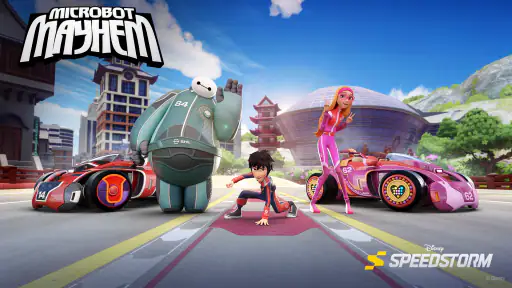
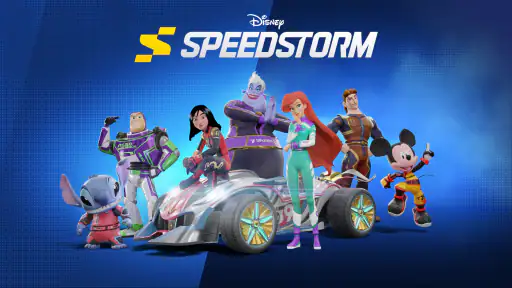
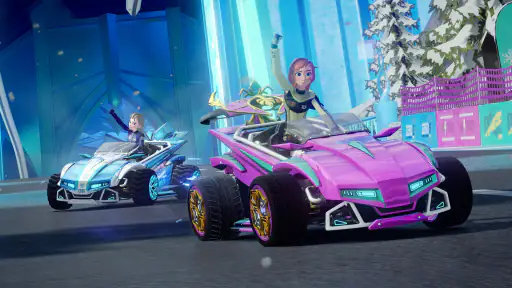
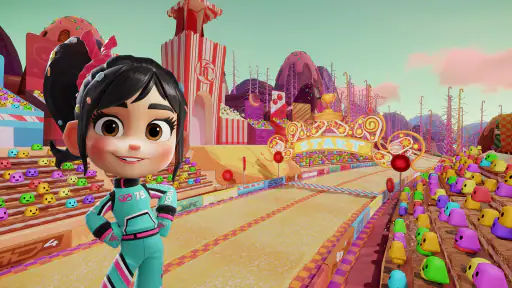
 Analysis by Frivlyz
I first picked up Disney Speedstorm expecting a bright, quick racing game, and that is the best way to approach it: a mobile racer built around recognizable Disney and Pixar characters and a more playful feel than a realistic driving simulator. Gameloft SE developed it, and the free-to-play setup makes it easy to try without committing to a purchase. Its Everyone age rating also makes the presentation accessible to a broad audience, though the in-app purchases mean I would still set expectations with younger players before handing over a device.
Getting Comfortable with the Racing
When you first launch Disney Speedstorm, you're immediately greeted with vibrant graphics and a catchy soundtrack that sets the stage for an epic adventure. The game offers a variety of modes, from solo races to multiplayer challenges, so there's something for everyone. I particularly enjoyed the multiplayer mode where you can race against friends or other players globally. There's nothing quite like the thrill of overtaking someone right at the finish line!
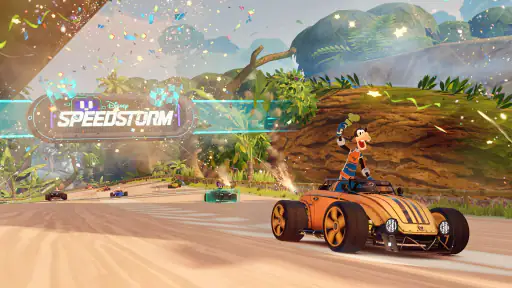
One of the coolest features is the ability to race through iconic locations from Disney and Pixar movies. Ever wanted to drift around the streets of Monstropolis or zoom through the enchanted forests of Arendelle? Now you can! The attention to detail in each track is astonishing, making you feel like you're actually part of the movie.
Where New Players Can Get Stuck
The colorful presentation makes the game look immediately simple, but there is a difference between understanding the controls and becoming consistent on a course. A turn that seems easy during a relaxed practice run can feel very different when other racers are close and you are trying to hold your line. My practical advice is to treat the first few races as a chance to learn how drifting feels, not as a test of whether you are already good at the game. Trying to correct every small mistake at once can make steering feel more frantic than it needs to be.
Character choice also takes a little thought. The cast is a major part of the appeal, and each racer has distinct abilities, but choosing only by personal favorite may not suit every race or playstyle. I would try a few available characters before settling into a routine. Pay attention to whether you prefer direct speed, a forgiving all-round feel, or an ability that changes how you approach a close contest. That small comparison can be more useful than repeatedly switching at random after a loss.
Character Selection
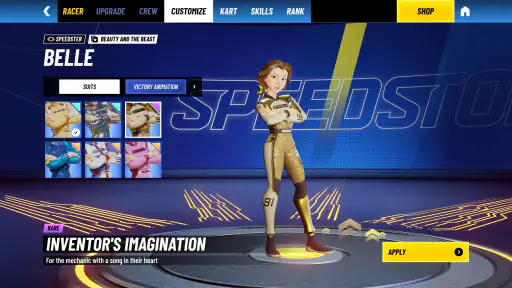
The character selection in Disney Speedstorm is absolutely delightful. You can choose from a wide range of beloved characters, each with their own unique skills and abilities. Whether you're a fan of Lightning McQueen's speed or Mickey Mouse's all-around capabilities, there's a character to suit every playstyle. Plus, the more you play, the more characters and customizations you unlock. It's like collecting your favorite action figures but in digital form!
That collecting appeal has a trade-off: unlocking more options takes play, and the game also offers in-app purchases priced from $0.99 to $99.99 per item. I would go in expecting a game you can try for free, not one where every character or customization will necessarily arrive as soon as you want it. If you are playing with a child, it is worth agreeing on purchase boundaries in advance. For adults, the simplest way to keep the experience comfortable is to enjoy the races you have access to rather than treating every locked item as a requirement.
Gaming Stories You May Enjoy

Dancing Road Turns Short Breaks Into a Test of Rhythm and Timing

Super Stylist Makes Every Outfit a Test of Taste and Patience

Dominoes on Your Terms: Who Should Play and Who Should Pass

Pokémon GO Makes the Familiar World Feel New

Chess.com Turns Rematches Into Rivalries, but Community Has Its Costs

Archery Battle 3D Review: Sharp Aiming, Unclear Feedback
Controls and Mechanics
As someone who's played a fair share of racing games, I found the controls in Disney Speedstorm to be intuitive and responsive. The game offers both tilt and touch controls, allowing you to choose what feels best for you. I personally preferred the touch controls for more precise maneuvering, especially during those tight turns and tricky obstacles.
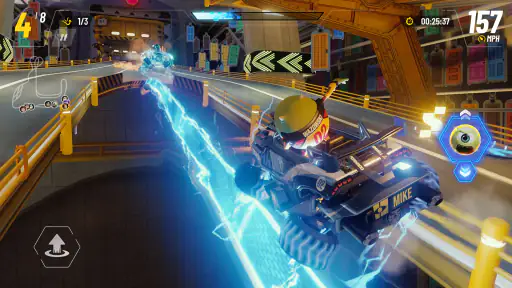
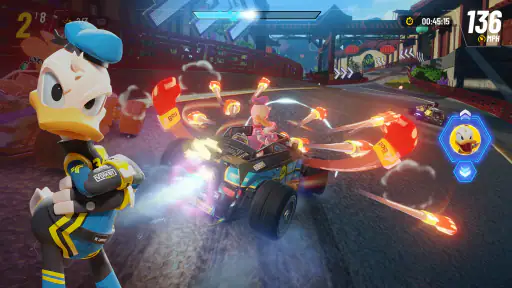
The mechanics are straightforward yet engaging. Power-ups are scattered throughout the track, giving you the chance to boost your speed, shield yourself from attacks, or even launch projectiles at your opponents. It's a strategic element that keeps you on your toes and adds an extra layer of excitement to the races.
Small Setup Checks That Help
Before blaming a missed turn on the game, I would make one change at a time. Try the touch controls for several races, then compare them with tilt if that option feels more natural on your device. Swapping controls after every mistake makes it hard to tell whether the issue is the layout, your timing, or simply learning the track. A steady test gives you a clearer answer without turning setup into a project.
It is also sensible to check that your device meets the minimum requirement of Android 9 or later before installing. If a race feels choppy or inputs seem inconsistent, close other demanding apps and try again when the device is not busy. Those are ordinary troubleshooting steps, not a guarantee that every performance issue will disappear, but they help separate a temporary device strain from a control preference. The current version is 1.12.0e, so keeping the installed game current is a reasonable first check if something behaves unexpectedly.
Recovering a Race Without Making It Worse
When a race starts going badly, I find it more useful to focus on the next corner than to chase every racer immediately. A missed boost or a collision can tempt you into steering sharply and losing even more control. Instead, settle back into the course, watch the upcoming bend, and use a power-up with a purpose rather than tapping as soon as it appears. The defensive option can be more valuable when you are surrounded; an attack makes more sense when an opponent is close enough to matter. That choice turns the item system into a decision, not just visual noise.
If a session is interrupted or the game does not respond as expected, try a simple restart before changing several settings at once. Reopen the game, check your connection if you are attempting a multiplayer race, and see whether the issue happens again in a solo race. Comparing those situations can help you identify whether the trouble is tied to online play or appears more generally. I would avoid repeatedly reinstalling or resetting anything as a first reaction; start with the reversible checks and protect any account or progress details you rely on.
How It Fits Into an Everyday Gaming Routine
This works best for me as a short-session game when I want a colorful break rather than a long, quiet driving challenge. For example, if I have a spare stretch before meeting a friend, I can play a race, get a feel for a track, and stop without needing to plan an evening around it. If I am playing with someone else, the competitive side gives that same quick session a shared goal: try to beat one another cleanly rather than simply collecting wins.
There is a useful distinction between this and a traditional realistic racer. Here, recognizable characters, dramatic courses, abilities, and power-ups keep the action lively; a simulation-focused game is a better fit if you want careful vehicle tuning or a convincing recreation of real driving. Compared with a simpler kart-style alternative, this has a stronger Disney and Pixar identity, but its character progression and purchase options may feel like more to manage. I would choose it for its cast and arcade energy, not because it offers the most serious racing model.
Who Should Skip It, and When the Game May Not Be at Fault
I would recommend it to Disney and Pixar fans who enjoy competitive arcade racing, players who like trying different characters, and anyone who wants races with more personality than a plain track-and-car setup. I would steer away from it if you dislike unlock-based progression, prefer realistic driving, or do not want optional purchases in a game you might share with a child. Those are not small preferences: they shape whether the game feels inviting or like a distraction from the racing itself.
Not every frustrating result means the controls or device are failing. A power-up arriving at the wrong moment, an opponent blocking a line, or unfamiliarity with a course can all make a race feel unfair when you are still learning. If touch input feels delayed in several modes, checking whether the device is under load and testing a solo race can clarify the situation. If only multiplayer feels inconsistent, checking the connection is a sensible next step. I appreciate that these simple comparisons can prevent unnecessary changes to settings when the real issue is timing or network conditions.
Final Thoughts
Overall, Disney Speedstorm is a fantastic addition to the mobile gaming world. It's a game that not only appeals to Disney fans but also offers a genuinely fun and competitive racing experience. The blend of nostalgia, stunning visuals, and addictive gameplay is a winning combination that keeps you coming back for more.
It has a 4.6 average from around 29,000 ratings, with more than a million installs, which gives a sense of how widely it has found an audience. I would not treat popularity as proof that it suits every racing fan, though. The purchase range, unlocks, and lively arcade mechanics are important parts of the decision. The free entry point makes it straightforward to sample, while the option to spend is something to manage deliberately. For me, it is strongest when I want a character-led race, not when I am looking for a demanding driving simulator.
If you're looking for a racing game that's both charming and exhilarating, give Disney Speedstorm a spin. Just be warned – once you start playing, it's hard to put down. Happy racing!
Disney Speedstorm Pros and Cons
Pros
- Stunning graphics and smooth animations.
- Exciting and diverse character roster.
- Frequent updates with new content.
- Engaging multiplayer mode.
- User-friendly interface.
Cons
- Requires constant internet connection.
- In-app purchases can be expensive.
- Occasional server issues.
- High battery consumption.
- Limited offline gameplay options.
This Game in Other Languages
Frequently Asked Questions
What is Disney Speedstorm and how does it differ from other racing games?
Disney Speedstorm is a thrilling racing game that features iconic Disney and Pixar characters as racers. Unlike traditional racing games, Disney Speedstorm offers unique character abilities, themed tracks inspired by Disney movies, and a vibrant graphics style. Players can race against friends or AI, enhancing the experience with power-ups and special moves that are characteristic of each character, making it a unique blend of racing and Disney magic.
On which platforms can I play Disney Speedstorm?
Disney Speedstorm is available on multiple platforms, including Android and iOS devices, allowing players to enjoy the game on-the-go. It's also available on major gaming consoles and PCs, providing a versatile gaming experience whether you're at home or traveling. Check the respective app stores or gaming platforms for compatibility and download options to ensure your device supports the game.
Are there in-app purchases in Disney Speedstorm?
Yes, Disney Speedstorm offers in-app purchases, allowing players to enhance their gaming experience by purchasing additional characters, skins, power-ups, or currency. While the game can be enjoyed without spending money, these purchases provide an opportunity to customize and advance more quickly. Always monitor in-app spending, especially if children have access to the game.
Can I play Disney Speedstorm with my friends?
Absolutely! Disney Speedstorm features multiplayer modes that let you race against friends or other players online. You can join or create racing events, compete in leaderboards, and challenge your friends to see who is the fastest. This social aspect adds a competitive edge and increases replayability, making it a great game for social gatherings or online fun with friends.
What age group is Disney Speedstorm suitable for?
Disney Speedstorm is designed for a broad audience, making it suitable for players of all ages. However, it's best suited for those aged 6 and above due to its racing dynamics and in-game purchases. The game is family-friendly, featuring beloved Disney characters and colorful tracks, ensuring a fun and engaging experience for both kids and adults who are Disney fans.


