

Disney Coloring World
- Reviews
- 4.3
- Version
- 16.4.0
- Installs
- 10,000,000+

Screenshots

 Analysis by Frivlyz
When I choose a coloring app for a child, I look beyond the pictures: I want to know whether the activity is easy to start, enjoyable to return to, and worth its ongoing cost. For a Disney fan, Disney Coloring World has an obvious advantage: familiar characters give a young artist a reason to pick up the tablet, while the coloring itself leaves room to make each page their own. It is a free educational game from StoryToys, rated for Everyone, and its appeal is strongest when a child wants a gentle creative activity rather than a structured lesson or a competitive game.
A good fit for short, relaxed creative sessions
I would consider it for a quiet moment at home, a rainy afternoon, or a stretch of waiting when a child is happier drawing than watching another video. A useful way to introduce it is to let the child choose one character or scene, then give them a small goal: try two different colors, add a detail, or finish one area before moving on. That keeps the activity manageable and makes it easier to stop without turning the tablet into an all-afternoon commitment.
The Disney connection is more than decoration for children who already have favorite characters. Recognition can make the first choice feel effortless: instead of facing a blank page, a child can begin with a subject they already know. At the same time, this focus is a real limitation for anyone who would rather draw original subjects, landscapes, or abstract patterns. The app is best understood as character-centered coloring and play, not a general-purpose digital art studio.
How it compares with paper and other coloring apps
Compared with a paper coloring book, the main difference is the digital toolset and the ability to move from coloring into interactive play. Paper remains a better choice when you want an activity with no screen, when a child enjoys physical pencils, or when you want to keep a finished page as a tangible drawing. This app makes more sense when variety and an animated follow-on matter more than the feel of coloring on paper.
Compared with broad coloring apps, its advantage is the Disney world and recognizable cast; a less brand-focused alternative may suit a child who wants a wider range of subjects or a quieter, more open-ended canvas. I would not choose it primarily for teaching art technique. The fun is in selecting colors and making familiar characters personal, rather than following a formal course in shading, composition, or drawing fundamentals.
What to know before handing over the device
The game is free to start, but it includes in-app purchases priced from $0.99 to $59.99 per item. I would look through the available purchase choices with a parent before letting a child browse alone, and make the spending rules clear in advance. A free download does not mean every piece of content is included at no cost, so families who want a completely fixed-cost activity should factor that into their decision.
It is also worth setting expectations about attention and stopping points. A child may want to keep coloring once they have found a favorite character or tool, and an interactive mode can make it harder to switch activities immediately. I find it helpful to agree on a simple endpoint before starting, such as finishing one picture or playing briefly after coloring. That small routine makes the app easier to fit into family time without treating it as an unlimited distraction.
Gaming Stories You May Enjoy

Dancing Road Turns Short Breaks Into a Test of Rhythm and Timing

Super Stylist Makes Every Outfit a Test of Taste and Patience

Dominoes on Your Terms: Who Should Play and Who Should Pass

Pokémon GO Makes the Familiar World Feel New

Chess.com Turns Rematches Into Rivalries, but Community Has Its Costs

Archery Battle 3D Review: Sharp Aiming, Unclear Feedback
For a child who is still learning to use a touchscreen, a parent can first demonstrate how to choose an image and test a color on a less important area. That avoids frustration if the child expects the screen to behave exactly like paper. Older children may enjoy experimenting more independently, but those looking for fine control for detailed illustration are likely to prefer a drawing app built specifically for that purpose.
Exploring the Magic
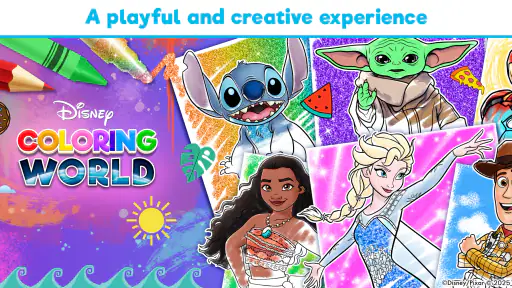
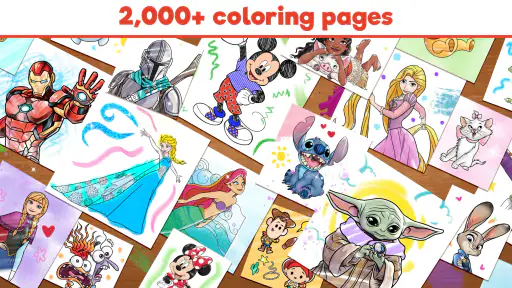
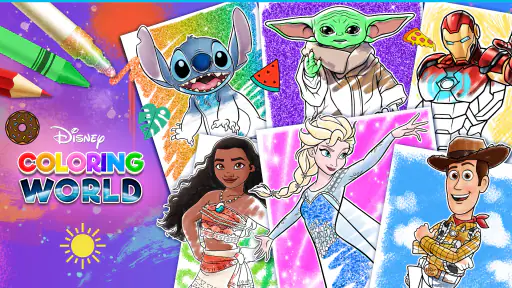
Upon opening Disney Coloring World, you're greeted with a vast array of Disney characters, scenes, and themes. From classics like Mickey Mouse and Cinderella to newer additions like Moana and Elsa, there's something for everyone. The app is designed to be user-friendly, with a simple interface that even the youngest artists can navigate with ease. I found the variety of coloring pages to be quite impressive, ensuring that you never run out of options to explore your creativity.
Tools of the Trade
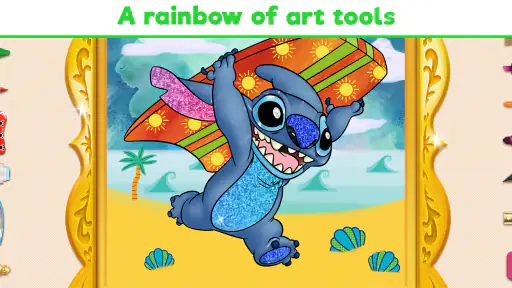
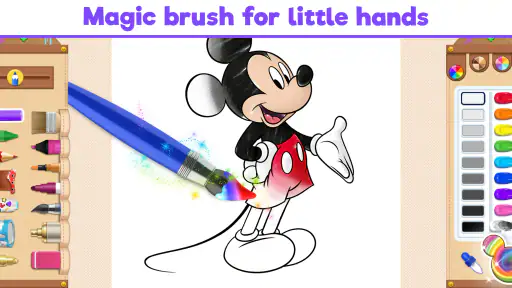
One of the standout features of this app is the range of coloring tools at your disposal. Whether you prefer the precision of a pencil, the broad strokes of a brush, or the creativity of stickers, Disney Coloring World has got you covered. The color palette is extensive, offering every shade imaginable, and there are even special effects like glitter to make your artwork pop. I personally enjoyed experimenting with different tools and colors to see what unique creations I could come up with.
Interactive and Engaging
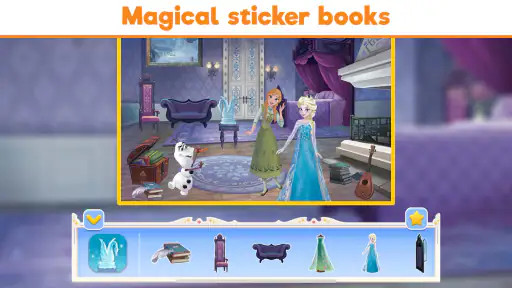
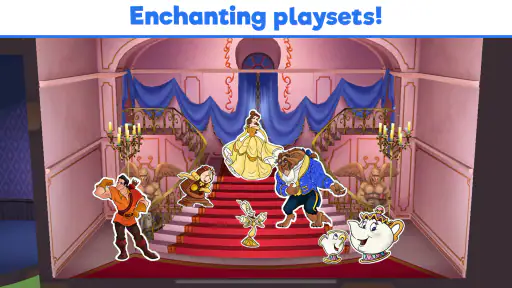
What sets this app apart from a traditional coloring book is the interactive element. Once you've completed your masterpiece, you can bring it to life in play mode. Characters start moving around, and you can interact with them in a fun, dynamic world. It's this blend of creativity and play that makes Disney Coloring World a standout app. Kids will love seeing their artwork come to life, and I have to admit, it's pretty entertaining for adults too!
Moreover, the app frequently updates with new content, keeping things fresh and exciting. Whether it's a new Disney movie release or a seasonal theme, there's always something new to discover. This ensures that the app remains engaging and provides endless hours of fun.
A practical choice for Disney-loving families
The clearest question for many parents is whether the game can work for a younger child without constant help. Its simple interface is intended to be approachable, and a child who can make basic touchscreen selections should be able to explore the coloring activity. I would still sit nearby at first: not to guide every mark, but to help with navigation and make sure the child understands how to move between coloring and play.
If you are choosing between this and a standard coloring app, think about what actually motivates the child. A strong attachment to Disney characters makes the themed selection a meaningful draw; a child who prefers animals, vehicles, or open drawing may tire of the focus sooner. Likewise, if the priority is a screen-free pastime, the familiar characters do not change the basic fact that this is a tablet activity. The best alternative depends on whether licensed character art is the hook or a distraction.
For a realistic everyday use, I can imagine opening it after school while dinner is being prepared. A child can pick a favorite page, spend a short while coloring, and then show a parent the result before putting the device away. That works better than presenting it as an endless collection to complete. The practical strength is that the activity has an obvious starting point; the practical trade-off is that a child may ask to continue exploring, especially if they discover content that is not part of the free experience.
The game is listed at version 16.4.0 and requires Android 7.0 or later. It has an average rating of 4.3 from around 44,000 ratings, with over 10 million installs. Those figures suggest broad interest, but they should not decide the choice for you: a child who dislikes coloring will not be won over by popularity, and an adult seeking serious art tools may find the playful format too limited. I would use the app’s own fit with your family’s habits as the deciding factor.
Final Thoughts
In a nutshell, Disney Coloring World is a magical journey into the world of Disney characters and creativity. It's perfect for anyone looking to unwind and escape into a colorful world of imagination. The app does a fantastic job of combining traditional coloring fun with modern interactive elements, making it a must-have for Disney fans out there. So, grab your virtual crayons and start coloring your way through the Disney universe today! Trust me, it's a delightful experience you won't want to miss.
My recommendation is more measured than “must-have”: I would try it for a child who already enjoys Disney and wants an easy creative activity with a playful payoff. I would skip it for families avoiding screen time, for children who need open-ended drawing rather than character pages, or for anyone who does not want to manage optional purchases. If that trade-off suits you, the free starting point makes it a reasonable way to see whether the mix of coloring and character play holds a child’s interest.
Disney Coloring World Pros and Cons
Pros
- Wide range of Disney characters to color
- Intuitive and user-friendly interface
- Regular updates with new content
- Offline mode available
- Encourages creativity and learning
Cons
- In-app purchases can be expensive
- Occasional app crashes
- Limited free content
- Some ads are intrusive
- Requires significant storage space
This Game in Other Languages
Frequently Asked Questions
What is Disney Coloring World?
Disney Coloring World is a creative app designed for children and Disney fans, where users can color and bring to life their favorite Disney characters and scenes. The app offers a wide range of coloring pages featuring beloved Disney, Pixar, and Star Wars characters, along with various tools and colors to enhance creativity.
Is Disney Coloring World suitable for all ages?
Yes, Disney Coloring World is designed to be user-friendly and suitable for all ages, particularly for children. The app is intuitive, with simple navigation and easy-to-use coloring tools, making it accessible for young children. However, Disney enthusiasts of any age can enjoy coloring their favorite characters.
What features does Disney Coloring World offer?
Disney Coloring World provides a variety of features including an extensive library of Disney-themed coloring pages, numerous coloring tools such as brushes, crayons, and magic markers, as well as special effects like sparkles and patterns. It also includes interactive elements, allowing users to animate their creations and share them with friends and family.
Does Disney Coloring World require an internet connection?
While Disney Coloring World can be used offline for coloring, an internet connection is necessary to download new coloring pages and updates. Access to certain features, such as sharing artwork or accessing additional content, may also require an internet connection to function properly.
Are there any in-app purchases in Disney Coloring World?
Yes, Disney Coloring World offers in-app purchases. While the app provides some free content, there are additional coloring pages and features that can be unlocked through purchases. Parents should be aware and can set up controls to manage or restrict in-app purchases to prevent unexpected charges.


