

Death Park Coloring Games
- Reviews
- 4.7
- Version
- 1.0.54
- Installs
- 1,000,000+

Screenshots
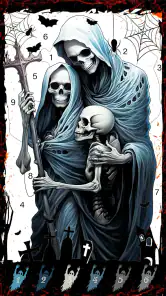
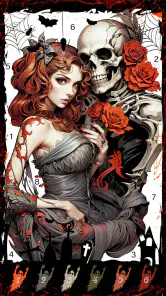
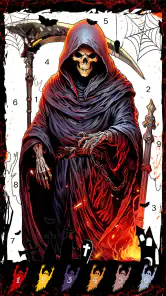
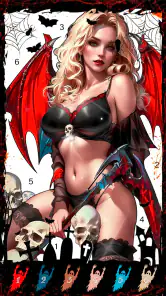
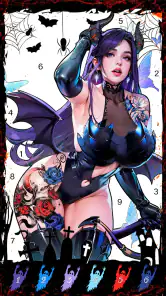
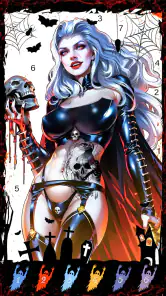
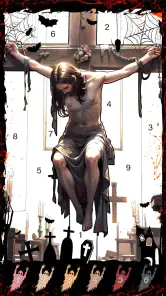
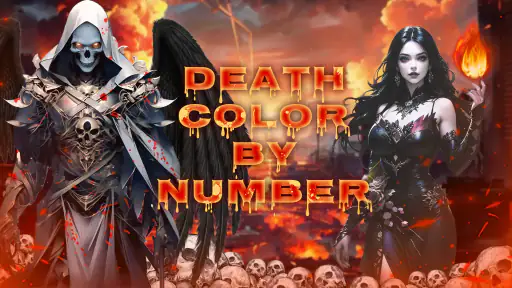
 Analysis by Frivlyz
Hey there! If you're on the hunt for a creative outlet that combines the eerie thrill of horror with the soothing activity of coloring, then you might want to check out Death Park Coloring Games. It's this cool little app that lets you dive into the spine-chilling world of Death Park and unleash your inner artist. Let me take you through my experience with this unique app.
What to expect from a horror coloring game
This is a board-category game built around coloring rather than the fast reactions or complicated rules I associate with many mobile games. Its appeal is the contrast between unsettling imagery and a calm, deliberate activity: you can spend a few minutes adding color without needing to follow a plot or compete against another player. I’d recommend it to someone who likes spooky art but wants a gentler encounter with horror than a jump-scare game provides.
The theme does shape the experience, so it will not suit everyone. If clowns, skeletons, ghosts, or the general atmosphere of a haunted setting make you uncomfortable, the coloring format does not remove that imagery. On the other hand, a horror fan who prefers drawing and visual details to scares may find the approach an easy way to enjoy the genre. The Teen age rating is also worth keeping in mind when choosing a game to share with a younger player.
Getting started without overthinking it
Fancy Games Studio made this free game available in version 1.0.54, and it runs on Android 7.0 or later. Once it is installed, I’d start by opening a picture that catches your eye rather than trying to complete a page in one sitting. Choose a color and tap a section to see how the basic coloring interaction feels. That first small test is useful: it lets you get comfortable with the palette and the image before you invest time in finer areas.
My practical tip is to treat the first session as a short trial, not a project you have to finish. Pick a simple region, fill it, then zoom in when the artwork becomes more intricate. That order makes the controls easier to learn and helps avoid the frustration of trying to tap tiny details while you are still getting used to the screen. If you are coloring on a phone, zooming is especially helpful when your finger obscures the part you want to work on.
Immersive Horror-Themed Coloring Experience
When I first opened Death Park Coloring Games, I was greeted with a dark and mysterious interface that immediately set the mood. The app is packed with a variety of creepy and detailed illustrations that are begging for some color. From haunted houses to sinister clowns, each page offers a new haunting scene to bring to life. I have to say, the horror theme is executed pretty well, and it definitely adds an exciting twist to the usual coloring apps out there.
User-Friendly and Intuitive
One thing I appreciated about this app is how easy it is to use. Whether you're a seasoned pro or just a casual doodler, the interface is pretty straightforward. You can choose your colors from a palette, and with a simple tap, you start filling in the illustrations. It's almost therapeutic, and before I knew it, I was lost in the world of creepy yet captivating designs.
Gaming Stories You May Enjoy

Dancing Road Turns Short Breaks Into a Test of Rhythm and Timing

Super Stylist Makes Every Outfit a Test of Taste and Patience

Dominoes on Your Terms: Who Should Play and Who Should Pass

Pokémon GO Makes the Familiar World Feel New

Chess.com Turns Rematches Into Rivalries, but Community Has Its Costs

Archery Battle 3D Review: Sharp Aiming, Unclear Feedback
The app also offers a zoom feature, which is super handy for those intricate details. I found myself spending quite a bit of time perfecting each page, thanks to the level of detail and the ease with which I could navigate the app.
A realistic way to fit it into the day
I can see this working well as a small after-work reset: open a picture while waiting for dinner, color one broad area, and leave the finer work for another break. Because there is no need to keep pace with opponents, you can stop when your attention runs out and return when you feel like it. That makes it a better fit for scattered pockets of free time than a game that expects a long uninterrupted session.
There is a trade-off, though. Coloring by tapping is more guided than drawing with a blank canvas, which is reassuring if you want an easy start but less satisfying if you are looking for full control over line work, brush texture, or composition. Compared with a general coloring app, the horror setting gives these pages a more consistent mood, while a broad themed library may be a better choice if you want landscapes, animals, or a wider range of subjects. Compared with a conventional horror game, this is for atmosphere and quiet focus, not exploration, puzzles, or frightening action.
Small choices that make coloring smoother
For a cleaner result, I’d work from larger sections toward the small details. It is easier to establish the overall color balance first, then use zoom to handle narrow spaces. If you are unsure about a color combination, try it on a less prominent part of the picture before committing to a large area. This is a simple way to avoid turning a relaxing session into a series of fussy corrections.
It also helps to choose a stopping point before you begin. Finishing one corner or one clearly defined section can make a short session feel complete, even if the full illustration remains unfinished. That is a useful approach for children or anyone who tends to feel that a creative activity only counts once the entire page is done. I would not treat every picture as a test of artistic skill; the pleasure here is in making the scene feel like your own.
Common questions before you settle in
The game is free to install, but it includes optional in-app purchases priced from $1.99 to $59.99 per item. I’d check the purchase prompt carefully before confirming anything, particularly if a child will use the device. You can begin with the free download and decide whether it suits you before considering any paid item; there is no reason to spend immediately just to find out whether the coloring style is enjoyable.
It has a 4.7 average from around 7,200 ratings, with about 1,100 written reviews and over 1 million installs. Those figures suggest that plenty of people have tried it, but they do not tell me whether its particular art style will be your taste. I would use them as context, then judge the game by whether you enjoy its eerie pictures and tap-to-color rhythm.
If you are wondering whether it is suitable for a quick break, I think so: the simple interaction makes it easy to start without learning a complex system. If you want a competitive board game, however, the category label should not lead you to expect a match against another player; the experience described here is centered on coloring illustrations. And if you want to create original art from scratch, a drawing app will give you more freedom than filling in prepared scenes.
Sharing Your Masterpieces
Once you've completed your terrifying masterpiece, you can easily share your work with friends or on social media. This feature is a great way to showcase your creativity and perhaps even spook your friends a little. Plus, it's always fun to see how others interpret the same scenes differently.
Sharing makes most sense when you have a finished image you are happy with, rather than treating every page as something that needs an audience. I’d use it to compare color choices with a friend who enjoys spooky art, or simply to keep a record of a picture you liked completing. If you prefer coloring privately, the activity still works as a personal wind-down; sharing is an extra, not the reason to use it.
Who will enjoy it, and who may prefer something else
I’d point this game toward casual colorists, horror-art fans, and people who want a low-pressure activity they can pick up and put down. It may also be a good choice for someone who enjoys the visual side of scary stories but does not want the intensity of a horror adventure. The dark subject matter gives it a stronger identity than a plain collection of generic coloring pages, and the straightforward tapping lowers the barrier for a first-time user.
I would steer away from it if you dislike horror imagery, need a deep strategy game, or want tools for freehand illustration. The same goes for anyone who finds repetitive tapping dull: the appeal depends on enjoying the gradual process of filling in a prepared picture. Fancy Games Studio’s game has a clear niche, and I think it is more satisfying when you approach it as a themed coloring pastime rather than expecting a full horror story or a traditional board-game match.
How I’d decide whether to keep it
After trying a few areas, ask yourself whether the pictures and the coloring rhythm make you want to continue. If they do, keep a favorite image for a longer session and use the zoom for its detailed sections. If you find yourself wishing you could draw your own outlines or change the composition, that is a good sign that a sketching app—or a more open-ended coloring tool—would fit better.
Its release was on January 7, 2022, and the current version is 1.0.54. For a first-time user, the important point is not the release history but the simple path into the activity: install it on a compatible Android device, choose an illustration, test the palette on a large area, and then decide whether you want to spend more time with the finer details. That low-commitment first attempt is enough to tell you whether its spooky style feels relaxing or simply too dark for your taste.
Overall, Death Park Coloring Games is a fantastic way to combine creativity with a love for all things spooky. Whether you're a fan of horror or just looking for a new way to relax, this app offers a unique and engaging experience. So grab your virtual paintbrush and dive into the dark world of Death Park—you might just find it’s the escape you didn’t know you needed.
Death Park Coloring Games Pros and Cons
Pros
- Engaging horror-themed coloring pages.
- Easy-to-use interface for all ages.
- Regular updates with new content.
- Encourages creativity and imagination.
- Suitable for offline play.
Cons
- Contains ads that can be intrusive.
- Limited free content available.
- In-app purchases can be expensive.
- Graphics may be too scary for kids.
- Requires frequent updates.
Frequently Asked Questions
What is Death Park Coloring Games all about?
Death Park Coloring Games is a unique app that combines the thrill of a horror-themed adventure with the creativity of coloring. Players can explore eerie environments inspired by the Death Park universe while coloring various scenes and characters. It offers a creative outlet for horror fans and art enthusiasts alike, providing an engaging way to enjoy their favorite themes.
Is Death Park Coloring Games suitable for children?
While Death Park Coloring Games may seem like a simple coloring app, its horror theme might not be suitable for young children. The app features spooky imagery and scenes that could be unsettling for younger audiences. Parents should consider the app's content and themes before allowing children to download and play.
Can I use Death Park Coloring Games offline?
Yes, Death Park Coloring Games can be used offline, allowing users to enjoy coloring without an internet connection. This feature makes it convenient for users to access the app while on the go, whether they're traveling or in areas with limited internet access. However, some features might require online access for updates or additional content.
What devices are compatible with Death Park Coloring Games?
Death Park Coloring Games is compatible with a wide range of Android and iOS devices. Users should ensure that their device meets the minimum system requirements specified on the app's download page. Regular updates help maintain compatibility with newer device models, ensuring a smooth and enjoyable user experience.
Are there in-app purchases in Death Park Coloring Games?
Yes, Death Park Coloring Games includes in-app purchases. While the app itself may be free to download, users have the option to purchase additional coloring packs, tools, or special features. These purchases can enhance the overall experience, but they are entirely optional, allowing users to enjoy the core features without spending extra money.


