

Dark, Horror Color by Number
- Reviews
- 4.7
- Version
- 1.0.211
- Installs
- 5,000,000+

Screenshots
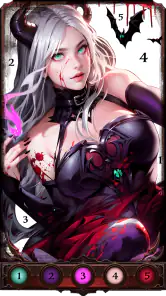
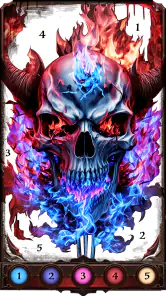
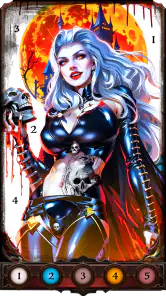
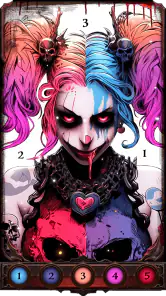
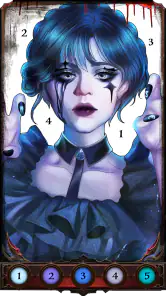
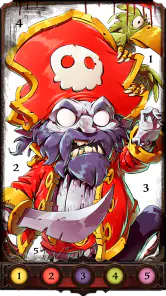
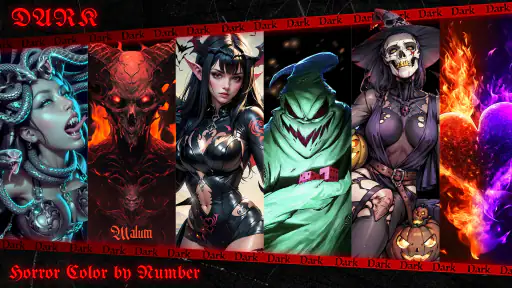
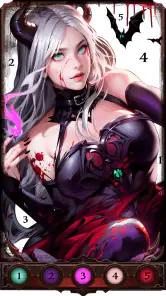
 Analysis by Frivlyz
Hey there, fellow app adventurers! Today, I'm diving into the eerie world of Dark, Horror Color by Number, a chilling twist on the traditional coloring book app. If you've ever wanted to unleash your inner artist while embracing the spooky side of life, this might just be the app for you.
A dark theme with a clear purpose
This is a board-style coloring game from Fancy Games Studio, built around the simple pleasure of filling numbered areas rather than competing against another player. Its gothic horror direction gives the familiar format a more distinctive mood than a standard picture-coloring app. I’d recommend it first to people who like spooky illustrations and want a quiet activity, not to someone looking for a full horror game with exploration, scares, or a story to follow.
The game is free to download, with optional in-app purchases priced from $0.49 to $59.99 per item. That range is worth keeping in mind if you share a device with a child or prefer not to make purchases: check the device’s purchase controls before handing it over. The Teen age rating also makes it a better fit for older children and adults than for very young users, especially if the dark imagery is likely to bother them.
Unlock Your Dark Side
Alright, let's talk about the concept. Dark, Horror Color by Number takes the familiar idea of coloring by numbers and gives it a deliciously dark twist. Instead of the usual happy landscapes or cute animals, you're greeted with a gallery of horror-themed artwork. Think haunted houses, creepy creatures, and eerie scenes that look like they stepped straight out of a gothic novel.
When I first opened the app, I was immediately struck by the atmospheric design. The interface is moody, with a dark color palette that sets the tone for what’s to come. Navigating through the app is a breeze, with categories neatly laid out for you to explore. Whether you're in the mood to color a sinister pumpkin or a ghostly apparition, there's something here to tickle your macabre fancy.
Readability and navigation in practice
A dark interface suits the subject, but it can also make small details harder to pick out, particularly on a dim screen or for anyone who finds low-contrast layouts tiring. I’d raise the screen brightness enough to distinguish the artwork from the surrounding controls, then try a simple picture before committing to a highly detailed one. That small test helps reveal whether the numbered areas and palette are comfortable to follow on your particular device.
Color-by-number games place a lot of information in a small space: the image, its numbered regions, and the color choices all compete for attention. The zoom control is useful here, not only for accuracy but also for easing visual strain when an area is tiny. I’d use it early rather than waiting until a difficult corner becomes frustrating. If a number is still hard to make out, moving the image around and working on a larger region first can make the task feel more manageable.
Gaming Stories You May Enjoy

Dancing Road Turns Short Breaks Into a Test of Rhythm and Timing

Super Stylist Makes Every Outfit a Test of Taste and Patience

Dominoes on Your Terms: Who Should Play and Who Should Pass

Pokémon GO Makes the Familiar World Feel New

Chess.com Turns Rematches Into Rivalries, but Community Has Its Costs

Archery Battle 3D Review: Sharp Aiming, Unclear Feedback
The gallery’s dark subject matter is a practical navigation aid as well as an aesthetic choice. If you’re choosing a picture for a short break, look for an image whose main shapes are immediately recognizable; intricate scenes are better saved for a longer session. The game’s horror theme may appeal to adults who find bright, cheerful coloring pages uninviting, but the mood is not neutral. Someone who wants calm images without unsettling motifs will likely be happier with a nature or general-art coloring app.
The Coloring Experience
Now, let's get into the meat of the app: the coloring experience. I have to say, it’s surprisingly therapeutic. You start by selecting a piece of artwork, and then it's just you, the numbers, and a palette of spooky shades. The app provides a variety of colors that are perfect for creating those shadowy effects that horror art demands. There’s a certain satisfaction in seeing a black-and-white sketch transform into a vibrant, albeit creepy, masterpiece.
The controls are intuitive and responsive, so you won't find yourself accidentally coloring outside the lines. Plus, there’s an option to zoom in on those intricate details, which is a lifesaver when you're working on something as complex as a haunted mansion. And don’t worry if you make a mistake; there’s an undo button that works like magic.
Motor and sensory considerations
Zooming is more than a convenience for detailed artwork: it can reduce the precision needed for a tap by making a small target larger on screen. I’d work in short passes, filling the broad, easy-to-reach regions before zooming in for narrow gaps. That approach keeps repeated tiny taps from taking over the session and gives the undo control a clear purpose when a tap lands on the wrong area.
Even with zoom and undo, this format still depends on repeated touch input. It may not suit someone who has pain, tremor, fatigue, or limited reach, especially when an image is densely divided into small sections. A larger screen can make those areas easier to approach, but it doesn’t remove the need to tap accurately. If touch-based coloring is uncomfortable, a more passive art app or a physical coloring book with broader spaces may be a better choice.
The horror artwork also has a sensory trade-off. Its dark palette and unsettling subject matter are central to the appeal, but that same atmosphere can feel intense rather than relaxing for some players. I’d choose a less disturbing image when winding down before sleep, and stop if the visuals begin to feel unpleasant; the coloring mechanic is gentle, but the theme is still horror. This is a personal-fit question, not a measure of whether someone is a serious fan.
Situational access: short breaks and longer sessions
A realistic use for the game is a quiet ten-minute break while waiting for an appointment or riding as a passenger. I’d pick a picture with larger shapes, complete a few sections, and leave a complex scene for home. Color-by-number works well in small fragments because the numbered areas provide a clear next action, but a crowded image can be awkward when you have only a moment and need to keep shifting your attention elsewhere.
For a longer session at home, I’d choose one detailed illustration and use zoom to work through it in manageable portions. The main trade-off is that precision and completion take time; this is not the best option when you want a quick, finished result. A conventional coloring app with simpler pictures may suit a brief, low-effort pause better, while a drawing app is more appropriate if you want to choose every mark and color yourself. Here, the numbers guide the process, which is relaxing for some people and restrictive for others.
It can also work as a low-pressure activity for someone who enjoys gothic art but doesn’t feel confident drawing. The numbered structure handles the question of where each color belongs, so attention can stay on the gradual reveal. That makes it easier to begin than a blank canvas, although it also means the creative choices are narrower than in free drawing. I’d treat it as guided coloring rather than a substitute for making original artwork.
Features That Stand Out
One of the features I absolutely love is the daily challenges. Every day, you get a new horror-themed picture to color, which keeps things fresh and exciting. It’s like opening a new chapter in your own horror story each day. Plus, the app regularly updates its gallery, so you’ll always have new artwork to look forward to.
The daily challenge gives returning players an easy starting point: instead of browsing until they find a picture, they can simply open the featured task and begin. I’d use it as an occasional prompt rather than a daily obligation. Missing a day should not turn a relaxing pastime into homework, and the broader gallery is a better fit when you want to choose an image that matches your mood or the time you have.
Another cool aspect is the community feature. You can share your finished pieces with other users and check out what they’ve created. It’s a great way to get inspired and maybe even pick up a few coloring tips. The community is surprisingly supportive, and it’s nice to see how others interpret the same piece of art in different ways.
Sharing can be motivating if you enjoy seeing how a familiar illustration looks with another person’s choices. It is also entirely reasonable to keep the activity private and focus on the coloring itself; the appeal does not depend on posting work. If you’re using the app in a shared family setting, I’d make sure everyone is comfortable with sharing before treating the community side as part of the routine.
Remaining barriers and practical limits
The game has a strong visual identity, but that means it offers a narrower choice of mood than broad coloring libraries. Its horror focus is the point, not a setting everyone will want to revisit. The numbered structure is similarly specific: it reduces the pressure of deciding what to draw, but people who want freedom to blend colors, sketch from scratch, or change the composition may find it too prescriptive.
It has a 4.7 average from around 43,000 ratings, and more than five million installs. Those figures suggest that the format has found an audience, but they don’t guarantee that the art style or touch controls will work for you. The game is currently at version 1.0.211 and requires Android 7.0 or later. If you’re choosing for an iPhone or iPad, check the relevant store page for device compatibility rather than assuming Android requirements apply.
For purchases, the free download lets you try the basic appeal before spending, while the listed per-item purchase range runs from $0.49 to $59.99. I’d start by seeing how often you actually return to the game and whether the available pictures hold your interest; that is a more useful basis for deciding about optional purchases than the promise of more content. The game is best treated as a casual coloring pastime, not something you need to buy into to understand.
In terms of accessibility, the app is free to download, which is always a bonus. There are some in-app purchases available, but they’re entirely optional and don’t impact the core experience. So, whether you’re a casual colorist or a dedicated horror fan, you can enjoy the app without feeling pressured to spend money.
All in all, Dark, Horror Color by Number is a unique and enjoyable app that offers a spooky spin on a classic pastime. It’s perfect for those who enjoy a bit of horror mixed in with their creativity. So, if you’re looking to add a little darkness to your coloring routine, give it a try. Who knows? You might just discover a new favorite hobby. Happy coloring, and watch out for those things that go bump in the night!
Who I’d recommend it to
I’d suggest giving it a try if you like gothic or horror imagery, enjoy guided coloring, and are comfortable working through a picture by tapping many small areas. The Teen rating, dark subject matter, and optional purchases are useful considerations for families deciding whether it suits an older child. If you are choosing for someone with visual or motor needs, test a simple image first and see whether the numbers and repeated taps feel manageable on their device.
I’d skip it if you want a broad library of cheerful subjects, a drawing tool that gives you full artistic control, or a game built around action and narrative. Compared with ordinary coloring apps, its distinctive strength is the eerie theme; compared with drawing apps, its strength is having the color decisions laid out for you. That clear trade-off is why I see it as a focused niche choice rather than an all-purpose art app.
An inclusive verdict
My overall impression is that this game makes a familiar activity inviting for horror fans without demanding drawing skill. The dark presentation, zoom, and undo can help some players approach detailed pictures comfortably, but they do not erase the challenges of small targets, repeated tapping, or unsettling imagery. Try a straightforward picture first, then decide whether the visual style and touch demands suit you. For the right person, it’s a pleasant way to spend a quiet break; for someone who needs high flexibility or wants unrestricted creativity, another kind of coloring or art app will be a better match.
Dark, Horror Color by Number Pros and Cons
Pros
- Engaging dark horror themes.
- Easy-to-use color by number interface.
- High-quality graphics and design.
- Regular updates with new content.
- Suitable for all ages.
Cons
- Contains ads between levels.
- Limited free content availability.
- In-app purchases can be expensive.
- Requires internet connection.
- May be too dark for younger kids.
Frequently Asked Questions
What is Dark, Horror Color by Number?
Dark, Horror Color by Number is a unique coloring application that combines the relaxing activity of coloring with dark and horror-themed illustrations. Users can enjoy filling in intricate designs with colors, focusing on horror elements and dark themes, providing a creative outlet for fans of the genre.
How does the color by number feature work in this app?
In Dark, Horror Color by Number, each drawing is divided into numbered sections. Each number corresponds to a specific color in the palette provided by the app. Users simply select the color and tap the sections matching the number, gradually revealing the complete artwork. It's an easy and engaging way to enjoy coloring, even for beginners.
Is Dark, Horror Color by Number suitable for all ages?
While the app is primarily designed for adults due to its horror and dark-themed content, mature teens with an interest in horror might also enjoy it. However, it might not be suitable for younger children due to the nature of its illustrations. Parents are advised to review the app's content first.
Can I use Dark, Horror Color by Number offline?
Yes, one of the convenient features of Dark, Horror Color by Number is its offline mode. Users can download their favorite pictures and continue coloring them without an internet connection. This makes it a great companion for travel or situations where Wi-Fi is unavailable.
Are there any in-app purchases in Dark, Horror Color by Number?
Dark, Horror Color by Number offers a range of free coloring pages; however, it also includes optional in-app purchases. These purchases can unlock premium content, such as exclusive images, additional color palettes, and ad-free experience. Users can enjoy the app without purchases, but premium features enhance the overall experience.


