

CubeCrafter
- Reviews
- 4.5
- Version
- 1.17.11
- Installs
- 10,000,000+

Screenshots
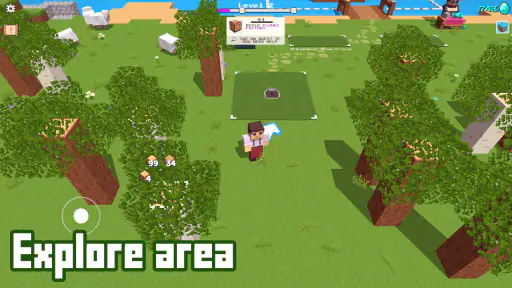
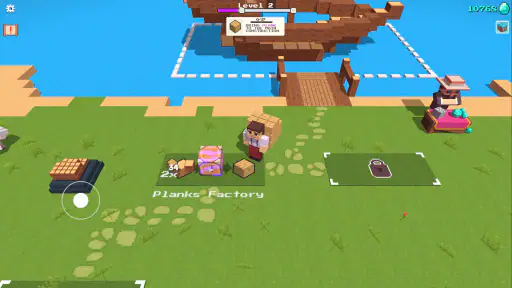
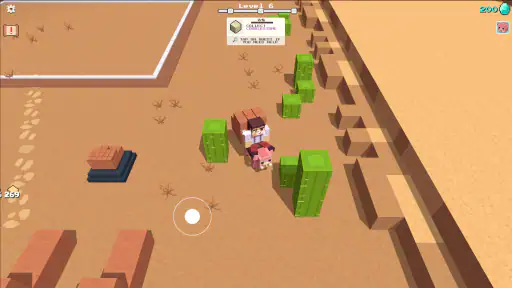
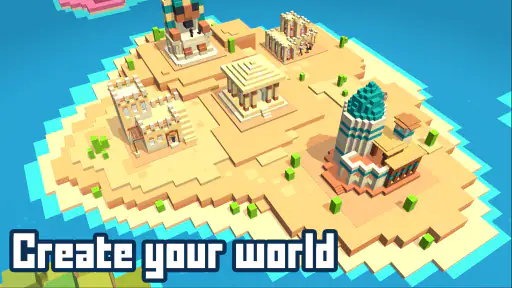
 Analysis by Frivlyz
I tend to enjoy building games most when they give me a clear reason to start shaping a world without making every session feel like a long project. CubeCrafter is a block-based role-playing game from SayGames Ltd, and its appeal is easy to understand: gather materials, turn them into structures, and gradually make a world feel like your own. It is free to download, though optional in-app purchases range from $1.99 to $29.99 per item. The game is rated for Everyone, so its basic presentation is suited to a broad audience.
How the game feels now
The current version is 1.17.11, and the game has been available since August 4, 2022. That gives a useful sense of where it sits today: it is an established mobile game rather than a brand-new experiment. Its average rating is 4.5 from around 104,000 ratings, and it has passed 10 million installs. Those figures suggest a sizable audience, but the more practical question is whether its particular mix of crafting and building suits the way you like to play.
A straightforward loop with room to make choices
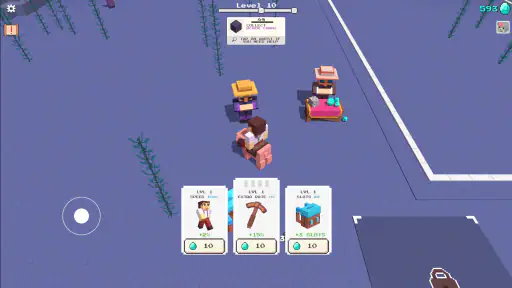
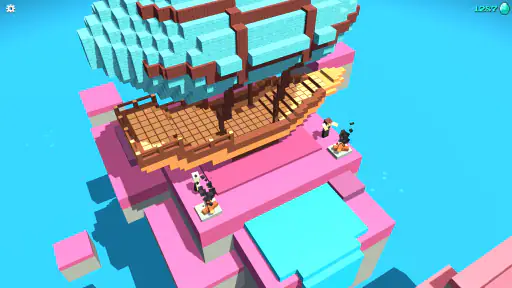
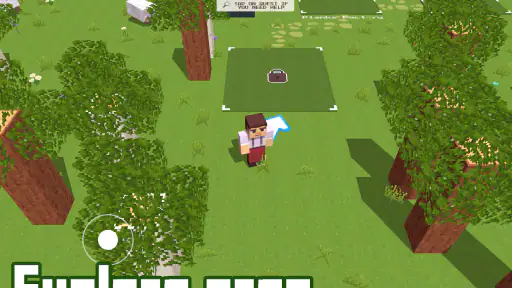
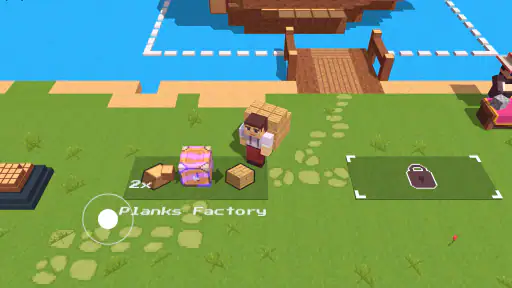
The central appeal is the cycle of gathering block-shaped resources and using them to create structures. I like this kind of loop when I want a game that lets me make visible progress without needing to learn a large set of complicated rules first. You can begin with a small idea and build outward as materials become available, so the world gradually reflects the time you have put into it.
That simplicity also comes with a trade-off. If you want a role-playing game centered on a detailed story, character choices, or demanding combat, this is not the first one I would pick. Its draw is making and arranging things, not following a dramatic plot. I would approach it as a relaxed construction game with role-playing elements rather than expect it to deliver the same kind of experience as a story-heavy RPG.
Making short sessions count
The resource-gathering focus makes the game a natural fit for brief breaks. When I have only a few minutes, I can choose a small objective—collect what I need for one structure, or decide where a new building should go—rather than feel obliged to spend a long stretch progressing. That is a more useful way to approach a building game on a phone than opening it without a plan and hoping a short session will feel complete.
A practical tip is to decide on the next build before gathering. Keeping one clear target in mind helps give resource collection a purpose and makes it easier to stop when the break is over. It also reduces the temptation to scatter effort across several ideas before any of them take shape. If you prefer to experiment freely, that open-ended approach may be part of the fun; if you like a sense of completion, a small project at a time should feel more satisfying.
What the version history does—and does not—tell you
The release date and current version show that the game has continued to reach a later version since its original launch. I see that as reassuring context for someone deciding whether to try it, but a version number alone does not tell me what changed or how those changes affect a particular feature. I would not assume that every part of the experience has been redesigned or that a new version guarantees a specific kind of content.
Gaming Stories You May Enjoy

Dancing Road Turns Short Breaks Into a Test of Rhythm and Timing

Super Stylist Makes Every Outfit a Test of Taste and Patience

Dominoes on Your Terms: Who Should Play and Who Should Pass

Pokémon GO Makes the Familiar World Feel New

Chess.com Turns Rematches Into Rivalries, but Community Has Its Costs

Archery Battle 3D Review: Sharp Aiming, Unclear Feedback
For someone already playing, the sensible approach is to judge the current build by how it feels on their device and whether its crafting pace still works for them. A player returning after time away may want to spend a session getting comfortable with the present resource-and-building rhythm before committing to a large project. For a new player, there is no need to treat the version history as homework: the basic appeal is understandable from the first goals you set for yourself.
Who is likely to enjoy it
I would recommend it to players who like seeing a place change through their own small decisions, especially anyone who enjoys collecting materials and turning them into something visible. It can also suit younger players and casual builders who want a colorful, approachable game rather than a complicated simulation. The Everyone content rating is helpful context for families, although I would still check the purchase settings on a device if a child will be playing, since optional paid items are available.
On the other hand, I would skip it if your main priority is a tightly directed campaign, deep character development, or competitive challenges. A traditional role-playing game is a better fit for those goals, while a more technical sandbox may be preferable if you want extensive control over construction systems. This game’s appeal is the accessible act of collecting and building; it is not a substitute for every type of RPG or creative sandbox.
How it compares with other building games
Compared with familiar open-ended block games, the strongest reason to try this one is its focus on a straightforward resource-to-structure routine. That can make it feel easier to approach when you want a clear building activity rather than a large, complex sandbox to manage. The flip side is that players who value elaborate world editing or highly detailed construction rules may prefer a more advanced alternative. The right choice depends on whether you want an easy entry point or a deeper toolkit.
It is also worth separating the game’s building premise from assumptions about social play. The published description emphasizes gathering and creating, while the actual fit for a player depends on the features they can access in their current version. I would choose it primarily for the crafting and construction loop, not because I expect a particular community feature to be the main attraction. That keeps expectations aligned with what makes the game distinctive.
Small decisions that make a difference
One useful way to keep a growing world coherent is to think about placement before spending materials. Even without turning the process into a strict plan, grouping related structures or leaving room for the next idea can make later building feel less haphazard. This is especially helpful if you tend to start enthusiastically, then discover that your first few choices leave no obvious space for what you want to build next.
Another trade-off is pacing. Gathering is part of the satisfaction, but it can feel like a chore if you only want to place finished structures immediately. I would alternate between collecting and building rather than spend a whole session repeating only one part of the loop. That creates a more rewarding rhythm: each resource run has a purpose, and each construction session gives you a visible result to enjoy.
Comfort, purchases, and expectations
Because this is a free game with in-app purchases, you can try its core style before deciding whether it deserves more of your time. I would treat paid items as optional rather than assume they are necessary to enjoy the basic premise. If you are playing casually, set a personal spending limit—or keep purchases disabled—before handing the device to a younger player. The listed purchase range is broad enough that checking each item before buying is a sensible habit.
The minimum operating system requirement is Android 8.0. If a device meets that baseline, the next question is how comfortably the game runs and feels on that particular phone or tablet. For any mobile building game, screen size and control comfort can shape a session: a larger display may make it easier to judge placement, while a smaller phone is convenient for quick breaks. I would try a short session first and see whether the interface feels comfortable before planning a long build.
When I would choose something else
This is not my pick for a player who wants every session to deliver a major story beat or a high-pressure challenge. Its relaxed construction focus is better suited to someone who enjoys incremental progress. Likewise, if you want a game built around deep multiplayer coordination, I would first confirm that the current experience offers the kind of interaction you have in mind instead of choosing it on that expectation alone.
For a familiar everyday scenario, imagine waiting for an appointment with ten minutes to spare. You could open the game, pick one small structure as your goal, gather the materials for it, and make a little progress without needing to remember a complicated quest chain. If you have more time later, you can return with another manageable target. That stop-and-start flexibility is one of the most convincing reasons to try a mobile crafting game like this.
What I would watch as a player
For new and returning players alike, the most useful test is whether the current build keeps the gather-and-create cycle enjoyable over several sessions. I would watch for how naturally new goals emerge from the structures you want to make, and whether collecting remains satisfying once the early novelty wears off. Those are better measures of long-term fit than a version number on its own.
I would also pay attention to whether the game encourages the kind of creativity you enjoy. Some players are happiest with a simple prompt and room to improvise; others need more precision, extensive customization, or a stronger sense of progression. Knowing which camp you are in helps set fair expectations. If your tastes change, there is no reason to force a building game to fill the role of a story-led RPG or a full construction simulator.
The developer, SayGames Ltd, places this game in a broad mobile audience, and its accessible premise is a large part of that appeal. Still, popularity is not a promise that it will suit every player. Its value comes down to whether collecting blocks and turning them into a personal world feels relaxing rather than repetitive to you. I would give it a try when you want a low-pressure creative activity, then decide based on the rhythm of actual play.
From the moment I downloaded CubeCrafter, I was hooked. The game starts with a simple premise: you have a vast open world made entirely of cubes, and it’s up to you to shape it. But don’t let the simplicity fool you. The depth of creativity this game allows is mind-blowing. You can build anything from a modest little cabin to a sprawling cityscape. The only limit here is your imagination.
Building Blocks of Fun
The controls are intuitive. Whether you’re a seasoned gamer or a newcomer to the world of mobile games, you’ll find the interface easy to navigate. Blocks are your basic building materials, and you can collect, combine, and customize them to fit your creative vision. There’s something incredibly satisfying about seeing your ideas come to life block by block. It’s like digital LEGO bricks, but with endless possibilities and no chance of stepping on a piece in the middle of the night!
Graphics and Soundtrack
The graphics in CubeCrafter are vibrant and colorful, making the game visually appealing. Each block is well-defined, and the animations are smooth, which adds to the overall immersive experience. The soundtrack complements the gameplay perfectly, with soothing tunes that make the building process even more enjoyable. You’ll find yourself humming along as you build your empire, losing track of time in the process.
Multiplayer Mode: Craft with Friends
One of the standout features of CubeCrafter is its multiplayer mode. You can team up with friends or other players from around the world to collaborate on projects. This feature adds an exciting layer of social interaction, allowing you to share your creations and gather inspiration from others. Trust me, there’s nothing quite like the thrill of working together to create something truly epic.
Overall, CubeCrafter is more than just a game; it's a platform for creativity and collaboration. Whether you’re in it to build the tallest tower or create a cozy little village, the game offers endless possibilities and hours of entertainment. So, if you’re looking for a new way to express your creativity and have a blast doing it, give CubeCrafter a try. You won't be disappointed!
CubeCrafter Pros and Cons
Pros
- Engaging 3D graphics and smooth animations.
- User-friendly interface for easy navigation.
- Regular updates with new features.
- Multiplayer mode enhances social interaction.
- Variety of tools for creative building.
Cons
- Contains in-app purchases.
- Requires internet connection for multiplayer.
- Some ads can be intrusive.
- High battery consumption.
- Occasional glitches in gameplay.
This Game in Other Languages
Frequently Asked Questions
What is CubeCrafter and what makes it unique?
CubeCrafter is a creative sandbox game that allows players to build and explore virtual worlds using cube-shaped blocks. Unlike other similar games, CubeCrafter offers a unique crafting system, extensive customization options, and a vibrant community-driven marketplace where players can share and sell their creations. Its intuitive interface and engaging gameplay make it a popular choice for both casual and serious gamers looking to unleash their creativity.
Is CubeCrafter free to play, or does it have in-app purchases?
CubeCrafter is free to download and play, offering a wide range of features at no cost. However, it includes optional in-app purchases that enhance the gaming experience. Players can buy additional resources, skins, and exclusive items from the in-game store. While these purchases can enrich gameplay, they are not required to enjoy the core features of the game, ensuring that all players have access to the main content.
What platforms is CubeCrafter available on?
CubeCrafter is available on both Android and iOS platforms, making it accessible to a wide audience of mobile gamers. The game is optimized for smartphones and tablets, ensuring a smooth and immersive gaming experience across different devices. Whether you're using an Android phone or an iPad, CubeCrafter offers consistent performance and high-quality graphics to enhance your creative adventures.
How does the multiplayer mode work in CubeCrafter?
CubeCrafter features a robust multiplayer mode that allows players to collaborate or compete with friends and other gamers around the world. Players can join existing servers or create their own worlds to invite others. The game supports voice chat and text messaging, making it easy to communicate and strategize with teammates. Whether you're building a massive structure or engaging in friendly competitions, the multiplayer mode adds a dynamic social element to the game.
Are there any parental controls available in CubeCrafter?
CubeCrafter includes comprehensive parental controls to ensure a safe gaming environment for younger players. Parents can set restrictions on in-app purchases, control chat settings, and monitor gameplay time. These features provide peace of mind by allowing parents to manage their children's gaming activities effectively. The game's developers are committed to creating a family-friendly experience, making CubeCrafter suitable for players of all ages.


