

Crostic Crossword-Word Puzzles
- Reviews
- 4.7
- Version
- 5.9.1
- Installs
- 10,000,000+

Screenshots
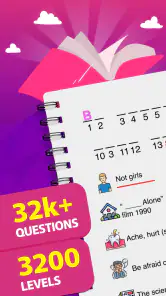
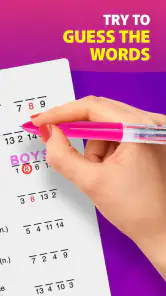
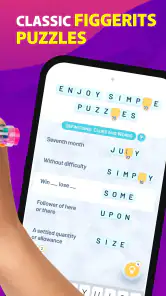
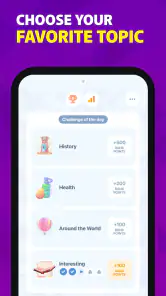
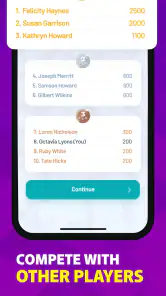
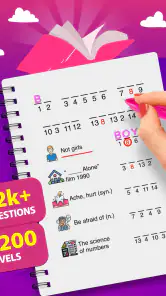
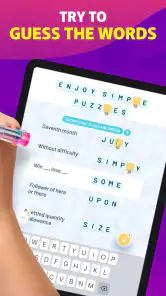
 Analysis by Frivlyz
I tend to judge a word game by a simple question: does it give me a satisfying puzzle without asking me to learn a fussy system first? Crostic Crossword-Word Puzzles is appealing when I want a quick, focused word challenge rather than a sprawling game. Its central idea is easy to grasp, but arranging a set of words into a crossword-style grid still asks me to notice letter patterns and think through how answers connect.
That makes it a useful choice for the small gaps in an ordinary day: a quiet coffee break, a few minutes waiting for an appointment, or a calm wind-down when I don’t feel like starting a long game. I can approach one puzzle at a time, pausing when real life interrupts. If you’re choosing between a crossword app, a word search, or a more open-ended word game, the key question is whether you enjoy solving through placement and crossings, not simply finding hidden words or making as many words as possible.
What kind of word puzzler will enjoy it?
I’d point this game toward people who like familiar crossword logic but appreciate having a word list to work from. That list gives you a concrete starting point, while the grid still makes the order and placement matter. It’s especially well suited to players who enjoy testing a likely fit against the crossing letters instead of relying entirely on a clue’s interpretation.
It may also suit newer solvers who find clue-heavy crosswords intimidating. The word bank gives you material to examine, and the game’s placement guidance helps make the task approachable. That does not remove the puzzle: deciding where a word belongs is still the heart of the challenge. I’d be less likely to recommend it to someone who wants open-ended vocabulary building, competitive play, or a traditional crossword built around carefully worded clues. Those are different kinds of satisfaction, and this game’s appeal depends on enjoying its particular format.
The game is in the word-puzzle category and is made by Severex. It is free to start, rated for Everyone, and has a 4.7 average from around 103,000 ratings, with over 10 million installs. The current version is 5.9.1, and it runs on Android 8.0 or later. Optional in-app purchases range from $0.99 to $12.99 per item, so I’d treat it as a free game with paid extras rather than assume every possible convenience is included at no cost.
A New Twist on a Classic
When I first opened Crostic Crossword-Word Puzzles, I was greeted with a sleek and user-friendly interface that immediately got me in the mood for some wordplay. The app takes the traditional crossword puzzle and adds a unique twist: instead of using clues for each word, you're given a list of words that fit into the crossword grid. It's like a hybrid of crosswords and word searches, and boy, is it addictive!
Gameplay and Features
The gameplay is straightforward, which is a huge plus for me. You simply drag the words from the list into the grid, and the app helps you out by highlighting the correct spots. This makes it a great option for both seasoned crossword aficionados and newbies alike. The puzzles range in difficulty, so there's always a challenge waiting for you.
Gaming Stories You May Enjoy

Dancing Road Turns Short Breaks Into a Test of Rhythm and Timing

Super Stylist Makes Every Outfit a Test of Taste and Patience

Dominoes on Your Terms: Who Should Play and Who Should Pass

Pokémon GO Makes the Familiar World Feel New

Chess.com Turns Rematches Into Rivalries, but Community Has Its Costs

Archery Battle 3D Review: Sharp Aiming, Unclear Feedback
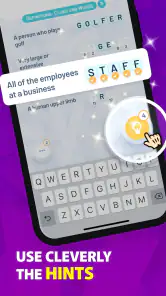
What I found especially neat is the hint system. If you get stuck, you can tap for a hint, which reveals a letter in the grid. It’s a nice little nudge that keeps the game flowing without making it too easy. Plus, there's no shortage of puzzles—new ones are added regularly, so it's hard to run out of things to do.
Making each puzzle easier to reason through
My most useful habit with a word-bank grid is to avoid placing the first word that seems plausible. I look for a long or distinctive entry, then compare its letters with the crossing spaces before committing. A word that fits one section may rule out several other placements; treating the crossings as evidence is more reliable than repeatedly guessing. This turns the simple drag-and-place action into a small process of deduction.
If I’m stuck, I use a hint as a deliberate nudge rather than a button to tap whenever progress slows. Revealing one letter can narrow the possibilities, but it also gives away part of the satisfaction of solving the arrangement myself. I’d save it for a point where two or more candidates remain believable, or when I’m playing casually and would rather keep the session moving. If you prefer to solve unaided, there’s no need to use hints just because they’re available.
The difficulty can feel different depending on what comes naturally to you. A player with a broad vocabulary may still need patience with the spatial side of fitting entries together, while someone comfortable spotting patterns may move quickly even without knowing a word instantly. That mix is one reason I find the format less dependent on obscure clue knowledge than a conventional crossword, though it still rewards familiarity with words and spelling.
How it fits into a real day
For example, I’d use it during a short wait when I want something more absorbing than scrolling but don’t have the attention for a lengthy story or a competitive match. I can focus on a grid, make a few placements, and stop when I’m called away. The same low-pressure rhythm works well as a screen-time break between tasks, provided you’re comfortable playing on a phone and don’t need a timed challenge to stay engaged.
The offline play is useful for travel or places with unreliable internet, but I’d still make sure the game is ready before relying on it for a particular trip. That is a sensible habit with any app-based pastime: open it while connected, check that the puzzle you plan to play is available, and avoid assuming that every part of an app will behave identically without a connection. The practical advantage is the option to puzzle without depending on Wi-Fi at the moment you want to play.
Where it differs from other word games
Compared with a standard crossword, this format shifts the challenge away from interpreting a clue for every answer and toward matching supplied words to the grid. If you love the compact satisfaction of cracking a cryptic clue or learning from precise definitions, a clue-led crossword is a better fit. Here, the word list reduces that barrier, but it also means the pleasure is more about arrangement and crossings than discovering an answer from scratch.
A word search is usually a more direct hunt for visible letter sequences, while this game asks you to use the structure of the grid to work out where each listed word belongs. Word-building games, by contrast, often reward producing many combinations from a shared set of letters; that open-ended vocabulary play is not the main draw here. I’d choose Crostic when I want one defined arrangement to solve, and a word search or word-building game when I want a looser, more repetitive rhythm.
There is a trade-off in the placement help. Highlighting the correct spots can make the controls less frustrating and reduce accidental uncertainty about where a word goes, but it can also soften the feeling of having discovered the layout entirely by myself. Players who want to work on paper or handle every part of the solving process unaided may prefer a traditional puzzle book. For casual mobile solving, though, the guidance helps keep attention on the word logic rather than on awkward input.
What to expect from the free version
The game is free to download, with optional purchases priced from $0.99 to $12.99 per item. I’d begin without buying anything and see whether the ordinary solving loop is enough for your routine. If you are considering a purchase, first decide what friction you are trying to remove or what extra value you expect; spending makes little sense if you are only testing whether this style of puzzle suits you. The game is rated Everyone, which makes it a reasonable candidate for shared family play, although a child’s interest will depend on their reading ability and appetite for word puzzles.
One practical question is whether it works for a complete beginner. I think it can, because the supplied word list and placement cues offer a gentler entry than clue-only crosswords. A beginner should still expect to pause and compare crossings rather than simply drag every word into place. Someone who already solves crosswords may enjoy the different emphasis, but should not expect the same clue-solving depth.
Another question is whether it suits very short sessions. The grid-based format makes it easy to make progress in small bursts, though I find that a puzzle is more satisfying when I can give it enough attention to notice how the entries constrain one another. If interruptions make you lose track of your reasoning, try finishing a small stretch of placements before putting the phone away, rather than relying on memory to resume exactly where you stopped.
Design and User Experience
The design of the app is another highlight. It's clean, intuitive, and free of clutter, which makes for a pleasant user experience. I love how the developers have kept the aesthetics simple, focusing instead on the puzzles themselves. It’s a minimalist approach that really pays off, making it easy to lose track of time while playing.
That simplicity is most valuable when I’m solving on a small screen: the game asks me to pay attention to letters and placement, so an interface that stays out of the way is welcome. At the same time, this is not a substitute for a rich clue interface or a notebook-style solving experience. If you like annotating possibilities, comparing several candidate answers on paper, or exploring a large range of puzzle formats, a dedicated puzzle book or broader puzzle collection may serve you better.
There is also a small attention trade-off in any phone puzzle. A clean screen helps me concentrate, but a phone is still easy to interrupt with messages and other apps. I get more from a session when I treat it as a single-task break instead of switching in and out every few seconds. That advice is less about the game asking for a long commitment and more about giving the crossing logic enough attention to feel rewarding.
Choosing it over another option
If your main goal is daily clue-solving, choose a conventional crossword experience. If you want to search for words without working out a grid arrangement, choose a word search. If you like generating words from letters and chasing an open-ended score, look for that style instead. I’d choose this game when a fixed word bank and a crossword-shaped placement problem sound like the right middle ground: structured enough to feel purposeful, but less dependent on clue interpretation.
The cost of switching is low in terms of learning the basic interaction, because dragging entries into a highlighted grid is easy to understand. The more meaningful adjustment is mental: you need to stop expecting each word to be solved from a clue and start using the available entries as pieces that constrain one another. Give it a few puzzles before deciding whether that shift clicks. If it doesn’t, that is a genuine preference difference, not a failure to understand the game.
Its release date is October 7, 2022, and the game continues under version 5.9.1. I mention that because it helps set expectations: this is an established word-puzzle app rather than an unfamiliar new format, but the choice still comes down to whether its particular arrangement mechanic keeps you interested. The review count is around 1,100, while the much larger rating total gives a broader picture of how widely people have responded to it.
Design and User Experience
The design of the app is another highlight. It's clean, intuitive, and free of clutter, which makes for a pleasant user experience. I love how the developers have kept the aesthetics simple, focusing instead on the puzzles themselves. It’s a minimalist approach that really pays off, making it easy to lose track of time while playing.
Another great feature is the offline mode. Whether you're on a plane, in a remote cabin, or just without Wi-Fi, you can still enjoy your crosswords without a hitch. It’s perfect for those of us who like to puzzle on the go.
Final Thoughts
Overall, Crostic Crossword-Word Puzzles is a delightful addition to any word enthusiast's app collection. It brings together the best elements of different puzzle types, wrapped up in an attractive package. If you're looking for a fun, challenging, and rewarding way to pass the time, I’d say give this app a go. Who knew learning could be this entertaining?
My recommendation is clear but not universal: try it if you enjoy placing words through crossing patterns and want a low-pressure puzzle for spare moments. Skip it if your favorite part of word games is decoding clues, competing for a score, or making words freely from letters. I’d start with the free version, see whether the grid logic feels satisfying after a few sessions, and only then decide whether any optional purchase is worthwhile. For the right kind of solver, its focused format is the reason to keep it installed; for everyone else, another word-game style may be a better match.
Crostic Crossword-Word Puzzles Pros and Cons
Pros
- Intuitive user interface
- Rich variety of puzzles
- Offline play available
- Encourages vocabulary expansion
- Daily challenges to keep users engaged
Cons
- Ads can be intrusive
- Limited hints without purchase
- Some puzzles may feel repetitive
- Occasional app crashes
- In-app purchases can be expensive
This Game in Other Languages
Frequently Asked Questions
What is Crostic Crossword-Word Puzzles and how does it work?
Crostic Crossword-Word Puzzles is an engaging and challenging word puzzle game available on both Android and iOS platforms. The app combines the classic crossword format with modern word puzzle elements, offering a unique experience to users. Players need to fill in the grid using given words, based on provided clues. The game is designed to enhance your vocabulary and problem-solving skills as you progress through various levels of difficulty.
Is Crostic Crossword-Word Puzzles suitable for all age groups?
Yes, Crostic Crossword-Word Puzzles caters to all age groups, from young children to adults. The game offers multiple difficulty levels, which makes it accessible for beginners and challenging for experienced players. With its intuitive interface, even younger players can easily navigate the game. Additionally, it serves as an educational tool, helping users improve their language skills and cognitive abilities.
Does Crostic Crossword-Word Puzzles require an internet connection to play?
Crostic Crossword-Word Puzzles can be played offline, making it convenient for users who may not have a stable internet connection. However, certain features like syncing progress across devices or accessing new puzzles may require an internet connection. Playing offline ensures you can enjoy the game anytime and anywhere without data constraints.
Are there in-app purchases in Crostic Crossword-Word Puzzles?
Yes, Crostic Crossword-Word Puzzles offers in-app purchases. While the game itself is free to download and play, users have the option to purchase additional hints, remove ads, or unlock special features. These purchases are entirely optional and designed to enhance the gaming experience. Users can enjoy the full game without spending any money, but in-app purchases provide added convenience.
How can I get help if I am stuck on a puzzle in Crostic Crossword-Word Puzzles?
If you find yourself stuck on a puzzle in Crostic Crossword-Word Puzzles, there are several ways to get assistance. The game provides hints that can be used to reveal letters or words. Additionally, you can visit online forums or communities where players share tips and solutions. The app’s support section might also offer guidance or the option to contact the developers for help. Utilizing these resources can help you overcome challenging puzzles.


