

Crossword Quest
- Reviews
- 4.7
- Version
- 2.3.7
- Installs
- 10,000,000+

Screenshots
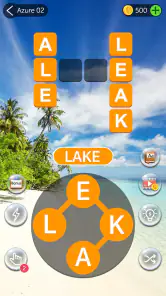
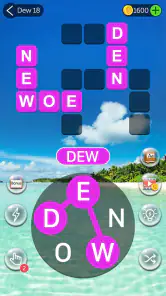
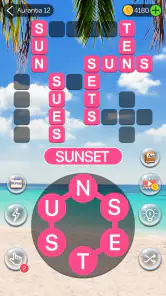
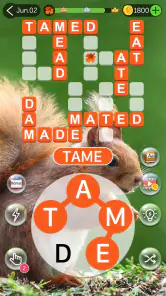

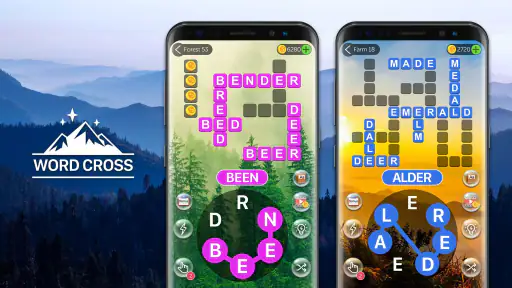
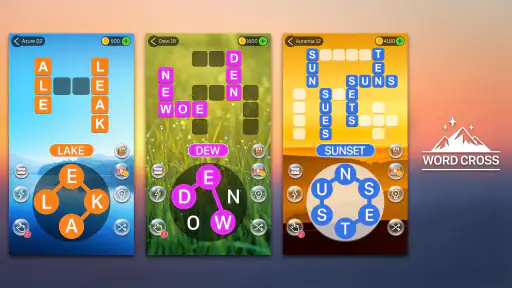
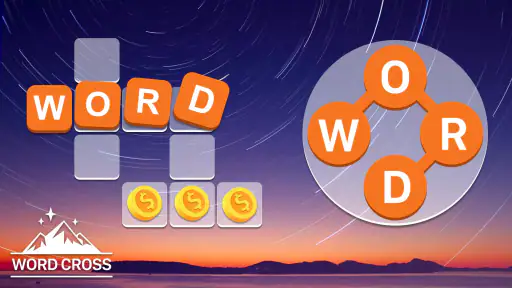
 Analysis by Frivlyz
I usually reach for a word puzzle when I have a few spare minutes but don’t want to start something that demands a long, uninterrupted session. Crossword Quest suits that in-between time: it gives me a compact challenge built around spotting and forming words, with enough progression to make another level tempting. I find it most enjoyable when I treat it as a casual brain break rather than a serious vocabulary course or a traditional newspaper crossword.
A simple routine that makes each puzzle easier to approach
My basic rhythm is to scan the available letters, look for the obvious short words first, then use those discoveries to see the remaining combinations more clearly. That sounds simple, but it keeps me from repeatedly trying the same guesses. When a puzzle stalls, I take a short pause and look at the letter set again instead of tapping at random; a fresh view often reveals a word I had overlooked.
This makes the game a natural fit for small gaps in the day: waiting for food to arrive, sitting in a lobby, or taking a breather between household tasks. I can play a little without needing to remember a complicated story or manage a long session. If I have only a minute, I can stop after a level; if I have longer, the next puzzle is close at hand. The main caution is that the easy “one more” rhythm can stretch a short break, so I avoid opening it when I need to leave immediately.
Settings and hints: keep the experience comfortable
I’d take a moment at the beginning to look through the game’s available settings and make the presentation comfortable for the place I’m playing. In a quiet room, the sound may add to the relaxed feel; in a waiting area or before bed, I prefer to keep things unobtrusive. I don’t assume every player wants the same sensory setup, and a small adjustment can make a casual puzzle easier to return to without turning it into a distraction.
The hint system is best used as a nudge, not as the default way through a level. I first try a few letter combinations, then ask for help only when I’m genuinely stuck. That approach preserves the satisfaction of solving the board while preventing a difficult moment from ending the session. If you’re playing to stretch your word-finding skills, resisting the hint for another minute can be worthwhile; if you’re simply unwinding, using help sooner is a perfectly reasonable choice.
Faster solving without turning it into guesswork
One practical habit is to check for familiar word endings and beginnings rather than treating every letter as an isolated possibility. I also try different word lengths before settling on one pattern: a short answer can expose useful combinations that make longer words easier to spot. The point isn’t to race through levels, but to make each attempt deliberate and avoid spending time cycling through guesses that share the same letters.
There is a trade-off here. A steady method helps, but forcing a system onto every board can make a relaxing game feel like homework. I use these habits when I want to solve more efficiently, then let them go when I’m playing simply to unwind. That flexibility is part of the appeal: the same puzzle can be a light distraction or a small concentration exercise, depending on how much attention I choose to give it.
Gaming Stories You May Enjoy

Dancing Road Turns Short Breaks Into a Test of Rhythm and Timing

Super Stylist Makes Every Outfit a Test of Taste and Patience

Dominoes on Your Terms: Who Should Play and Who Should Pass

Pokémon GO Makes the Familiar World Feel New

Chess.com Turns Rematches Into Rivalries, but Community Has Its Costs

Archery Battle 3D Review: Sharp Aiming, Unclear Feedback
Getting Hooked on Wordplay
So, here’s the deal: Crossword Quest is not your typical crossword game. Imagine combining the challenge of crosswords with the simplicity of a word search, and you’ve got yourself a recipe for countless hours of engaging gameplay. The app greets you with a clean, user-friendly interface that's easy on the eyes and even easier to navigate. It feels like sitting down with a good book, except this time, you’re the author, piecing together the narrative one word at a time.
Gameplay That Keeps You Coming Back
What I love about this game is its progressive difficulty. It starts off easy, which is fantastic because it gives you time to get into the groove of finding words. But don't be fooled—the further you go, the more your brain will be put to the test. Each level is a new puzzle, a new challenge, and trust me, it’s incredibly satisfying to watch those words fall into place. If you're anything like me, you’ll find yourself saying, "Just one more level," about a dozen times before realizing an hour has passed.
Another great feature is the hint system. It's there when you need a little nudge in the right direction, but it's not overbearing. It respects your ability to figure things out, which I really appreciate. Plus, it means you can keep the game as challenging as you want it to be.
A Perfect Blend of Relaxation and Challenge
One of the things I find most appealing about Crossword Quest is its ability to balance relaxation with mental exercise. The soothing background music and the colorful, yet not overwhelming, design make it a perfect choice for unwinding after a long day. Yet, it still manages to keep your brain engaged, which is a hard balance to strike.
Whether you're looking to improve your vocabulary or just wanting to escape the hustle and bustle of everyday life for a while, this app has got you covered. It offers a vast array of levels, so you’re unlikely to run out of puzzles any time soon, which is a huge plus in my book.
Where it fits among word games
Compared with a standard crossword, this is a more immediate kind of wordplay: I’m looking for combinations from the letters in front of me rather than relying on clue knowledge or filling a large grid from intersecting answers. That makes it easier to pick up when I’m tired or distracted, though it won’t replace a newspaper-style puzzle for someone who enjoys cryptic clues, general knowledge, or a larger solving project.
It also feels different from a pure word search. A word search is about spotting words already laid out in a grid; here, the satisfying part is working out which words can be made and watching the puzzle take shape. If I want a quiet, low-pressure word game, this format is a good middle ground. If I want competitive play, a head-to-head challenge, or a deep narrative, I’d choose another kind of game instead.
Who will enjoy it—and who may want something else
I’d recommend it to people who like casual word puzzles, want a straightforward way to fill short breaks, or enjoy noticing how small words can unlock a harder board. It can also work well for someone easing into word games, since the early levels give room to learn the basic rhythm before the challenge builds. The age rating is Everyone, so it is presented as suitable for a broad audience, though a child’s screen time is still something a parent should manage as they would with any game.
On the other hand, I wouldn’t pick it as my main option if I wanted a strict crossword experience, a multiplayer contest, or a structured language-learning course. Finding words can be enjoyable practice, but it is not the same as lessons that explain definitions, spelling rules, or grammar. And if I’m trying to avoid phone distractions entirely, the quick level-to-level flow is a reason to leave it closed rather than a reason to install it.
Everyday play, with sensible expectations
A realistic use for me is opening a puzzle while I wait for an appointment to begin. I can focus on one board, pause when my name is called, and return to the rest of my day without losing track of a complicated plot. On a commute, I’d only play if I’m safely seated and able to pay attention; this is a game that asks me to look at the screen, so it is not something I’d use while walking or doing another task that needs focus.
It is free to download, which makes trying it low-commitment, but optional in-app purchases range from $0.99 to $49.99 per item. I’d decide whether I need any paid extras only after playing normally for a while. The core appeal is the puzzle-solving itself, and I wouldn’t spend simply because I hit a difficult board; I’d first try a different solving pattern or use the hint system. That keeps spending tied to a deliberate choice rather than a moment of impatience.
What to know before settling in
Words Mobile developed the game, which has a 4.7 average from around 130,000 ratings and more than 10 million installs. It was released on November 7, 2019, and version 2.3.7 is listed for devices running Android 4.0 or later. Those figures suggest it has reached a wide audience, but popularity alone doesn’t tell me whether its particular pace will suit you; the best test is whether you enjoy forming words from the puzzle’s letters.
For a smoother session, I’d set a small personal limit before starting—one board while waiting, for example—because the progressive levels make it easy to keep going. I also find it useful to reserve hints for genuine dead ends, rather than spending them as soon as I hesitate. These habits don’t change the game, but they help preserve the balance between a quick distraction and a longer, more absorbing session.
Final Words: A Must-Try for Word Enthusiasts
If you’re a fan of word games, then Crossword Quest is definitely worth a try. It combines fun, challenge, and education into a neat little package that you can carry around in your pocket. Plus, it’s free to download, which makes it even more tempting to give it a shot. So, next time you find yourself with a few minutes to spare, why not dive into a puzzle and see where your words take you?
My recommendation is measured: I’d keep it on my phone for relaxed, self-paced wordplay, especially when I want a puzzle that doesn’t require clue-solving expertise. I wouldn’t expect it to teach vocabulary systematically or satisfy someone looking for intense competition, but as an accessible way to make a quiet wait more engaging, it does its job well. If that sounds like the kind of break you want, it is worth trying a few levels and seeing whether the “one more” feeling works for you.
Crossword Quest Pros and Cons
Pros
- Engaging and challenging puzzles.
- Intuitive and easy-to-use interface.
- Improves vocabulary and spelling.
- Suitable for all age groups.
- Offline play available.
Cons
- Ads can be intrusive.
- Some puzzles are too easy.
- Limited free hints available.
- Occasional glitches in the app.
- In-app purchases can be costly.
Frequently Asked Questions
What is Crossword Quest and how does it work?
Crossword Quest is an engaging word puzzle game available for both Android and iOS platforms. It challenges players to fill in the blanks using a set of given letters to form words. Players swipe letters to create words that fit into the crossword. With thousands of levels, it offers a gradual increase in difficulty, helping users enhance their vocabulary and cognitive skills.
Is Crossword Quest free to play?
Yes, Crossword Quest is free to download and play. However, it offers in-app purchases for hints and other game-enhancing features. While the game can be enjoyed without spending money, these optional purchases can provide additional help and remove ads, offering a smoother gameplay experience for those who prefer it.
Does Crossword Quest require an internet connection?
Crossword Quest can be played offline, which makes it a perfect companion for travel or areas with limited internet access. However, certain features, like leaderboard updates and in-app purchases, require an internet connection to function. This flexibility allows players to enjoy the game anytime, anywhere.
What age group is Crossword Quest suitable for?
Crossword Quest is suitable for a wide range of age groups. It is particularly beneficial for children and adults who enjoy word puzzles and wish to improve their vocabulary. The game’s interface is user-friendly, and its content is appropriate for players of all ages, making it an excellent educational tool for families.
How can I get support if I encounter issues with Crossword Quest?
If you encounter any issues while playing Crossword Quest, support is readily available. Players can access the help section within the app, where common troubleshooting tips are provided. Additionally, contacting the developer through the app store’s support link or the official website can provide further assistance and resolve any technical problems.


