

Crayola Create and Play
- Reviews
- 4.0
- Version
- 2.52.0
- Installs
- 1,000,000+

Screenshots


 Analysis by Frivlyz
Hey there, fellow app enthusiasts! Today, I’m diving into the colorful world of Crayola Create and Play, an app that promises to ignite creativity and fun for kids of all ages. As someone who loves exploring apps that offer both entertainment and educational value, I was pretty excited to give this one a whirl. So, grab your virtual crayons and let’s get started!
First Impressions
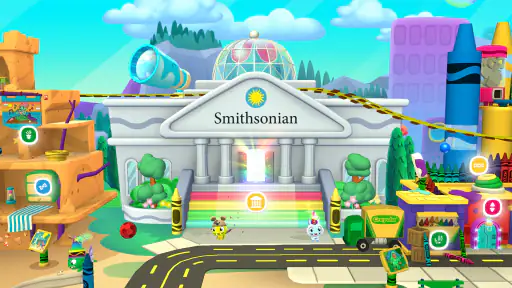
When I first opened Crayola Create and Play, I was immediately greeted by a vibrant and inviting interface. It’s like stepping into a digital art studio, where every corner is bursting with color and creativity. The app is designed for children, but honestly, I found myself getting lost in its charm too. I mean, who doesn’t love coloring?
The app offers a variety of activities that keep little hands busy and minds sharp. From coloring pages to interactive games, there’s something for every budding artist. And the best part? It’s all set in a safe, ad-free environment, which is a huge plus for parents.
Exploring Features
Let’s talk features, because Crayola Create and Play has plenty. The app includes a range of activities that encourage creativity and learning. Here’s a quick rundown:
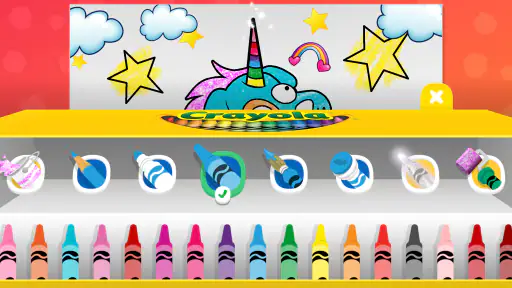
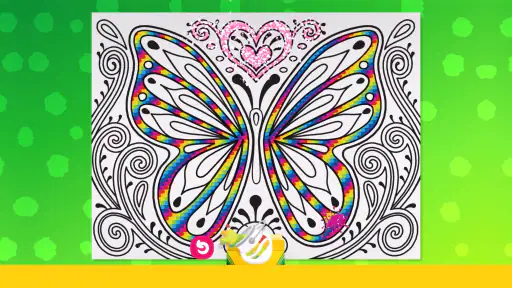
- Coloring Pages: Choose from a wide selection of coloring pages, featuring everything from animals to magical creatures. Kids can use a variety of digital tools to bring their creations to life.
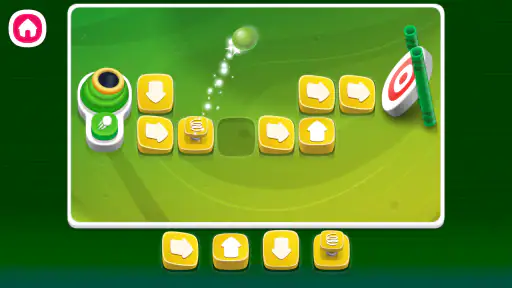
- Interactive Games: These games are not only fun but also educational. They cover topics like math, problem-solving, and fine motor skills.
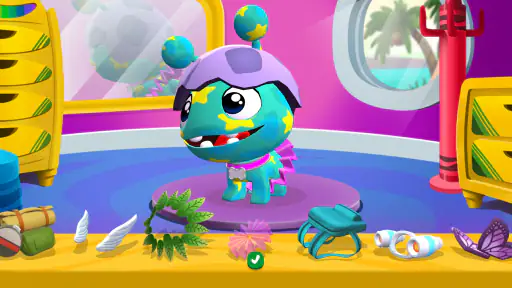
- Pet Care: Adopt and care for a virtual pet. This feature teaches responsibility in a playful way.
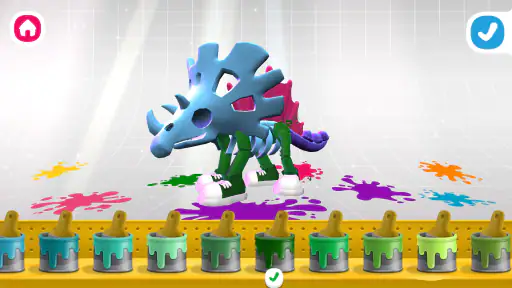
- Crafting: Kids can create their own crafts using virtual materials. It’s like arts and crafts without the mess!
I spent a fair amount of time in the coloring section, and let me tell you, the tools are super easy to use. The app provides a variety of brushes, crayons, and stickers, so the possibilities are endless. It’s a great way for kids to express themselves creatively.
User Experience
The user experience is smooth and intuitive, which is crucial for an app designed for children. Navigation is straightforward, and each section of the app is clearly labeled. Even if you’re not tech-savvy, you’ll find it easy to guide your child through the different activities.
The app’s developers have done a fantastic job of creating a visually appealing and engaging environment. The graphics are bright and cheerful, and the animations are fluid and captivating. Plus, the app’s sound effects and background music add an extra layer of fun without being overwhelming.
Gaming Stories You May Enjoy

Dancing Road Turns Short Breaks Into a Test of Rhythm and Timing

Super Stylist Makes Every Outfit a Test of Taste and Patience

Dominoes on Your Terms: Who Should Play and Who Should Pass

Pokémon GO Makes the Familiar World Feel New

Chess.com Turns Rematches Into Rivalries, but Community Has Its Costs

Archery Battle 3D Review: Sharp Aiming, Unclear Feedback
Educational Value
While Crayola Create and Play is undoubtedly fun, it also packs a punch when it comes to educational value. Each activity is designed to help children develop important skills. From problem-solving in interactive games to fine motor skills in coloring, kids are learning while they play.
The app also encourages creativity, which is a vital part of child development. By engaging in creative activities, children can improve their cognitive abilities and emotional expression. It’s like sneaking vegetables into a meal—they’re learning without even realizing it!
Final Thoughts
In conclusion, Crayola Create and Play is a delightful app that offers a perfect blend of fun and learning. It’s colorful, engaging, and packed with activities that will keep kids entertained for hours. Whether they’re coloring, crafting, or playing games, they’re sure to have a blast.
As someone who’s always on the lookout for apps that offer more than just screen time, I was genuinely impressed with what Crayola has created here. It’s a safe, creative, and educational space for kids to explore their artistic side. So, if you’re looking for an app that’s both entertaining and enriching, give Crayola Create and Play a try. You might just find yourself picking up a digital crayon and joining in on the fun!
Crayola Create and Play Pros and Cons
Pros
- Engages kids with creative activities.
- Wide variety of art tools and colors.
- Safe
- ad-free environment for children.
- Educational games enhance learning.
- Parents can monitor progress easily.
Cons
- Subscription required for full access.
- May require internet for updates.
- Limited offline features available.
- Some users report app crashes.
- Content may become repetitive over time.
Frequently Asked Questions
What is Crayola Create and Play?
Crayola Create and Play is an educational app designed for children, offering a creative platform to engage with art and learning activities. It combines drawing, coloring, and interactive games, providing a safe environment for kids to explore their creativity while developing important skills. The app includes a variety of tools and features inspired by Crayola products.
Is Crayola Create and Play suitable for all age groups?
Crayola Create and Play is primarily designed for children aged 3 to 8. It features age-appropriate content that encourages creativity and learning through fun activities. The intuitive interface and colorful graphics make it easy for young children to navigate and enjoy. Parents can also find educational value in the app's various activities tailored for early childhood development.
Does Crayola Create and Play require a subscription?
Yes, Crayola Create and Play operates on a subscription model. While it offers a free trial period, continued access requires a subscription. This model supports regular updates and access to new content and features. Subscriptions can be managed through your device’s app store settings, ensuring flexibility for parents in controlling app usage and expenses.
Is Crayola Create and Play safe for children?
Crayola Create and Play is designed with child safety in mind. The app contains no third-party ads, ensuring an uninterrupted experience. Additionally, it includes parental controls that allow parents to monitor usage and set limits. The app complies with COPPA (Children's Online Privacy Protection Act) standards, providing a secure environment for young users.
What devices are compatible with Crayola Create and Play?
Crayola Create and Play is available for both Android and iOS devices. It supports a wide range of smartphones and tablets, ensuring compatibility with most modern devices. To ensure optimal performance, it is recommended to keep your device's operating system updated. Specific device requirements can be found on the app's download page in the app store.


