

Craftsman: Building Craft
- Reviews
- 3.5
- Version
- 1.51
- Installs
- 100,000,000+

Screenshots
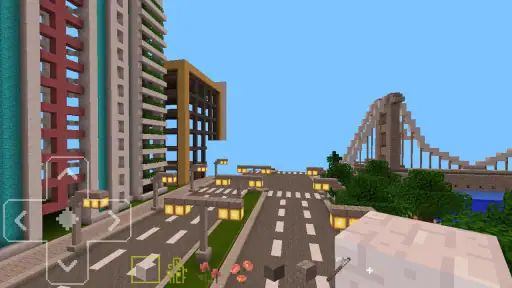
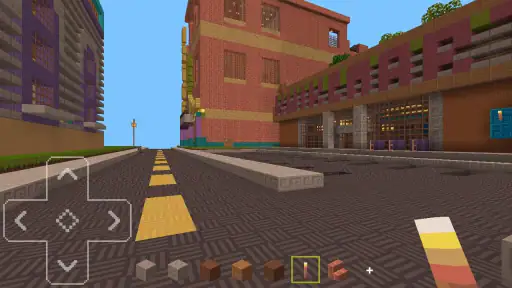
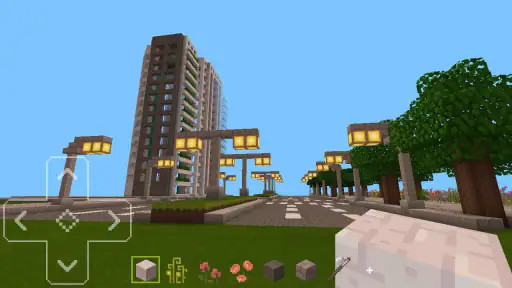
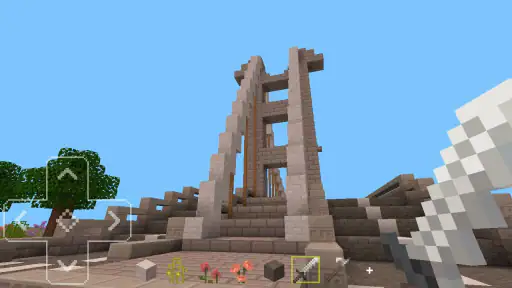
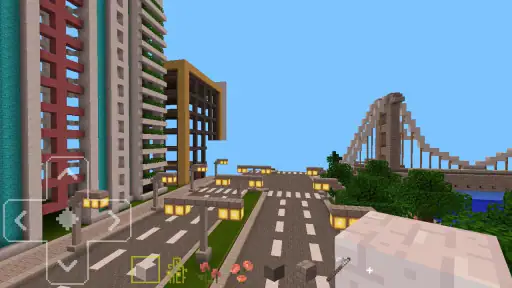
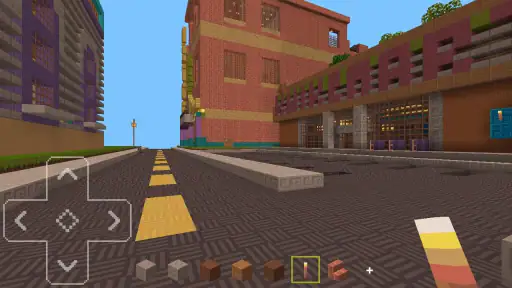
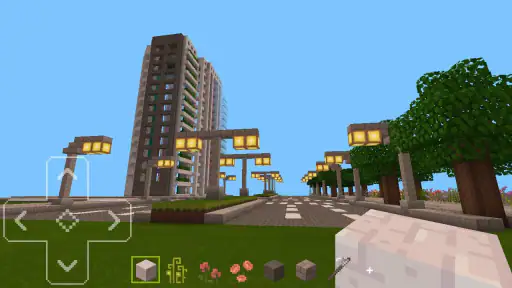
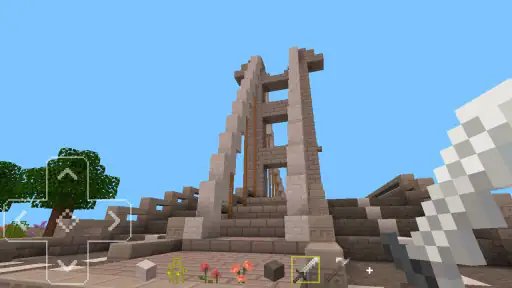
 Analysis by Frivlyz
I tend to enjoy building games most when they give me a clear first project without deciding what every later project should be. Craftsman: Building Craft leans toward that open-ended style: I can start with a modest shelter, then decide whether to turn it into a larger home, a castle, or something entirely my own. That freedom is its strongest draw, though it also means players who want a tightly guided campaign may need to set their own goals.
Small goals make the open world easier to approach
For a first session, I’d pick one practical target rather than trying to plan an enormous build: find a suitable place, gather what is needed, and make a basic structure that feels like mine. A modest objective gives the early minutes direction while leaving room to explore. Once that first build is in place, adding a room, changing the outline, or trying a different material gives me a natural next step without requiring a formal checklist.
This is where the game suits curious players better than people who need constant instructions. Its approach leaves space to learn by trying things, but an open canvas can feel like a blank page if I arrive without an idea. I get more from it when I decide on a theme before I begin—perhaps a compact cabin, a tower with a clear silhouette, or a small settlement—and treat the first version as a sketch rather than a finished result.
Our Stories on Craftsman: Building Craft
How Craftsman: Building Craft Redefines Mobile Engagement
NewsWhy Brain Who? Tricky Riddle Tests Stands Out in Puzzle Gaming
NewsWhy Piano - Music Keyboard & Tiles is a Must-Download for Music Lovers
NewsHow Word Connect Became a Mindful Gaming Favorite
NewsDancing Road Turns Short Breaks Into a Test of Rhythm and Timing
NewsSuper Stylist Makes Every Outfit a Test of Taste and Patience
NewsHow I keep a build moving
In a sandbox, progress is often something I create for myself. Instead of measuring a session by a level completed, I can look at whether the building has a clearer shape, whether its rooms serve a purpose, or whether the surrounding area now feels connected to it. Those are useful signals because they turn a broad creative task into choices I can act on. I also find it helpful to make one change at a time; when I alter the outline, materials, and layout all at once, it is harder to tell which idea actually improved the build.
A practical workflow is to establish the footprint first, then decide where openings and interior spaces should go before adding decorative details. That order helps avoid a common block-building frustration: spending time on a pretty exterior and then discovering that the inside has no sensible arrangement. For a larger project, I’d work in small sections and pause to view the whole structure from a little distance. A castle or town can look impressive up close while still lacking a readable overall shape, so stepping back is a useful design test.
Freedom is also a difficulty choice
The challenge here is less about racing through a fixed sequence and more about making the world match the idea in my head. That is relaxing when I want room to experiment, but it can become slow if I expect the game to continually raise the stakes or hand me a new objective. Players who enjoy inventing their own brief will likely find the loose pacing comfortable; anyone looking for regular missions, a strong story, or a demanding progression ladder may prefer a more structured building game.
I would also keep the scale of a project realistic for the time I have. A large castle sounds exciting, but it can turn into a long stretch of repetitive gathering and placement if I start without a plan. Breaking it into a gate, a main building, and one finished section at a time gives me smaller stopping points and makes it easier to return later. The trade-off is simple: the game gives me room to create, while I supply much of the structure that a mission-based title would normally provide.
Gaming Stories You May Enjoy

Dominoes on Your Terms: Who Should Play and Who Should Pass

Pokémon GO Makes the Familiar World Feel New

Chess.com Turns Rematches Into Rivalries, but Community Has Its Costs

Archery Battle 3D Review: Sharp Aiming, Unclear Feedback

Should You Switch to Geometry Dash Meltdown? A Test of Timing and Patience

Fidget Toys Trading・Pop It 3D: What Happens When the Game Stumbles
For a casual session, that can be exactly the right balance. I might have a short break and add a roof or reshape a path instead of needing to finish an entire build before the play feels worthwhile. If I have a longer stretch, I can use it to explore and gather before tackling a more ambitious design. The important thing is to choose a task that fits the time available, since an open-ended project does not always provide a neat ending when I need to put the phone down.
Early goals and the long-term pull
There is no need to treat every build as a race toward a reward. In my experience, the satisfying payoff is seeing a rough idea become a place with a recognizable shape and purpose. That kind of progress can keep me coming back, especially when I leave myself a specific next step—finish the entrance, make the rooms usable, or improve the approach to the house—instead of returning to an undefined world and wondering what to do.
That self-directed rhythm is also the main retention trade-off. Players who enjoy tinkering can keep finding new variations in a familiar space; players who rely on unlocks, escalating challenges, or frequent prompts may feel that the momentum fades. I would not choose it as my main game if I needed a steady stream of objectives. I would choose it when I wanted a low-pressure place to build at my own pace, with the understanding that my own plans are what keep a project moving.
Getting Started: Your First Steps in Crafting
Once you fire up Craftsman: Building Craft, you’re greeted with a familiar yet inviting interface that feels like a cozy nod to the classic block-building games. The controls are intuitive, which is a big plus because nobody wants to fumble around when they're eager to start building. The game doesn’t hold your hand too much, which I like, because it gives you the freedom to explore and learn at your own pace.
The World is Your Canvas
The real magic of this app lies in its open-world environment. You can build anything from simple wooden shacks to sprawling cities, and trust me, the only limit here is your imagination. The graphics are simplistic, but they serve their purpose well, allowing your creativity to take the spotlight. Whether you're mining for resources or constructing your dream house, every action feels rewarding. I found myself getting lost for hours, just exploring the landscapes and testing out new building ideas.
Crafting, Customizing, Creating
Crafting in this game is as straightforward as it gets. With a plethora of blocks and items at your disposal, you can customize your world to your heart's content. The game provides a sense of accomplishment as you gather resources and watch your creations come to life. It's like having a digital playground where you can experiment without any real-world consequences. Plus, the multiplayer feature lets you collaborate with friends, adding a social element that’s always a welcome bonus in these types of games.
One thing I appreciate about Craftsman is its accessibility. It doesn’t require a top-of-the-line device to run smoothly, which means more players can enjoy it without worrying about technical hiccups. And while it draws inspiration from other well-known sandbox games, it manages to carve out its own niche with its charming simplicity and ease of play.
What to expect from the install
For anyone checking compatibility, this is a simulation game from StarGame12, released on June 5, 2019. It is free to play, rated Everyone 10+, and version 1.51 needs Android 5.1 or newer. The scale of its audience is substantial: it has over 100 million installs, with an average rating of 3.5 from around 3.6 million ratings and 18,000 reviews. Those numbers suggest a familiar, accessible premise that has reached many players, rather than a niche building tool aimed only at experienced designers.
The rating is worth reading as a sign to keep expectations measured, not as proof that every player will have the same experience. I’d approach it as a straightforward creative sandbox, not as a deep construction simulator with elaborate planning tools. If I want to build casually on an older Android device, the stated minimum system requirement is useful; if I’m choosing a game for a child, I’d also keep the Everyone 10+ content rating in mind and make the decision that fits my household.
A familiar style, with a different kind of commitment
Compared with the usual alternatives in block-building games, the appeal here is how quickly I can move from an idea to placing blocks in a world of my own. A more structured title may be the better choice when I want missions, a guided campaign, or a clearly paced sequence of rewards. A more complex building game may suit me better if I want detailed management systems or a long-term challenge built around progression. Craftsman is easier to approach when the main goal is simply to make something, although that simplicity can also leave me responsible for supplying the challenge.
One useful way to decide is to ask what I want from a session. If I want to experiment with a house layout or invite a friend to work on a shared idea, the open building focus is appealing. If I want to be told what to accomplish next, the same freedom may feel like a lack of direction. Multiplayer can make a project more social, but it works best when everyone agrees on a shared plan; otherwise, several people can pull a build in different directions. I’d settle on a theme and divide the work before beginning a large shared structure.
Where it fits into an ordinary day
Imagine I have a spare stretch after dinner and want something creative without committing to a match or a demanding storyline. I can open the game with one small task in mind—reshape the entrance to a house, finish one room, or collect what I need for a new section—and stop when that task is done. That makes the open-ended format easier to fit around everyday life. It also prevents a short session from becoming an unfocused wander through a world where I have no immediate plan.
For a longer session, I’d use the first part to explore and gather, then spend the rest turning those resources into a specific build. Keeping that distinction in mind makes the work feel less scattered. I would not start a grand project when I only have a few minutes unless I already know exactly which small piece I want to complete. The game is flexible about how I spend time, but it does not automatically make every amount of time feel equally productive.
Who will enjoy it—and who may want something else
I think this is a good fit for players who like making their own objectives, enjoy the visual process of building, and are happy to learn by experimenting. It can also work for friends who want a shared creative activity rather than a competitive contest. Younger players may appreciate the accessible premise, though the age rating should still guide a parent’s choice. A newcomer to block-building can start with a simple structure and develop a personal style without needing to master a complicated planning system first.
I’d steer away from it if I were mainly looking for a story, frequent unlocks, carefully escalating difficulty, or a campaign that tells me when I have succeeded. I’d also choose another option if I wanted precise architectural controls or a construction game where resource management and strategic pressure are the main attraction. The useful distinction is that Craftsman gives me a place to build, while a more structured alternative may give me a reason to build a particular thing. Neither approach is automatically better; it depends on whether I want freedom or a stronger external push.
Small habits that make building smoother
My best practical tip is to decide on the silhouette before I gather for a big project. A simple sketch in my head—low and wide, tall and narrow, or grouped around a courtyard—helps me avoid collecting and placing materials without a clear direction. I’d also choose a limited palette for the first pass. Restricting the number of block types can make a build look more coherent and keeps early decisions manageable; I can add contrast once the shape works.
Another useful trade-off is to finish one visible section before expanding the footprint. Completing a doorway, wall, or roof edge gives me a clear sense of progress and makes it easier to judge the style. Expanding too quickly can leave me with a huge unfinished structure that feels like work rather than play. When building with a friend, agreeing on the outline and who handles which part can prevent accidental redesigns and make collaboration feel purposeful instead of chaotic.
These habits do not turn the game into a mission-based experience, and that is not their purpose. They help me create my own manageable goals inside a sandbox. If I enjoy the act of planning and shaping a build, that small amount of self-imposed structure can make a long project satisfying. If planning itself sounds like a chore, I would keep the builds small and treat the game as a casual place to experiment rather than expecting it to supply a constant stream of new reasons to play.
Final Thoughts: Is It Worth Your Time?
So, should you give Craftsman: Building Craft a go? If you're a fan of crafting games where you can let your imagination run wild, then absolutely yes! It’s an engaging, fun, and surprisingly addictive experience that will keep you entertained for hours on end. It’s perfect for those moments when you just want to unwind and lose yourself in a world of your own making.
In conclusion, this app might not revolutionize the genre, but it certainly adds its own flavor to the mix. Whether you’re a seasoned builder or a newcomer looking to try something new, Craftsman offers a delightful escape into a world where creativity knows no bounds. Give it a try, and who knows? You might just find yourself crafting your next masterpiece.
Craftsman: Building Craft Pros and Cons
Pros
- Engaging sandbox gameplay.
- High-quality graphics.
- Variety of building materials.
- Offline play available.
- User-friendly interface.
Cons
- Occasional game lags.
- Limited character customization.
- Ads can be intrusive.
- In-app purchases required.
- Lack of multiplayer mode.
This Game in Other Languages
Frequently Asked Questions
What is Craftsman: Building Craft?
Craftsman: Building Craft is a sandbox building game available for Android and iOS. It allows players to unleash their creativity by constructing various structures using different materials. The game offers a similar experience to Minecraft but with its own unique features, making it a popular choice for fans of building and crafting games.
Is Craftsman: Building Craft free to play?
Yes, Craftsman: Building Craft is free to download and play. However, it may contain in-app purchases that allow players to buy additional features or items. While it's possible to enjoy the game without spending money, these purchases can enhance the gaming experience by providing more options and resources.
What are the main features of Craftsman: Building Craft?
Craftsman: Building Craft offers a range of features including a vast open world to explore, various building materials, and tools to use for construction. Players can engage in creative mode to build without limitations or challenge themselves in survival mode where they must gather resources and fend off threats.
Can I play Craftsman: Building Craft offline?
Yes, Craftsman: Building Craft can be played offline. This makes it a great option for users who want to play without an internet connection. However, some features may require online access, such as updates or accessing community-created content, so it's beneficial to occasionally connect to the internet.
Is Craftsman: Building Craft suitable for children?
Craftsman: Building Craft is generally suitable for children, as it encourages creativity and problem-solving. However, parents should be aware of in-app purchases and ensure they have controls in place to prevent unauthorized spending. Additionally, while the game is mostly safe, it's always good to monitor any online interactions if the child accesses community features.


