

Connection: Logic Games
- Reviews
- 4.4
- Version
- Varies with device
- Installs
- 1,000,000+

Screenshots


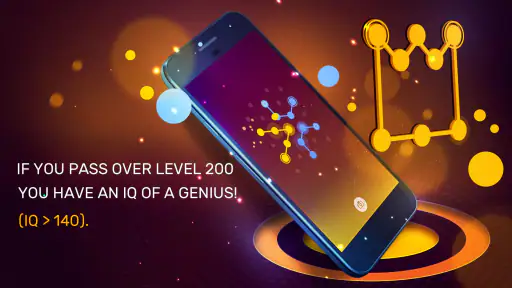
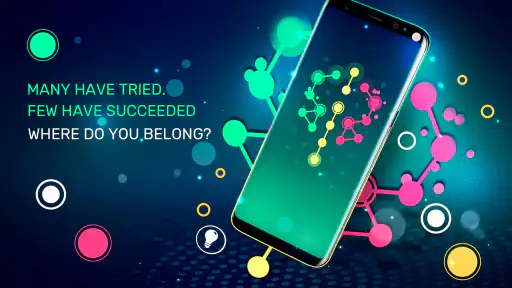

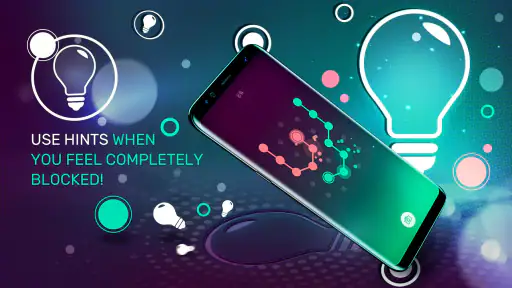


 Analysis by Frivlyz
I usually know within a few minutes whether a puzzle game fits the gaps in my day, and Connection: Logic Games makes a fairly reassuring first impression. It is a puzzle game from Infinity Games, Lda, built around tracing a continuous route through dots without going back over a line. That simple rule gives you something specific to focus on, rather than a long tutorial or a pile of modes to sort through before you can begin.
What to expect from the puzzles
The basic idea is easy to grasp, but the challenge comes from planning a route that covers the whole board. A line that looks promising at first can leave an awkward dot stranded near the end, so I found it useful to pause and look at the entire layout before drawing. The game suits people who enjoy visual logic and careful trial-and-error more than players looking for word clues, trivia, or a fast reaction test.
That makes it a handy choice when I have a short break and want to give my attention one clear task. It can also be a calming way to switch gears after work: the board gives me a small problem to solve without asking me to follow a story or keep track of a complicated system. The trade-off is that the central mechanic stays focused on connecting dots. If you need a puzzle app that constantly changes its rules or offers very different kinds of challenges, this may feel narrow.
Getting started without overthinking it
The opening stages are meant to ease new players into the rules before the layouts become more demanding. I would treat those early boards as practice in reading the shape of a puzzle, not just as levels to rush through. Before making a move, check which dots appear to have only one sensible way out and which areas could create a bottleneck. That habit makes later puzzles feel more manageable without taking away the satisfaction of working them out.
You do not need to arrive with a strategy vocabulary or puzzle-game experience. Start by tracing a route mentally, then commit when you can see how it reaches the remaining points. If a line closes off a section too soon, reset your thinking and try another path rather than repeating the same guess. For a first session, a few attentive attempts are more useful than trying to race through the boards.
The Art of Connection
From the moment you open the app, Connection: Logic Games greets you with a clean and intuitive interface. The premise of the game is simple yet intriguing: you need to connect all the dots on the screen with a continuous line without retracing any steps. Sounds easy, right? Well, don't be fooled by its simplicity. As you progress, the puzzles become more complex, requiring a strategic approach and a lot of patience.
Puzzles That Challenge
One of the things I love about this app is the sheer variety of puzzles. With hundreds of levels to choose from, there's always something new to tackle. The developers have done a fantastic job of creating puzzles that are not only challenging but also highly addictive. Each level is a new test of your logic and problem-solving skills. You can practically feel your brain working overtime to find the right connection.
Gaming Stories You May Enjoy

Dancing Road Turns Short Breaks Into a Test of Rhythm and Timing

Super Stylist Makes Every Outfit a Test of Taste and Patience

Dominoes on Your Terms: Who Should Play and Who Should Pass

Pokémon GO Makes the Familiar World Feel New

Chess.com Turns Rematches Into Rivalries, but Community Has Its Costs

Archery Battle 3D Review: Sharp Aiming, Unclear Feedback
For those who are new to puzzle games, the app provides a gentle learning curve. The initial levels are designed to ease you into the gameplay mechanics before ramping up the difficulty. This makes it accessible to both beginners and seasoned players alike.
Visuals and User Experience
Visually, the app is a treat. The minimalist design enhances the gameplay experience by keeping distractions to a minimum. The colors are soothing, which is perfect for those long puzzle-solving sessions. The app runs smoothly without any noticeable glitches, which is always a plus in my book.
Another neat feature is the hint system. If you ever find yourself stuck on a particularly tricky puzzle, you can use a hint to guide you in the right direction. But use them sparingly; you wouldn't want to rob yourself of that "aha!" moment when you finally solve a puzzle on your own.
Making hints and pauses work for you
I get the most from a hint when I have already tried to identify the problem myself. Before using one, I look for a dot or corner that seems to constrain the route, then ask whether my current plan leaves the rest of the board reachable. That turns the hint into a nudge toward a new way of seeing the board instead of a substitute for thinking. If I am simply tired, though, stepping away is often better; a short pause can make a route that felt impossible look obvious when I return.
For everyday use, I would play one or two boards while waiting for a coffee or sitting through a quiet part of a commute, rather than opening it when I have only a few seconds to spare. A puzzle can demand more attention than its uncluttered appearance suggests, especially once the route gets intricate. It is also a better fit for a small, self-contained break than for a session where I want a strong sense of progression through a plot or a competitive score chase.
How it compares with other puzzle games
Compared with the usual match-and-clear puzzles, this game asks me to reason about a route instead of spotting combinations or reacting quickly. It also feels more direct than a word puzzle: there is no vocabulary hurdle, and the challenge is visible on the board. That makes it approachable across different ages and experience levels. The trade-off is less variety in the kind of thinking required. If I want changing mechanics, a narrative campaign, or puzzles that depend on numbers and clues, I would pick a different genre rather than expect this one connection rule to provide all of that.
The game is free to start, and its content rating is Everyone, so it is an easy option to consider for a family device or a casual solo break. It has an average rating of 4.4 from around 123,000 ratings and has been installed over a million times. In-app purchases range from $5.49 to $20.99 per item. I would decide whether to spend only after seeing how naturally the free play fits my routine; the core appeal is the route-solving itself, not a need to buy something before understanding the mechanic.
When this is the right fit—and when it is not
I would recommend it to someone who likes a calm, visual challenge, wants a simple game to pick up without learning a long list of rules, or enjoys spotting how one early choice affects the rest of a puzzle. It is also a reasonable choice for a younger player who can enjoy careful thinking, with the Everyone age rating offering a useful guide for families. The developer, Infinity Games, Lda, released it on April 4, 2018, and the game remains a focused option for this kind of logic play.
I would skip it if I mainly want a social competition, rapid action, a varied collection of puzzle formats, or a game that tells a story as I progress. The minimalist presentation is part of its appeal, but players who need sound, animation, or frequent changes to stay engaged may find the experience too restrained. And if I am in a hurry or distracted, a board can become frustrating: this is more satisfying when I can give the route a little concentration.
Small habits that make solving easier
One practical approach is to scan the board in sections rather than trying to solve the whole route at once. I look for narrow passages and corners first, since a path that uses them carelessly can make the remaining dots difficult to reach. Then I trace a possible route in my head from one constrained area to another. This does not guarantee a solution, but it helps me avoid committing to a line that looks neat locally and fails across the full board.
Another useful habit is to treat a failed attempt as information. If a route leaves an isolated point or forces an awkward return, I try to identify the choice that created the problem instead of changing several parts at random. That makes experimentation less frustrating and helps me learn the shape of the puzzles. For children or new players, asking “which dot has the fewest ways to continue?” can be a gentle prompt without giving away the answer.
There is a small attention trade-off worth knowing: the clean display makes the path easy to read, but it also leaves the puzzle itself as the main event. I would not choose it as background entertainment while watching something else. If I only half-focus, I am more likely to lose track of the route and mistake a planning problem for a difficult level. A quiet few minutes works better than an endlessly interrupted session.
What a first session feels like
My suggested first session is simple: open the game, learn the one-line rule on the early puzzles, and resist using a hint until you have tried tracing a complete route yourself. When a solution works, notice why it worked—perhaps you preserved a narrow passage or handled a corner before it became blocked. That first success is more useful than merely clearing a board because it gives you a repeatable way to approach the next one.
If you get stuck, that does not mean you missed an obvious trick. Sometimes the route needs to be reconsidered from a different starting point, and sometimes your attention is simply spent. Pause, inspect the points that have limited exits, and then try again. Hints are there for the moment you want a nudge, but I would save them for a genuine impasse rather than use them automatically whenever a board takes longer than expected.
Final Thoughts
In conclusion, Connection: Logic Games is a fantastic app for anyone who enjoys challenging their mind with puzzles. It's a perfect mix of fun and brain exercise, wrapped up in a sleek design. Whether you're commuting, taking a break, or just want to unwind with some mental gymnastics, this app is sure to keep you entertained for hours.
So, why not give it a try? Download the app and see if you can make all the right connections. Happy puzzling!
My more measured recommendation is to try it when you want a quiet, focused puzzle rather than a broad catalogue of activities. Its appeal is the satisfaction of planning a line that reaches every dot, and that stays enjoyable when I take my time. If that small, visual problem-solving loop sounds like the kind of break you want, it is easy to see why people keep it around; if you want constant novelty or competition, another puzzle game will likely suit you better.
Connection: Logic Games Pros and Cons
Pros
- Engaging puzzles with increasing difficulty.
- Minimalistic
- user-friendly design.
- Challenging levels enhance problem-solving skills.
- Offline play mode available.
- Regular updates with new puzzles.
Cons
- Limited hints can frustrate players.
- Ads can be intrusive at times.
- No multiplayer mode available.
- Requires in-app purchases for extra features.
- Some puzzles can be overly complex.
Frequently Asked Questions
What is Connection: Logic Games about?
Connection: Logic Games is a challenging puzzle app designed to test and improve your logical thinking and problem-solving skills. The game offers a variety of levels where players must connect dots of the same color by drawing lines that do not intersect. It's a perfect choice for puzzle enthusiasts looking for a mental workout.
Is Connection: Logic Games suitable for all ages?
Yes, Connection: Logic Games is suitable for all age groups. Its simple mechanics make it easy for children to understand, while the progressively challenging levels keep it engaging for adults. The app provides a fun and educational way for users to enhance their logical reasoning skills, making it an excellent choice for family entertainment.
Are there any in-app purchases in Connection: Logic Games?
Connection: Logic Games is free to download and play, but it does offer in-app purchases. These purchases allow users to buy hints or unlock additional levels and features. While the game can be enjoyed without spending money, these optional purchases can enhance the gaming experience for those who wish to progress faster or access more content.
Does Connection: Logic Games require an internet connection to play?
No, Connection: Logic Games can be played offline, making it a great option for users who want to enjoy the game without needing a constant internet connection. This feature allows players to engage with the puzzles anytime and anywhere, whether they are on a commute, traveling, or simply without internet access.
How frequently are new levels added to Connection: Logic Games?
The developers of Connection: Logic Games regularly update the app with new levels and features to keep the gameplay fresh and exciting. While there isn't a fixed schedule for updates, players can expect new content to be added periodically, ensuring that there are always new challenges to tackle and enjoy.


