

Coloring Book: Color by Number
- Reviews
- 4.6
- Version
- 3.4.7
- Installs
- 10,000,000+

Screenshots
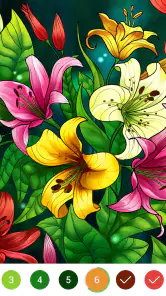

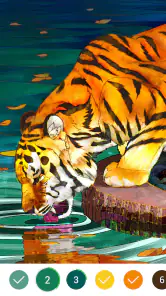
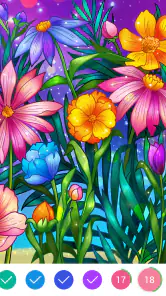



 Analysis by Frivlyz
I like coloring apps best when they make it easy to settle into a picture without turning a quiet break into another task. Coloring Book: Color by Number takes that low-effort approach: instead of choosing a palette or filling a blank page, I work through numbered areas and watch an image gradually come together. It suits short pauses as well as longer, slower sessions, though its appeal depends on enjoying a guided kind of coloring rather than drawing freely.
What free access means for its value
The game is free to download, so there is no purchase price to weigh against its basic appeal. That makes it an easy option to try if you already enjoy color-by-number activities or want a gentle pastime without buying physical supplies. Free access is a useful starting point, not a promise that every possible option has no cost; I would check any purchase prompt in the app before confirming it rather than assume details that are not clear.
Its broad audience is reflected in an Everyone age rating, and Candy Mobile is the developer. The game has a 4.6 average from around 214,000 ratings, with more than 10 million installs. Those figures suggest that the simple format has found a large audience, but they cannot tell you whether you will like its particular pictures or pace. I would treat them as context, then decide based on whether numbered coloring itself sounds relaxing to you.
Why Coloring Book: Color by Number is a Must-Try
The app is all about taking the guesswork out of coloring, which is perfect for those who love to color but don’t necessarily have the time to select the perfect color palette. It’s like having your cake and eating it too, without the calories! The app offers a plethora of designs ranging from cute animals to intricate mandalas, and the best part? You don’t need to be an artist to create something beautiful.
Getting Started
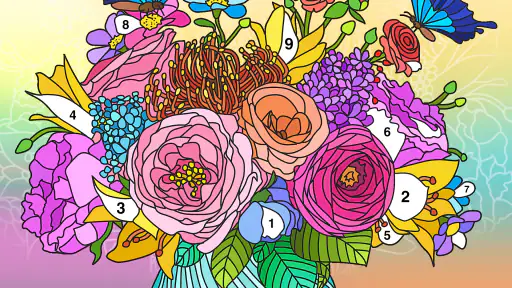
Once you dive into the app, you’ll find that it’s incredibly user-friendly. You’re greeted with a gallery of images, all categorized neatly for your browsing convenience. Tap on any image that tickles your fancy, and you’ll be presented with a numbered outline ready to be brought to life. It’s as simple as pie! Just tap on a number, and the app automatically selects the correct color for you.
That number-first workflow is especially handy when I only have a few minutes. I can choose a picture, focus on one color, and make visible progress without needing to plan the whole image. A practical tip is to look for clusters of the same number rather than jumping around the page: finishing one color at a time gives the session a clear stopping point and makes it easier to return later without losing track of what I was doing.
The Joy of Coloring
One of the things I absolutely adore about this app is the stress-free experience it offers. There’s no pressure to stay within the lines or to choose the "right" color. You can just kick back, relax, and let your fingers do the work. It’s incredibly soothing and a great way to unwind after a hectic day.
Gaming Stories You May Enjoy

Dancing Road Turns Short Breaks Into a Test of Rhythm and Timing

Super Stylist Makes Every Outfit a Test of Taste and Patience

Dominoes on Your Terms: Who Should Play and Who Should Pass

Pokémon GO Makes the Familiar World Feel New

Chess.com Turns Rematches Into Rivalries, but Community Has Its Costs

Archery Battle 3D Review: Sharp Aiming, Unclear Feedback
The colors are vibrant, and the finished images look like they’ve been professionally done – even if you’ve never picked up a crayon in your life! The app also lets you share your masterpieces with friends, which is a nice touch if you want to show off your "artistic" skills.
Where the format has limits
The same guidance that makes the game approachable also narrows the kind of creativity it offers. The numbered regions steer the palette, so this is not the best choice if you want to sketch your own subject, blend shades freely, or decide how a picture should look. For those goals, a drawing app or a paper coloring book with your own pencils gives you more control, even if it takes more effort.
Color-by-number can also become repetitive if you prefer quick feedback or changing challenges. Larger, detailed images may ask for patience: tapping through small sections is a different rhythm from finishing a simple picture in a couple of minutes. I find it works better when I treat it as a calm activity rather than a race, and choose a design that fits the time I actually have. On a crowded commute, for example, a detailed picture can be awkward to work on if I keep having to pause; a brief wait at home is a more comfortable setting.
A small-session routine that works
For an ordinary evening, I would open the gallery after dinner, pick a picture that looks manageable, and complete a few areas while a show is on or while I am waiting for someone. I would avoid starting a highly intricate image if I only have a short break, because stopping midway can make the task feel unfinished rather than restful. Choosing by how much attention I can spare—not just by which image looks prettiest—is a simple way to keep the activity enjoyable.
It can also be a useful alternative to scrolling when I want something to do with my hands but do not want a competitive game. Unlike board games that depend on turns, opponents, or planning moves, this is a solitary, low-pressure activity centered on completing an image. Compared with a physical coloring book, it avoids carrying markers and dealing with pencil shavings, while giving up the tactile feel and open-ended color choices of paper. That trade-off is the key decision: convenience and guidance here, physical materials and freedom elsewhere.
Who is likely to enjoy it
I would recommend it to people who already like numbered coloring, beginners who want a straightforward creative activity, and anyone looking for a quiet way to fill a short pause. The uncomplicated tap-to-color process is a strength for someone who does not want tutorials or artistic decisions before getting started. It can also suit a shared living room: one person can color while others talk or watch television, without needing the whole group to join in.
I would steer away from it if your main reason for downloading a game is competition, strategic board play, or a sense of challenge that keeps changing. It is also a poor match if you want full control over color selection and composition. In those cases, a conventional drawing tool or a physical art activity is more likely to satisfy you than a guided number puzzle, regardless of how many pictures are available.
Details for deciding whether to try it
The game was released on September 10, 2019, and its current version is 3.4.7. It supports Android 4.0 and later, which makes it compatible with older Android software in principle; if you are using a newer device or a different platform, check the relevant app store for its current compatibility details. The listing’s short name is simply “Coloring Book,” so make sure you have the Candy Mobile version in mind when searching.
A common practical question is whether it takes artistic experience to enjoy. In my view, no: the numbered areas remove much of the decision-making, which is precisely why a beginner can get started easily. The more important question is whether you like tapping through a preset design. If you do, the structure can feel reassuring; if you would rather invent the picture yourself, it will feel restrictive.
Another consideration is how you want to use the finished images. Sharing is available, so completing a picture can have a social payoff beyond the coloring session. I would still choose the game for the process rather than treat sharing as the main reason to install it: the satisfying part is seeing a blank-looking outline gain color, while the ability to show the result is a pleasant extra.
Final Thoughts
In a world where our phones are often the source of stress, Coloring Book: Color by Number offers a refreshing change. It’s not just an app; it’s a mini-vacation for your mind. Whether you’re on the subway, waiting for an appointment, or just lounging at home, this app transforms idle moments into colorful escapes.
So, if you’re on the hunt for a fun and relaxing way to spend your free time, give this app a whirl. It’s like having a coloring book in your pocket, minus the mess of colored pencils and markers. Who knew that just a few taps could bring so much joy?
My verdict is that the free download makes it a low-commitment try for anyone curious about digital coloring, and the guided format delivers value when ease and relaxation matter more than creative control. I would skip it if I wanted a full-featured drawing experience or a traditional board game with tactical choices. If a ready-made picture and a calm, color-by-color routine sound appealing, it is worth giving a few designs a try and seeing whether that rhythm fits your downtime.
Coloring Book: Color by Number Pros and Cons
Pros
- Wide variety of coloring pages.
- Easy-to-use interface.
- Regular updates with new images.
- Relaxing and stress-relieving.
- Suitable for all age groups.
Cons
- Contains ads that may be intrusive.
- Limited free content.
- In-app purchases can be pricey.
- Requires internet for full features.
- May drain battery quickly.
This Game in Other Languages
Frequently Asked Questions
What is Coloring Book: Color by Number and how does it work?
Coloring Book: Color by Number is an engaging app designed to provide users with a relaxing and creative outlet through digital coloring. Users can choose from a wide variety of images, each divided into numbered sections. By following the numbers, users fill in the sections with corresponding colors, resulting in a beautifully colored picture. It's an excellent way to unwind and explore your artistic side, even if you're not a professional artist.
Is Coloring Book: Color by Number suitable for children?
Yes, Coloring Book: Color by Number is suitable for children, offering a simple and intuitive interface that makes it easy for kids to use. The app provides a fun, educational experience, helping children develop their number recognition skills and color coordination. Additionally, it offers a safe environment with no inappropriate content, making it a great choice for parents looking for an educational and entertaining app for their kids.
Does the app require an internet connection to function?
Coloring Book: Color by Number can be used without an internet connection, allowing users to enjoy coloring offline. However, some features such as downloading new coloring pages or accessing community galleries may require an internet connection. It's ideal for users who want a flexible app that can be accessed anywhere, whether online or offline.
Are there any in-app purchases or advertisements?
Coloring Book: Color by Number is a free-to-download app, but it includes optional in-app purchases that allow users to unlock additional features, such as premium coloring pages or an ad-free experience. While ads are present in the free version, they are typically unobtrusive. Users can opt to purchase a subscription or one-time payment to remove ads, enhancing the overall experience.
How often is new content added to the app?
The developers of Coloring Book: Color by Number regularly update the app with new coloring pages and features to keep the content fresh and engaging. Users can expect new content to be added weekly or monthly, ensuring there's always something new to explore and color. This commitment to regular updates helps maintain user interest and encourages long-term engagement with the app.


