

Coloring and Drawing For Kids
- Reviews
- 4.6
- Version
- 3.8
- Installs
- 5,000,000+

Screenshots
 Analysis by Frivlyz
When I need a low-pressure activity that lets a child make something rather than just watch a screen, drawing and coloring are among the first options I consider. Coloring and Drawing For Kids is an educational game from Toy Tap LLC, and its appeal is easy to understand: children can work with pictures and drawing tools in a format built around creative play. I’d think of it as a companion for short bursts of making, not as a replacement for art materials, guided lessons, or time spent drawing together.
It is free to install, rated for Everyone, and has an average rating of 4.6 from around 2,300 ratings, with over 5 million installs. Those figures suggest it has reached plenty of families, but they cannot tell me whether it suits every child. The more useful question is what you want from a coloring game: a simple way to encourage experimentation, or a deeper art program with detailed instruction and advanced tools. This one is more naturally suited to the first job.
Where it fits in a child’s day
I can see this game working well during a quiet stretch at home: a child finishes a snack, chooses a picture, and spends a few minutes adding colors while an adult gets dinner ready nearby. That is a realistic use, because a coloring activity can give a child something focused to do without asking them to follow a complicated set of rules. I’d still treat it as shared family screen time rather than assume that any children’s app should automatically be left running unsupervised.
It may also suit a child who wants to draw but is hesitant about making a blank page their own. A ready-made picture can lower that first hurdle; after coloring it, the child may be more willing to try making marks or shapes independently. If your child already loves filling notebooks with their own elaborate drawings, however, a physical sketchbook or a more capable digital art app may offer more room to develop that interest.
What the format can teach, and what it cannot
Coloring and drawing can give children practice with choices that look small but matter: where to place a color, whether to repeat a pattern, and how to keep a mark inside or deliberately outside an outline. Those moments can support concentration and hand-eye coordination. I would describe that as practice through play, not a promise that the game will teach formal art skills or produce measurable progress.
A useful way to make the activity more interactive is to ask an open question before or during a picture: “What would happen if the sky were green?” or “Can you make a pattern with two colors?” That keeps the child in charge while turning a quiet coloring session into a small conversation. It also avoids treating the screen as a tutor that must provide every learning prompt.
Who will enjoy it most
I’d recommend giving it a try if you’re looking for a free, approachable creative game for a young child who enjoys coloring or wants an easy starting point for drawing. It can be a handy option for a short wait at home or a calm moment between activities, provided a device is already available and screen time fits your family’s routine. The Everyone age rating makes the intended audience broad, but a child’s patience, comfort with touch controls, and interest in pictures matter more than a label.
Gaming Stories You May Enjoy

Dancing Road Turns Short Breaks Into a Test of Rhythm and Timing

Super Stylist Makes Every Outfit a Test of Taste and Patience

Dominoes on Your Terms: Who Should Play and Who Should Pass

Pokémon GO Makes the Familiar World Feel New

Chess.com Turns Rematches Into Rivalries, but Community Has Its Costs

Archery Battle 3D Review: Sharp Aiming, Unclear Feedback
I’d be more cautious if you are choosing an app specifically for structured art education, professional-quality drawing, or a long-term portfolio. A physical coloring book has the benefit of crayons, paper texture, and no screen, while a general drawing app may be a better fit for older children who want greater control over their work. For younger children, the best alternative may simply be drawing beside an adult, who can help them turn a scribble into a story.
Small choices that make a session work better
For a child who tends to tap quickly and move on, I’d suggest agreeing on one small goal before opening the game: finish one picture, try a color combination, or make a repeated pattern. This gives the activity a natural stopping point without making it feel like a lesson. For a child who dislikes being told what to draw, offer a choice between two ideas instead of prescribing the colors or outcome; the point is to keep ownership with the child.
It can also help to connect a digital picture to something away from the screen. A child might color an animal and then look for that animal in a book, or draw a version of a toy they can see nearby. That simple bridge gives the child a reason to observe shapes and details, rather than treating each image as a task to finish quickly. If the child is content to color freely, there is no need to turn every session into a learning exercise.
Costs, device fit, and practical expectations
The game is free, with in-app purchases listed at $2.99 per item. I’d check the purchase controls on the device before handing it to a child, particularly if the child can navigate menus independently. That is a practical precaution for any app with optional purchases, not a reason to assume a child will encounter a specific prompt. If you want to keep spending predictable, review the device’s purchase settings and explain that paid choices need an adult’s permission.
The current version is 3.8, and the game requires Android 5.1 or later. The release date was October 20, 2023. Those details are useful when checking whether an older device can run it, but a compatible operating system alone does not guarantee that every device will feel comfortable for drawing. A larger screen can make it easier for small hands to see the picture and place marks; on a smaller phone, a child may find the same task less comfortable.
The version number and release date establish the product’s current reference point, but they do not tell me which tools or content have changed over time. I would avoid assuming that an update brought a particular feature. For existing users, the sensible approach is to judge the current version by how smoothly it fits the child’s routine and whether the available choices still hold their interest. If a child’s needs have outgrown a simple coloring activity, a different kind of art tool may be a better next step than waiting for a specific change.
Unleashing Creativity with Every Tap
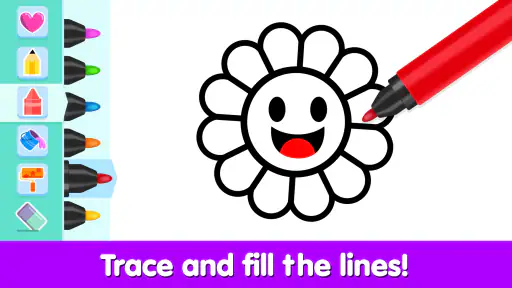
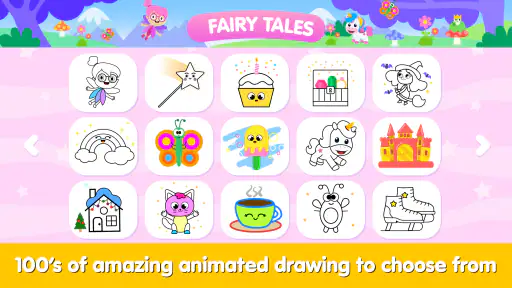
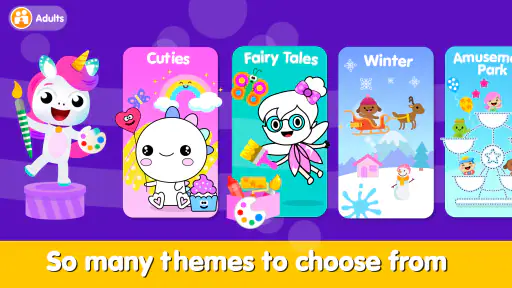
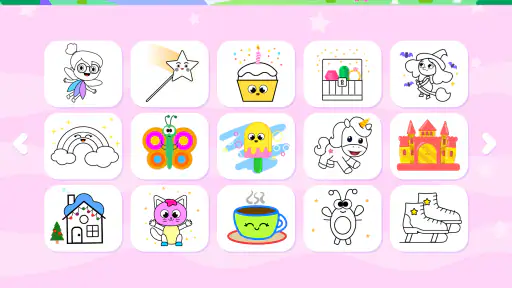
One of the first things I noticed about Coloring and Drawing For Kids is the sheer variety of coloring pages and drawing tools available. The app offers a plethora of templates, from cute animals to enchanting landscapes, that are sure to captivate your child's imagination. What’s more, the app’s intuitive interface makes it incredibly easy for kids to navigate.
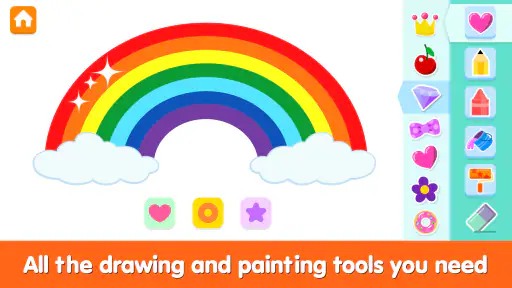
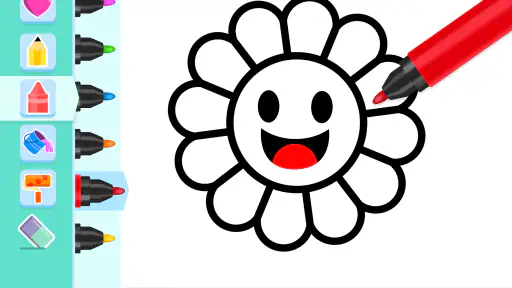
The app also features an impressive array of colors and brush styles. Whether your kiddo prefers a classic crayon effect or a magical sparkle brush, there’s something here for every budding artist. I was particularly impressed by how the app allows kids to mix and match colors, promoting a deeper understanding of color theory in a way that feels like play.
Learning Through Play
As much as kids love splashing colors on the screen, it’s also important that they’re learning something along the way. This app subtly introduces kids to new concepts and skills, such as color recognition, fine motor skills, and even basic patterns. It’s like sneaking veggies into a smoothie—your kids won’t even realize they’re learning!
What sets this app apart is its ability to foster creativity while also reinforcing educational fundamentals. It’s a win-win situation! I found that the app’s structured yet playful approach really helps keep kids engaged, and the positive feedback from the app encourages them to keep experimenting.
Safe and Kid-Friendly Environment
In today’s digital age, ensuring your child’s safety online is paramount. Thankfully, Coloring and Drawing For Kids prioritizes this by providing a safe, ad-free environment for children to explore their creativity. The app doesn’t require any personal information or constant supervision, giving parents peace of mind while their kids enjoy some screen time.
The app also features a neat parental control option, which allows you to set time limits and monitor activity. This way, you can ensure a balanced approach to screen time, which is so important in maintaining a healthy digital diet for kids.
In conclusion, if you’re looking for a delightful app that combines fun and learning, Coloring and Drawing For Kids is definitely worth a try. It’s a fantastic way for kids to express themselves artistically while also gaining valuable skills. So, why not let your little Picassos take the reins and dive into a colorful world of creativity?
A note on choosing it for your family
I’d start with a short, accompanied session and see whether the child enjoys choosing and finishing a picture, or prefers to make their own marks. That first try tells you more than popularity figures do: some children like the reassurance of a template, while others quickly want a blank canvas or real paper. If the activity holds their attention and the device feels comfortable in their hands, it can earn a place in a rotation of creative options.
My main reservation is about expectations. The game is best approached as a convenient coloring-and-drawing activity, not a complete art curriculum or a substitute for hands-on materials. Keep an eye on purchase settings, decide in advance how long a session should last, and invite the child to talk about what they made. With those simple boundaries, I think it can be a pleasant choice for families who want an accessible creative activity and are comfortable with its screen-based format.
Coloring and Drawing For Kids Pros and Cons
Pros
- Engaging and colorful interface.
- Wide variety of drawing tools.
- Encourages creativity in kids.
- Easy to navigate for children.
- Free updates with new features.
Cons
- Contains in-app purchases.
- Requires internet for full features.
- Limited parental controls.
- Ads can be distracting.
- Some tools may lag on older devices.
Frequently Asked Questions
What age group is Coloring and Drawing For Kids suitable for?
Coloring and Drawing For Kids is designed to cater to children aged 3 to 8 years old. The app includes age-appropriate drawing tools, colors, and templates that are simple and engaging for young children. It provides a safe environment for children to express their creativity while learning basic art skills.
Does Coloring and Drawing For Kids have educational benefits?
Yes, Coloring and Drawing For Kids offers several educational benefits. It helps children improve their fine motor skills, hand-eye coordination, and creativity. By engaging with different colors and shapes, children can also enhance their cognitive skills and learn about color mixing and basic design principles in a fun and interactive way.
Is the app safe for children to use independently?
Coloring and Drawing For Kids is designed with child safety in mind. It does not include any advertisements, in-app purchases, or external links that could lead children away from the app. Additionally, the app features a parental control section where parents can manage settings and monitor their child's progress, ensuring a safe and secure experience.
Does Coloring and Drawing For Kids require an internet connection?
No, Coloring and Drawing For Kids does not require an internet connection. Once downloaded, all features and content are available offline, making it convenient for use in environments where internet access may be limited or unavailable, such as during travel or in areas with poor connectivity.
What kind of drawing tools are available in the app?
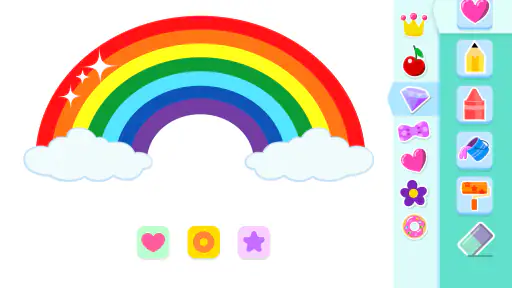
The app provides a wide range of drawing tools that cater to young artists. These include various types of brushes, pencils, and crayons, as well as an extensive color palette. Additionally, there are features like stickers, patterns, and templates that enhance the creative experience. The intuitive interface ensures that children can easily navigate and use these tools effectively.


