

Color by Number ®: No.Draw
- Reviews
- 4.6
- Version
- 3.3.0
- Installs
- 50,000,000+

Screenshots


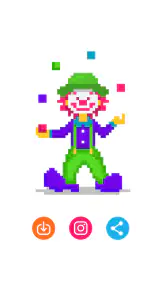
 Analysis by Frivlyz
Diving into the colorful world of Color by Number ®: No.Draw is like stepping into a digital art studio where creativity meets relaxation. At first glance, this app might seem like just another coloring game, but trust me, it’s much more than that. Whether you’re commuting, winding down after a long day, or simply looking to pass some time, this app promises an enjoyable experience.
What appealed to me most is the simple rule at the heart of this board game: numbers turn a large picture into a series of small, clear choices. Rather than starting with a blank canvas and deciding what to draw, I can focus on one marked area at a time. That makes the experience approachable even when I have only a few minutes and no particular artistic plan.
A small task that adds up to a finished picture
Coloring by number sits between a traditional coloring book and a conventional mobile puzzle. A paper book gives me freedom to choose colors, but also asks me to supply the materials and make every decision myself. A more demanding puzzle usually makes me solve a challenge before I can move forward. Here, the numbered sections provide the structure, while the gradual change from outline to colored image supplies the payoff. I find that balance easy to return to when I want something gentle rather than competitive.
Our Stories on Color by Number ®: No.Draw
Discover the Meditative Magic of Color by Number ®: No.Draw
NewsUnleash Your Strategy in Castle Clash: World Ruler
NewsDancing Road Turns Short Breaks Into a Test of Rhythm and Timing
NewsSuper Stylist Makes Every Outfit a Test of Taste and Patience
NewsDominoes on Your Terms: Who Should Play and Who Should Pass
NewsPokémon GO Makes the Familiar World Feel New
NewsThe system also changes how I approach a picture. Instead of trying to judge the whole image at once, I can look for the next numbered spaces and work through them in manageable pieces. That is useful when I am tired or distracted: I do not need to remember a complicated sequence or plan a design. The trade-off is that the pleasure comes from following the image’s color plan, not from inventing my own palette or drawing original shapes.
Getting Started with Color by Number ®: No.Draw
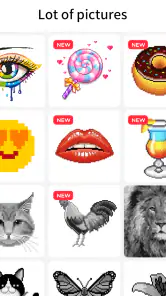
Once you download the app, you’re greeted with a vibrant interface that’s both inviting and easy to navigate. The app doesn’t bombard you with ads right off the bat, which is a huge plus in my book. You can dive straight into the gallery where a plethora of intricate designs await your creative touch. From animals and mandalas to landscapes and abstract patterns, the variety is truly impressive.
In everyday use, I would treat the gallery as a menu for matching a picture to my mood, rather than choosing the most detailed design by default. A quieter moment suits a picture I can chip away at, while a short wait is better for a design whose visible progress feels rewarding in brief bursts. That is a practical distinction: the same coloring mechanic can feel soothing or fiddly depending on how much attention the picture asks of me.
The game is free to start, and it has a 4.6 average from around 371,000 ratings, with more than 50 million installs. Creative APPS has kept the current release at version 3.3.0; the game first appeared on November 8, 2017, and works on Android 5.0 and later. Those figures suggest that this is a familiar, well-established kind of casual activity, but they do not change the main question for me: do I enjoy filling numbered spaces more than I enjoy drawing or solving a puzzle?
Gaming Stories You May Enjoy

Chess.com Turns Rematches Into Rivalries, but Community Has Its Costs

Archery Battle 3D Review: Sharp Aiming, Unclear Feedback

Should You Switch to Geometry Dash Meltdown? A Test of Timing and Patience

Fidget Toys Trading・Pop It 3D: What Happens When the Game Stumbles

NBA LIVE Mobile Makes the Season the Main Event

Sonic Forces: PvP Battle Race - Speed and Strategy Combined
How It Works
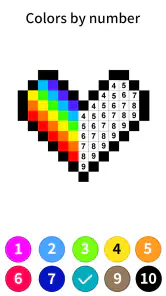
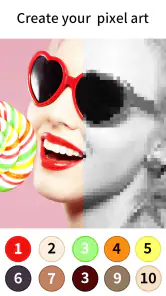
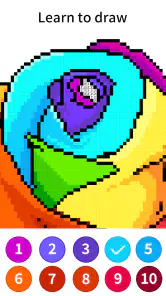
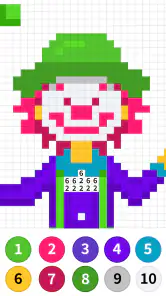
Each image is divided into numbered sections, and your mission, should you choose to accept it, is to fill each segment with the corresponding color. It’s as simple as tapping the screen! This might sound basic, but it’s surprisingly addictive. There’s something incredibly satisfying about watching a black and white outline transform into a vibrant masterpiece under your fingertips.
For a more comfortable session, I would avoid rushing through the smallest areas. The zoom feature makes it easier to inspect tight sections, and taking a moment to enlarge the picture before tapping can help prevent mistakes. I also find it useful to think in short passes: focus on the parts I can clearly identify, pause when the screen starts to feel cluttered, then return with fresh eyes. It keeps a relaxing activity from turning into a test of patience.
The app is best understood as a guided coloring experience, not an open-ended art tool. If I want to sketch a character, choose every color, or experiment with brush strokes, a drawing app or a physical coloring book gives me more control. If I want a low-pressure task with a visible finish, the numbered layout is the stronger fit. That difference is worth considering before downloading, especially for anyone who finds repetitive tapping dull rather than calming.
Since the game is rated Everyone, it can suit a broad range of ages, though the small numbered spaces may be less comfortable for someone who struggles with fine visual detail. I would also keep the purchase model in mind: optional in-app items range from $3.49 to $79.99 per item. I can enjoy the basic appeal without treating purchases as part of the coloring itself, but anyone sensitive to in-app spending should check carefully before confirming a transaction.
Why You’ll Love It
What really sets Color by Number ®: No.Draw apart is its calming effect. There’s a therapeutic quality to coloring that’s hard to articulate. Maybe it’s the methodical nature of the task or the gradual reveal of a beautiful image, but it’s a fantastic way to unwind and de-stress. The app also updates its gallery regularly, so there’s always something new to look forward to.
A realistic time to use it is during a quiet part of an evening, when I want a screen activity that does not demand the same concentration as a strategy game or a long article. I can settle on one image, color a few sections, and stop without needing to finish the whole thing in one sitting. It also makes sense for a short break between chores, as long as I am comfortable with using a phone for a visually focused activity.
One small habit makes the numbered approach feel less fussy: zoom in only when the sections are genuinely hard to distinguish, then return to the full picture to keep track of how the colors are changing the overall composition. Staying zoomed in for too long can make the task feel like a string of disconnected taps. Alternating between detail and overview gives me both accuracy and the satisfying sense of seeing the picture come together.
There are limits to that relaxing rhythm. The game still requires attention to the screen, and a tiny region can interrupt the flow if I am trying to play while walking, talking, or doing something else. I would not choose it when I need a hands-free break, nor would I recommend it as a replacement for making art if creative control is the main goal. It is most enjoyable when I accept its guided format instead of wishing each image were a blank page.
For people deciding whether it is suitable for a child or a shared family device, the Everyone age rating is reassuring as a general content guide, but it does not remove the need for an adult to manage spending choices. The free download makes it easy to try the core idea first. I would start with a picture that looks inviting rather than committing to a long coloring session, then decide whether the tap-and-reveal loop is genuinely relaxing for the person using it.
Another useful way to judge the game is to notice what kind of reward you want. It offers the orderly satisfaction of completing a picture according to its numbered guide, not the surprise of discovering a solution or the personal style of a drawing you made from scratch. If you like seeing steady visual progress, that constraint can be a strength. If you prefer experimentation, a freeform drawing tool or a paper coloring book may keep your interest longer.
Another standout feature is the ability to share your completed artworks directly from the app. Whether you want to showcase your skills on social media or send a personalized digital card to a friend, the sharing options are seamless and user-friendly.
Sharing is a nice finishing touch, but I would treat it as optional rather than the reason to play. The personal value is in the small sequence of choices that turns an unfinished outline into a complete image; sending the result can make that progress feel more tangible, especially if a friend enjoys the same kind of pictures. If I only want to produce a custom greeting, though, a dedicated card-making tool may offer more control over the message and layout.
Compared with other casual board and puzzle games, this one asks less of me in terms of rules and strategy, but more of my patience with repeated taps and visual detail. That makes it a good choice for a calm, self-paced break, not for someone seeking competition, a difficult brainteaser, or constant interaction. I would also skip it if screen-based coloring quickly strains my eyes or if I strongly prefer activities that can be enjoyed without watching a display.
Final Thoughts
In conclusion, Color by Number ®: No.Draw is more than just an app; it’s a delightful escape into a world of color and creativity. It’s perfect for those who love art but might not have the time or resources to engage in traditional forms of painting or drawing. So, if you’re looking for a fun, relaxing, and visually rewarding activity, give this app a try. You might just find it’s the splash of color your day needs.
My recommendation is strongest for someone who wants a structured, low-pressure way to fill spare moments and enjoys watching a picture develop one section at a time. I would try it before spending anything, choose a design that feels manageable, and pay attention to whether the numbered process calms me or starts to feel repetitive. If guided coloring suits you, the straightforward loop is the point; if you want freedom to invent, draw, or solve tougher challenges, another kind of app will be a better use of your time.
Color by Number ®: No.Draw Pros and Cons
Pros
- User-friendly interface design.
- Wide variety of coloring options.
- Regular updates with new images.
- Supports offline mode.
- Helps reduce stress and anxiety.
Cons
- Contains in-app purchases.
- Ads can be intrusive.
- Limited free content.
- Occasional app crashes.
- Large app size.
Frequently Asked Questions
What is Color by Number ®: No.Draw and how does it work?
Color by Number ®: No.Draw is a relaxing coloring app designed to help users unwind and enjoy the therapeutic benefits of coloring. Users pick from a wide range of images and use a color-by-number system to fill in the artwork. Each number corresponds to a specific color, making it easy to create stunning images without any artistic skill. The app is available on both Android and iOS platforms, making it accessible for most smartphone users.
Is Color by Number ®: No.Draw suitable for all age groups?
Yes, Color by Number ®: No.Draw is designed to be user-friendly and enjoyable for all age groups, from young children to adults. The app features a wide variety of images ranging from simple to complex, ensuring that users of all ages can find something they enjoy. The intuitive interface makes it easy for even young children to navigate and use the app independently, while adults can enjoy the more intricate designs for a more challenging experience.
Does Color by Number ®: No.Draw require an internet connection to use?
Color by Number ®: No.Draw can be used without an internet connection once the images are downloaded. However, an internet connection is required initially to download the app and any additional image packs. This feature allows users to enjoy coloring on the go, without worrying about data usage or finding a Wi-Fi connection, making it perfect for travel or commuting.
Are there any in-app purchases or ads in Color by Number ®: No.Draw?
Yes, Color by Number ®: No.Draw includes in-app purchases and ads. While the app is free to download and use, users have the option to purchase additional image packs and tools to enhance their coloring experience. There are also occasional ads that appear between coloring sessions. Users can opt for a premium subscription to remove ads and access exclusive content if they prefer an uninterrupted experience.
How does Color by Number ®: No.Draw support user creativity?
Color by Number ®: No.Draw supports user creativity by offering a vast library of images and a simple color-by-number system that allows users to create beautiful artwork effortlessly. While the app provides guidance through numbered colors, users can still exercise creativity in selecting which images to color and experimenting with different coloring techniques. This balance of guidance and creative freedom makes it an excellent tool for relaxation and artistic exploration.


