

codeSpark - Coding for Kids
- Reviews
- 3.5
- Version
- 4.30.01
- Installs
- 1,000,000+

Screenshots
 Analysis by Frivlyz
I look at codeSpark - Coding for Kids as a way to make a first encounter with coding feel like play instead of another lesson. It is an educational game from codeSpark for children aged three to ten, with a 3.5 average rating from around 13,000 ratings and more than a million installs. That reach suggests plenty of families have tried it, but the rating also reminds me that a playful approach will not suit every child or parent equally.
What the price and purchase setup mean for families
The game is free to install, but it includes in-app purchases ranging from $3.99 to $119.99 per item. I would treat that as a reason to check the purchase options with an adult before a child starts exploring, rather than assuming every activity will remain free. The range is broad, so the practical question is whether the available free play is enough for your child before you consider paying. I would not buy on the promise of future tech skills alone; first see whether your child actually enjoys the puzzles and returns to them.
That spending detail also changes how I would introduce the game. I’d handle setup and purchase decisions myself, then let the child use the activities independently within whatever limits the family has chosen. For younger players in particular, keeping the adult in charge of payment choices makes the experience simpler: the child can focus on solving a puzzle rather than wondering why a new activity is unavailable.
How the coding play works in practice
The first thing that strikes you about codeSpark - Coding for Kids is its vibrant and engaging interface. It’s like they’ve taken a page out of a Pixar film's book, with bright colors and adorable characters that instantly draw kids in. No dull, dreary screens here — it’s all about fun and learning seamlessly intertwined.
From the moment you open the app, you’re greeted with a smiley little creature called a Foos, who is your guide through the coding universe. This is a smart move because it immediately makes the app approachable for kids who might find the idea of coding a bit intimidating.
Gameplay and Learning: A Perfect Blend
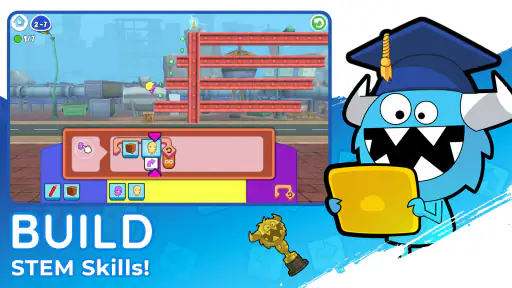
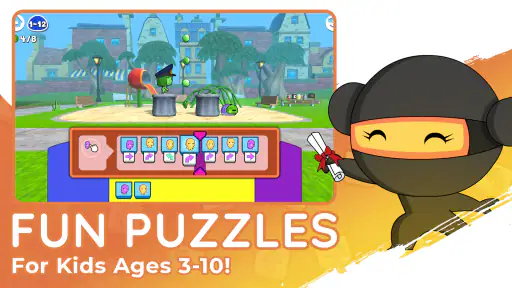
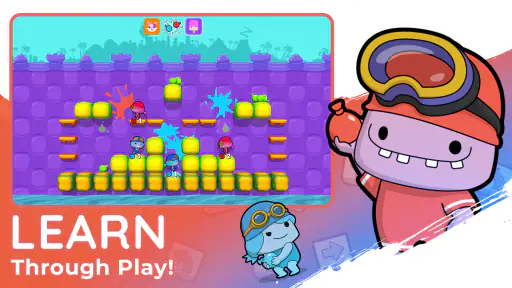
Now, onto the nitty-gritty: how does the app actually teach coding? Well, it uses a combination of puzzles and interactive games to introduce kids to the basic concepts of coding without them even realizing they’re learning. It’s all about problem-solving and creativity, making coding feel like a game rather than a chore.
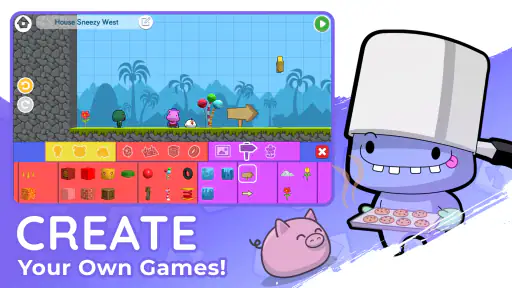
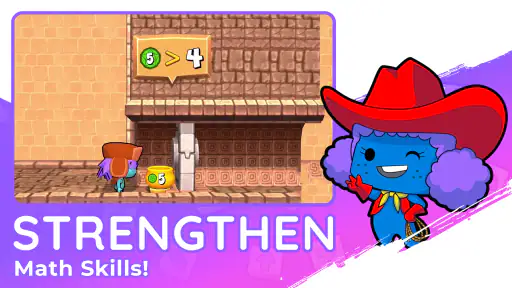
The app covers a range of fundamental coding concepts like sequencing, loops, and conditionals. But it does so through activities that feel more like play than work. Kids can create their own stories and games using the coding tools provided, which is a fantastic way to encourage creativity while also reinforcing their learning.
Gaming Stories You May Enjoy

Dancing Road Turns Short Breaks Into a Test of Rhythm and Timing

Super Stylist Makes Every Outfit a Test of Taste and Patience

Dominoes on Your Terms: Who Should Play and Who Should Pass

Pokémon GO Makes the Familiar World Feel New

Chess.com Turns Rematches Into Rivalries, but Community Has Its Costs

Archery Battle 3D Review: Sharp Aiming, Unclear Feedback
A useful fit for short, shared routines
In everyday use, I’d think of this as a short activity for a transition between other parts of the day, not a replacement for a full coding course. For example, a child could tackle a puzzle while a parent prepares dinner, then explain what the commands made the Foos do. That last step matters: asking “what did you change?” turns a quick win into a chance to put the logic into words. The game can prompt experimentation, while the conversation helps a parent notice whether the child is reasoning or simply tapping through.
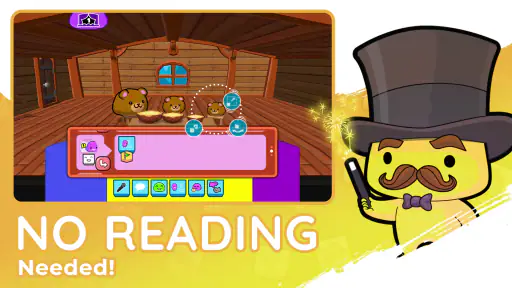
The word-free design is especially practical when a child is not yet reading confidently. It also makes the game more accessible in a shared setting where children have different reading levels. Still, not needing to read is not the same as needing no help at all. A young child may understand the pictures but still benefit from an adult helping them slow down, compare possible command sequences, and try again when the first attempt fails.
I’d use the creative activities differently from the puzzles. Puzzles are a natural place to practise a specific idea, while making a story or game gives a child more room to experiment. If a child gets frustrated when there is a right answer to find, the open-ended side may be a better starting point. If they prefer clear goals, a puzzle can provide a more satisfying first step. Switching between those styles can help reveal whether the child is drawn more to solving or building.
Features That Stand Out
One of the standout features of this app is the word-free interface. Yep, you heard that right. The app doesn’t require any reading skills, which makes it accessible to younger kids or those who might struggle with reading. Everything is icon-based, so kids can drag and drop commands to control their Foos. It’s pretty brilliant if you ask me.
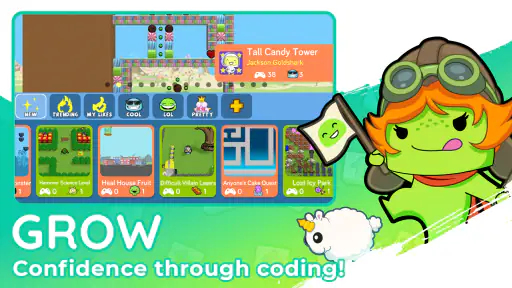
Another feature worth mentioning is the community aspect. Kids can share their creations with other users, which not only builds a sense of community but also allows them to learn from each other. It’s a safe space for them to explore and be inspired by what other kids are creating.
Progress without turning play into pressure
For a parent, the useful measure of progress may be less about how quickly a child moves through activities and more about what they do when a solution fails. Do they change one command and test again, or abandon the puzzle? Can they explain why a sequence worked? Those small habits are more meaningful than simply completing content. I’d resist treating the game like homework with a daily quota; the child’s curiosity is part of what makes this style of learning work.
It can also help to sit nearby for the first few sessions, then step back once the child understands how to manipulate the commands. That gives an adult a chance to see whether the visual instructions make sense without turning every activity into a lesson. If the child repeatedly asks what to press, a little guided play may be needed. If they start trying alternate sequences on their own, they may be ready for more independence.
Compared with a coding video or a conventional lesson, the game asks children to act on an idea rather than only watch someone explain it. Compared with open-ended coding tools aimed at older beginners, its visual approach is less intimidating for a preschooler or early reader. The trade-off is that a playful, guided experience is not the same as learning to write code in a text-based language. I’d choose it for a gentle first taste, not as proof that a child is ready for a more advanced programming course.
Parental Controls and Safety
For the parents out there worried about screen time and safety, the app does a good job of addressing these concerns. There are no in-app ads, and the app is compliant with COPPA (Children’s Online Privacy Protection Act) standards, so you can rest easy knowing your child’s online experience is secure.
You can also set up a parent account to monitor your child’s progress and manage their screen time. It’s a nice touch that ensures kids are learning at a pace that’s right for them without overdoing the screen time.
Because sharing is part of the experience, I’d make a point of exploring that side with a child rather than assuming every family will want to use it in the same way. A parent can decide whether sharing suits the child and household, while still allowing them to enjoy puzzles or creation activities. This is also a useful moment to talk about being thoughtful when showing work to others: feedback can be encouraging, but a child should not feel that every creation needs an audience.
Who should choose another approach
I would look elsewhere if a child wants to build freely without guided puzzles, or if they are already asking for the detail and control that comes with text-based programming. An older beginner may outgrow a primarily visual introduction and want a tool that explains code more directly. Likewise, a child who dislikes game-like characters or prefers a calm, linear lesson may not find this format motivating just because it is educational.
It may also be a poor fit for families who want a fully free experience with no paid options to consider. The app itself costs nothing to install, but the in-app purchase range means an adult should decide what spending, if any, makes sense. I’d start by observing how the child responds to the available experience, rather than treating the highest-priced option as necessary for learning.
Is It Worth It?
Now, let’s talk value. The app offers a free trial, which is a great way to dip your toes in and see if it’s the right fit for your child. After that, there’s a subscription model, which might not be everyone’s cup of tea, but considering the educational value it provides, it’s a worthy investment in your child’s future tech skills.
In a world where coding is becoming as important as learning a second language, codeSpark - Coding for Kids offers a fun, engaging, and effective way to introduce kids to this essential skill. It’s a playful platform that disguises learning as play, and honestly, isn’t that the best way to learn?
So, if you’re looking for an app that will keep your kids entertained while teaching them valuable skills, you might want to give this one a try. Who knows, you might even find yourself sneaking in a few coding puzzles when the kids aren’t looking!
My verdict for a first coding game
For a young child who likes puzzles, responds to visual instructions, and enjoys making things on a screen, I think this is a promising place to begin. The age rating is Everyone, and the current version is 4.30.01, with Android support starting at version 5.1. Those details help families check basic compatibility, while the more important test is still whether the child enjoys figuring out what a sequence of commands does.
My trust verdict is positive but measured. The game’s child-friendly presentation and coding activities make sense for an introductory experience, and the absence of in-app ads is reassuring. At the same time, the paid options deserve adult attention, and the game should not be mistaken for a complete programming curriculum. I’d try it with a specific goal—such as seeing whether a child enjoys sequencing and debugging—then decide whether its style and purchase choices suit the family.
codeSpark - Coding for Kids Pros and Cons
Pros
- Engages kids with fun puzzles.
- No reading required for gameplay.
- Encourages creative problem-solving.
- Safe
- ad-free environment.
- Offers new content regularly.
Cons
- Limited to basic coding concepts.
- Requires subscription for full access.
- No offline mode available.
- Graphics may not engage older kids.
- Limited language support beyond English.
Frequently Asked Questions
What is the main purpose of codeSpark - Coding for Kids?
codeSpark - Coding for Kids is designed to introduce children to the basics of coding through interactive games and challenges. The app uses a game-based learning approach to make coding fun and engaging for kids aged 5 and up, helping them develop critical thinking, problem-solving skills, and creativity.
Is codeSpark suitable for children with no prior coding experience?
Yes, codeSpark is perfect for beginners. The app uses a visual coding language, which eliminates the need for reading skills or prior coding knowledge. Children can learn at their own pace, starting from the basics and gradually progressing to more complex concepts as they become more comfortable.
What platforms is codeSpark available on, and does it require an internet connection?
codeSpark is available on both Android and iOS platforms. While an internet connection is required for initial download and updates, many of the activities can be accessed offline, making it convenient for children to play and learn anytime, anywhere without needing continuous internet access.
Are there any in-app purchases or subscriptions required in codeSpark?
codeSpark offers a subscription model to access the full range of features and content. While the app may provide a free trial or limited access without a subscription, unlocking all educational games, puzzles, and challenges typically requires a paid subscription. This ensures continuous updates and new content for users.
How does codeSpark ensure safety and privacy for children using the app?
codeSpark prioritizes child safety and privacy. The app does not collect personal data from children and adheres to COPPA (Children’s Online Privacy Protection Act) guidelines. Parents can be assured that their child's experience is secure and age-appropriate, with no ads or inappropriate content.


