

CoComelon: Learn ABCs and 123s
- Reviews
- 4.2
- Version
- 2.4.8
- Installs
- 1,000,000+

Screenshots

 Analysis by Frivlyz
I’d treat CoComelon: Learn ABCs and 123s as a short, guided activity for a preschooler rather than a replacement for books, conversation, or play. Its familiar characters and early-learning focus make it an easy option to try when a child is already interested in CoComelon. The key question for me is how it fits into your routine—and whether the paid options suit your family.
Where it fits in a young child’s day
This is an educational game from Moonbug Entertainment Limited, aimed at children aged two to five. It is free to download, with in-app purchases listed from $7.99 to $34.99 per item. That makes the initial decision fairly simple: a parent can try the free app, then decide whether spending more makes sense. I would check the purchase choices with an adult before handing over a device, rather than letting a child explore payment prompts alone.
The game has an Everyone age rating, and its audience is clearly preschoolers rather than older children looking for a demanding challenge. It has a 4.2 average from around 5,900 ratings and more than one million installs. Those figures suggest that many families have tried it, but they cannot tell me whether it will match a particular child’s interests or learning pace.
Useful in small, specific moments
I can see this working best as a brief activity while a parent is nearby: perhaps during a quiet stretch before dinner, while waiting for an appointment, or when a child wants a familiar character but you would rather offer something interactive than put on an episode. The letters and counting give the screen time a simple purpose. I would still keep sessions modest and follow them with an offline activity, such as finding a letter on a cereal box or counting toys together.
A practical tip is to join in at first, even if the child can tap around independently. Ask them to say the letter or count aloud, then connect the activity to something in the room. That turns a screen prompt into a chance to practise speaking and noticing, rather than treating a correct tap as the whole lesson. It also lets you see whether the game is holding their attention or whether they are simply watching the animation.
What the familiar presentation does well—and what it cannot do
The CoComelon setting may lower the barrier for a child who already recognizes the characters. That familiarity can make the first few minutes less intimidating than a plain alphabet worksheet or an unfamiliar learning game. But a well-known character is not the same as a fit for every child: some preschoolers may be more interested in the songs and visuals than in tracing or counting. If that happens, I would pause rather than assume they are learning just because they are engaged.
Compared with watching a regular children’s video, an interactive activity can invite a child to respond rather than only follow along. Compared with a physical picture book, though, it offers less natural back-and-forth unless an adult joins in. And compared with a broad preschool-learning app, this one has a more focused identity around CoComelon and early letters and numbers. If your child wants a wide range of subjects, or if you prefer learning without branded characters, a different app or hands-on materials may be a better match.
Gaming Stories You May Enjoy

Dancing Road Turns Short Breaks Into a Test of Rhythm and Timing

Super Stylist Makes Every Outfit a Test of Taste and Patience

Dominoes on Your Terms: Who Should Play and Who Should Pass

Pokémon GO Makes the Familiar World Feel New

Chess.com Turns Rematches Into Rivalries, but Community Has Its Costs

Archery Battle 3D Review: Sharp Aiming, Unclear Feedback
Purchases, supervision, and expectations
The free download provides a way to see whether your child likes the style before you spend anything. Since individual in-app purchases fall within a stated range, I would review the available options and device purchase controls first. The price range alone does not show what each purchase contains, so I would make the decision based on the actual offer shown in the app rather than expecting that every activity is included at no cost.
I would also avoid relying on any app as a babysitter. Even a child-friendly game benefits from an adult setting the device up, choosing when it is used, and checking that the child is comfortable with the activity. That is especially useful with a two-year-old, who may need help understanding what to tap or may lose interest quickly. A slightly older preschooler might manage more independently, but I would still treat the game as a shared learning aid, not proof of progress.
Progress without turning practice into pressure
For this age group, repetition is often more useful than pushing through a long session. If a child enjoys counting one day but avoids letter activities the next, I would follow their interest and return to the other skill later. The app’s subject matter makes it easy to bring practice into ordinary routines: count steps on the way to the car, or look for a familiar letter on a sign. Those moments can make the screen activity feel connected to the child’s world.
One useful trade-off is that a game can make practice feel inviting, but it cannot tell a parent everything about a child’s understanding. A child may recognize a letter when prompted by a character yet not identify it in a book. I would use the app as one small clue about what catches their attention, then check learning through conversation and everyday examples. If the child repeatedly struggles or becomes frustrated, slowing down or switching to a physical activity is a better response than insisting on more taps.
Who may want another option
I would recommend giving it a try if your preschooler likes CoComelon, is beginning to explore letters and numbers, and responds well to bright, character-led activities. It may also suit caregivers who want a simple way to introduce a learning game without first committing to a paid download. The current version is 2.4.8, and the game requires Android 5.1 or later, which is useful to check before installing it on an older device.
I would skip it if your child is not interested in the show’s characters, if you are looking for a quiet, low-stimulation experience, or if your priority is open-ended creative play rather than early academic practice. Families who want an adult-led approach may get more from reading a picture book together or using physical letter cards. Those alternatives take more direct involvement, but they make it easier to adjust the pace and talk through a child’s questions.
What I would check before settling in
Before opening the game with a child, I would look through the first screens myself, confirm the purchase settings on the device, and decide how long the session should last. That small setup step avoids having to make a spending decision in the middle of play. I would also watch how the child uses it: do they try the activity, repeat words, or connect the letters and numbers to things around them? Those are more useful signs of engagement than simply staying on the screen.
Parents may also wonder whether the app works as a complete preschool program. I would not use it that way. Its appeal is a focused, familiar route into basic letters and numbers; preschool readiness also grows through talking, listening, movement, drawing, pretend play, and time with other people. It can sit alongside those experiences, but it should not crowd them out.
There is a difference between a free download and a fully free experience, so I would keep the in-app purchase range in mind from the start. The app is listed as free, while optional items cost between $7.99 and $34.99 each. I would not assume that a purchase is necessary before seeing how the free portion suits your child, nor would I promise that the free portion will meet every family’s needs. Checking the on-screen choices is the fairest way to decide.
My verdict on trust and value
Overall, I see this as a potentially useful, character-led introduction to early learning, with the strongest case being a child who already enjoys CoComelon and benefits from short, playful practice. The free starting point lowers the risk of trying it, while the in-app purchases mean parents should stay involved in spending decisions. The game is not a substitute for shared reading or everyday conversation, and its familiar presentation will not appeal to every preschooler. Used in short sessions and paired with real-world practice, it can be a reasonable addition to a young child’s routine.
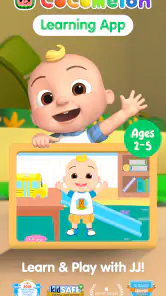
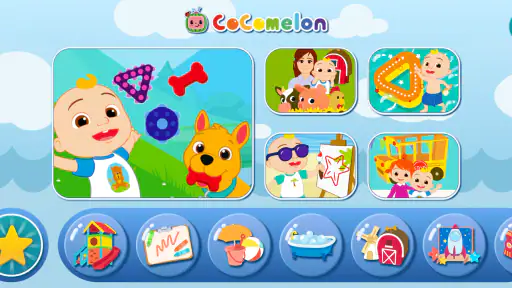
One of the first things you'll notice about CoComelon: Learn ABCs and 123s is how captivating it is. The colorful animations and familiar CoComelon characters make it a hit with the kiddos. As soon as I opened the app, my little one was drawn to the vibrant scenes and catchy tunes. It’s like having a slice of their favorite show right on your phone!
Interactive Features
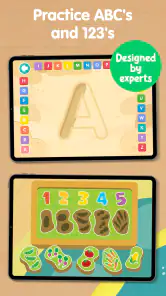
This app isn’t just about passive watching. Nope, it gets the kids involved. With interactive activities that encourage them to trace letters and count along, it transforms screen time into productive learning time. I was pleasantly surprised to see how quickly my child picked up the alphabet and numbers through these fun exercises. It’s like sneaking veggies into their meals; they’re learning, but they’re also having a blast.
Designed for Little Hands
What’s really thoughtful about the app is its design, clearly made with little hands in mind. The interface is intuitive and easy to navigate, even for toddlers. I didn’t have to worry about my child getting frustrated with complicated menus or controls. Everything is straightforward, which means more time learning and less time figuring out how to get there.
Another aspect I appreciate is the app’s ability to keep kids entertained without constant supervision. It’s perfect for those moments when you need to get something done and want to ensure your child is engaged in something beneficial.
Safe and Ad-Free Environment
Safety first, right? CoComelon: Learn ABCs and 123s provides a safe, ad-free environment for children. As a parent, there’s nothing more reassuring than knowing your kiddo isn’t going to accidentally purchase something or click on inappropriate content. This app has got you covered with its child-friendly setup.
In conclusion, if you're looking for an educational app that combines fun and learning in a secure setting, CoComelon: Learn ABCs and 123s is definitely worth a try. It’s a wonderful way to introduce your little ones to the basics of the alphabet and numbers, all while keeping them entertained. So grab your device, download the app, and watch your child embark on a fun-filled educational journey!
CoComelon: Learn ABCs and 123s Pros and Cons
Pros
- Engaging animations for kids.
- Simple interface for easy navigation.
- Educational content focused on ABCs.
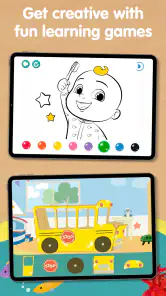
- Interactive games to reinforce learning.
- Colorful graphics that attract children.
Cons
- Limited content for older kids.
- Requires internet for updates.
- In-app purchases may be costly.
- Repetitive content over time.
- Ads can disrupt learning experience.
Frequently Asked Questions
What age group is CoComelon: Learn ABCs and 123s suitable for?
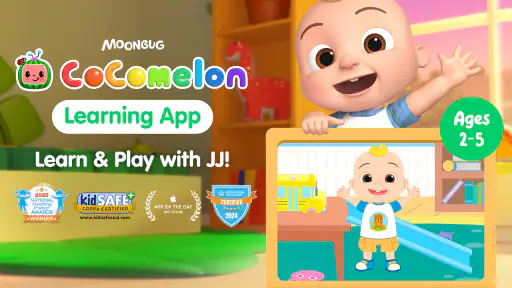
CoComelon: Learn ABCs and 123s is designed specifically for young children, particularly those in the preschool age range. Typically, it's suitable for kids aged 2 to 5 years old. The app features engaging and educational content that helps children learn their ABCs and 123s through fun activities and interactive lessons tailored for this age group.
Is CoComelon: Learn ABCs and 123s available for both Android and iOS devices?
Yes, CoComelon: Learn ABCs and 123s is available for download on both Android and iOS platforms. You can easily find and install it from the Google Play Store for Android devices or the Apple App Store for iOS devices. This ensures a wide accessibility for users on different devices, allowing children to enjoy the app's learning features regardless of their operating system.
Does CoComelon: Learn ABCs and 123s require an internet connection?
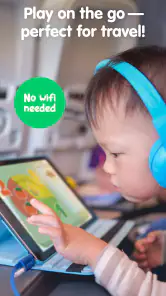
CoComelon: Learn ABCs and 123s does not require a constant internet connection to operate. Once downloaded, the app can be used offline, making it convenient for parents and children to use on-the-go or in areas with limited internet access. However, an internet connection might be needed for initial download and updates.
Are there in-app purchases or ads in CoComelon: Learn ABCs and 123s?
CoComelon: Learn ABCs and 123s is designed to offer a safe and ad-free environment for children. The app does not feature any in-app purchases or advertisements, ensuring an uninterrupted experience for young learners. This makes it an ideal choice for parents who want a secure and focused educational tool for their kids.
What educational content does CoComelon: Learn ABCs and 123s offer?
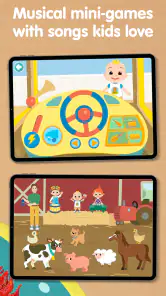
CoComelon: Learn ABCs and 123s offers a variety of educational content aimed at teaching young children the basics of the alphabet and numbers. The app includes interactive games, songs, and activities that focus on letter recognition, counting, and phonics. It integrates fun animations and popular CoComelon characters to keep children engaged while they learn.


