

Cocobi Hospital - Kids Doctor
- Reviews
- 3.7
- Version
- 1.0.38
- Installs
- 10,000,000+

Screenshots



 Analysis by Frivlyz
I like children’s pretend-play games best when they give a child a clear role to inhabit, rather than simply presenting a stream of bright distractions. Cocobi Hospital - Kids Doctor builds its play around caring for patients: children take the doctor’s part, meet characters who need help, and explore a friendly hospital setting. That simple idea is the game’s strongest feature. It gives a young player a reason to look, choose, and keep going, while opening up easy conversations about what it means to care for someone.
A doctor’s role gives the play a purpose
For a child who already pretends to treat a stuffed animal, the appeal is immediate. The game turns that familiar idea into a guided digital activity, with patients and medical situations to respond to. Rather than asking a child to learn medical terms as a lesson, it places basic medical ideas inside make-believe. In my view, that distinction matters: a child can engage with the role first, then pick up vocabulary and concepts along the way.
The game is educational, but I would treat it as a playful introduction, not a substitute for a real explanation from an adult. Its value is in giving families a shared prompt. A parent can ask what the child thinks might help, or invite them to explain why they chose a particular action. Those small pauses turn screen time into a chance to talk about health, patience, and kindness without making the experience feel like homework.
How the hospital play feels in practice
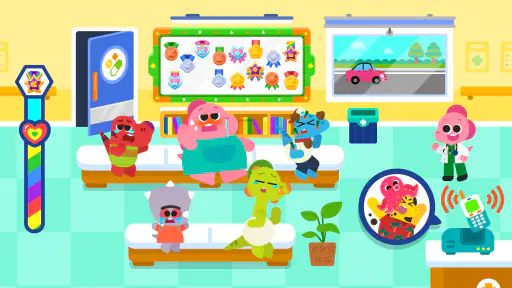
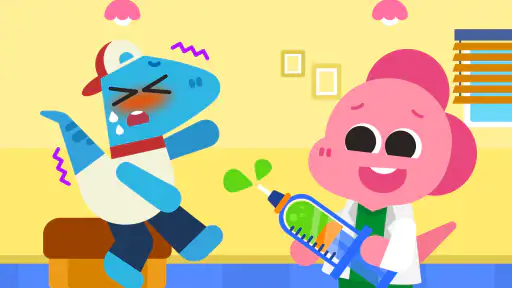
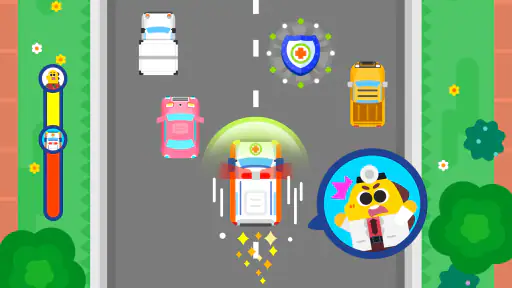
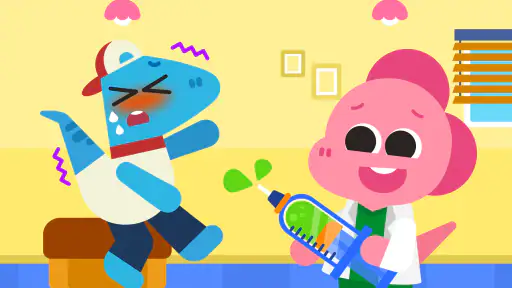
When I first opened Cocobi Hospital - Kids Doctor, I was immediately drawn into its vibrant, animated world. The app is designed to let children step into the shoes of a doctor, where they can explore various hospital settings and meet adorable characters who need their help. The graphics are colorful and friendly, making it appealing to children and parents alike.
The basic interaction is approachable for young players: the original description of the experience points to simple taps and swipes, and that kind of direct input suits short, self-directed play. I’d sit nearby the first time, not to take over, but to let the child discover what each screen asks them to do. If they get stuck, a gentle question such as “What do you think the patient needs?” keeps the child in charge while helping them think through the next step.
Learning through choices, not a lecture
One of the things that stood out to me was how the app combines play with education. Kids aren't just playing; they're learning about different medical tools and procedures in a hospital setting. The app introduces them to simple medical concepts in a way that's easy to understand. It's like a mini-medical school packed into a fun game!
There are various scenarios where children can assist patients with a variety of ailments, ranging from simple colds to more imaginative scenarios like alien invasions! This encourages problem-solving and decision-making skills, as kids decide which tools to use and what steps to take to help their patients get better.
Gaming Stories You May Enjoy

Dancing Road Turns Short Breaks Into a Test of Rhythm and Timing

Super Stylist Makes Every Outfit a Test of Taste and Patience

Dominoes on Your Terms: Who Should Play and Who Should Pass

Pokémon GO Makes the Familiar World Feel New

Chess.com Turns Rematches Into Rivalries, but Community Has Its Costs

Archery Battle 3D Review: Sharp Aiming, Unclear Feedback
That choice-making is also where an adult can add depth without turning play into a quiz. Let the child make a guess, see what happens, and then ask them to describe the outcome in their own words. If a patient’s situation is silly or fantastical, I would keep the conversation light and distinguish make-believe from real symptoms. This is a useful way to enjoy the game together, especially for children who like to narrate their play.
When this kind of play fits best
I can picture this working well during a short quiet stretch at home: a child has finished a snack, a parent needs a few calm minutes nearby, and the child wants something more purposeful than another fast-paced game. The hospital role gives them a theme to return to, while the simple controls make it possible to hand over the device without a long tutorial. I would still treat it as shared family entertainment rather than an automatic babysitter; the best moments may come when a child tells you how they helped a patient.
A gentle first look at hospitals
For a child who is curious about doctors or has an upcoming appointment, pretend play can provide a low-pressure way to talk about care. I would use the game as a conversation starter, not as preparation that promises to remove fear or explain exactly what a real visit will involve. A parent can connect the play to familiar ideas—listening, helping, and asking an adult for support—while avoiding claims that the game teaches medical practice.
It can also suit siblings who enjoy taking turns inventing stories. One child might decide what the patient needs, while another explains which tool they would choose. That kind of turn-taking is not a special game mode; it is simply a way families can shape the pretend play around the activity. If a child prefers to play alone, the same basic role still gives them room to make up their own little narrative.
Where it differs from other children’s games
Compared with a drawing app, a toy-doctor set, or a general collection of mini-games, this experience has a more focused theme: caring for patients in a hospital. A physical toy set may offer richer hands-on pretend play, and a drawing app may be better for a child who wants to invent freely without following a scenario. Cocobi’s advantage is that it supplies a setting and a patient to respond to, which can help a child who enjoys role-play but needs a starting point.
That focus is also a limitation. Children who mainly want open-ended building, racing, or stories without a care-taking role may lose interest sooner. I would choose it for a child who likes helping characters and making simple choices, not for someone looking for a broad game collection or a deep medical simulation. The scenarios are playful rather than a guide to real diagnosis, so adults should not present in-game choices as advice for actual illness.
Small choices that improve the experience
A practical tip is to let the child explore before explaining anything. If you narrate every action, the game can turn into an adult-led lesson; if you wait, you can see which parts naturally capture their attention. When they ask what a tool does, answer simply and honestly, and separate what happens in make-believe from what a doctor might do in real life. This keeps curiosity alive without overstating what a children’s game can teach.
For a shorter play session, I would invite the child to focus on one patient or one situation, then stop when their interest fades instead of pushing them to finish. That makes the activity easier to fit between everyday routines and avoids treating completion as the goal. It also gives a parent a natural opening to ask what the child found funny, surprising, or helpful, which can make a brief session feel more meaningful.
Practical details and reasonable expectations
KIGLE makes this free educational game for children, and it is rated for Everyone. It has a 3.7 average from around 3,300 ratings and has passed 10 million installs. The current version is 1.0.38, it was released on August 1, 2022, and it requires Android 7.0 or later. Those details make it easier to judge whether it fits a family’s device and expectations, but popularity alone does not tell me whether an individual child will enjoy the hospital theme.
The game is free to download, with in-app purchases priced at $1.99 per item. I’d check the purchase settings on the device before handing it to a young child, especially if they are used to tapping through screens quickly. That is a sensible general safeguard for any children’s game with optional purchases, and it lets a parent decide how the app fits their household without interrupting play later.
The original experience describes the play as free of in-app advertising and external links, which can be reassuring for parents looking for a focused activity. I would still supervise the first session and review the device’s purchase controls; those are useful habits regardless of how child-friendly a game feels. The content rating is Everyone, but that does not mean every child will find the same scenarios equally engaging or understandable.
Who is likely to enjoy it—and who may not
I’d start with children who like pretend caregiving, colorful characters, and simple interactive choices. It may also appeal to a child who enjoys talking through stories with an adult, since the hospital theme gives you concrete prompts for conversation. If your child prefers quieter creative tools, a drawing activity may suit them better; if they want physical role-play, a toy medical kit offers a more tactile alternative. The right choice depends less on age alone than on what kind of play already holds their attention.
One limitation I would keep in mind is that a guided digital scenario cannot offer the same freedom as inventing a whole hospital story with toys and household objects. Nor should parents expect a game to explain real procedures in detail. Its useful middle ground is a friendly, structured prompt for imaginative play. If a child becomes frustrated by touch-screen tasks or is not interested in patients and helping roles, there is little reason to insist; another kind of game or offline play will be a better match.
A warm recommendation with a boundary
What makes Cocobi Hospital truly special is the safe environment it provides for children. There's no in-app advertising or external links, which means your child can play and learn without any interruptions or worries. The developers have clearly put a lot of thought into making sure that the content is appropriate and engaging for young minds.
The app is intuitive to use, with simple tap and swipe controls that even younger kids can handle easily. It's a heartwarming experience watching them navigate through the hospital, interacting with patients and learning about the importance of care and empathy.
In conclusion, Cocobi Hospital - Kids Doctor is a delightful app that I would highly recommend to any parent looking to introduce their child to the world of medicine in a playful way. It’s not just another game; it’s a tool that fosters learning, creativity, and compassion. So, if you're on the hunt for an app that offers both entertainment and education, this might just be the prescription you need for a happy, engaged child!
Cocobi Hospital - Kids Doctor Pros and Cons
Pros
- Engaging medical role-play for kids.
- User-friendly interface for children.
- Educational content about healthcare.
- Colorful and attractive graphics.
- Encourages critical thinking skills.
Cons
- In-app purchases can be costly.
- Limited free content available.
- May require parental guidance.
- Ads might interrupt gameplay.
- Some features need internet access.
Frequently Asked Questions
What is Cocobi Hospital - Kids Doctor about?
Cocobi Hospital - Kids Doctor is an engaging educational app designed for young children to simulate the experience of being a doctor. It offers a variety of interactive medical scenarios where kids can learn about different medical instruments, diagnosis processes, and treatments in a fun and playful environment, fostering both learning and creativity.
Is Cocobi Hospital - Kids Doctor suitable for all ages?
Cocobi Hospital - Kids Doctor is primarily designed for children aged 3 to 8 years old. The app features colorful graphics, simple instructions, and educational content that are appropriate for this age group. Parents should ensure the app aligns with their child's maturity level, as the medical scenarios, though simplified, might not be suitable for very young toddlers.
Does Cocobi Hospital - Kids Doctor require an internet connection to play?
No, Cocobi Hospital - Kids Doctor does not require an internet connection to play. The app is designed to be fully functional offline, which makes it convenient for parents looking to entertain and educate their children during travel or in locations where internet access is limited.
Are there any in-app purchases in Cocobi Hospital - Kids Doctor?
Yes, Cocobi Hospital - Kids Doctor offers in-app purchases. While the app provides free content, there are additional features and scenarios available for purchase. Parents are advised to manage in-app purchases through their device settings to prevent unauthorized transactions by children.
How does Cocobi Hospital - Kids Doctor support child development?
Cocobi Hospital - Kids Doctor supports child development by promoting cognitive skills, empathy, and problem-solving abilities. Through role-playing as a doctor, children learn to identify medical conditions, understand basic human anatomy, and develop empathy by caring for virtual patients. The app combines education with entertainment, making learning enjoyable for young minds.


