

Classic Solitaire
- Reviews
- 4.6
- Version
- 2.12.0
- Installs
- 10,000,000+

Screenshots
 Analysis by Frivlyz
Who doesn’t love a good old game of Classic Solitaire? I mean, it’s the ultimate time killer, the OG of card games, and honestly, sometimes it feels like the game was installed on every computer ever made. But guess what? Now it’s right in your pocket! Yep, you can play it on your phone, and it’s as addicting as ever.
My practical test for a phone solitaire game is whether it fits into small breaks without demanding much setup or attention. This one is aimed squarely at that familiar, single-player card-game habit: you can settle in for a few rounds or stop after one deal. I find that flexibility more useful than a long progression system when I only have a few minutes between errands.
A small game for ordinary pauses
Picture a bus running late or a quiet stretch before an appointment. A familiar card layout gives me something to focus on, but I can put the phone away as soon as my turn is over. That makes this a better fit for fragmented downtime than a game that expects a long session, though I would still avoid starting a deal when I know I must leave immediately; a half-finished board can make a quick pause feel less tidy.
For someone returning to solitaire after years away, the value is partly in having the rules and card movement close at hand. A first-time player can learn by watching how cards are arranged and trying moves, while an experienced player can get straight to the decisions. I would not recommend it to someone who wants a social card table, competitive matchmaking, or a changing story. Its appeal is the quiet routine of working through a deal, not the company or spectacle around it.
The Nostalgic Charm
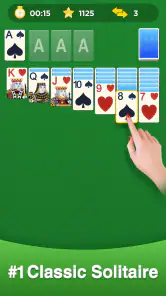
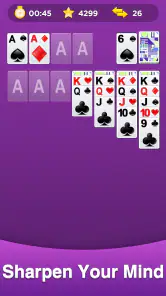
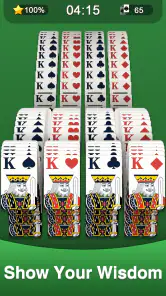
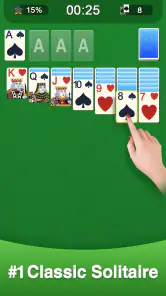
So, here’s the deal. I downloaded the Classic Solitaire app, thinking it would be a nice trip down memory lane, and boy, was I right! From the get-go, it hits you with the nostalgic vibe. The cards, the green felt background, even the sound effects – it’s like they took the Windows 95 version and made it mobile.
That familiar presentation is a useful contrast with solitaire games that surround each hand with elaborate themes, missions, or collections. Here, the old-fashioned look is part of the appeal: the cards remain the point of attention. If you prefer a modern visual style or a more decorative interface, that restraint may feel plain rather than comforting. I see it as a deliberate trade-off, not a reason to expect a broader game experience.
One of the things I absolutely love about this app is how it stays true to the original. It’s simple, straightforward, and doesn’t try to reinvent the wheel. If you’ve played Solitaire before, you’ll feel right at home. And if you haven’t, well, it’s pretty easy to pick up. Just drag and drop the cards to stack them in sequence and alternate colors. Simple, right?
Gaming Stories You May Enjoy

Dancing Road Turns Short Breaks Into a Test of Rhythm and Timing

Super Stylist Makes Every Outfit a Test of Taste and Patience

Dominoes on Your Terms: Who Should Play and Who Should Pass

Pokémon GO Makes the Familiar World Feel New

Chess.com Turns Rematches Into Rivalries, but Community Has Its Costs

Archery Battle 3D Review: Sharp Aiming, Unclear Feedback
When I want to make a deal less automatic, I slow down before moving a card and check what the move opens up. A card that can be placed immediately is not always the most useful choice if it blocks a column or delays access to a face-down card. That little pause is a good way to keep the game engaging without turning it into a serious study session. It also helps beginners see that solitaire is not only about spotting a legal move, but choosing which legal move gives the board room to develop.
Features That Stand Out
Now, let’s talk features. You’d think a game as simple as Solitaire wouldn’t have much to offer, but this app surprised me. First off, there are multiple game modes. You’ve got your classic draw one card and draw three cards, which adds a nice bit of variety. Plus, there are daily challenges! These are a fun twist, giving you a specific task to complete each day. It’s a neat way to keep things fresh and keep you coming back for more.
The choice between drawing one card and drawing three changes the feel of a session in a practical way. I would use the one-card option when I want a gentler, more open-ended round, and the three-card option when I want a tighter puzzle that makes me think more carefully about the order of the stock. Daily challenges give a returning player a ready-made reason to start, but they are not essential if what you want is simply to play a standard hand at your own pace.
A useful habit is to treat a hint as a prompt to inspect the board, not as a command to follow without thought. I might use it when I have lost track of a possible move, then decide whether that move actually helps my plan. Undo serves a different purpose: it lets me test a choice and learn from the result without having to accept a mistake as final. Used sparingly, these tools can make a casual game more instructive; used constantly, they can remove the satisfaction of working out the sequence myself.
Another feature I appreciate is the hint and undo options. We’ve all been there – stuck and wishing we could take back a move. Well, now you can! And if you’re really stuck, the hint button gives you a nudge in the right direction. It’s like having a little helper right there with you.
Those options also make the game easier to share with someone who is learning. I can explain why I am considering a move, undo it if it proves unhelpful, and let the other person try a different route. That is a low-pressure way to get comfortable with the rhythm of a deal. It remains a solo card game, though, so anyone looking for a built-in multiplayer experience should choose a different kind of app rather than expecting these tools to create one.
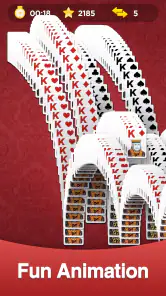
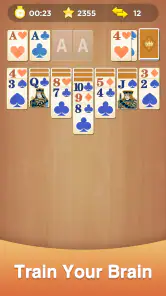
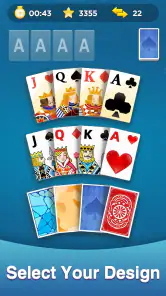
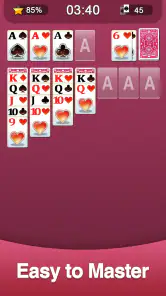
Oh, and did I mention the customization options? You can change the card designs, the background, and even the animations. It’s not just about playing the game; it’s about making it yours. It’s a small touch, but it makes a big difference in personalizing your gameplay experience.
Customization is most valuable when it makes the cards easier for you to follow over repeated sessions. I would choose a design that keeps suits and ranks clear at a glance, rather than picking a background that looks attractive but competes with the cards. If you play in short bursts, a comfortable, readable setup can save effort every time you return. These choices are a pleasant extra, but they do not change the underlying rules or make a familiar deal feel like a different genre.
Cost, value, and the right fit
The game is free to download, and its listed in-app purchases range from $0.99 to $9.99 per item. That makes it easy to try without paying up front, but I would not assume that every optional purchase is necessary to enjoy the core card game. I would start with the free experience, decide whether I actually want any extras, and spend only if a specific option matters to me. The price range alone does not tell me what each item provides, so I would check the purchase details in the app before confirming anything.
For a straightforward solitaire game, free access is meaningful value: I can see whether the familiar format suits my habits before deciding whether to spend. The trade-off is that a free game with optional purchases may not feel as financially simple as a paid app with one clear upfront cost. If you strongly prefer to pay once and avoid purchase prompts altogether, compare that model with a paid alternative before settling in. If you are comfortable trying the game at no initial cost and treating extras as optional, this is an easy one to test.
Big Cake Apps is the developer, and the game has an average rating of 4.6 from around 37,000 ratings, alongside roughly 5,300 written reviews. It has passed 10 million installs, which suggests that this familiar take on solitaire has found a broad audience. Those figures are useful context, but they cannot tell me whether its look, pace, or purchase model will suit you personally. I would weigh the simple card experience more heavily than popularity when making that decision.
It is rated for Everyone, was released on June 3, 2020, and its current version is 2.12.0, with Android 6.0 as the minimum operating system requirement. Before installing, I would check that my phone meets that requirement and that I am comfortable with the app’s optional purchase model. If you are deciding between this and a browser-based solitaire game, the main advantage here is having a dedicated mobile version close at hand; if you want a larger collection of card games in one place, a broader card-game app may be a better match.
Why You Should Download It
At the end of the day, Classic Solitaire is exactly what you’d expect: a solid, reliable card game that’s perfect for killing time. It’s not trying to be flashy or over-the-top. It’s just good, clean fun, and sometimes, that’s all you need.
If you’re looking for a game that’s easy to pick up, doesn’t require a lot of brainpower, and is, quite frankly, a lot of fun, then this is the app for you. Whether you’re a Solitaire newbie or a seasoned veteran, you’ll find something to love here. So why not give it a try? It’s free, it’s fun, and it’s waiting for you to deal the cards.
My recommendation comes with a clear boundary: choose it for relaxed, familiar Klondike-style play and the convenience of having a deal ready during spare moments. Skip it if your priority is head-to-head competition, a deep campaign, or an app whose value depends on a large variety of card games. For everyone else, the sensible approach is to begin with the free download, try both draw styles, and see whether the presentation and pace feel comfortable before considering any optional purchase.
Classic Solitaire Pros and Cons
Pros
- Classic
- timeless gameplay; appeals to all ages.
- Simple interface; easy to navigate and use.
- No internet required; play offline anytime.
- Enhances strategic thinking and planning skills.
- Low storage usage; won't clutter device space.
Cons
- Lacks multiplayer features; solo play only.
- Ads can be intrusive; disrupts gameplay.
- Limited customization for backgrounds/cards.
- No new challenges; same gameplay routine.
- Graphics are basic; not visually stimulating.
Frequently Asked Questions
What features does Classic Solitaire offer?
Classic Solitaire offers a variety of features to enhance your gaming experience. It includes unlimited free games, customizable card faces and backgrounds, and a user-friendly interface. You can also enjoy daily challenges, hints, and undo options to improve your skills. The game is designed to be both relaxing and mentally stimulating, making it a great option for casual gamers.
Is Classic Solitaire available offline?
Yes, Classic Solitaire can be played offline, making it a perfect companion for those times when you don't have an internet connection. Whether you're traveling, waiting for an appointment, or simply want to disconnect, you can enjoy a few rounds of Solitaire without worrying about data usage.
Are there any in-app purchases in Classic Solitaire?
While Classic Solitaire is free to download and play, it does offer in-app purchases. These purchases typically include options to remove ads or buy additional themes and card designs. However, the game can be fully enjoyed without spending any money, as all essential features are accessible for free.
How does Classic Solitaire handle ads?
Classic Solitaire includes ads, but they are typically non-intrusive and appear between games or at the bottom of the screen. For those who prefer an ad-free experience, the game offers an option to remove ads through a one-time purchase. This ensures that your focus remains on enjoying the game.
Is Classic Solitaire suitable for all ages?
Yes, Classic Solitaire is suitable for all ages. The game is simple to understand, making it accessible to children, while also being challenging enough for adults. Its clean and straightforward design ensures that players of all ages can enjoy a classic card game experience without any inappropriate content.


