

Classic Solitaire NETFLIX
- Reviews
- 4.5
- Version
- 1.2.1.216
- Installs
- 1,000,000+
Screenshots
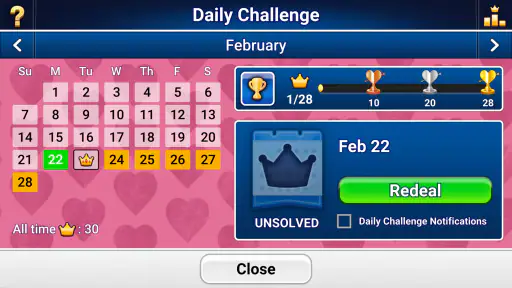
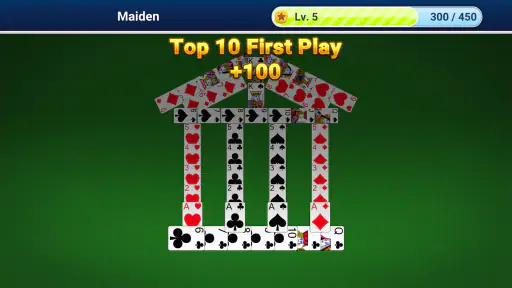
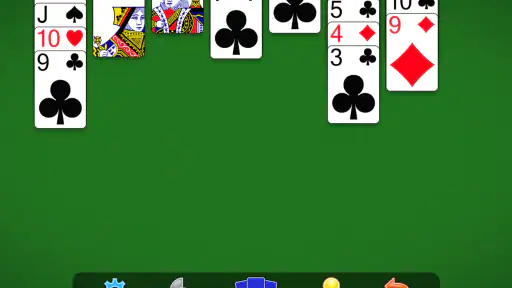
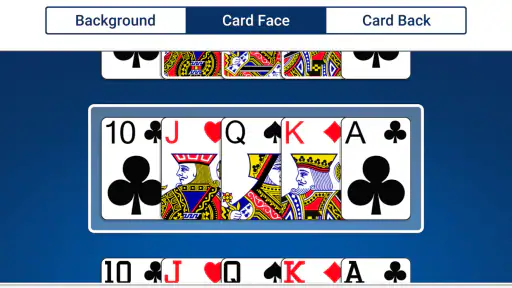
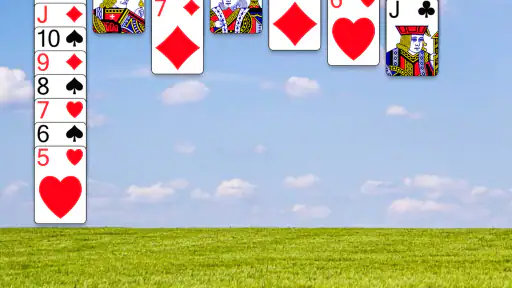
 Analysis by Frivlyz
I approached Classic Solitaire NETFLIX expecting a familiar card game, and that is exactly what it delivers: a focused Klondike solitaire experience from Netflix, Inc. It is free to play, rated for Everyone, and feels designed for short, quiet sessions rather than for people looking for a large collection of modes or a competitive card platform.
That simplicity is both its strongest quality and its main limitation. I can open it when I have a few minutes, work through a hand, and stop without needing to learn a complicated interface. At the same time, anyone expecting a broad casino-style package, multiplayer tables, or a deep progression system should look elsewhere. This is a straightforward card game built around the classic solitaire routine.
What playing it feels like in everyday use
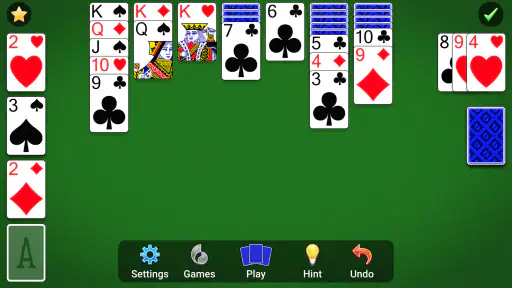
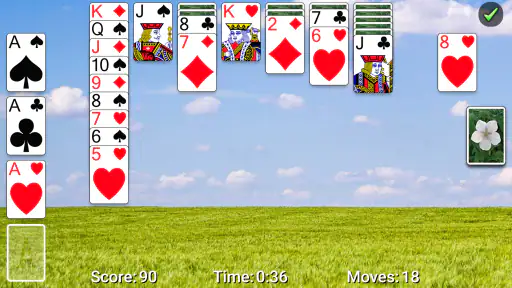
The basic appeal is easy to understand. I arrange cards, uncover hidden ones, build sequences, and try to move everything into the foundations in the correct order. The rules are familiar enough that most players can begin immediately, while the decisions still reward patience. A move that looks useful now can block a more important card later, so the game remains more thoughtful than its quiet presentation might suggest.
I find it particularly suitable for small gaps in the day. It works as a calm break between tasks, a way to occupy a waiting period, or a low-pressure evening activity. A realistic session might be opening a hand while waiting for an appointment, making a few moves, then returning later when there is more time. That kind of stop-and-start use is where a classic solitaire game makes sense: it does not demand a long uninterrupted commitment.
The store description presents it as Klondike solitaire, and that focus matters. The experience is not trying to turn the traditional format into something unrecognizable. If you already enjoy arranging cards by color and descending rank, the rules should feel natural. If you have never played, the learning curve is gentle because the objective is visible from the cards themselves.
My main caution is that familiarity can become repetition. After several hands, the central activity remains the same. Players who need constant unlocks, dramatic presentation, social competition, or a large variety of puzzles may find the experience too narrow. I would recommend it to someone who specifically wants solitaire, not to someone searching for a general-purpose card collection.
Where new players can get stuck
The first difficulty is not usually understanding the goal; it is recognizing which legal move is actually helpful. In Klondike, a move can be allowed and still be strategically poor. Moving a visible card may expose another card, but it can also remove the only useful space for a longer sequence. I try to ask what the move reveals or enables before making it, rather than treating every available move as equally valuable.
Gaming Stories You May Enjoy

Dancing Road Turns Short Breaks Into a Test of Rhythm and Timing

Super Stylist Makes Every Outfit a Test of Taste and Patience

Dominoes on Your Terms: Who Should Play and Who Should Pass

Pokémon GO Makes the Familiar World Feel New

Chess.com Turns Rematches Into Rivalries, but Community Has Its Costs

Archery Battle 3D Review: Sharp Aiming, Unclear Feedback
Another common sticking point is empty tableau space. A vacant column is valuable because only a king can begin a new sequence there. It is tempting to fill that space immediately, but holding it open can create a better opportunity later. When I am unsure, I first check whether a hidden card can be uncovered elsewhere or whether a sequence can be rearranged without giving up the empty column.
The foundation piles can also create false confidence. Sending cards upward is usually progress, but doing it too quickly may remove a card needed to organize the tableau. I prefer to look at the lower cards in each suit before committing a move. If a foundation move does not help reveal a hidden card or open a useful column, waiting can be the more sensible choice.
These are small habits, but they change the feel of the game. Instead of tapping through obvious moves, I begin to treat each hand as a limited planning exercise. That is where the “grand strategy” idea becomes meaningful without requiring complicated rules.
Setup checks before blaming the game
Because this is a mobile game, I would begin with ordinary setup checks if the experience feels slow, fails to open, or does not respond correctly. I would confirm that the device is running a compatible operating system, since the listed minimum is Android or iOS 10. I would also make sure the app itself has finished installing rather than assuming that a partially completed installation is ready to use.
If the screen appears frozen, I would close the game completely and reopen it before trying more disruptive steps. A device restart is another sensible check, especially when several apps have been open for a long time. These actions do not change the game or erase a hand, and they often separate a temporary phone problem from an issue inside the app.
I would also check available storage and the device connection if installation or updates are involved. A crowded device can behave unpredictably during installation, while an unstable connection can interrupt account or download-related activity. It is better to check those basics before repeatedly reinstalling a game that may not be the actual source of the trouble.
The current version is 1.2.1.216, so I would compare the installed version with the latest version offered through the relevant app store. Updating is a practical step when the game opens but behaves inconsistently. I would avoid downloading modified packages from unofficial locations, particularly for a title connected with a major service. The safest routine is to use the normal store installation and the device’s own update process.
There is also a simple usability check that is easy to overlook: make sure touch input is working normally in other apps. If taps are being missed across the phone, the solitaire board may only be revealing a screen problem. Cleaning the display, removing an awkward case or protector, and testing a few unrelated controls can help identify whether the issue is the game or the device.
Recovering a disrupted workflow
Solitaire is especially sensitive to interruptions because a player may be partway through a carefully planned hand. If I am interrupted, I first return to the game calmly and inspect the board before tapping. The biggest mistake is making a random move simply because I have forgotten the previous plan. I look for exposed cards, available empty columns, and foundation cards before continuing.
If the hand no longer feels clear, I mentally reconstruct the last useful position. I ask which hidden card I was trying to reveal and which sequence I was preserving. This is more reliable than undoing moves automatically without understanding why they were made. A recovery method based on the board’s priorities helps prevent a small interruption from turning into a chain of poor decisions.
When an app closes unexpectedly, I would first reopen it and check whether the hand is still available. If it is not, I would treat the lost hand as a fresh start rather than repeatedly forcing the app to restore it. Restarting, checking for an update, and ensuring the phone is not under unusual storage or memory pressure are reasonable general steps. I would not assume that every interrupted session can be recovered, because that depends on how the game handles its current state.
For regular play, I find it useful to pause at natural points instead of leaving the game during a complicated sequence. Before switching apps, I finish an obvious move or take a quick mental note of the cards I was trying to expose. That small habit reduces confusion when I come back, especially during a short break when I may not remember the whole layout.
Another practical tip is to slow down when the game seems not to register a move. I check whether the card is actually selected, whether the destination is legal, and whether I am tapping a stack rather than the individual card I intend to move. Rapid repeated taps can make a simple input problem feel like a software failure.
When the app may not be the cause
Not every frustrating hand indicates a technical problem. Klondike includes situations where the next useful move is not obvious, and sometimes the best action is to wait rather than move a card. I have found that a board can look blocked simply because I am focusing on the visible cards and overlooking a foundation sequence or a safer rearrangement.
Performance complaints can also come from the phone itself. If other games or apps are slow, the issue may involve background activity, heat, low storage, or an operating-system condition rather than this particular solitaire title. Testing another lightweight app is a quick comparison. If only this game misbehaves, then updating or restarting it becomes more relevant; if everything struggles, broader device maintenance deserves attention.
Installation trouble may similarly be connected with the store account, connection, or device compatibility. Since the game is free, payment is not the likely obstacle, but store access and installation services can still fail. I would check that the device meets the minimum system requirement, that the connection is stable, and that there is enough room before concluding the game itself is defective.
The Netflix connection is worth considering when deciding whether this is the right choice. The developer is Netflix, Inc., and the title is presented as part of that ecosystem. Someone already comfortable with Netflix may appreciate having a recognizable solitaire option in the same family of products. Someone who wants a completely independent card app may prefer a traditional solitaire alternative that is not tied to a broader entertainment service.
How it compares with familiar solitaire alternatives
Compared with a basic standalone solitaire app, this game’s appeal is its clear identity and restrained focus. I do not approach it as a bundle of every possible card variation. That makes it easier to recommend to a person who wants one recognizable format without sorting through many unrelated modes.
Compared with a collection that includes Spider, FreeCell, Pyramid, or daily challenges, the trade-off is variety. A larger collection is better for players who want to change rules when one format becomes repetitive. Classic Solitaire NETFLIX is better for someone who already knows that Klondike is the game they want and values a direct route to a hand.
It also differs from competitive card games. There is no reason to approach a quiet solitaire session like a match against another person. If your motivation comes from rankings, live opponents, or social interaction, a multiplayer card game will probably hold your attention longer. Here, the reward comes from making a better sequence of decisions and completing the layout at your own pace.
For users who prefer elaborate visual themes and constant rewards, another alternative may be more satisfying. The classic format has a deliberately modest rhythm. I see that as a benefit when I want a distraction that does not shout for attention, but it can feel plain if presentation is the main reason I play mobile games.
Who should install it, and who should skip it
I would suggest this game to beginners who want an approachable entry into Klondike, regular solitaire players who prefer a focused app, and Netflix users looking for a casual card activity. The Everyone content rating also makes it a comfortable choice for a broad audience, provided the person enjoys patient, turn-based play rather than fast action.
I would be more cautious about recommending it to someone who needs a large feature set. If you want multiple solitaire variants, extensive customization, competitive events, or a strong sense of long-term progression, this narrow format may not provide enough reasons to return. A broader card suite would be the better fit in that situation.
The game has reached over a million installs, and its average rating is 4.5 from around twenty-six thousand ratings. Those figures suggest that the basic proposition works for many players, but they do not remove the personal question of whether repeated Klondike hands suit your habits. I would use the rating as reassurance about general appeal, not as proof that it will match every preference.
It is also worth remembering that “free” makes trying it easy, but free access does not guarantee unlimited novelty. The real value depends on whether you enjoy replaying the same core structure. For me, that is worthwhile when I want a quiet puzzle with familiar rules; it is less compelling when I am searching for discovery or a new challenge every time I open a game.
My practical verdict after using it
Classic Solitaire NETFLIX is a dependable choice when you want uncomplicated Klondike play and a calm way to fill a few minutes. Its strengths are its recognizable rules, gentle learning curve, and suitability for short sessions. I can recommend it without pretending that it is a complete card-game universe.
The main friction is expectation. Players who install it hoping for a deep collection or an active social experience may feel disappointed, while people who simply want classic solitaire are likely to understand its purpose quickly. The best approach is to keep the setup routine simple, check the device before blaming the app, and play each hand with a little more planning than the first obvious move suggests.
Released on December 2, 2022, and currently listed at version 1.2.1.216, it remains an easy recommendation for the right kind of player. I would choose it for a quiet commute, a short waiting period, or a few relaxed hands at home. I would skip it only when I knew in advance that I needed variety, competition, or a more elaborate card experience.
In short, this is a focused solitaire game rather than a grand mobile gaming package. That honesty is what makes it useful. If the classic Klondike loop is already appealing to you, the free download and broad age rating make trying it straightforward. If the loop itself sounds repetitive, no amount of polish will change that fundamental fit.
Classic Solitaire NETFLIX Pros and Cons
Pros
- Ad-free gameplay with no interruptions or distracting pop-ups.
- Smooth card controls make dragging and tapping feel responsive.
- Multiple difficulty options suit both casual and experienced players.
- Clean visuals keep the cards easy to read on smaller screens.
- Netflix membership provides access without a separate game purchase.
Cons
- A Netflix subscription is required to access the game.
- Limited social features may disappoint players seeking competition.
- Some layouts can feel repetitive after extended play sessions.
- Requires an internet connection for initial access and account checks.
- No standalone version is available for users without Netflix.
Frequently Asked Questions
What is Classic Solitaire NETFLIX?
Classic Solitaire NETFLIX is a digital version of the familiar Klondike solitaire card game, presented as part of the Netflix Games catalog. It focuses on traditional single-player gameplay, allowing you to arrange cards, build foundation piles, and complete deals at your own pace. The app is designed for casual sessions and keeps the experience centered on cards rather than advertisements or unrelated features.
Do I need a Netflix subscription to play Classic Solitaire NETFLIX?
Yes, access generally requires an active Netflix membership and signing in with an eligible Netflix account. The game is included with the subscription rather than being offered as a separate purchase. Availability can depend on your country, device, and account status, so users should check the Netflix app or the relevant app store listing before downloading.
Does Classic Solitaire NETFLIX contain advertisements or in-app purchases?
One of the main advantages of Netflix Games is that included titles are typically provided without third-party advertising, paid energy systems, or additional in-game purchases. Classic Solitaire NETFLIX follows that subscription-based approach, so gameplay is intended to be uninterrupted. However, your Netflix membership remains necessary, and standard mobile data or platform-related charges may still apply.
Can I play Classic Solitaire NETFLIX offline?
The game may support offline play after it has been downloaded and opened successfully, which makes it suitable for travel, commuting, or situations without a reliable connection. You may still need to connect occasionally for account verification, updates, or licensing checks. Offline availability can also vary by device and operating system, so it is wise to launch the game online before relying on it without internet access.
What devices are compatible with Classic Solitaire NETFLIX?
Classic Solitaire NETFLIX is intended for supported Android and iOS mobile devices, but exact compatibility depends on the operating system version, hardware, available storage, and regional availability. Before installing, review the requirements shown on Google Play or the App Store. If the game does not appear in your store, your device, country, or Netflix account may not currently be supported.


