

Classic Solitaire - 2025
- Reviews
- 4.5
- Version
- 1.22.350
- Installs
- 1,000,000+

Screenshots
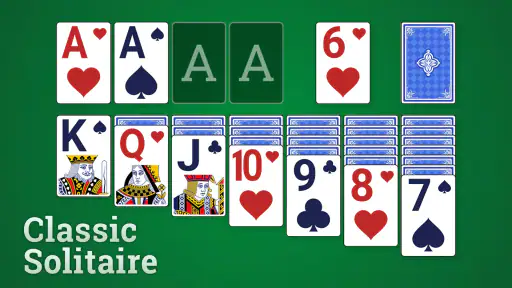
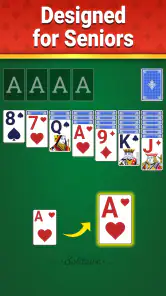
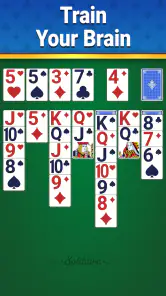
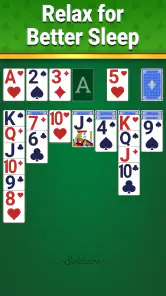
 Analysis by Frivlyz
I judge a solitaire game by how easy it is to settle into a hand without fuss, and whether the cards remain comfortable to follow when I’m tired or distracted. Classic Solitaire - 2025 is a free card game from Fishplay, aimed at the familiar, single-player pastime rather than a complicated collection of competitive systems. It has an average rating of 4.5 from around 2,700 ratings, and over a million installs. That suggests it has found a broad audience, though popularity alone doesn’t tell me whether it suits every player or every situation.
Reading the board and finding your way
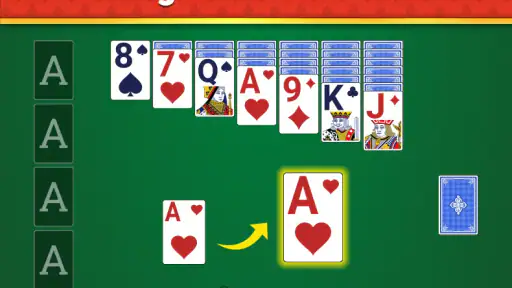
Solitaire is simple to understand but not always easy to scan: cards overlap, suits matter, and one missed rank can change what seems like a sensible move. For me, a useful mobile version should make the board legible at a glance and keep the central routine—looking, deciding, moving—easy to follow. The appeal of this game is its straightforward, classic premise: there is little to learn before you can begin paying attention to the cards themselves.
That simplicity can be a genuine advantage for someone who wants a familiar game rather than a long tutorial or an elaborate menu of systems. It also gives returning players a low-effort way to pick up a hand between other tasks. I would still recommend trying a short session first if small card details are difficult for you to distinguish on your phone. Comfort depends on the screen and the player, and a game built around suits and ranks asks you to keep checking both.
The Nostalgic Charm
Right off the bat, Classic Solitaire - 2025 brings a wave of nostalgia. Remember the days of playing solitaire on those clunky old computers? This app captures that essence beautifully but with a sleek and modern interface. The developers have done a fantastic job at keeping the classic feel while adding a fresh twist.
Features that Stand Out
What I find particularly engaging about this app is its array of features that cater to both seasoned solitaire players and newbies alike. The app offers various modes, from the classic Klondike to the more challenging Spider and FreeCell options. This variety ensures you never get bored, no matter your skill level.
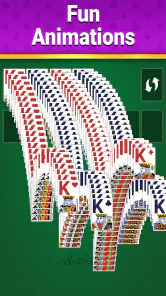
The graphics are crisp, and the animations are smooth, lending a polished and enjoyable gaming experience. One feature that deserves a special mention is the hint system. For those moments when you’re stuck and need a nudge in the right direction, the hints are incredibly helpful without being too revealing. It’s like having a friend gently guide you through a tricky spot.
Motor, sensory, and situational comfort
Card games on a touchscreen involve more than visual reading: you also need to tap or move cards with enough precision to avoid selecting the wrong one. I find it sensible to play at a pace that lets me check a card before committing, rather than treating every hand as a speed challenge. If a small target or repeated touch becomes uncomfortable, that can be a practical reason to stop, even when the game itself is easy to understand.
Gaming Stories You May Enjoy

Dancing Road Turns Short Breaks Into a Test of Rhythm and Timing

Super Stylist Makes Every Outfit a Test of Taste and Patience

Dominoes on Your Terms: Who Should Play and Who Should Pass

Pokémon GO Makes the Familiar World Feel New

Chess.com Turns Rematches Into Rivalries, but Community Has Its Costs

Archery Battle 3D Review: Sharp Aiming, Unclear Feedback
The quiet, turn-by-turn nature of solitaire can suit a short pause when conversation, movement, or a noisy environment makes a more demanding game inconvenient. A realistic use is a few minutes in a waiting room: I can start a hand, consider a move, and put the phone away when called. That same stop-and-start quality is less appealing if you want a game designed around multiplayer interaction, a shared social activity, or constant novelty.
Choosing how to play, and when to skip it
When I’m stuck, a hint is most useful as a prompt to re-examine the board, not as a substitute for deciding what I want to do. I’d use it sparingly: first scan the available cards and think through the consequences, then ask for help if I’ve genuinely lost track. That keeps the puzzle satisfying and helps prevent a hint from turning each hand into a sequence of automatic moves.
The same deliberate approach helps when comparing solitaire options. A familiar Klondike-style game is a better fit if you want a recognizable card puzzle with little setup; a different card title may suit you better if you specifically want opponents, tournaments, or a fresh ruleset. Classic Solitaire is a poor match for someone who dislikes repeated solo rounds or expects every session to offer a new kind of challenge. Its broad appeal is also its trade-off: familiar play can be relaxing, but it may feel repetitive once the basic rhythm stops being enjoyable.
A Personal Touch
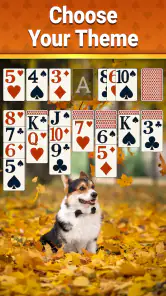
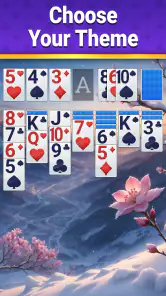
Another aspect that I appreciate is the customization options. You can personalize the card backs and backgrounds to suit your mood or style. This might seem like a small detail, but it adds a personal touch that enhances the overall experience.
The app also tracks your progress and statistics, so if you’re a competitive soul like me, you’ll enjoy seeing your improvement over time. It’s these little things that keep me coming back for more.
Practical expectations before installing
Fishplay’s game is free, rated for Everyone, and runs on Android 6.0 or later; its current version is 1.22.350. Those details make it accessible to a wide range of Android users, but they don’t guarantee the same comfort on every device. I’d check whether the cards are easy for you to read and handle during an ordinary session, especially if you plan to play for more than a few minutes at a time.
It has had more than 400 written reviews, which can give a prospective player a sense of other users’ experiences, while the average rating offers only a broad snapshot rather than a promise that the game will fit your preferences. The key question is less whether solitaire is popular and more whether its pace and visual demands work for you. If you want an uncomplicated card break, that is a reasonable reason to try it; if you need richer accessibility controls or a very different kind of interaction, look for an option that clearly meets those needs.
Perfect for On-the-Go
One of the primary reasons I keep Classic Solitaire - 2025 on my phone is its accessibility. Whether you’re waiting for a friend, on a coffee break, or just need a quick distraction, this app is perfect. It’s lightweight, doesn’t drain your battery, and best of all, you can play offline. No internet? No problem!
Who will get the most from it
I’d recommend it most to someone who already enjoys traditional solitaire, or who wants a calm, familiar activity that can be played in small stretches. The combination of hints, personal touches, and tracked progress gives a returning player a few reasons to keep engaging with the same basic pastime: use guidance when a hand stalls, change the look when you want a small refresh, and use the statistics to notice your own habits rather than chase a score.
It is less suitable if your priority is accessibility features you can verify and tailor in detail, if touch-based card handling is uncomfortable, or if you want a game that rewards quick reactions and social competition. I also wouldn’t choose it as my main game for a long commute if reading a small screen is tiring; a larger display or an audio-led activity could be a more comfortable alternative. The Everyone rating and the familiar rules make it approachable, but they do not remove those individual needs.
Inclusive verdict
My overall impression is of a conventional solitaire game whose strongest quality is how easily it can fit around ordinary breaks. It offers familiar card play, help when a decision stalls, and a little room to personalize the table. Those are useful qualities, but they don’t make it universally comfortable: the core task still depends on seeing ranks and suits and accurately interacting with cards.
If that kind of visual, touch-driven puzzle works for you, I think it is a sensible free option to try. If you need larger or more adjustable presentation, alternative controls, or a social format, make those requirements your first filter instead of assuming that a simple card game will meet them. In conclusion, if you’re in the market for a solitaire app that blends tradition with modernity, you’ll want to give this one a try. Whether you’re a die-hard solitaire fan or a casual player, Classic Solitaire - 2025 offers a delightful mix of nostalgia and innovation. Trust me; once you start, it’s hard to put down.
Classic Solitaire - 2025 Pros and Cons
Pros
- Intuitive and user-friendly interface.
- Variety of difficulty levels for all players.
- Offline mode available for uninterrupted play.
- Minimal ads for a seamless experience.
- Customizable themes and card backs.
Cons
- Limited multiplayer options.
- Occasional in-app purchase prompts.
- No daily challenges or rewards.
- Graphics could be more modern.
- Sound effects can be repetitive.
Frequently Asked Questions
What features does Classic Solitaire - 2025 offer?
Classic Solitaire - 2025 brings a modern twist to the timeless card game. It offers various game modes, including Klondike, Spider, and FreeCell, with customizable themes and backgrounds to enhance your playing experience. The app also features daily challenges, hints, undo options, and an auto-complete function to improve gameplay efficiency.
Is Classic Solitaire - 2025 free to download and play?
Yes, Classic Solitaire - 2025 is free to download and play. However, it may include optional in-app purchases to unlock premium features, themes, or to remove ads. These purchases are entirely optional and not necessary to enjoy the full game experience, but they can enhance the overall game enjoyment.
Does Classic Solitaire - 2025 require an internet connection?
No, Classic Solitaire - 2025 does not require an internet connection to play. You can enjoy the game offline, making it a perfect companion for travel or areas with limited connectivity. However, some features like daily challenges and leaderboard access may require an internet connection.
How user-friendly is Classic Solitaire - 2025 for beginners?
Classic Solitaire - 2025 is designed to be user-friendly, with an intuitive interface that caters to both beginners and experienced players. It includes helpful tutorials and tips for new players to get started easily. The game also offers difficulty settings, allowing players to adjust the challenge level according to their skill.
Does Classic Solitaire - 2025 have any social features?
Yes, Classic Solitaire - 2025 includes social features that allow you to connect with friends. You can share your scores on social media platforms and compete on global leaderboards. The game encourages friendly competition, making it a fun way to engage with the Solitaire community.


