

Classic Drum: play drums
- Reviews
- 4.5
- Version
- 8.45.8
- Installs
- 10,000,000+

Screenshots
 Analysis by Frivlyz
I reach for a phone drum game when I want to work out a beat without setting up an instrument, and Classic Drum is built for that quick, hands-on kind of play. It turns tapping into a small musical activity that fits into a spare moment: useful for trying out a rhythm, entertaining yourself, or getting a feel for percussion before committing to a physical kit. I see it as a convenient musical sketchpad rather than a replacement for learning on real drums.
What the current version is like
Made by Kolb Apps, this free music game has been around since May 14, 2012, and its current version is 8.45.8. Its long life suggests an established product, but the version number alone doesn’t tell me which changes arrived when. I’d judge it by what it offers now: a touch-based way to play, customize a kit, and explore rhythms on a mobile device. It’s rated for Everyone, so it can suit casual family use as well as solo practice, though young players will still benefit from an adult helping them navigate any in-app purchase prompts.
Its reception is substantial: the game has a 4.5 average from around 118,000 ratings, with roughly 1,200 written reviews, and has passed 10 million installs. Those figures tell me many people have tried it, not that every device or playing style will feel identical. It’s free to start, while optional in-app purchases range from $1.99 to $18.99 per item. If you’re deciding whether to spend, I’d first see whether the basic playing experience fits your needs rather than treating add-ons as essential.
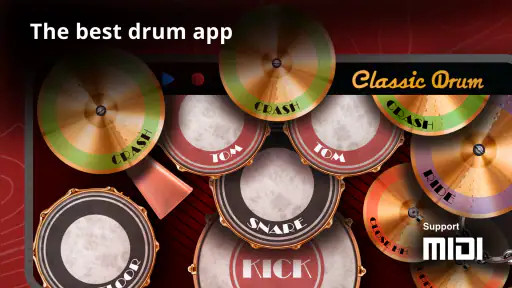
Let's dive into the world of percussion with Classic Drum: an app that turns your mobile screen into a realistic drum set. If you've ever found yourself tapping out rhythms on your desk or steering wheel, this app is your next obsession.
Getting into the Groove
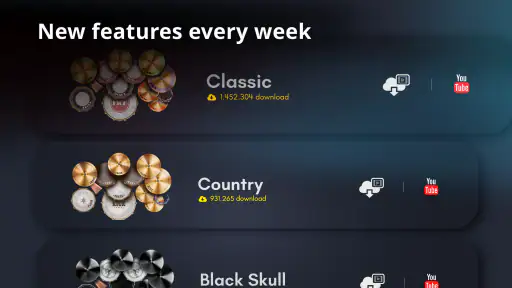
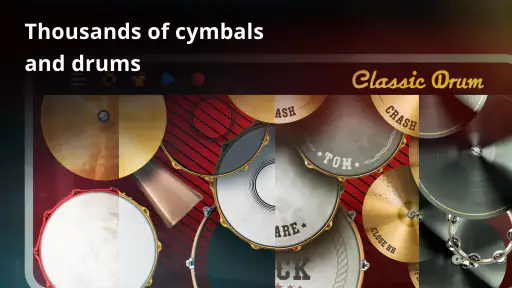
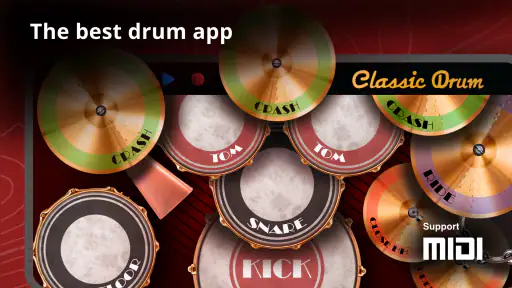
When I first opened Classic Drum, I was greeted with a vibrant and intuitive interface. The app boasts a variety of drum kits, from rock to jazz to electronic, catering to all musical tastes. The real beauty of this app lies in its customization. You can tweak the layout and sound of your drum kit, ensuring that it resonates perfectly with your style.
One of the standout features is the multi-touch capability. This means you can drum out complex rhythms using all your fingers, just like you would on a real kit. The response time is impressive, and there's no lag between your taps and the sound output. It genuinely feels like you're drumming in real-time, which is crucial for any budding drummer looking to practice their skills.
Perfect for Beginners and Pros
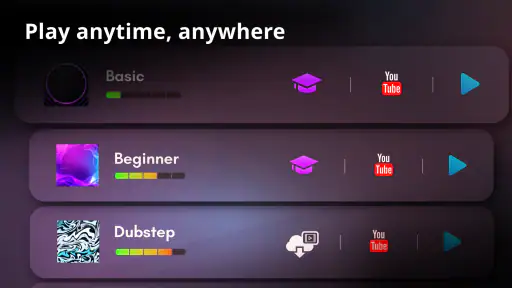
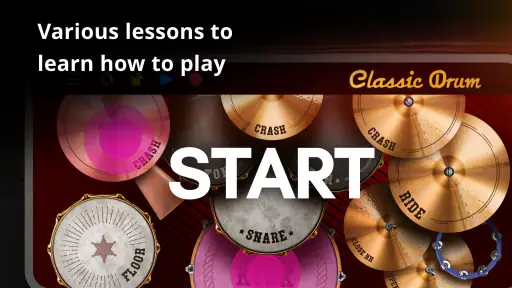
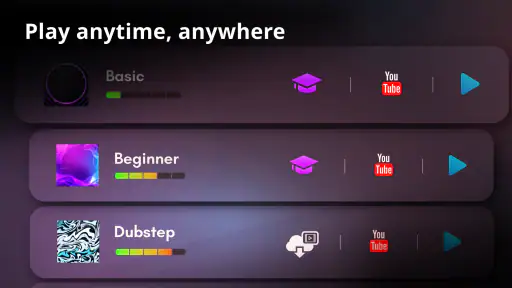
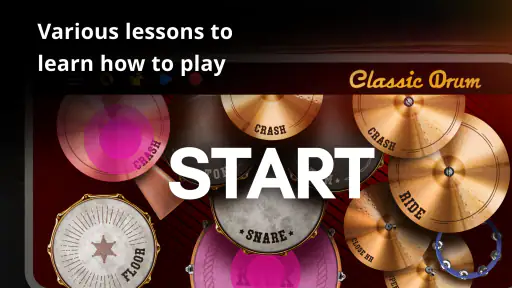
Whether you're a seasoned drummer or someone who just wants to have a bit of fun, Classic Drum has something to offer. For beginners, there's a comprehensive tutorial section that guides you through the basics, helping you get started with simple beats. It's a great way to learn without the pressure of a real drum kit.
Gaming Stories You May Enjoy

Dancing Road Turns Short Breaks Into a Test of Rhythm and Timing

Super Stylist Makes Every Outfit a Test of Taste and Patience

Dominoes on Your Terms: Who Should Play and Who Should Pass

Pokémon GO Makes the Familiar World Feel New

Chess.com Turns Rematches Into Rivalries, but Community Has Its Costs

Archery Battle 3D Review: Sharp Aiming, Unclear Feedback
For the more experienced drummers, the app provides a platform to experiment and hone your skills. You can record your sessions and play them back, which is a fantastic way to track your progress and identify areas for improvement. Plus, with the ability to share your recordings, you can showcase your talent to friends or even collaborate with other musicians.
A practical way to build a habit
The most useful way I’d fit this into a normal day is as a short rhythm exercise, not an open-ended practice session. On a bus ride or during a break, I might tap a simple pattern, then repeat it while changing which fingers hit the different drum areas. That small variation helps me notice whether I’m keeping a steady pulse or simply repeating a motion by feel. A phone screen gives little room for full arm movement, so this is better for timing and coordination ideas than for building the physical technique of a drummer.
For a beginner, I’d start with a beat slow enough to keep consistent, then add one sound at a time rather than trying to fill every space. The tutorial can help with the first steps, but the more useful test is whether you can repeat a basic pattern evenly without staring at each tap. If you already play, try using a familiar groove as a quick memory check or a way to sketch a variation before sitting at your kit. The app is convenient precisely because it lowers the setup barrier; it shouldn’t be mistaken for a substitute for lessons, a metronome-focused routine, or practice on acoustic or electronic drums.
Another cool feature is the ability to play along with your favorite tracks. You can import songs from your library and drum along, making practice sessions more engaging and fun. It's like having a jam session in your pocket!
Where touch-screen drumming has limits
Playing on glass changes the task. Your fingers can reach several drum areas quickly, but the screen doesn’t provide the rebound, stick control, or physical spacing of a real kit. That makes this a better fit for tapping out ideas and casual play than for judging how a full performance will feel. A larger phone or tablet can make targets easier to reach; on a compact screen, crowded patterns may be less comfortable, especially if your hands cover the sounds you’re trying to hit.
Sound is another practical consideration. A rhythm game is most enjoyable when you can hear each hit clearly, so headphones can help in a noisy place or keep a quick session to yourself. If you’re playing along with a track, pay attention to whether the audio balance lets you hear both the music and your taps. I’d also treat recording and sharing as convenient ways to review or pass along a sketch, not as a promise of studio-quality production or a complete collaboration workflow.
How it compares with other ways to play
Compared with a rhythm game built around matching prompts, this kind of virtual drum kit puts more emphasis on choosing where and when to tap. That freedom is satisfying when I want to invent a pattern, but it also means I have to supply my own structure; anyone who wants guided challenges or a clear score may prefer a game designed around those goals. Compared with watching drum lessons, the app is more immediate and interactive, but it won’t explain technique as deeply as a teacher or a well-structured course.
Against a physical practice pad, the phone is quieter to handle and easier to carry, while a pad offers real stick response and develops a different set of habits. An electronic kit is the stronger choice for serious practice and more expressive playing, but it takes more space and equipment. I’d choose Classic Drum when portability and spontaneous experimentation matter most, and move to those alternatives when technique, realistic feel, or structured learning becomes the priority.
Small choices that make sessions more useful
Customization is worth approaching as a practical tool rather than a decoration. I’d arrange the kit so the sounds I use most often sit within comfortable reach, then keep that layout for a while instead of changing it every session. Consistency makes it easier to repeat a pattern and notice mistakes; frequent rearranging can make a familiar beat feel awkward for reasons unrelated to timing. If a particular setup feels cramped, simplify the pattern or adjust the layout before deciding the game itself is too difficult.
Recording can also turn casual tapping into a simple self-check. I’d capture a short beat, listen back once, and ask one question—such as whether the pulse stays even—rather than trying to evaluate everything at once. A recording can reveal uneven spacing that is hard to notice while concentrating on the screen. Sharing may be handy if you want a friend’s reaction, but it doesn’t replace playing together live, where timing and response are part of the exchange.
Who should try it, and who may prefer something else
I’d recommend it to curious beginners who want a low-pressure first contact with drum sounds, to musicians who like jotting down rhythmic ideas, and to anyone who enjoys making beats casually without carrying extra gear. It also makes sense for people who want a quick activity rather than a formal course. Since the game is free to begin, you can explore its basic appeal before deciding whether any optional purchase is worthwhile.
I’d skip it if your main goal is to learn stick technique, improve foot coordination, follow a progressive curriculum, or record polished tracks. Those needs call for a physical instrument, focused lessons, or a music-making tool designed for production. It may also frustrate someone who expects the screen to behave exactly like drumheads: touch controls are responsive, but they can’t reproduce the feel and physical feedback of a kit.
What I’d watch as a returning player
For someone who has used it before, the practical question is whether the current version still suits their device and preferred way to play. The confirmed release date and version number establish its age and present build, but they don’t by themselves show what has changed across updates. I’d check how the current layout feels in hand, whether the sounds work for the styles I enjoy, and whether the free experience is enough before making a purchase. Expectations about future additions are just that—expectations—so I wouldn’t buy based on a feature I hope might appear later.
That cautious approach matters because a long-running app can be familiar without being the right tool for every new goal. If you return mainly for quick play, the touch kit may still be exactly what you need. If your needs have shifted toward structured lessons or realistic practice, it’s sensible to compare those options directly instead of assuming a newer version turns a mobile game into a full training system.
Final Thoughts
Overall, Classic Drum is a must-have for anyone with a passion for drumming. Its user-friendly interface and plethora of features make it suitable for all ages and skill levels. The app manages to capture the essence of playing a real drum kit while offering the convenience and portability of a mobile app.
If you're looking to unleash your inner percussionist without splurging on a full drum set, this app is definitely worth a try. Trust me, once you start, you won't be able to stop tapping out those beats!
Classic Drum: play drums Pros and Cons
Pros
- Realistic drum sounds and experience.
- Wide variety of drum kits available.
- User-friendly interface.
- Offline mode availability.
- Customizable drum layouts.
Cons
- Contains ads that can be intrusive.
- Limited free features.
- In-app purchases for full access.
- Requires significant storage space.
- Occasional app crashes.
Frequently Asked Questions
What platforms is Classic Drum: play drums available on?
Classic Drum: play drums is available for both Android and iOS platforms. Users can download the app from the Google Play Store for Android devices and the Apple App Store for iOS devices. The app is designed to provide a seamless experience on mobile devices and tablets alike, ensuring you can practice your drumming skills anytime and anywhere.
Is Classic Drum: play drums suitable for beginners?
Yes, Classic Drum: play drums is suitable for beginners. The app provides a user-friendly interface and a variety of tutorial modes that help new users get acquainted with playing drums. It offers a range of lessons and practice sessions tailored to beginners, making it easy to start learning drumming techniques from scratch.
Are there any in-app purchases in Classic Drum: play drums?
Classic Drum: play drums offers in-app purchases that allow users to access additional features, drum kits, and ad-free experiences. While the basic version of the app is free, some advanced functionalities and premium content might require a purchase. This ensures that users can customize their experience according to their preferences and needs.
Can I customize the drum kits in Classic Drum: play drums?
Yes, one of the standout features of Classic Drum: play drums is the ability to customize drum kits. Users can choose from a variety of percussion instruments and configure their drum sets to fit their musical style. This feature allows for a personalized drumming experience, catering to both casual players and serious musicians seeking specific sounds.
Does Classic Drum: play drums support recording and sharing of performances?
Classic Drum: play drums supports recording, allowing users to capture their performances and review them later. Additionally, users can share their recordings with friends or on social media platforms directly from the app. This feature is perfect for those who want to showcase their drumming skills or track their progress over time.


