

Chess - Play and Learn
- Reviews
- 4.7
- Version
- Varies with device
- Installs
- 100,000,000+

Screenshots
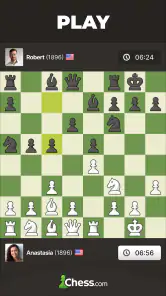
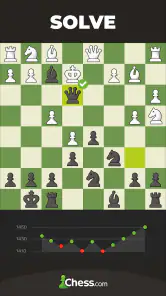
 Analysis by Frivlyz
I use Chess - Play and Learn best when I have a specific reason to open it: play a quick game, work through a chess idea, or review a position I mishandled. That focus matters because a chess app can easily turn into a stream of matches and puzzles without much learning. Here, playing and studying sit together, so I can move from a game to a lesson or analysis instead of treating every session as a separate activity.
A practical routine for playing and improving
My most useful routine is simple: choose one goal before starting. If I have only a few minutes, I might solve a small set of puzzles and stop when I notice myself guessing. If I have longer, I can play a game and then look back at the moments where I felt unsure. The app’s mix of online play, lessons, puzzles, and analysis makes that loop possible, and it gives a beginner a clearer next step than simply launching another match.
For example, on a commute or during a quiet break, I can use a short session to practice recognizing threats rather than trying to squeeze in a serious game. Later, at home, I can give a full game more attention and use analysis to examine a turning point. Separating these activities helps me avoid treating a rushed move as a meaningful test of my chess ability. It also makes the app useful on days when I have time for practice but not for a complete match.
Our Stories on Chess - Play and Learn
Why Chess - Play and Learn is Our App of the Week
NewsChess.com Turns Rematches Into Rivalries, but Community Has Its Costs
NewsTie Dye: Mastering the Art of Digital Fabric Design
NewsHow Chess Became a Strategic Powerhouse in Mobile Ecosystems
NewsWSOP Poker: Texas Holdem Game Shines as This Week's Top Pick
NewsCarrom Pool: Disc Game – A Nostalgic Strategy for Modern Times
NewsWhen I play online, I try to pick a time control that suits the attention I actually have. A fast game can be fun, but it leaves less room to check a candidate move or think through a plan. If I am tired or distracted, puzzles or a lesson are a better fit. That small choice makes the experience more rewarding: I am less likely to blame the app for a game that I began without enough time or concentration.
Small settings and habits that make a difference
Before settling into regular play, I recommend checking the game and board settings that are available on your device. The most useful setup is the one that makes moves easy to read and reduces accidental taps. I prefer a board view that is comfortable at the size I usually play, and I take a moment to check how the app handles move confirmation or other controls rather than discovering them in a tense position. These details are not glamorous, but they can prevent avoidable frustration.
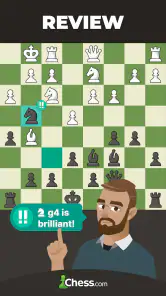
It is also worth deciding how you want to use analysis. I get more from it when I first try to explain a mistake in my own words, then consult the analysis to test that explanation. If I immediately follow every suggested line, I can end up memorizing a best move without understanding the reason behind it. A better habit is to identify the threat, compare a couple of candidate moves, and only then use the tool to check what I missed.
For lessons, I find it helpful to repeat a small idea in actual games instead of racing through a long sequence of material. If a lesson covers a tactical pattern, I keep that pattern in mind for the next few games and ask whether it appears. This turns instruction into a practical test rather than a passive viewing session. It also gives newer players a manageable way to build confidence without expecting every lesson to produce an immediate rating jump.
Gaming Stories You May Enjoy

Dancing Road Turns Short Breaks Into a Test of Rhythm and Timing

Super Stylist Makes Every Outfit a Test of Taste and Patience

Dominoes on Your Terms: Who Should Play and Who Should Pass

Pokémon GO Makes the Familiar World Feel New

Archery Battle 3D Review: Sharp Aiming, Unclear Feedback

Should You Switch to Geometry Dash Meltdown? A Test of Timing and Patience
Choosing between play, puzzles, and study
The best feature for a particular session depends on what I want to improve. Puzzles are useful for focused calculation, but they present a position that is already selected for a reason; a real game asks me to notice when a tactic might exist in the first place. Lessons can explain concepts, while analysis helps me revisit decisions I actually made. I treat these as complementary tools, not substitutes for one another.
A practical pattern is to use a puzzle session as a warm-up, play one thoughtful game, and then review only a few important moments. I would not try to analyze every move after every casual match; that can make chess feel like homework. Instead, I look for a recurring problem, such as overlooking an opponent’s threat or moving too quickly after a capture. Working on one habit at a time is more sustainable than trying to fix everything at once.
For a player who wants social competition, online games with friends and opponents give the app a different appeal from a chess book or a standalone tactics trainer. The community and competitive elements can help make practice feel less solitary. On the other hand, someone who wants a quiet offline board with no account, social activity, or competitive pressure may prefer a simpler chess program. The richer environment is a strength only if those extra choices suit the way you like to play.
Getting to Know Chess - Play and Learn
First off, if you’re like me and enjoy a good challenge, this app is a game-changer. Chess - Play and Learn isn’t just any chess app; it’s a full-on chess universe. When I first opened the app, I was greeted by a sleek, user-friendly interface that made me feel like I was about to embark on an epic chess journey.
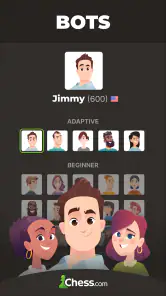
The app offers different modes to suit whatever chess mood you’re in. You can play against a computer, challenge friends, or even face off with players from around the globe. The variety of modes kept things fresh and exciting, and I found myself getting lost in game after game.
Features That Stood Out
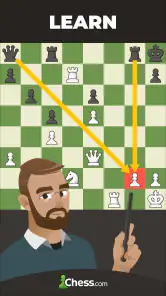
Now, let's talk about what really makes this app a standout. One of my favorite features is the Lessons section. It's like having a chess coach in your pocket. Whether you’re a newbie or a seasoned player, the interactive lessons cater to all levels. I loved how the lessons were broken down into bite-sized pieces, making it super easy to follow and practice at my own pace.
Another cool feature is the Puzzle Rush. This feature lets you solve as many puzzles as possible within a set time limit. It’s both challenging and addictive! I often found myself saying, "Just one more puzzle," and before I knew it, hours had passed.
Why You Might Love It
If you're a competitive soul, you'll appreciate the tournaments and leaderboards. There's something so satisfying about seeing your name climb up the ranks. Plus, the community aspect of the app is amazing. You can connect with other chess enthusiasts, join clubs, and even participate in forums. It’s like having a chess club at your fingertips.
The app also does a great job of keeping things interesting with regular updates and new content. It’s clear the developers are passionate about chess and are committed to providing a top-notch experience for users.
Final Thoughts
In conclusion, Chess - Play and Learn is a fantastic app for anyone looking to improve their chess game or simply enjoy a good match. The combination of educational content, competitive play, and a vibrant community makes it a must-have for chess lovers. So, if you’re ready to challenge your mind and have some fun, give it a try. Who knows, you might just become the next chess prodigy!
What to expect before you commit
This is a free board game from Chess.com, with optional in-app purchases priced from $1.00 to $119.99 per item. It is rated for Everyone, has a 4.7 average from around 2.6 million ratings, and has over 100 million installs. Those figures suggest a broad audience, but they do not tell me whether a particular player will enjoy the pace of online chess or the amount of choice in the app. I would start with the free experience and decide whether any paid option is genuinely useful to my own routine.
One question many new players have is whether they need to be good at chess before joining. I don’t think so: lessons and puzzles provide a way in, and playing at an appropriate pace lets a beginner learn without needing to perform for anyone. The more important point is to treat early online results as feedback, not a verdict. A few losses can expose gaps in basic habits, but they do not mean the app is unsuitable or that improvement is out of reach.
Another reasonable concern is whether this is mainly for competitive players. It can serve them through online opponents, tournaments, and leaderboards, but competition is not the only useful path through it. Someone who prefers learning can spend a session with lessons; a casual player can choose a friendly game or a few puzzles. If rankings make you anxious, you can lean on the learning side and avoid turning every session into a test of status.
It is also worth being honest about the trade-off of an all-in-one chess space. The range of activities saves switching between separate apps, but it can invite distraction: a quick puzzle can lead to another, and a competitive match can take over the time meant for study. I get better results when I decide whether I am here to play, practice, or review before opening a new activity. That boundary is especially helpful for younger players or anyone who wants chess to fit around other commitments.
Where it fits among chess apps
Compared with a basic digital chessboard, this app offers a more connected route into chess: online play, learning material, puzzles, and analysis share the same environment. A dedicated tactics app may be a better choice if all you want is uninterrupted puzzle practice. A physical board or a minimal offline game may be more comfortable for face-to-face play, travel without connectivity, or a screen-free evening. I would choose this app when I want a mixture of opponents and learning tools, not when I want the fewest possible distractions.
For experienced players, the main benefit is not that an app replaces careful study. It makes it easier to repeat a useful cycle: play with intention, notice a decision that mattered, inspect it, and return to a related lesson or puzzle. The limitation is that analysis can tempt me to accept a line without calculating for myself. I try to pause before revealing or relying on a recommendation, and I ask what my original plan was. That keeps the tool in the role of a second opinion rather than a substitute for thought.
The game first appeared on February 1, 2010, and its long-standing presence is reflected in the large player community. Still, a large community does not guarantee that every match will feel friendly or that every session will be equally productive. I recommend keeping expectations realistic: use the social and competitive options when they add enjoyment, and return to solo practice when you want a calmer pace. If a match becomes frustrating, taking a break is often more useful than immediately trying to win back a result.
My verdict after building a routine
My strongest recommendation is for people who want one place to play chess and work on getting better, whether they are starting out or already know the basics. The combination makes it easier to turn an interesting position into something actionable, especially when I follow it with a specific practice goal. I would steer away anyone who dislikes online competition, wants only a bare offline board, or knows that leaderboards and endless puzzles will distract them from the way they prefer to learn.
As a board game, it gives chess room to be both a pastime and a skill you can develop. I would not promise that opening the app alone will make someone a stronger player; improvement still depends on attention, patience, and learning from mistakes. But when I use it deliberately—one lesson, a considered game, or a short review rather than an aimless marathon—it offers a practical and enjoyable way to keep chess in my week.
Chess - Play and Learn Pros and Cons
Pros
- Rich tutorials enhance learning
- Variety of levels for all players
- Real-time multiplayer mode available
- Offline puzzles improve skills
- Customizable themes and boards
Cons
- Ads can be disruptive
- Requires internet for full features
- Some features locked behind paywall
- Interface may overwhelm beginners
- Occasional connectivity issues
This Game in Other Languages
Frequently Asked Questions
What features does Chess - Play and Learn offer?
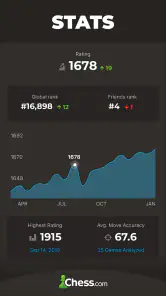
Chess - Play and Learn provides a comprehensive platform for both beginners and advanced players to improve their chess skills. The app includes interactive lessons, puzzles, and a variety of game modes such as online multiplayer, AI opponents, and practice matches. Additionally, users can access instructional videos, participate in tournaments, and track their progress over time.
Is Chess - Play and Learn suitable for beginners?
Yes, Chess - Play and Learn is highly suitable for beginners. The app offers step-by-step tutorials and lessons that are easy to follow, helping new players understand the basics of chess strategy and tactics. The adaptive AI difficulty also allows beginners to gradually improve their skills without feeling overwhelmed.
Can I play chess offline using Chess - Play and Learn?
Yes, Chess - Play and Learn offers an offline mode where users can play against AI opponents. This feature is especially useful for practicing when you don't have an internet connection. The offline mode retains most of the features available in the online modes, ensuring a seamless playing experience.
What are the subscription options for Chess - Play and Learn?
Chess - Play and Learn offers both free and premium subscription options. The free version provides access to basic features such as puzzles and lessons. The premium subscription unlocks additional content, including advanced lessons, unlimited puzzles, and the ability to participate in exclusive tournaments. Subscription plans can be monthly or annually, providing flexibility based on user preference.
How does Chess - Play and Learn help in improving chess skills?
Chess - Play and Learn enhances chess skills by offering a variety of learning tools, including puzzles, interactive lessons, and instructional videos. The app allows users to play against AI of varying difficulty levels, ensuring gradual improvement. Additionally, users can analyze their games to understand mistakes and learn from them, further boosting their strategic understanding.


