

Chess Online & Offline
- Reviews
- 4.7
- Version
- 2.3.2
- Installs
- 10,000,000+

Screenshots
 Analysis by Frivlyz
I like having a chess app that can serve two very different moods: a quiet game against the computer when I have a few spare minutes, or an online match when I want another person to challenge my choices. Chess Online & Offline is built around that flexibility. It is a free board game from Splend Apps, and its mix of online and offline play makes it easier to fit chess into an ordinary day rather than waiting for the right opponent or setting.
That combination is the strongest reason I would suggest trying it. If you are learning, you can take your time against the AI; if you already know the basics, you can seek out human opposition. The game is rated for Everyone, and its broad appeal is reflected in an average rating of 4.7 from around 135,000 ratings, alongside more than 10 million installs. Those figures show that it has found a sizeable audience, though they cannot tell you whether its particular style will suit you.
A chessboard for short breaks and longer sessions
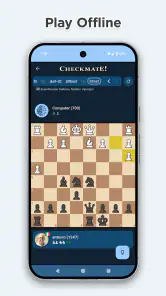
The offline option is especially useful in situations where a connection is unreliable or you simply do not want to depend on one: a commute, a waiting room, or a few minutes away from home Wi-Fi. A computer opponent also gives you room to pause and think without the social pressure of making another person wait. For a beginner, that can make each move feel like a decision to examine rather than a race.
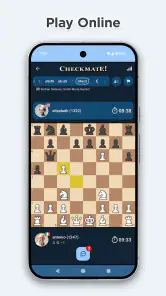
Online play changes the feel of the game. A human opponent is less predictable than a computer, and that makes a familiar opening or tactical idea harder to rely on. I enjoy that contrast: offline games work well for relaxed practice, while online games are a better test of whether I can adapt when the position does not unfold as expected. The chat option can add a friendly social touch, although players who prefer a completely quiet match may not care about it.
What the current release tells me
The game was released on September 4, 2024, and its current version is 2.3.2. That gives prospective players a concrete sense of where the app stands now, but a version number alone does not tell me which features changed or how earlier releases behaved. I would rather treat the current build as the one to assess than assume a particular history of improvements.
For someone already playing, the practical question is whether the present mix of modes, presentation and learning tools fits their routine. The app’s current appeal rests on offering a place to play both with and without an internet connection, with options intended for different levels of experience. If you have used an older build, it is sensible to check the current app on your own device before relying on it for a regular chess routine; I would not infer a specific change from the version label alone.
Game Modes Galore
One of the first things I noticed about Chess Online & Offline is the variety of game modes available. Whether you’re stuck in a waiting room or lounging at home, you can choose to play against AI or take on real opponents around the globe. The app’s offline mode is a lifesaver when you’re off the grid, allowing you to continue honing your skills without missing a beat.
Gaming Stories You May Enjoy

Dancing Road Turns Short Breaks Into a Test of Rhythm and Timing

Super Stylist Makes Every Outfit a Test of Taste and Patience

Dominoes on Your Terms: Who Should Play and Who Should Pass

Pokémon GO Makes the Familiar World Feel New

Chess.com Turns Rematches Into Rivalries, but Community Has Its Costs

Archery Battle 3D Review: Sharp Aiming, Unclear Feedback
Playing online, on the other hand, connects you with a vibrant community of chess enthusiasts. It’s as if you’re sitting across from your opponent, pondering your next move while the tension builds. And let’s not forget the chat feature; it’s a fun way to engage in friendly banter or discuss strategies with your opponent.
User-Friendly Interface
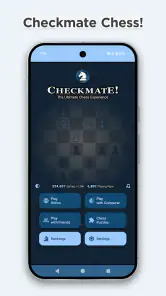
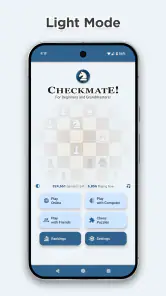
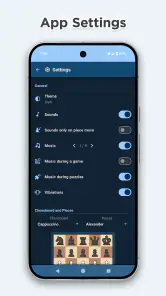
The app’s interface is as smooth as a checkmate in four moves. From the moment I launched it, navigating through the menus was a breeze. The design is clean and intuitive, making it easy for players of all ages to jump right in without a hitch. I especially appreciated the customizable themes, which let you tailor the board to your liking. Whether you prefer a classic wooden look or a modern design, there’s something for everyone.
For everyday use, I would choose a board theme for legibility rather than novelty. A high-contrast board can make it easier to scan the position quickly, especially on a small phone screen, while a more decorative look may be pleasant for a longer game but less clear at a glance. The ability to personalize the board is not a strategic feature, but it can reduce visual friction and make regular play more comfortable.
Learning and Improving
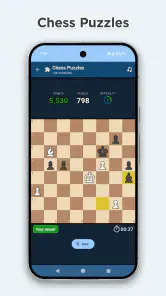
If you’re like me and always looking to improve your game, you’ll love the instructional features built into the app. There are plenty of tutorials and puzzles that cater to all skill levels, from beginners to seasoned players. The app even offers analysis of your past games, highlighting mistakes and suggesting better moves. It’s like having a personal chess coach in your pocket!
To get more from those tools, I would use them in a short review routine rather than tapping through puzzles without reflection. After a game, pick one mistake or missed chance and ask what made the move tempting at the time. Then compare the suggested alternative with the position you actually faced. That small habit can teach more than simply seeing a correction, because it connects the lesson to your own thought process.
Community and Competitions
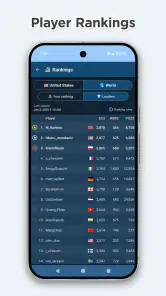
What’s a game without a bit of friendly competition? Chess Online & Offline hosts regular tournaments that you can join to test your skills and climb the leaderboard. It’s a wonderful opportunity to meet other players and challenge yourself. Plus, the sense of accomplishment you get from winning a tournament is unmatched!
Tournaments are most rewarding when you can give them your attention. If you are squeezing in play between errands, an offline game may be a better fit than committing to a competitive session. I would also treat a leaderboard as motivation rather than a measure of overall chess ability: results can depend on the opponents you meet and how much time you have to play. That perspective keeps competition fun instead of turning every loss into a verdict on your progress.
Who will get the most from it
I would recommend this to someone who wants one familiar place for casual practice and online games, particularly a new player who is still building confidence. The computer option can make it easier to experiment with plans, while puzzles and post-game analysis give you ways to turn a match into a learning moment. More experienced players may appreciate the convenience, but should decide for themselves whether the available competitive depth matches the tools they already use.
It is less suitable if your main goal is a highly specialized training environment, deep tournament preparation or a particular community culture. A dedicated chess platform may be a better choice if you need a specific rating system, detailed study workflow or tightly organized competition. Likewise, if you only want an offline board for occasional play, a simpler chess app could be enough; the online community and additional learning options matter most when you expect to use them.
Small decisions that make play smoother
One useful way to approach the app is to separate practice from performance. Use an offline session to try an unfamiliar opening idea or practise recognizing a tactical pattern, then play online when you want to see how well you respond to another person. That keeps a learning experiment from feeling like a high-stakes result and gives each mode a clearer purpose.
There is also a practical trade-off in playing on a phone: convenience comes with a smaller board and less room to inspect the whole position. Before moving, I like to pause and check the opponent’s threats as well as my own plan, rather than relying on a quick visual impression. A customizable theme can help readability, but it cannot replace that deliberate scan. If you often make accidental moves on a small screen, a larger device or a physical board may be more comfortable.
For a realistic routine, imagine having ten minutes before an appointment. I would start an offline game if I might need to stop suddenly, or solve a puzzle if I wanted a focused exercise without beginning a match. At home, with more time and a stable connection, I would switch to online play or review a completed game. This is the app’s practical advantage: it lets the same hobby fit both a spare moment and a more deliberate session.
Costs, compatibility and expectations
The game is free to download, with in-app purchases listed at $9.99 per item. I would check the purchase details in the app before paying, and decide whether any paid option would genuinely add value to the way I play. The free entry point makes it easy to try the basic experience first, but it is still worth keeping purchases in mind if you prefer to avoid optional spending altogether.
Version 2.3.2 requires Android 7.0 or later. That is useful to know before installing on an older device, especially if you are considering the app for a phone kept as a spare. I would also think about whether I want online play on the go: offline chess is the more dependable choice where connectivity is patchy, while matching with people naturally depends on being able to use the online side.
One question many new players have is whether they need to understand chess notation or openings before starting. I would not let that put you off. Begin with simple games, use the learning tools when a position confuses you, and focus first on keeping your pieces safe and noticing threats. Another practical question is whether this replaces an in-person chess set. For convenience, yes; for face-to-face play or studying a physical position together, a real board still has a different value.
Where I would draw the line
The broad feature mix is appealing, but it can also create expectations. A player who wants every session to feel like a carefully structured lesson may find that a general chess app is not a substitute for a personal coach or a dedicated study plan. Puzzles and game analysis can point out opportunities, yet improvement still depends on taking time to understand why a move works and applying that idea later.
Online play is also not automatically the best choice for every mood. If you want to think slowly, avoid social interaction or stop at any moment, a solo game is more forgiving. If you are tired, a competitive match can feel more demanding than a puzzle or a brief offline session. I see that as a useful choice rather than a flaw, provided you pick the mode that suits the time and attention you actually have.
What I would watch over time is whether the current balance continues to serve both casual players and people looking for a deeper challenge. The current version gives a clear snapshot, but it is not a promise about future features or changes. For now, I would judge the app by how comfortably its existing board options, practice tools and online play fit your own routine, then revisit that judgment if a later release changes the experience.
In conclusion, Chess Online & Offline is an app that truly caters to chess lovers. It’s packed with features that make playing chess a delightful experience, whether you’re online or offline. From its user-friendly interface to its engaging community, this app has something for everyone. So why not download it today and see for yourself? You might just find yourself hooked on the game of kings!
Chess Online & Offline Pros and Cons
Pros
- Play with friends or AI.
- Extensive tutorial for beginners.
- Customizable game settings.
- Real-time multiplayer mode.
- Offline mode available.
Cons
- Ads can be intrusive.
- Limited time for moves.
- In-app purchases for advanced features.
- Occasional server issues.
- Requires internet for updates.
This Game in Other Languages
Frequently Asked Questions
What features does Chess Online & Offline offer?
Chess Online & Offline provides a comprehensive chess experience with options to play against the computer or real players. You can choose different levels of difficulty, participate in online matches, or enjoy offline gameplay. The app also includes a tutorial mode for beginners and a puzzle section to improve strategic thinking.
Is Chess Online & Offline suitable for beginners?
Yes, Chess Online & Offline is designed to cater to players of all skill levels, including beginners. It offers a tutorial mode that guides new players through the basics of chess, explaining rules and strategies. Additionally, the app has adjustable difficulty levels, allowing beginners to gradually challenge themselves as their skills improve.
Can I play Chess Online & Offline without an internet connection?
Absolutely! Chess Online & Offline allows you to play without an internet connection using its offline mode. This feature is perfect for users who want to enjoy chess on-the-go or in situations where Wi-Fi or mobile data is not available. All game modes, except online multiplayer, are accessible offline.
How does the online multiplayer feature work in Chess Online & Offline?
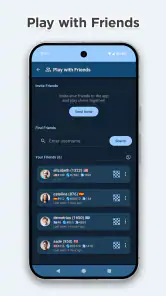
The online multiplayer feature in Chess Online & Offline connects you with players from around the world. You can challenge friends or random opponents to matches. The app includes a ranking system to track your progress and match you with players of similar skill levels. A stable internet connection is required for online play.
Are there any in-app purchases or ads in Chess Online & Offline?
Chess Online & Offline may contain ads, but they are generally non-intrusive. The app might offer in-app purchases for users who wish to unlock additional features, such as premium themes or advanced tutorials. However, the core functionality of playing chess remains free, allowing everyone to enjoy the game without any cost.


