

Chess - Offline Board Game
- Reviews
- 4.8
- Version
- 2.5.21
- Installs
- 50,000,000+

Screenshots
 Analysis by Frivlyz
I reach for Chess - Offline Board Game when I want a quiet game that asks me to think rather than react quickly. It keeps the focus on the board, so a short break can become a useful chance to practise a plan, revisit a familiar opening, or simply enjoy a few moves. That simplicity is the app’s main appeal, though it also means players looking for a busy social hub or a broad range of game modes may prefer a different chess app.
A practical way to fit chess into the day
My usual routine is uncomplicated: start a game, choose a difficulty that suits my attention and confidence, then play without needing a connection. That makes it a convenient option during a commute, while waiting for an appointment, or when travelling somewhere with unreliable Wi-Fi. Offline play is more than a backup here; it makes the app easy to pick up without first arranging a match or checking whether a network is available.
A realistic session might be a few moves during a coffee break, followed by a pause when work calls. I find it helpful to decide in advance what I want from that game: a relaxed run-through, practice spotting threats, or a tougher test. That small choice makes the session feel purposeful instead of turning every match into an attempt to win at any cost. Chess rewards patience, and the app’s uncluttered approach suits that slower rhythm.
Our Stories on Chess - Offline Board Game
Racing Fever: Moto – A Cultural Shift in Mobile Gaming
NewsDancing Road Turns Short Breaks Into a Test of Rhythm and Timing
NewsSuper Stylist Makes Every Outfit a Test of Taste and Patience
NewsDominoes on Your Terms: Who Should Play and Who Should Pass
NewsPokémon GO Makes the Familiar World Feel New
NewsChess.com Turns Rematches Into Rivalries, but Community Has Its Costs
NewsWho will enjoy this kind of chess?
I’d recommend it most to beginners who want a low-pressure place to get familiar with the board, and to casual players who value solo play and offline access. The adjustable difficulty settings make it easier to find a starting point, while the tutorials give newcomers a route into the rules. More experienced players can also use a quick game to stay mentally engaged, although the experience is best understood as a handy chess companion rather than a replacement for every kind of chess practice.
If your main goal is to play friends remotely, join a lively online community, or analyse games with detailed study tools, a dedicated online chess service may suit you better. Those alternatives are built around opponents, competition, or deeper review. This app’s strength is different: it makes a straightforward board game available when you have a spare moment and no desire to depend on an opponent being online.
The Gameplay Experience
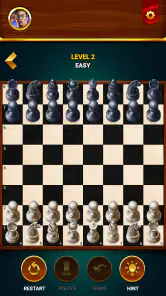
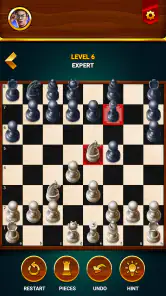
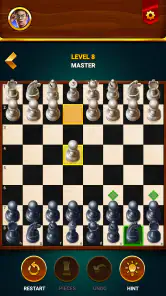
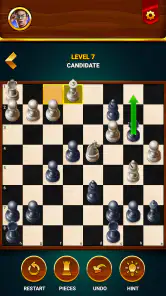
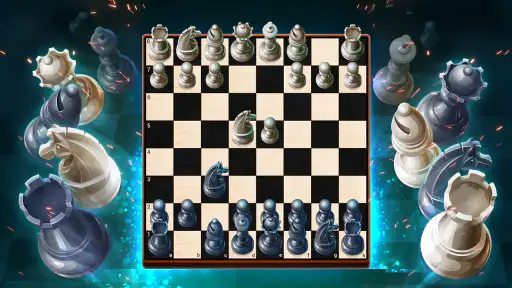
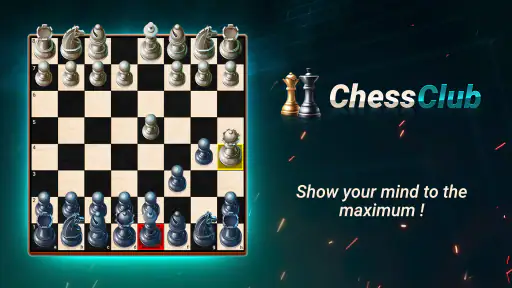
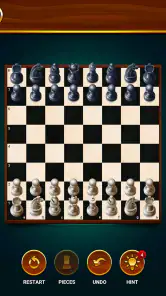
The first thing that strikes you about the Chess - Offline Board Game app is its simplicity and elegance. It’s designed to emulate the traditional chess experience, and I must say, it does a commendable job. The board is clean, and the pieces are easy to differentiate, which is crucial when you’re deep in thought, plotting your next move.
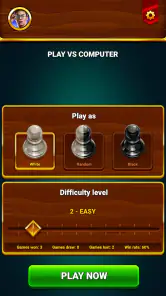
What I love about this app is that it doesn’t try to be flashy or overly complicated. Instead, it offers a straightforward chess experience that respects the game’s roots. Whether you’re a grandmaster or a beginner, the app caters to all skill levels with adjustable difficulty settings. It’s like having a chessboard in your pocket, ready for a quick match whenever you are.
Gaming Stories You May Enjoy

Archery Battle 3D Review: Sharp Aiming, Unclear Feedback

Should You Switch to Geometry Dash Meltdown? A Test of Timing and Patience

Fidget Toys Trading・Pop It 3D: What Happens When the Game Stumbles

NBA LIVE Mobile Makes the Season the Main Event

Sonic Forces: PvP Battle Race - Speed and Strategy Combined

Unlocking the Secrets of Piano Game: Classic Music Song
Features That Stand Out
One feature that caught my eye is the app’s offline capability. In a world where everything seems to be online, it’s refreshing to have an app that functions without an internet connection. This makes it perfect for those long flights or remote getaways where Wi-Fi is spotty. You can enjoy a game of chess anytime, anywhere, and I think that’s pretty awesome.
Another neat feature is the tutorial mode. For those new to chess, the app provides a series of lessons that guide you through the basics. It’s like having a personal chess tutor, minus the hefty fees. The tutorials are clear, concise, and interactive, making learning chess both fun and informative.
Settings that support a repeatable routine
Before settling into regular play, I’d check the difficulty setting and the board and piece appearance. These are practical choices, not cosmetic chores: a comfortable contrast makes it easier to scan the position, while a suitable challenge helps keep a practice game from becoming either a walkover or a discouraging slog. I’d change one thing at a time, then play a few moves and see whether the adjustment actually helps.
For a new player, the tutorial is worth treating as a reference rather than something to rush through once. After a lesson, I’d start a game and deliberately look for the idea just covered. For example, after learning how pieces move, pause before each move to identify every legal destination; later, use the same pause to notice whether a piece is under attack. That simple loop—learn, try, check—turns instruction into a habit without requiring a long study session.
Small habits that make each match more useful
When playing against the computer, I try to take a brief “candidate move” pause before touching a piece. I look at two or three plausible moves, ask what the opponent could do in reply, and only then choose. This is a useful discipline even in a casual game because it prevents the board from becoming a sequence of impulsive moves. It also makes difficulty adjustments more meaningful: instead of simply selecting a harder opponent, I can improve how carefully I respond to threats.
Another practical habit is to give each session one narrow purpose. I might focus on keeping pieces defended, checking whether a move leaves my king exposed, or remembering to consider the opponent’s last move before starting my own plan. A short, specific goal is easier to carry into everyday play than a vague ambition to “get better at chess.” The app’s direct presentation leaves room for this kind of self-guided practice, but the player has to supply the structure.
Appearance, clarity, and comfort
The app’s visuals are pleasing to the eye, with a classic design that doesn’t overwhelm. The interface is intuitive, which means you won’t find yourself fumbling through menus trying to start a game or adjust settings. Everything is where you’d expect it to be, making for a seamless user experience.
I especially appreciate the option to customize the board and pieces. Whether you prefer a traditional wooden look or something more modern, the app has you covered. It’s these little details that really enhance the gaming experience.
For longer sessions, I’d choose a board style that makes the pieces easy to distinguish at a glance rather than one that merely looks attractive. That matters most when the position gets crowded and several pieces share nearby squares. If I’m playing in a bright room or late in the evening, I’d also take a moment to see which available appearance is easiest on my eyes. A familiar, readable board reduces needless visual effort and lets attention stay on the position.
Where the solo format has limits
Offline play is convenient, but it naturally changes what the game can offer. A computer opponent is available when I want a quick match, yet it does not provide the social unpredictability of a friend across the table or the variety of human opponents online. If I want to test how I handle an unfamiliar style of play, arranging a real opponent is a better choice. If I simply want a dependable solo game, this app’s format is a sensible trade-off.
The same distinction applies to learning. Tutorials can introduce the basics, and repeated games let me practise, but a lesson is not the same as a detailed explanation of every mistake in a finished match. I would use the app to build comfort with moves and decision-making, then turn to a coach, chess book, or analysis-focused tool if I wanted structured feedback on why a particular position went wrong. Knowing that boundary helps keep expectations fair.
Who may want a different option
I wouldn’t make this my first pick if online tournaments, live matchmaking, or a strong community are the main reasons I play chess. Nor would I rely on it alone for serious preparation where reviewing positions and tracking progress are central to the routine. Players who prefer a social game may get more from a chess service built around playing other people; players who want a physical, face-to-face experience may simply prefer a real board. The better choice depends on whether convenience or interaction matters more to you.
On the other hand, it is particularly well suited to someone who wants chess available without turning a spare moment into a setup process. A beginner can work through the basics, an occasional player can enjoy a match without internet access, and a regular player can use a short solo game to keep strategic thinking active. I see its value in that flexible, modest role, not in trying to be everything a chess player could want.
Cost, age suitability, and what to expect
The game is free to install, with optional in-app purchases priced from $1.99 to $27.99 per item. I’d approach those purchases as optional extras rather than a requirement for deciding whether the basic chess experience suits me. Since the central activity is a familiar board game, there is no need to spend money just to understand whether I enjoy playing it. The app is rated for Everyone, which fits its broadly accessible, non-violent subject matter.
GamoVation is the developer, and the game has a 4.8 average from around 732,000 ratings, alongside over 50 million installs. Those figures suggest it has reached a large audience, but I’d still judge it by the fit: a high rating cannot tell me whether I personally want solo chess, and a huge install base does not make it a substitute for online competition. The current version is 2.5.21, and it runs on Android 6.0 or later.
Final Thoughts
In conclusion, the Chess - Offline Board Game app is a must-have for anyone who loves chess or is interested in learning. Its offline capabilities, user-friendly interface, and comprehensive tutorial mode make it stand out in a sea of mobile games. This app doesn’t just bring chess to your phone; it brings the joy and challenge of chess to your everyday life.
Whether you’re looking to sharpen your skills or just pass the time with a classic game, this app is a solid choice. So, go ahead and give it a try—you might just find yourself falling in love with chess all over again.
My strongest recommendation is for the player who wants an approachable solo board, a clear way to begin learning, and the freedom to play when connectivity is inconvenient. I’d be more cautious if you expect online opponents, tournament play, or in-depth post-game analysis, because those needs call for a different kind of chess product. For everyday practice, though, the balance is appealing: simple enough for a quick break, yet demanding enough that a thoughtful move still feels rewarding.
Chess - Offline Board Game Pros and Cons
Pros
- No internet needed for play
- Various difficulty levels available
- Simple and clean interface
- Small app size
- saves space
- Improves strategic thinking
Cons
- No online multiplayer mode
- Limited to classic chess rules
- Graphics are basic and simple
- No tutorials for beginners
- Ads can be intrusive
This Game in Other Languages
Frequently Asked Questions
What features does Chess - Offline Board Game offer?
Chess - Offline Board Game offers a range of features designed to enhance your chess experience. It includes multiple difficulty levels to suit beginners to advanced players, a hint system for strategic advice, and a replay mode to review past games. The app also provides customizable board themes and player profiles, making it a versatile choice for any chess enthusiast.
Can I play Chess - Offline Board Game without an internet connection?
Yes, you can play Chess - Offline Board Game entirely offline. The app is designed to function without the need for an internet connection, making it perfect for playing on the go or in areas with limited connectivity. This ensures you can enjoy a game of chess anytime, anywhere, without worrying about data usage or connectivity issues.
Is Chess - Offline Board Game suitable for beginners?
Absolutely, Chess - Offline Board Game is suitable for beginners. It includes a tutorial mode that guides new players through the basics of chess, as well as adjustable difficulty settings to challenge as you improve. The app's hint feature also provides helpful suggestions, making it an excellent tool for learning and mastering the game at your own pace.
Does Chess - Offline Board Game have any in-app purchases or ads?
Chess - Offline Board Game is designed to provide a seamless playing experience. While the basic version is free, it may contain ads. Users can opt for a premium version through in-app purchases to enjoy an ad-free experience and unlock additional features, such as advanced game modes and exclusive board themes.
What are the system requirements for Chess - Offline Board Game?
Chess - Offline Board Game is optimized for both Android and iOS platforms. For Android users, it requires Android version 4.1 or higher, while iOS users need iOS 9.0 or later. The app is lightweight, ensuring it runs smoothly on most devices without consuming significant system resources, making it accessible for a wide range of users.


