

Chess Clash: Online & Offline
- Reviews
- 4.5
- Version
- 8.7.0
- Installs
- 10,000,000+

Screenshots
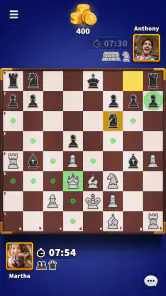
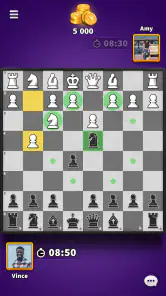
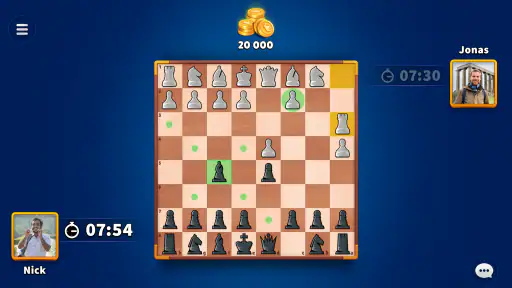
 Analysis by Frivlyz
Ever found yourself stuck on a train or waiting for an appointment and thought, "Hey, I could totally go for a game of chess right now"? Well, say hello to Chess Clash: Online & Offline. It's like having a pocket-sized chessboard ready to spring into action whenever the mood strikes. Let me take you through my experience with this nifty app.
The quick appeal—and what I would check first
The attraction is immediate: chess is familiar, but a phone makes it possible to fit a game into a spare moment without setting up a physical board or finding a partner. Developed by Miniclip.com, this free board game is rated for Everyone, and its 4.5 average from around 92,000 ratings suggests it has found a substantial audience. That is useful context, but it does not tell me whether its online play or learning tools suit a particular player, so I would treat the first few sessions as a chance to see how the app fits my routine.
If I were installing it for a child or a new player, I would start with a short offline session rather than immediately making online competition the goal. That gives someone room to get comfortable with the board and think through moves without the social pressure of an opponent waiting. For a returning player, I would do the opposite: try an online match early and see whether the pace and interaction feel enjoyable rather than distracting. Those are different needs, and the app’s mix of play options makes it more flexible than a chess app built around just one kind of session.
It has passed 10 million installs, which makes it easy to find opponents in a way that playing only with friends cannot guarantee. Still, a large audience is not a promise that every match will feel evenly paced or perfectly suited to your skill. I would judge that by playing several games, not by treating one easy win or frustrating loss as a verdict. Chess rewards patience, and matchmaking experiences can vary from one encounter to another.
Game Modes Galore
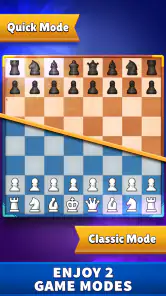
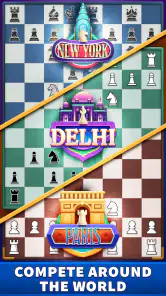
One of the first things that struck me about Chess Clash: Online & Offline is the sheer variety of game modes. Whether you’re a seasoned grandmaster or just starting out, there’s something here for everyone. You can play online against players from around the globe, or if you’re feeling more introspective, the offline mode lets you square off against a pretty smart AI. I mean, it's smart enough to give you a run for your money, but forgiving enough that you won't feel like flipping the board after one too many losses.
Choosing the right kind of session
That choice matters in ordinary life. If I have a few uninterrupted minutes and want a quick mental reset, an offline game lets me focus on the board without needing another person to be available. If I have a longer break and want the unpredictability of a real opponent, online play makes more sense. I would avoid starting a match when I know I may need to put the phone away at any moment: chess is not a game where abandoning a position feels satisfying, and an interrupted game can turn a relaxing break into a source of irritation.
Compared with a physical set, the app removes the practical work of finding a board and partner, and the AI gives solo players someone to play against. Compared with a chess app that focuses only on puzzles or lessons, this one is more about getting into games and mixing solo practice with competition. That trade-off is important. If my main goal were structured coaching or a carefully organized study plan, I would choose a tool designed around lessons; if I wanted an easy way to play, the combination here is more appealing.
Gaming Stories You May Enjoy

Dancing Road Turns Short Breaks Into a Test of Rhythm and Timing

Super Stylist Makes Every Outfit a Test of Taste and Patience

Dominoes on Your Terms: Who Should Play and Who Should Pass

Pokémon GO Makes the Familiar World Feel New

Chess.com Turns Rematches Into Rivalries, but Community Has Its Costs

Archery Battle 3D Review: Sharp Aiming, Unclear Feedback
Easy Peasy Interface
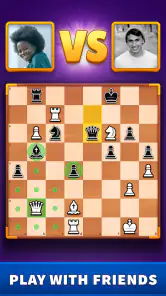
Now, let’s talk about the user interface. Navigating through the app is smoother than a well-executed rook move. The board is crisp and clear, and the pieces are easily distinguishable, which is crucial when you’re trying to plot your next move. I appreciate the little touches, like the option to choose different board themes. It’s the little things that make a big difference, right?
For practical use, clear piece shapes and a readable board are not just decoration; they help me scan the position quickly on a small screen. I would still pause before making a move when playing on a phone, especially if I am using the app in a crowded place or with only one hand free. A tap made in haste is a poor substitute for a considered move. My small habit is to look at the board once more after selecting a piece and before committing to the destination square. It costs a moment and helps keep a casual game from being spoiled by a careless touch.
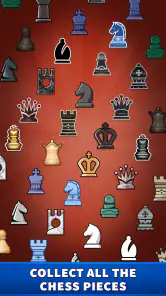
Different board themes can make a long run of games feel less visually repetitive, but changing the look will not make a difficult position easier to understand. I would pick a theme with strong contrast and stick with it if I were trying to concentrate. That is a modest but useful trade-off: personalization is welcome, while legibility matters more than novelty once I am thinking several moves ahead.
Learn and Improve
For those of you looking to improve your game, this app is a goldmine. There’s a treasure trove of puzzles and challenges designed to sharpen your skills. Plus, the app offers detailed statistics, so you can track your progress over time. I found myself sneaking in a puzzle or two during my lunch break, and let me tell you, it’s a great way to keep the brain gears turning.
The most useful way I would build that into a routine is to connect practice with a real game: try a puzzle during a break, then later notice whether the same kind of tactical idea appears on the board. A puzzle can encourage careful calculation, but solving one does not automatically make a player stronger in every part of chess. I would use the challenges as a focused warm-up rather than a replacement for playing, reviewing mistakes, or studying broader principles.
Statistics are most valuable when I look for a pattern instead of treating a single result as a judgment of ability. If a stretch of games feels rough, I would check whether I am rushing, playing while distracted, or making the same kind of mistake repeatedly. A record of results can help make improvement feel tangible, but it cannot explain every loss on its own. The practical benefit comes from pairing the numbers with an honest memory of what happened in the game.
Keeping the habit enjoyable
Chess Clash is on version 8.7.0, and the minimum operating system requirement is 7.0. For a person deciding whether to keep it installed, the key question is less about novelty than whether its mix of play and practice earns a regular place in the week. I would give it a simple routine: a puzzle or two when I have a spare moment, and a full game only when I can give the board enough attention. That keeps the app useful without turning every idle minute into another match.
There are limits to that routine. If I repeatedly open the game out of habit but do not feel like concentrating, chess can become another small obligation rather than a break. Online competition can also be tiring when I want a quiet, predictable activity; in that moment, offline play is the better fit. And if my interest is mainly in learning openings, endgames, or theory in a systematic way, I would pair this app with a dedicated study resource rather than expecting games and puzzles alone to cover everything.
Community and Connectivity
What’s chess without a little social interaction? The online mode is not just about playing; it’s about connecting. You can chat with opponents, add friends, and even join tournaments. It’s like being part of a global chess club, only you don’t have to worry about finding a parking spot.
The social side is a bonus when I want to make chess feel less solitary, but it is not essential to enjoying the board. Someone who prefers to avoid chat can focus on the game itself, while a player who enjoys familiar opponents may find adding friends more appealing than treating every match as a one-off. I would use tournaments when I want a more purposeful session, not as the default choice for a quick break; a commitment to a competitive event suits a different mood from casually playing against the AI.
It is also worth being realistic about what online play adds. It brings human unpredictability and the chance to connect, but it can also bring pressure to keep up with another person’s expectations. If I am tired, distracted, or simply looking for a calm few minutes, I would choose offline play or leave the app closed. That choice is not a weakness in the game; it is how I would keep a hobby enjoyable over time.
Cost, fit, and lasting value
The game is free to download, with in-app purchases priced from $0.99 to $99.99 per item. I would begin without spending and see whether the everyday chess experience is enough for me before considering any purchase. The wide price range makes it especially sensible to check what an item offers and whether it is something I genuinely want, rather than buying impulsively because I have enjoyed a few matches. Paying is not a requirement for deciding whether chess itself fits my routine.
For a casual player, a beginner who wants a friendly way to get into games, or someone who likes switching between solo practice and online opponents, this is an easy app to try. I would be less likely to recommend it to a player who wants only deep coaching, a quiet offline puzzle collection, or a no-distraction study environment. In those cases, a specialist chess-learning app, a traditional board with a friend, or a focused tactics tool may be a better match. The useful choice depends on whether the social and game-playing mix is the reason you want chess on your phone.
After the first-week novelty fades, I think its staying power comes from variety rather than any single feature: a person can alternate between puzzles, AI games, and online matches instead of repeating the same session each time. The best way to test that is to ask after a week whether you have actually returned because you wanted to play, not merely because the app was newly installed. If the answer is yes, a light routine can keep it rewarding; if it starts to feel like another feed demanding attention, there is no reason to force daily use.
In conclusion, Chess Clash: Online & Offline is more than just an app; it’s a chess lover’s dream. Whether you’re looking to kill time, improve your skills, or connect with fellow enthusiasts, this app has got you covered. So next time you find yourself with a few minutes to spare, why not challenge yourself to a game of chess? You might just find it’s your new favorite way to pass the time.
Chess Clash: Online & Offline Pros and Cons
Pros
- Engaging multiplayer modes available.
- Can play offline without internet.
- User-friendly interface and design.
- Regular updates with new features.
- Various difficulty levels for all players.
Cons
- Contains in-app purchases.
- Advertisements can be intrusive.
- Requires significant battery power.
- Limited customization options.
- Occasional connectivity issues online.
Frequently Asked Questions
What is Chess Clash: Online & Offline?
Chess Clash: Online & Offline is a versatile chess game available for both Android and iOS platforms. It caters to players who enjoy playing chess both online against global opponents or offline against AI. The app offers a user-friendly interface, various difficulty levels, and features that enhance the overall chess-playing experience.
Can I play Chess Clash without an internet connection?
Yes, Chess Clash: Online & Offline allows you to play without an internet connection. The offline mode is perfect for playing against AI opponents and improving your skills in chess. This feature makes it convenient for users who want to play while traveling or in locations with limited connectivity.
Does Chess Clash offer multiplayer options?
Chess Clash provides robust multiplayer options, enabling users to play against friends or random opponents worldwide. The online mode offers a competitive platform where players can challenge others, participate in tournaments, and climb the leaderboard. It's ideal for those who enjoy testing their skills against real-life players.
What levels of difficulty are available in Chess Clash?
Chess Clash comes with multiple difficulty levels to accommodate players of all skill levels. Whether you are a beginner or a seasoned chess player, you can choose from easy, medium, or hard levels in the offline mode. This feature ensures a challenging and enjoyable experience for everyone, helping players to progress and improve over time.
Is Chess Clash free to download and play?
Chess Clash: Online & Offline is free to download and play, although it may include in-app purchases and ads. These in-app purchases often offer additional features or remove ads for a more streamlined experience. Users can enjoy the core functionalities without any cost, making it accessible to a wide audience.


