

Checkers
- Reviews
- 4.7
- Version
- 1.92
- Installs
- 10,000,000+

Screenshots
 Analysis by Frivlyz
I like the appeal of a checkers game that asks little of me: I can open a board, think through a move, and leave whenever the moment is over. That simple rhythm is what makes Checkers useful on a phone. It brings a familiar board-game format to short gaps in the day, without asking me to set up pieces or find another player in the same room.
Why the board itself matters
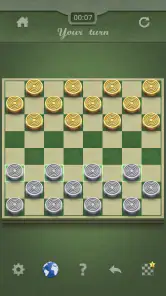
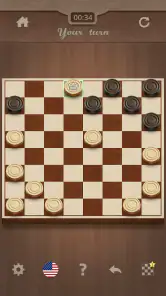
On a small screen, a board game succeeds or fails on clarity. Pieces need to be easy to tell apart, and moving one should feel straightforward rather than fiddly. In my experience, a clean digital board helps keep attention on the important question—what happens after this move?—instead of making the interface another obstacle to solve.
That matters especially in checkers, where a move can open a route for a capture or leave a piece exposed. I find it easier to pause and scan the positions on a phone than to rush through a physical game when there are distractions around. A digital board is not a substitute for the feel of moving real pieces, but it is a practical way to keep the game close at hand.
A compact way to practise thinking ahead
Checkers rewards more than spotting the nearest jump. A useful habit is to look at the opponent’s likely reply before committing: if a piece advances, can it be captured immediately, and what does that capture expose? I try to consider at least one response before moving. That small pause makes casual games more interesting and helps me notice when I am trading a piece for a better position rather than simply reacting.
This is where a phone version can be a good fit for learning through repetition. I can revisit the same basic decisions across separate short sessions, rather than needing to arrange a full game night. For a beginner, the most useful goal is not to win every time but to recognize patterns: a vulnerable piece, a forced exchange, or a route toward crowning. Those ideas make the board feel less random.
Who will enjoy this kind of game?
Gamma Play’s Checkers is a free board game, and it has a 4.7 average from around 29,000 ratings. It has passed 10 million installs, which suggests that this straightforward format has found a broad audience. The game is rated for Everyone, so it is an easy option to consider for family play, though younger players may still need someone to explain the rules and help them think through a turn.
I would recommend it to people who already enjoy checkers, beginners who want a low-pressure way to get familiar with the board, and anyone who likes a quiet strategy game between other tasks. It is less suitable if you want a story, a collection of different board games, or a highly social game-night atmosphere. For those, a broader board-game app or a real board with friends will probably feel more rewarding.
Gaming Stories You May Enjoy

Dancing Road Turns Short Breaks Into a Test of Rhythm and Timing

Super Stylist Makes Every Outfit a Test of Taste and Patience

Dominoes on Your Terms: Who Should Play and Who Should Pass

Pokémon GO Makes the Familiar World Feel New

Chess.com Turns Rematches Into Rivalries, but Community Has Its Costs

Archery Battle 3D Review: Sharp Aiming, Unclear Feedback
The Digital Board Experience
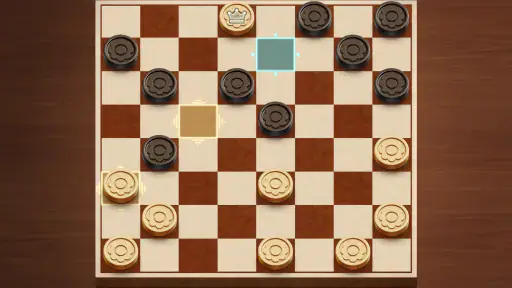
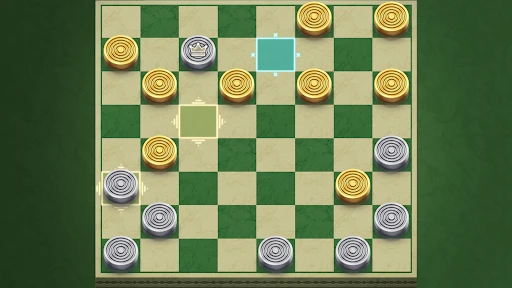
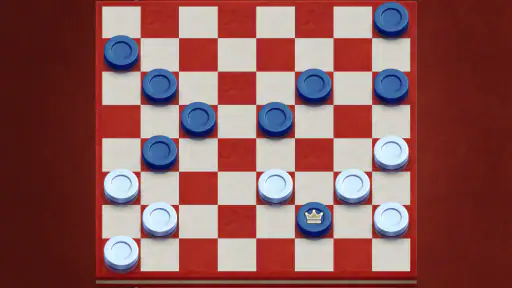
Now, let me tell you, this app nails the look and feel of a traditional checkers board. The user interface is sleek and intuitive, making it easy for anyone to jump right into a game, whether you're a seasoned player or someone who's just picking it up. The board's design is crisp, with pieces that are easy to move around, and you won't find yourself squinting to distinguish between the black and red pieces.
Gameplay and Features
One of the things I absolutely love about this app is its versatility in gameplay options. You can choose to play against the AI, which offers multiple difficulty levels to match your skill, or you can challenge a friend for a real-time match. The AI is smart enough to challenge you but not so unbeatable that it takes the fun out of the game. And if you're playing with friends, the app supports online multiplayer, so distance is never an issue.
Another cool feature is the option to undo moves. This is perfect for those moments when you accidentally move the wrong piece or want to rethink your strategy. Plus, there's a hint system to give you a nudge in the right direction if you get stuck, which is especially handy for beginners or those trying to sharpen their strategies.
The Learning Curve
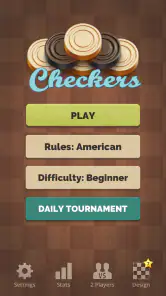
If you're new to checkers, no worries! The app includes a comprehensive tutorial that guides you through the basics, ensuring you understand the rules and nuances of the game. For more seasoned players, the app offers challenges and puzzles that are designed to test and improve your strategic thinking.
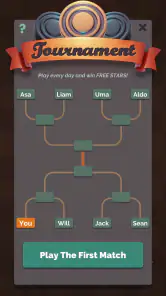
Beyond that, there's a community feature where you can connect with other players, share tips, or even participate in tournaments. It's like having a global checkers club right at your fingertips.
Final Thoughts
In a world where new apps and games are constantly vying for our attention, the Checkers app stands out by offering a simple yet engaging experience. It's a perfect blend of nostalgia and modern technology, making it a must-have for both checkers enthusiasts and casual gamers alike.
So, whether you're looking to relive those family game night memories or just need a quick mental workout during your commute, the Checkers app is definitely worth a download. It's a small piece of the past, perfectly adapted for the present.
How it fits into an ordinary day
Think of waiting for a bus or sitting through a quiet lunch break: those are better moments for a turn-based board game than for a match that demands constant attention. I can use a short session to focus on one position, then return to whatever I was doing. If I am playing someone else, I would choose a time when both of us can stay engaged; a real-time game is less convenient if one person may need to put the phone down without warning.
For family use, I would treat the phone as a shared board rather than assume everyone already knows the rules. A parent or older player can explain why a jump matters, then let a younger player try a move. That makes the game a simple way to introduce planning and consequences, while the Everyone age rating keeps it approachable for a broad audience. The app is still a screen-based activity, so it will not recreate the conversation or relaxed pace of a table game.
Small habits that make play more useful
Undo and hints are most helpful when I use them as teaching tools, not as shortcuts to a win. After an accidental tap, undo simply restores the position I meant to play. When I am genuinely unsure, a hint can give me a starting point; I then try to work out why that move is sensible before continuing. If I accept every suggestion without thinking, I miss the practice that makes the game worthwhile.
I also recommend reviewing the board after a capture instead of focusing only on the piece that was taken. Captures can change which squares are safe and create an opening for a counter-move. Even without taking notes, asking “what did that exchange cost me?” turns a casual round into a more deliberate exercise. For someone still learning, this is a more useful routine than repeatedly starting over as soon as a mistake happens.
Choosing between a phone game and other ways to play
Compared with a physical set, a phone version wins on convenience: the board is ready whenever I have a spare moment, and there is no need to arrange pieces or find a nearby opponent. A real board is better when the point is spending time together face to face, especially with children who benefit from moving pieces and talking through each turn.
Compared with a general board-game collection, a dedicated checkers game is appealing when I want to play this one game without browsing a catalogue first. The trade-off is focus: if I quickly tire of checkers or want variety in the same app, a multi-game alternative is a better fit. Likewise, players seeking elaborate progression, a narrative, or a more lively social layer should look elsewhere rather than expect a classic board game to provide those things.
What to know before installing
The game is free to download, with optional in-app purchases listed from $0.99 to $2.99 per item. I would start with the free experience and only consider a purchase if I know what it adds to my own routine; there is no need to spend just to find out whether the basic checkers format suits me. The current version is 1.92, and it requires Android 6.0 or later, useful details to check before installing on an older device.
For a quick decision, ask yourself whether you want a straightforward checkers board or a larger package of modes and distractions. If the first answer is yes, Gamma Play’s version is an easy one to try. Its strongest appeal is not that it turns checkers into something unrecognizable, but that it makes the familiar game convenient to pick up when a physical board is out of reach.
A balanced recommendation
The app’s simplicity is also its limit. Checkers has a compact set of rules, so once I know the basic tactics, the board can feel repetitive if I am hoping for fresh objectives or a steady stream of new kinds of play. The digital format also changes the social feel: an online opponent can make a game possible across distance, but that is not the same as sitting together, reading reactions, and chatting between moves.
Gamma Play released the game on June 23, 2019, and its continued appeal is easy to understand: it offers a familiar board game in a form that is easy to return to. I would choose it for short strategy sessions, practice, and casual matches. I would choose a physical set for an unhurried gathering, or a broader game app when variety matters more than having checkers ready to play.
Checkers Pros and Cons
Pros
- User-friendly interface enhances gameplay.
- Supports both online and offline modes.
- Variety of levels for all skill ranges.
- Regular updates improve game features.
- Multiplayer mode increases competitive fun.
Cons
- Occasional lag in online matches.
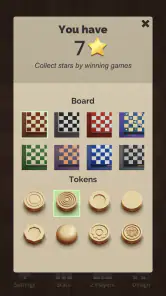
- Limited customization of game pieces.
- Ads can interrupt gameplay.
- Requires constant internet for online mode.
- In-app purchases can be pricey.
Frequently Asked Questions
What platforms is the Checkers app available on?
The Checkers app is available on both Android and iOS platforms. Users can download it from the Google Play Store for Android devices and the Apple App Store for iOS devices. Ensure your device meets the minimum operating system requirements to enjoy a smooth gaming experience.
Does the Checkers app support multiplayer mode?
Yes, the Checkers app supports both single-player and multiplayer modes. You can challenge friends online or play locally with family members. The app provides a seamless multiplayer experience with options to connect with players worldwide, making it a great way to enjoy the classic game with others.
Are there different difficulty levels available in the Checkers app?
The Checkers app offers multiple difficulty levels to cater to both beginners and experienced players. You can choose from easy, medium, and hard levels to suit your skill set. This feature allows players to gradually improve their strategies and challenge themselves as they progress.
Is the Checkers app free to download and use?
The Checkers app is free to download and play. However, it may offer in-app purchases for additional features, such as custom boards, pieces, or ad-free gaming. While the basic game experience is free, these optional purchases can enhance your gameplay experience.
Does the Checkers app require an internet connection to play?
The Checkers app does not require an internet connection for single-player mode, allowing you to play offline at your convenience. However, to access multiplayer features and online leaderboards, an internet connection is necessary. This flexibility makes it a versatile option for both online and offline gaming.


