

Cat Piano Tiles: Rhythm Games
- Reviews
- 4.4
- Version
- 0.2.5
- Installs
- 1,000,000+

Screenshots
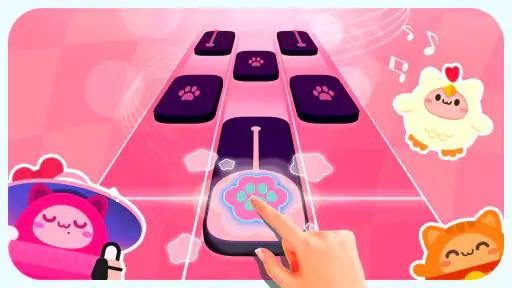
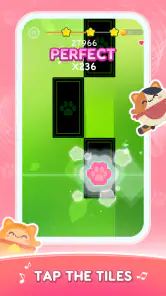
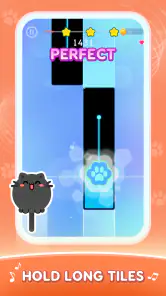
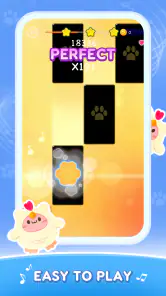

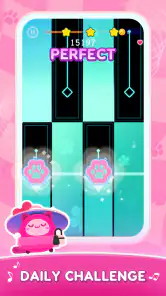
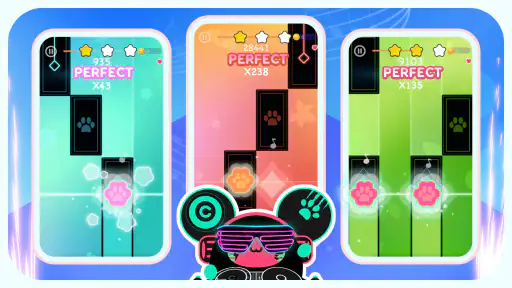
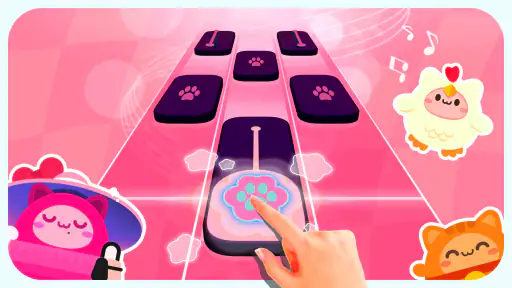
 Analysis by Frivlyz
I like the idea of a music game that keeps the mood light rather than turning every session into a serious score chase. Cat Piano Tiles: Rhythm Games puts a cat-themed spin on tapping along to music, so it suits a quick break when I want something playful and easy to pick up. It is a free music game from Cobby Labs, rated for Everyone, and its straightforward premise makes it approachable for younger players as well as adults who enjoy casual rhythm games.
A simple routine for starting a song
The basic loop is easy to understand: follow the moving tiles and tap in time. I would begin by choosing a track that feels comfortable, then focus on watching the tiles rather than trying to anticipate every note. That small habit helps me settle into the rhythm, especially when the pace becomes less forgiving. The cat presentation gives the activity a cheerful tone, but the central appeal is still the familiar rhythm-game challenge of matching movement to sound.
This is most useful in short sessions. If I have a few minutes between tasks, I can start a round, concentrate on the pattern, and stop without needing to plan a long play session. It also makes a reasonable first rhythm game for someone who wants to try tapping games without learning complicated controls. I would not treat it as a substitute for music practice, though: it is an arcade-style reaction game, not a tool for learning piano or reading sheet music.
What to check before settling in
Before playing for a while, I would take a moment to look through the options the game actually presents and set up a comfortable way to play. Keep the device steady, make sure the screen is easy to see, and use a volume level that lets you hear the beat without making a casual session tiring. These little adjustments matter in a tile game, because a distracting environment or awkward grip can make a missed tap feel like a timing problem.
Cat-themed visuals are part of the fun, but they may not be the priority for everyone. If I am mainly looking for a demanding music challenge, I would compare the experience with rhythm games built around deeper progression or more precise performance feedback. If I want a light, friendly game with an immediately understandable action, this one is a better fit. Its 4.4 average rating and more than a million installs suggest that many players have tried it, though popularity alone cannot tell me whether its song selection or pace will match my taste.
Building consistency without overthinking it
A useful way to improve is to repeat a short, manageable session and pay attention to what causes mistakes. If I miss tiles while looking at the cat art or other screen details, I bring my attention back to the tile path. If I lose the beat, I listen for the music’s pulse instead of tapping faster in a panic. This is a simple routine, but it helps separate a timing slip from a moment of distraction.
I would also avoid chasing a perfect run on my first attempt. A more relaxed approach lets me learn how a song’s rhythm feels before I worry about keeping a streak. For a child playing casually, that can keep the game enjoyable; for an adult who likes score challenges, it gives a clear way to practise. The trade-off is that anyone seeking a detailed training system may find this kind of self-guided repetition too limited.
Gaming Stories You May Enjoy

Dancing Road Turns Short Breaks Into a Test of Rhythm and Timing

Super Stylist Makes Every Outfit a Test of Taste and Patience

Dominoes on Your Terms: Who Should Play and Who Should Pass

Pokémon GO Makes the Familiar World Feel New

Chess.com Turns Rematches Into Rivalries, but Community Has Its Costs

Archery Battle 3D Review: Sharp Aiming, Unclear Feedback
Kitty Cacophony
From the moment you launch Cat Piano Tiles, you're greeted with a splash screen of vibrant colors and cheerful cats that immediately sets the mood for a fun and engaging session. The game mechanics are fairly straightforward: tap on the tiles as they scroll down your screen to keep the music going. Each successful tap produces a note, and with every missed tile, you lose a life. It’s as simple as that! The challenge, however, lies in the tempo of the music and the speed of the tiles, which escalate as you progress through levels.
Meow-sic to Your Ears
The game boasts a rich library of songs that cater to different musical tastes, from classical pieces to pop hits. What really sets Cat Piano Tiles apart is its charming kitty vocalizations that replace traditional piano sounds, adding a playful twist to your musical experience. Imagine playing "Fur Elise" with meowing cats – it’s as hilarious as it sounds!
As you dive deeper into the game, you'll unlock new tracks and backgrounds. The variety keeps the game fresh and exciting, ensuring you always have something new to look forward to. Plus, the cute cat animations that accompany your gameplay are an adorable bonus.
Paws and Play
One of the standout features of this app is its user-friendly interface. The developers have done a fantastic job of ensuring that even the youngest players can navigate the game with ease. The tutorials are quick and effective, providing just enough guidance to get you started without overwhelming you with information. And if you're ever in need of a challenge, there’s a competitive mode where you can pit your skills against other players around the globe.
Another cool aspect is the customization options. You can personalize your tiles with different cat breeds and costumes, which adds a layer of personalization to the game. This feature might just be the purr-fect incentive for players who love to add a personal touch to their gaming experience.
Play it your way, with sensible expectations
The right way to approach this game depends on what you want from a music title. I would recommend it to someone who enjoys cute presentation, quick taps, and the satisfaction of getting through a song. A child and an adult can share the same device for separate short turns, although younger players may need help navigating choices at first. The Everyone age rating makes it broadly approachable, but an adult should still decide whether the style and play session suit the child.
For a commute or waiting-room break, I would keep the phone secure and play only when I can give the screen my attention. Tile timing is hard to judge while walking, and the game is not a good choice when I need to keep my eyes on something else. At home, a brief round can be a fun change from watching clips; during a longer session, I would pause between attempts rather than letting the escalating pace turn a relaxing pastime into frustration.
It is also worth setting expectations about the music itself. A playful cat treatment may make familiar melodies more amusing, but it is not the same as listening to a full recording or choosing a playlist. If I care most about exploring artists, albums, or a broad catalogue on demand, a music-streaming app is the obvious alternative. If I want a more demanding rhythm game, I would look for one whose appeal is precision, structured practice, or a deeper challenge. This game’s advantage is its accessible, feline-flavored presentation, not a promise to replace either of those experiences.
Small habits that make repeated play better
When I return to a track, I try to change only one thing at a time: settle my grip, listen more closely, or keep my eyes on the tiles. That makes it easier to tell whether a missed note came from rushing or simply losing focus. If I keep changing how I hold the device and where I look, each attempt feels different and improvement is harder to judge. A repeatable setup is a more useful shortcut than trying to tap wildly faster.
I would also treat unlocks and visual customization as light motivation rather than the main reason to play. A new look can make another session feel fresh, but it does not change what the core task asks of me. If I am bored by tapping to a song, swapping the appearance may not solve that. On the other hand, for a player who likes collecting small cosmetic variations, choosing a cat style can make the game feel more personal without adding pressure to perform.
Where the limits become noticeable
As the tile pace rises, the game can shift from casual to demanding quickly. That escalation is part of the challenge, but it can also make a track less relaxing for someone who simply wants background entertainment. Rhythm games require attention, so I would not recommend this as a hands-free or eyes-off activity. A small screen, glare, or an uncomfortable grip can also make precise tapping less pleasant, particularly during faster passages.
There is a practical difference between this and a conventional piano-tile game: the cat theme softens the presentation, while the basic job remains familiar. Players who already know the genre may appreciate the change of tone but should not expect the theme alone to create a wholly different style of play. Likewise, those looking for a realistic instrument experience are better served by a piano-learning app. Here, the music supports an arcade challenge; it is not a lesson plan.
The current version is 0.2.5, and the game was released on April 8, 2024. It requires Android 5.1 or later. Those details are useful when deciding whether it can run on an older device, but the more important question for me is whether tapping games suit the way I like to spend a break. The game is free to start, so it is easy to consider as a casual option, while the broad age rating makes its cat-focused presentation accessible to a wide audience.
Final Purrspective
Overall, Cat Piano Tiles: Rhythm Games is a delightful app that successfully combines music and cats into a fun and engaging package. Whether you’re looking to kill some time, hone your reflexes, or simply enjoy some feline-themed fun, this app is sure to entertain. Its charming graphics, diverse song selection, and intuitive gameplay make it a must-try for anyone who enjoys rhythm games. So, why not give it a go? Who knows, you might just find yourself tapping to the beat of a meow-tastic symphony.
My verdict after a few kinds of sessions
What I like most is the clear identity: this is a cat-centered take on a familiar tile-tapping game, not a complicated music tool pretending to be something else. It works best when I want a compact, cheerful challenge and am happy to repeat a song to improve my timing. Its 4.4 average across around seven thousand ratings offers a useful sign of broad interest, while the roughly thirty-eight written reviews give a smaller set of player comments to browse if I want more perspective.
I would choose it for a playful break, for a younger player who enjoys cats and music, or for someone who wants an accessible first taste of rhythm games. I would skip it if I need a serious practice aid, a broad listening service, or a highly technical rhythm challenge. My practical recommendation is to try a short session, find out whether the cat presentation and tapping loop click for you, and keep expectations focused on light arcade fun. If that is what you want, this is an easy game to pick up and a pleasant one to return to.
Cat Piano Tiles: Rhythm Games Pros and Cons
Pros
- Engaging gameplay for music lovers.
- Wide variety of cat-themed songs.
- Challenging levels to master skills.
- Smooth and responsive touch controls.
- Regular updates with new content.
Cons
- Contains in-app purchases.
- Ads can be intrusive during play.
- Requires internet for some features.
- Limited offline functionality.
- May drain battery quickly.
Frequently Asked Questions
What is Cat Piano Tiles: Rhythm Games?
Cat Piano Tiles: Rhythm Games is a fun and interactive mobile game that combines the excitement of rhythm-based gameplay with the charm of adorable cat-themed visuals. Players tap on tiles in time with the music to score points and complete levels. The game is available for both Android and iOS devices, making it accessible to a wide audience.
How do I play Cat Piano Tiles: Rhythm Games?
Playing Cat Piano Tiles: Rhythm Games is simple yet addictive. Players need to tap on the black tiles as they appear on the screen in sync with the rhythm of the music. Missing a tile or tapping the wrong one will end the game. The challenge increases as you progress, with faster speeds and more complex patterns to master.
Is Cat Piano Tiles: Rhythm Games free to download?
Yes, Cat Piano Tiles: Rhythm Games is free to download on both the Google Play Store for Android devices and the Apple App Store for iOS devices. While the game is free to play, there may be optional in-app purchases available for players who want to enhance their gaming experience with additional features or content.
Can I play Cat Piano Tiles: Rhythm Games offline?
Yes, one of the advantages of Cat Piano Tiles: Rhythm Games is that it can be played offline. Players can enjoy the rhythm challenges without needing an internet connection, making it an ideal game for playing on the go or in areas with limited connectivity. However, some features might require internet access, such as in-app purchases or updates.
Are there any age restrictions for playing Cat Piano Tiles: Rhythm Games?
Cat Piano Tiles: Rhythm Games is designed to be family-friendly and suitable for players of all ages. The game features cute visuals and simple gameplay mechanics that are easy to understand, making it suitable for children and adults alike. Parents can feel comfortable allowing their kids to play, as there is no inappropriate content included.


