

Call of Duty: Mobile Season 10
- Reviews
- 4.3
- Version
- 1.0.48
- Installs
- 100,000,000+

Screenshots

 Analysis by Frivlyz
Hey there, mobile gamers! If you're as into first-person shooters as I am, you're probably already familiar with the exciting world of Call of Duty: Mobile. Season 10 has a lot going on, and it’s worth looking at how its maps, modes, equipment, and settings fit into an ordinary play session. I’ll focus on what feels rewarding, what takes practice, and where I’d pause before recommending it to a friend.
A familiar starting point for mobile FPS players
Call of Duty: Mobile is a free action game from Activision Publishing, Inc. It has a 4.3 average from around 16 million ratings, with over 100 million installs. Those figures point to a large, established audience, but they don’t tell you whether the pace will suit you: this is still a fast first-person shooter that asks for attention, quick decisions, and comfort with touch controls.
I’d recommend it most readily to someone who enjoys short competitive matches and wants more than one way to play. A newcomer can start with a familiar shooter format, learn the controls in manageable steps, and then decide whether to spend more time in team modes or Battle Royale. On the other hand, if you want a quiet game you can play while half-watching something else, this probably won’t be a great fit. Even a brief match can become demanding once opponents start pushing objectives.
Our Stories on Call of Duty: Mobile Season 10
Unlocking the Secrets of Piano Game: Classic Music Song
NewsStandoff 2: Tactical Depth in the Mobile Action Arena
NewsSonic Forces: PvP Battle Race - Speed and Strategy Combined
NewsSnake.io: Nostalgia Meets Modern Multiplayer Mastery
NewsDancing Road Turns Short Breaks Into a Test of Rhythm and Timing
NewsSuper Stylist Makes Every Outfit a Test of Taste and Patience
NewsBuild a repeatable pre-match routine
My best advice is not to change everything between matches. Pick a control layout you can reach comfortably, spend a little time learning how it feels, then make one adjustment at a time. When you change several settings together, it’s hard to tell which one actually helped. That small habit matters more than chasing a supposedly perfect setup copied from another player, because hand size, screen space, and preferred weapons all affect what feels natural.
I also treat each match as practice for one decision. On a close-quarters map, I focus on checking corners before committing; in a mode built around holding ground, I pay attention to when to leave cover and support the team. This keeps a loss useful rather than frustrating. If you’re returning after time away, easing back in with a familiar weapon and map is often less confusing than trying every new option at once.
What Season 10 Changes in a Match
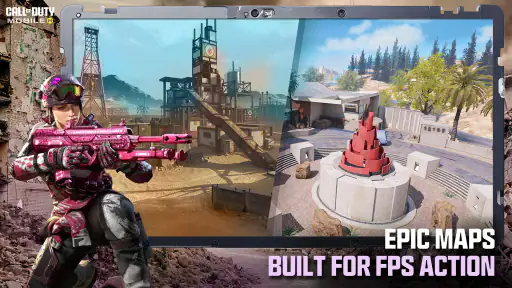
First things first, let's talk maps. Season 10 introduces "Terminal", a fan-favorite map from Modern Warfare 2. If you've been feeling nostalgic, this map will hit you right in the feels. It's perfect for strategic plays and offers plenty of vantage points for snipers. But that’s not all—there’s also the new "Reclaim" map, which is a breath of fresh air with its urban warfare setting. I spent hours just exploring its nooks and crannies.
On Terminal, I’d avoid treating every long sightline as an invitation to stand still and aim. The map’s appeal is that it offers different routes and angles, so a sniper’s strong position can also become predictable if they keep using it. If I’m playing with a squad, I’d rather have someone watch a lane while the rest move with a purpose than have everyone crowd one vantage point. On Reclaim, exploring is useful early on, but once the layout feels familiar, the bigger gain is remembering which routes make it safer to rotate rather than crossing open space without a plan.
Gaming Stories You May Enjoy

Dominoes on Your Terms: Who Should Play and Who Should Pass

Pokémon GO Makes the Familiar World Feel New

Chess.com Turns Rematches Into Rivalries, but Community Has Its Costs

Archery Battle 3D Review: Sharp Aiming, Unclear Feedback

Should You Switch to Geometry Dash Meltdown? A Test of Timing and Patience

Fidget Toys Trading・Pop It 3D: What Happens When the Game Stumbles
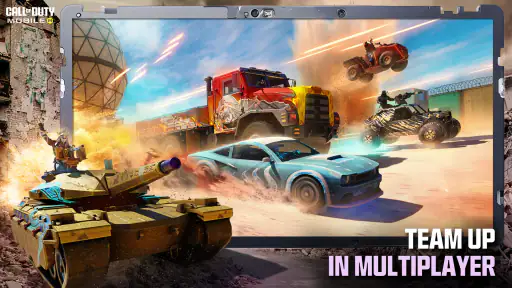
On to the modes. The new "Headquarters" mode is an adrenaline rush. Think King of the Hill but with more firepower. You and your squad have to capture and hold the headquarters while defending against waves of enemies. It's chaotic, it's fast-paced, and it's absolutely thrilling.
That objective makes Headquarters a good test of patience as well as aim. Capturing the point is only one part of the job; staying coordinated after the fight moves there is what keeps a team useful. I try not to chase every opponent away from the objective, because a flashy pursuit can leave the position exposed. If you’re playing solo, watch what your teammates are doing and fill the gap—cover an approach, help contest the point, or fall back when the push is already lost.
Choose a mode to match the time you have
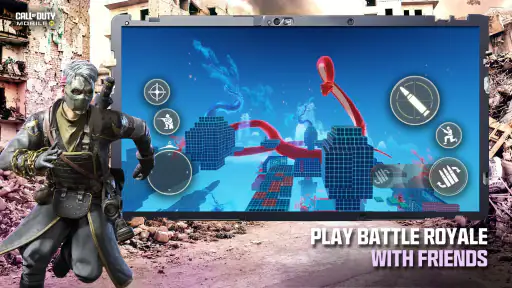
For an everyday session, I’d decide what I want from the next few minutes before queuing. If I want to warm up my aim, a straightforward multiplayer match gives me a clearer focus than trying to learn several new systems at once. If I have friends online, objective play is a better reason to communicate and coordinate. Battle Royale suits a different mood: it gives a longer arc to a session, so it’s less convenient when I know I may need to put my phone down soon.
That distinction is useful when comparing it with other mobile shooters. Some alternatives lean harder into a single format or a more deliberate pace. This game’s draw is the mix of familiar multiplayer action, team objectives, and Battle Royale, but that breadth can also feel busy if you only want one tightly focused mode. I’d choose it for variety and a recognizable Call of Duty feel; I’d choose a more specialized shooter if I wanted every session to revolve around one particular style.
Battle Pass Bonanza
You can't talk about a new Call of Duty: Mobile season without mentioning the Battle Pass. Season 10's Battle Pass is stacked with goodies. We're talking new operators, epic weapon skins, and some seriously cool emotes. If you’re someone who loves customization, this season’s pass will not disappoint. Plus, who doesn't love a good grind to unlock everything it offers?
I’d treat the pass as an optional reason to keep playing, not as a requirement to enjoy the matches. It’s most appealing if you already expect to play regularly and like having cosmetic goals alongside improving at the game. If your free time is unpredictable, don’t let a progression track turn a relaxing match into a chore. The game is free to start, while in-app purchases range from $0.99 to $99.99 per item, so I’d decide on a spending limit before browsing rather than making a quick purchase because a reward looks tempting.
Weapons, equipment, and the choices behind a push
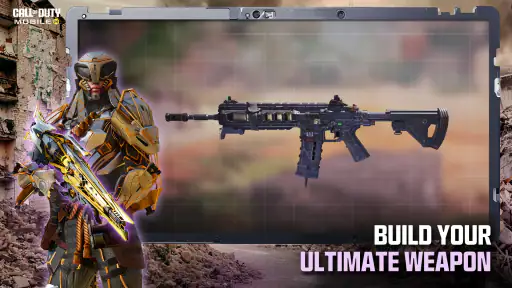
Of course, a new season means new weapons. The standout for me has to be the "Echo Grenade". It’s a game-changer, allowing you to locate enemies through walls. I've already seen some crazy plays using this tactical item. Weapons balance has also been adjusted, and I’ve noticed a significant improvement in how the guns feel. Finally, my trusty AK-47 feels just as powerful as it should be.
The useful habit with tactical equipment is to think about the information it gives your team, not only the moment it might secure a fight. If the Echo Grenade helps reveal where pressure is coming from, I’d use that knowledge to choose a safer route or warn teammates rather than charging straight toward a marked position. Information can create an advantage, but it doesn’t automatically make a push safe. Timing and cover still matter, and using equipment without a follow-up plan can waste the chance it creates.
When a weapon feels different after a balance adjustment, I’d give it several matches before deciding whether it suits me. A single encounter can be misleading: distance, movement, and the angle of a fight all affect how a gun feels. I prefer to compare it in similar situations and keep a comfortable alternative ready. That approach is more practical than rebuilding a loadout every time one match goes badly, and it helps separate a real preference from a temporary frustration.
Settings worth checking before chasing better aim
Let’s be honest, nobody likes lag, and I’m happy to report that Season 10 runs smoothly on most devices. The graphics have been slightly tweaked for a more immersive experience, and the attention to detail is just mind-blowing. Explosions look more realistic, and the character animations are smoother than ever.
If you’ve got a device that can handle it, crank those settings to max and enjoy the eye candy. Even on lower settings, the game still looks great, so no worries if you’re not sporting the latest smartphone.
In practice, I’d prioritize a stable-feeling session over visual effects. If a match feels choppy or the phone becomes uncomfortable to hold, lowering the visual demands is a sensible first experiment; the point is to make aiming and reading movement easier, not to win a graphics contest. I’d also test a control adjustment in a low-pressure match before relying on it when an objective is contested. Small, reversible changes make it easier to find a setup that fits your device and hands.
Season 10 is listed as version 1.0.48, and the game supports Android 5.0 and later. That gives a useful starting point for checking compatibility, but a supported operating system alone doesn’t guarantee the same comfort or performance on every phone. If you’re deciding whether to install it, think about storage and how often you’ll have a reliable connection for playing and updating, rather than assuming a large multiplayer game will behave like a tiny offline time-killer.
Where the learning curve and limits show
The biggest hurdle for a new player is not a lack of things to do; it’s the amount to learn while matches are already moving quickly. Map knowledge, team awareness, weapon feel, and touch controls all compete for attention. I’d focus on one at a time. For instance, play a few rounds while concentrating on staying near the objective, then later work on positioning or equipment timing. That is less exciting than trying to master everything immediately, but it makes progress easier to recognize.
Another trade-off is that the game’s variety can make a short session turn into a longer one. A quick match may lead to another because a new map or mode has caught your interest, and seasonal rewards can add pressure to keep playing. I enjoy that momentum when I have time. When I don’t, I set a clear stopping point before launching the game. Players who dislike competitive pressure, frequent adjustment, or optional purchases may be happier with a more relaxed single-player action game.
The audience is rated Mature 17+, so I wouldn’t treat it as a game for younger children. Its action is built around firearm combat, and the rating is worth considering before installing it on a shared device. For adults who want a mobile shooter they can dip into with friends or play solo, it offers plenty to explore; for someone looking for a gentle, low-intensity experience, I’d point elsewhere.
Final Thoughts
So, is Call of Duty: Mobile Season 10 worth your time? Absolutely. Whether you’re a competitive player or someone who just likes to unwind with some casual shooting, this season has something for everyone. From new maps and modes to the ever-exciting Battle Pass and gear updates, Season 10 keeps the franchise fresh and engaging.
If you haven't jumped into the action yet, now’s a perfect time. Grab your phone, download the update, and I'll see you on the battlefield. Trust me, you won't regret it!
Who I’d recommend it to
I’d suggest giving it a try if you like learning maps through repetition, enjoy working toward objectives with a team, or want a mobile FPS that can shift between different kinds of matches. The strongest everyday use case is a planned session with a friend: agree on a mode, keep the first match relaxed, and then use what you noticed to make one adjustment for the next round. That gives the game a social rhythm without turning every match into a serious competition.
I’d be more cautious if you mainly play in brief interruptions, dislike touch-based aiming, or prefer games that never ask you to think about progression and purchases. A good setup takes some patience, and the learning curve can make early matches feel hectic. Season 10 is at its best when I give it enough attention to read the map and play the objective, not when I’m trying to squeeze it into a distracted minute.
A practical verdict before you install
Call of Duty: Mobile is free to download, but I’d still approach it with a little intention: check that your phone meets the Android requirement if you’re on that platform, choose a comfortable control setup, and decide in advance whether cosmetics and pass rewards matter to you. The game has a 4.3 average across around 16 million ratings, but the right question is whether its quick, competitive style fits your habits. For me, the answer is yes when I want variety, tactical team play, and a reason to improve from match to match.
Call of Duty: Mobile Season 10 Pros and Cons
Pros
- High-quality graphics and immersive gameplay.
- Regular updates with fresh content.
- Diverse game modes for varied experiences.
- Strong community and competitive scene.
- Cross-platform play with friends globally.
Cons
- Large file size requires significant storage.
- Occasional in-game microtransactions.
- Requires a stable internet connection.
- Battery consumption can be high.
- Not suitable for all age groups.
This Game in Other Languages
Frequently Asked Questions
What are the system requirements for Call of Duty: Mobile Season 10?
To run Call of Duty: Mobile Season 10 smoothly, users need an Android device with at least 2GB of RAM and Android 5.1 or above. For iOS devices, an iPhone 6 or newer is required with iOS 9.0 or later. A stable internet connection is also essential for optimal gameplay.
Is Call of Duty: Mobile Season 10 free to play?
Yes, Call of Duty: Mobile Season 10 is free to download and play. However, it includes in-app purchases for in-game currency and items. These optional purchases can enhance the gaming experience by unlocking special weapons, skins, and other features, but they are not necessary to enjoy the core gameplay.
What new features are introduced in Call of Duty: Mobile Season 10?
Season 10 brings exciting new features, including fresh maps, weapons, and game modes. Players can explore a battle pass filled with exclusive rewards and experience themed events. The update also includes several gameplay improvements and bug fixes, enhancing overall user experience and engagement.
How can I ensure my account’s security while playing Call of Duty: Mobile?
To keep your Call of Duty: Mobile account secure, use a strong password and enable two-factor authentication. Be cautious about sharing account details and avoid third-party websites that offer cheats or hacks, as they can compromise your account. Regularly update the app to safeguard against security vulnerabilities.
Can I play Call of Duty: Mobile Season 10 with friends?
Absolutely, Call of Duty: Mobile Season 10 encourages social play. You can team up with friends by adding them through your in-game friends list. The game supports multiplayer modes where you can join forces in battles, participate in ranked matches, and communicate via voice or text chat for a collaborative gaming experience.


