

Brainrotted Soundboard & AR
- Reviews
- 4.8
- Version
- 0.3
- Installs
- 5,000,000+

Screenshots
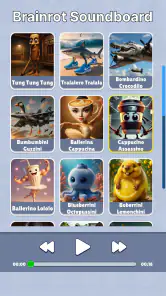


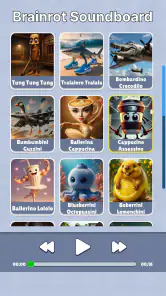


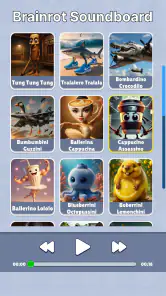

 Analysis by Frivlyz
I tend to judge a novelty soundboard by what it lets me do in a few seconds: find a sound, play it at the right moment, and put the phone away without fuss. Brainrotted Soundboard & AR is built around that quick-hit kind of amusement, with a playful presentation and an augmented-reality angle. It is a free simulation game from YoB, and its basic appeal is easy to understand: short sound effects can turn a quiet pause into a shared joke, while the AR concept gives the experience a visual twist.
That format has a particular audience. If you enjoy internet-style humor, silly sound effects, or showing a small surprise to a friend, this is more likely to suit you than someone looking for a deep simulation with long-term goals. I would treat it as a casual entertainment app rather than something that needs to hold my attention for an entire evening. Its appeal depends on whether the sounds and visual gag fit your sense of humor, and on whether you enjoy sharing that kind of moment with other people.
Finding the fun without unnecessary friction
Brainrotted Soundboard has an average rating of 4.8 from around 8,800 ratings and has passed 5 million installs. Those figures suggest that its quick, playful idea has found an audience, but they do not tell me whether every sound will land for every person. Humor is personal, and a sound that delights one group can feel repetitive or grating to another. I would approach it as a lightweight source of novelty, not as a guaranteed crowd-pleaser.
Readability and finding a sound
The moment I installed Brainrotted Soundboard & AR, I was immediately drawn to its quirky and vibrant interface. The app is jam-packed with a variety of sounds that range from hilarious to downright bizarre. From animal noises to classic prank sounds, it’s all there. The best part? You can customize your own soundboard by picking your favorite sounds, making it super user-friendly.
For a soundboard, the most useful design choice is usually reducing the distance between opening the app and reaching a sound you already know you want. Picking favorites can help with that: rather than browsing the full collection every time, I would keep a small personal selection for the moments when speed matters. For example, a group chat break or a family gathering is not the ideal time to scroll through a long set of options while everyone waits. A short, intentional board makes the app feel more like a pocket collection of cues than a catalogue to explore from scratch.
That approach also helps if you are introducing the app to someone who does not want to navigate much. I would set up a handful of suitable favorites before handing over the phone, then let the other person choose from that limited set. It is a practical way to keep the experience predictable and avoid making a shared joke depend on searching through sounds in front of an audience. The trade-off is that a curated board takes a little thought; if you only open the app occasionally, you may prefer browsing instead of maintaining a selection.
AR as a visual part of the joke
What sets this app apart from the countless soundboards available is its AR capability. Imagine activating a sound and seeing a related animated character or object come to life on your screen. It’s like adding a sprinkle of magic to your usual soundboard experience. The animations are smooth and well-designed, which enhances the overall user experience. It’s a feature that’s bound to impress both kids and adults alike.
Gaming Stories You May Enjoy

Dancing Road Turns Short Breaks Into a Test of Rhythm and Timing

Super Stylist Makes Every Outfit a Test of Taste and Patience

Dominoes on Your Terms: Who Should Play and Who Should Pass

Pokémon GO Makes the Familiar World Feel New

Chess.com Turns Rematches Into Rivalries, but Community Has Its Costs

Archery Battle 3D Review: Sharp Aiming, Unclear Feedback
The sound and the visual effect work best when they support one another. I would use the AR element when there is enough time to show the screen and let another person take in the gag, rather than reaching for it during a conversation where everyone is already moving on. This makes the app better suited to a relaxed hangout, a playful moment with children, or a quick demonstration than to situations where a sound alone would be more discreet. It is a small but important distinction: the AR feature adds a reason to look at the phone, so it is not always the quickest way to share a joke.
There is also a useful choice in how you use it. If the room is busy or the screen is hard for someone nearby to see, I would keep the interaction focused on the sound rather than expecting the visual side to carry the joke. When the screen can be passed around safely or held where everyone can see, the animation becomes more of a shared moment. In that sense, AR is not automatically an improvement over audio; it is an extra layer that pays off when the setting suits it.
Comfort, movement, and sensory context
However, it’s worth noting that the AR feature works best on newer devices with updated AR capabilities. If you’re using an older model, the experience might not be as seamless, but it’s still pretty impressive. Just make sure you have enough room for the animations to play without a hitch.
That room matters in a practical way. I would use AR while standing still and with a clear view of the screen, not while walking, crossing a street, or trying to watch the phone in a crowded place. A soundboard is easy to use in short bursts, but an AR moment asks for more visual attention. If you want to keep your eyes on what is happening around you, stick to a quick audio interaction or leave the app for later.
There is a sensory trade-off, too. The whole point of a soundboard is to play noticeable sounds, which makes it a poor fit for quiet settings, libraries, public transport, or anyone nearby who may be startled by sudden audio. I would lower the phone’s volume before opening it and choose the moment rather than letting a sound burst out unexpectedly. The app’s humor is more considerate when the people around you have opted into the joke.
For people who find animated movement distracting, the visual side may be less appealing than the sound collection. I would not assume that AR has to be part of every session: the ordinary soundboard idea is still the central draw, and you can choose when a visual effect is worth the extra attention. Similarly, if someone has difficulty holding a phone steady or interacting quickly, a spontaneous AR demonstration may be awkward. Setting up the moment first and letting a companion hold the device can make it easier, though that will not suit every situation.
Everyday uses and sensible limits
Whether you’re looking to prank your friends, entertain your kids, or simply kill some time, Brainrotted Soundboard & AR has got you covered. It’s the kind of app that you can keep coming back to whenever you need a good laugh. Plus, the developers seem committed to keeping the app fresh with regular updates and new sounds, ensuring you never run out of fun options.
A realistic use for me would be a slow afternoon at home: I could choose a few favorites before a family game, then use one sound as a playful cue when everyone is ready for a break. That is different from playing sounds continuously. A little restraint keeps the joke from becoming background noise, and it gives the AR element a better chance to feel like a surprise rather than an interruption. With children, I would preview the sounds and decide which ones fit the moment before handing over the phone.
Compared with a basic soundboard, the distinctive promise here is the AR component: a plain collection of clips is usually simpler when all I need is an audio cue, while this app is more appealing when I want the sound to have a visual companion. Compared with a full AR game, however, I would expect a much lighter kind of engagement from this concept. It is not the option I would choose for a structured challenge or a long play session; the appeal is quick novelty and sharing a gag.
That makes the app a better match for people who like trying odd sounds and showing them to friends than for someone who needs a reliable tool for presentations, sound editing, or carefully timed audio playback. A dedicated audio utility is a better choice when precision and control matter. A conventional soundboard may also be preferable when you want to avoid camera-like visual interaction and just need a fast button for a familiar effect. Here, the extra visual idea is the differentiator, but it is not a reason to use AR every time.
Who is likely to enjoy it
The game is rated for Everyone, which makes its broad, playful premise easy to understand, but I would still use common sense about where and with whom I play the sounds. A family-friendly age rating does not mean every prank is welcome in every setting. I would avoid using it to embarrass someone, interrupt a serious conversation, or make a stranger the target of a joke. The best moments are the ones where the people nearby are in on it.
It runs on Android 8.0 or later, and the current version is 0.3. The version number is a reminder to keep expectations modest: I would judge it by the quick entertainment it offers today rather than assume it has the breadth of a mature, feature-heavy simulation. If your phone is older, the AR experience is the part I would be most cautious about, since the visual feature depends on the device being able to handle it comfortably. The basic appeal of a soundboard is easier to assess than whether AR will feel smooth on a particular handset.
Brainrotted Soundboard is free, so trying it does not require an upfront purchase. I would still think about whether its style suits you before making it a regular part of your routine. If you dislike loud novelty sounds, prefer quiet apps, or find short-form internet humor tiresome, the low barrier to trying it may not change that mismatch. If you enjoy playful audio and are curious about a visual twist, it is a more natural fit.
What to expect before opening it
The first question I would ask is whether I need AR for the moment I have in mind. If I simply want to make a quick sound, the soundboard side is the direct route; if I want someone to see a related animation as well, I would choose a place where the screen can be viewed without rushing. This small decision helps avoid the common frustration of opening an app for a visual feature when the situation only allows a quick audio joke.
I would also decide in advance whether the sound is welcome. In a quiet room, the considerate option may be to skip the app altogether. Around friends who enjoy silly effects, a short burst can work; in a shared public space, it can come across as noise rather than humor. The experience depends as much on timing and audience as on the app itself, which is why I see it as something to use deliberately instead of leaving open for constant playback.
One practical tip is to make the sound selection fit the people who will hear it. A small set of familiar, gentle choices is easier to share with a mixed-age group than a random browse through every kind of effect. Another is to use AR when there is enough light and space to look at the screen comfortably, rather than trying to make the visual side work in a cramped or hurried setting. These are simple habits, but they make the app’s two parts feel more purposeful.
My inclusive verdict
In conclusion, if you’re on the hunt for a soundboard that offers more than just sound, this app is definitely worth checking out. It brings together the classic charm of a soundboard with the innovative touch of AR, making it a standout in its category. So, go ahead and give Brainrotted Soundboard & AR a try; it might just become your new favorite app for entertainment.
My recommendation comes with a clear boundary: I would suggest it to someone who enjoys casual, shareable humor and is comfortable using a phone for both audio and visual play. I would steer someone toward a simpler soundboard if they mainly need quick, predictable effects, and toward a different kind of game if they want progression or extended sessions. Its best quality is the chance to turn a small sound into a visual gag; its main limitation is that the gag still depends on the right device, setting, audience, and mood.
YoB’s Brainrotted Soundboard is at its most enjoyable when treated as a small social extra, not a substitute for a full game or a polished audio tool. I like the idea of keeping a few fitting sounds ready and bringing out the AR element only when the people around me have time to enjoy it. Used that way, it can add a playful moment without demanding much commitment, while anyone who wants quiet, precision, or a deeper simulation will be happier with another option.
Brainrotted Soundboard & AR Pros and Cons
Pros
- User-friendly interface for easy navigation
- Extensive library of sound effects
- AR feature enhances user experience
- Regular updates with new content
- Minimal ads for uninterrupted usage
Cons
- Limited AR compatibility with older devices
- Requires internet for full functionality
- Lacks customization of sound categories
- Occasional lag in AR feature
- No offline mode for sound effects
Frequently Asked Questions
What is Brainrotted Soundboard & AR and how does it work?
Brainrotted Soundboard & AR is an innovative app that combines a soundboard with Augmented Reality (AR) features. Users can access a variety of sound effects and music clips, which can be played at any time. The AR component allows users to overlay these sounds into their environment, creating an immersive audio-visual experience. It's perfect for parties, pranks, or simply enhancing your everyday surroundings with fun audio clips.
Is Brainrotted Soundboard & AR suitable for all age groups?
While Brainrotted Soundboard & AR is designed to be fun for all, parents should note that some sound clips may not be suitable for very young children. The app is designed for a general audience, but it's always a good idea for parents to preview the content to ensure it aligns with their family values. The AR features are easy to use, making it accessible for most age groups.
What are the system requirements for using Brainrotted Soundboard & AR?
To enjoy Brainrotted Soundboard & AR, users need a smartphone or tablet with iOS 11.0 or later, or Android 8.0 and up. The device must support AR functionality, which typically requires a camera and a compatible chipset. It is advisable to have a device with sufficient storage space and a good amount of RAM to ensure smooth operation of the AR features.
Does Brainrotted Soundboard & AR consume a lot of battery and data?
As with most AR applications, Brainrotted Soundboard & AR can be demanding on your device's battery, especially when using the AR features extensively. It's recommended to use the app while having access to a power source if you're planning extended use. In terms of data, the app itself does not require significant data usage, but downloading additional sound packs or updates will require an internet connection.
Are there any in-app purchases or advertisements in Brainrotted Soundboard & AR?
Yes, Brainrotted Soundboard & AR includes optional in-app purchases that allow users to unlock additional sound packs and features, enhancing the overall experience. While the basic version of the app is free to download and use, users may encounter advertisements. However, these can be removed by opting for the premium version, which is ad-free and includes exclusive content.


