

Booba Kitchen: Kids Cooking!
- Reviews
- 4.0
- Version
- 1.0.8
- Installs
- 10,000,000+

Screenshots



 Analysis by Frivlyz
I’d set expectations in a simple way before handing this to a child: Booba Kitchen: Kids Cooking is a playful role-playing game built around pretend food preparation, not a cooking course or a substitute for helping in a real kitchen. Its appeal is the small, approachable loop of choosing ingredients, following visual cues, and watching a dish come together with Booba. For a first-time user, that clear focus is reassuring: there is no need to know recipes in advance, and a child can start by exploring the on-screen cooking activity rather than learning a complicated control scheme.
A gentle first session, with a parent nearby
I’d begin by opening the game together and letting the child take the lead. A useful first goal is simply to follow one cooking sequence from start to finish: notice what the screen highlights, try the prompted action, and see what changes. That gives a young player a quick sense of how the game responds without turning the first visit into a lesson. If they hesitate, I’d ask what they think the next visual cue means instead of immediately tapping for them; that small pause helps them feel capable while keeping the activity relaxed.
For a caregiver, the main practical question is whether this suits the child’s age and patience. The game is rated Everyone, and its visual approach is aimed at children, but a rating does not mean every child will understand every prompt or enjoy the same pace. I would sit with a younger player at first, especially if they are still learning to follow sequences on a screen. An older child who already enjoys pretend-play games may be comfortable exploring more independently, while a child who wants a fast challenge could find the gentle cooking rhythm too slow.
What the first success can teach
Finishing an activity matters more than trying to uncover every option in the opening session. I’d treat the first completed dish as a chance to notice cause and effect: a tap or other prompted interaction changes the ingredients or scene, and continuing in order moves the task toward its result. That is a modest but useful kind of practice for young players. It encourages attention, sequencing, and confidence without asking them to read a long explanation or manage a demanding game system.
There is also a nice opportunity to connect pretend play with everyday life. If a child has helped stir batter or arrange fruit at home, they may enjoy comparing that real task with the simplified version on screen. I would keep the comparison light: the game is for imagination, while real cooking still needs an adult to handle heat, sharp tools, and food safety. That distinction lets the child enjoy feeling like a little chef without mistaking a cartoon activity for instructions to try kitchen tasks alone.
Cooking Fun with Booba
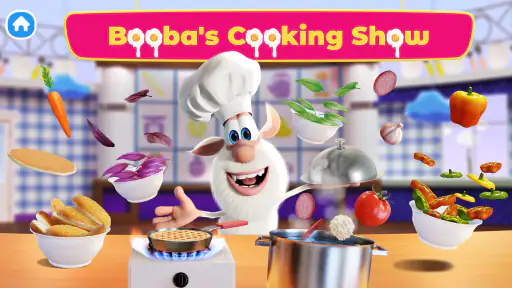
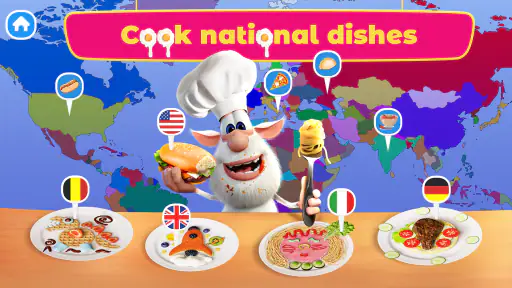
Ever wondered what it's like to cook with a cartoon character? Well, Booba Kitchen: Kids Cooking brings this experience to life with its adorable animation and interactive gameplay. The app stars Booba, a curious and playful creature who takes kids on a culinary journey through various recipes. It's like having a virtual sous-chef right at your fingertips!
Interactive and Educational
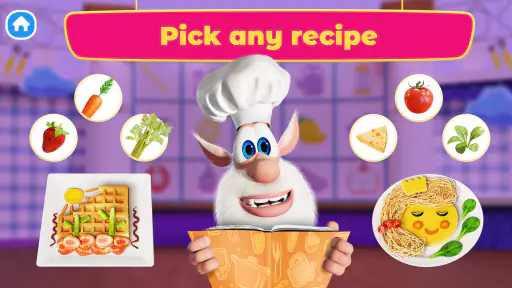
One of the aspects I absolutely love about this app is how it combines fun with learning. Kids get to explore different ingredients, learn their names, and understand the basics of cooking through step-by-step instructions. It’s a smart way to introduce them to the kitchen without the mess and safety hazards. Plus, the app’s interactive nature keeps the little chefs engaged and eager to learn more.
Gaming Stories You May Enjoy

Dancing Road Turns Short Breaks Into a Test of Rhythm and Timing

Super Stylist Makes Every Outfit a Test of Taste and Patience

Dominoes on Your Terms: Who Should Play and Who Should Pass

Pokémon GO Makes the Familiar World Feel New

Chess.com Turns Rematches Into Rivalries, but Community Has Its Costs

Archery Battle 3D Review: Sharp Aiming, Unclear Feedback
Easy Navigation and User-Friendly Design
The developers have done a fantastic job in ensuring the app is easy to navigate. The interface is colorful, intuitive, and designed with kids in mind. Even if your child is not yet a reading pro, the visual cues and Booba's helpful prompts make it easy for them to follow along. The app's design encourages kids to experiment with cooking, fostering creativity and independence.
Why Kids Love It
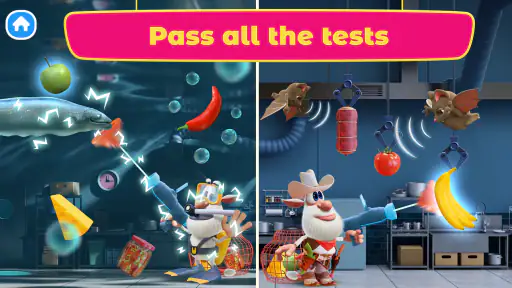
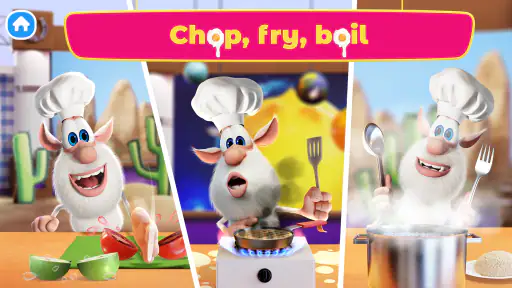
From whipping up simple dishes to experimenting with exotic recipes, the variety of cooking activities keeps the app fresh and exciting. My kids especially enjoy the playful sound effects and animations that appear every time they complete a cooking step. It’s rewarding and gives them a sense of accomplishment, which is so important for their confidence. The app also offers a sense of accomplishment as kids see their dishes come together, which is both satisfying and motivating.
Choosing it over other kinds of play
Compared with open-ended dress-up or dollhouse games, this one gives pretend play a clearer destination: the activity is organized around making food, so a child who likes following a small sequence may settle into it more easily. Compared with a more complex cooking simulator, it is the lighter choice; I would not pick it for someone looking for realistic kitchen management, precise timing, or a demanding progression challenge. Its value is in approachable interaction and character-led play, not in recreating the pressure or detail of a restaurant game.
A practical way to use it is as a short transition activity while an adult prepares an actual snack nearby. The child can complete a pretend cooking task, then help with a safe real-world job such as choosing a plate or washing fruit with supervision. I like that pairing because it gives the game a natural stopping point and turns the cooking theme into conversation rather than leaving the child absorbed in the screen indefinitely. It is less suitable when you need an activity that teaches reliable recipes or keeps a child occupied for a long stretch without adult involvement.
Small choices that make play smoother
For the first few visits, I’d avoid trying to direct every move. Give the child time to inspect the scene, then offer one prompt at a time if they get stuck. This makes it easier to tell whether they are confused by a particular visual instruction or simply enjoying free exploration. If they repeatedly tap without moving forward, gently return attention to the highlighted item or action rather than taking over. That approach keeps the game from becoming a test and gives you a clearer read on whether its guidance matches the child’s current comfort with touch controls.
I would also think about the setting before starting. A quiet moment makes it easier for a child to notice the game’s visual feedback and any prompts, while a busy room may lead to hurried tapping. If a child is sensitive to lively sounds or animations, play alongside them first and see how they respond; the cheerful presentation is part of the attraction, but it may not suit every mood. A simple routine—one activity, a quick conversation about what they made, then a natural break—can help keep the experience enjoyable rather than turning it into an endless request for more screen time.
What to know about cost and access
The game is free to download, with optional in-app purchases priced from $2.99 to $19.99 per item. I’d check the purchase settings on the device before letting a child play alone, since a young player may not understand that an in-game purchase involves real money. The game’s child-friendly presentation does not remove the need for an adult to manage purchasing choices. If you prefer activities with no purchase prompts or want to avoid spending decisions entirely, review the available options together before settling into a routine.
For device compatibility, it supports Android 5.1 and later, and the current version is 1.0.8. I’d install it ahead of a planned play session rather than in the middle of a busy moment, then make sure the child can get from the opening screen to a cooking activity while you are there. The game is free, but that does not automatically make it the best fit for every family: a child who mainly wants puzzles, movement, or a story with longer chapters may be happier with a different kind of play.
Who is likely to enjoy it—and who may move on
With a 4.0 average from around 4,800 ratings and over 10 million installs, it has reached a broad audience, though popularity alone cannot predict whether your child will enjoy its particular style. It is made by DEVGAME KIDS games, has an Everyone rating, and was released on November 30, 2023. Those details make it easy to identify, but the best test is still a short shared session: watch whether the child likes following the cooking actions, responds to Booba’s presentation, and feels pleased when a dish is finished.
I’d recommend trying it with children who enjoy food-themed pretend play, colorful character games, and simple actions with visible results. I’d skip it for a child who is frustrated by touch-based interaction, wants a highly competitive goal, or expects a real recipe they can reproduce. It can also be a poor choice if your priority is a fully hands-off distraction; early guidance and sensible purchase controls are worthwhile. Those are not flaws for every family, but they are useful boundaries to know before downloading.
When the novelty fades
A common question is whether a child can return to it after the first successful dish. The variety of cooking activities is part of its draw, and a child who enjoys repeating familiar actions may be happy to revisit it. Still, I would not assume every player will stay interested indefinitely: some children like repeating a cozy routine, while others quickly want a new kind of challenge. If interest drops, I would let the game rest rather than trying to persuade them that they should keep playing.
Another fair question is whether it is educational enough to count as learning time. I see it as a light introduction to food-related words, following steps, and imaginative play, not a structured lesson with measurable progress. A parent can add value by asking the child to name what they see or describe the order of actions, but the game itself should remain enjoyable first. That distinction helps set realistic expectations and avoids asking a casual children’s game to do the work of a cooking class or a learning curriculum.
In conclusion, Booba Kitchen: Kids Cooking is more than just a game; it's a culinary adventure that educates and entertains. Whether you have a budding chef at home or just want to introduce your kids to the joys of cooking, this app is a perfect choice. It provides a safe, mess-free kitchen experience that your kids will love coming back to. So, if you're ready to engage your child's imagination and taste buds, give Booba Kitchen a try. Happy cooking!
Booba Kitchen: Kids Cooking! Pros and Cons
Pros
- Interactive and child-friendly interface.
- Encourages creativity in children.
- Variety of recipes to explore.
- Teaches basic cooking skills.
- Fun graphics and sound effects.
Cons
- Contains in-app purchases.
- Requires internet connection.
- Limited free content available.
- Ads can be distracting for kids.
- May not appeal to older children.
Frequently Asked Questions
What age group is Booba Kitchen: Kids Cooking! suitable for?
Booba Kitchen: Kids Cooking! is designed primarily for children aged 3 to 8 years old. The app provides a safe and educational environment for kids to learn basic cooking skills through fun and interactive gameplay. Parents can rest assured that the content is age-appropriate and focuses on creativity and learning.
Does Booba Kitchen: Kids Cooking! require an internet connection to play?
No, Booba Kitchen: Kids Cooking! does not require an active internet connection to play. This makes it convenient for use on-the-go, such as during travel or in areas with limited connectivity. However, an internet connection may be needed for downloading updates or accessing any additional features or content.
Are there any in-app purchases in Booba Kitchen: Kids Cooking!?
Yes, Booba Kitchen: Kids Cooking! offers in-app purchases. These purchases may include additional recipes, kitchen tools, or special features that enhance the gameplay experience. Parents are advised to manage these settings and make use of parental controls to prevent unauthorized purchases by children.
Is Booba Kitchen: Kids Cooking! available on both Android and iOS platforms?
Yes, Booba Kitchen: Kids Cooking! is available for download on both Android and iOS devices. Users can find the app on the Google Play Store for Android devices and the Apple App Store for iOS devices, ensuring compatibility with a wide range of smartphones and tablets.
How does Booba Kitchen: Kids Cooking! ensure the safety and privacy of children?
Booba Kitchen: Kids Cooking! prioritizes the safety and privacy of its young users by not collecting personal data. The app adheres to strict privacy policies and does not contain any third-party advertisements. Parental controls are available to help manage the child's interaction with the app, ensuring a secure experience.


