

BonBon Life World Make Stories
- Reviews
- 4.3
- Version
- 3.5.0
- Installs
- 5,000,000+

Screenshots

 Analysis by Frivlyz
I usually reach for a creative game when I want something gentler than a level-based challenge, and BonBon Life World Make Stories is built around that kind of open-ended play. It is an educational game from BonBonGame.com, but its appeal is less about lessons on a screen and more about inventing scenes, arranging characters, and deciding what happens next. I found it easiest to enjoy when I treated it as a little story-making space rather than a game with a goal I had to complete.
Where a creative session can stall
The freedom that makes this sort of game appealing can also leave a new player wondering what to do first. If you open a blank setting and try to design an entire world in one sitting, the number of choices can feel like a job rather than play. I get more out of it by picking one small idea—a place for a character to visit, a family scene, or a simple problem to solve—and building only what that moment needs.
That approach also helps when a scene looks cluttered. Instead of adding more objects to make it feel complete, I would remove anything that does not help the story. A few characters with clear roles can be easier to move and understand than a busy space full of unrelated details. The practical benefit is that children can explain what is happening in their own words, rather than spending all their time decorating.
Setup checks before you start
The game is free and rated for Everyone, so it is an easy one to consider for a shared family device. It was released on February 5, 2024, and the current version is 3.5.0, with Android 7.0 listed as the minimum operating system. Before installing, I would check that the device meets that requirement and has enough free space for an app and its updates. Those simple checks are more useful than assuming a slow or unsuccessful installation is a problem with the game itself.
BonBon Life World has an average rating of 4.3 from around 14,000 ratings, and it has been installed over 5 million times. Those figures suggest that it has reached a sizeable audience, but they do not guarantee that every child will enjoy its open-ended format. I would try a short session together before presenting it as a go-to activity: the right fit depends on whether the player likes making up scenes without being guided through a fixed sequence.
Recovering a session without losing the idea
When a child is in the middle of a story, an interruption can be more frustrating than a difficult game level. I like to pause and describe the scene in a sentence before switching away: who is there, what they are doing, and what should happen next. If the game or device needs attention, that tiny recap gives the player a way to pick up the idea again instead of trying to remember every detail.
If the app feels unresponsive, I would first distinguish between a problem with the whole device and one confined to the game. Close other active apps if the device is struggling, check that the operating system meets the minimum requirement, then reopen the game and test a simple action. If other apps are also slow, restarting the device is a sensible general step. I would avoid repeatedly tapping the screen while it is stalled; that can make it harder to tell whether it has recovered.
Gaming Stories You May Enjoy

Dancing Road Turns Short Breaks Into a Test of Rhythm and Timing

Super Stylist Makes Every Outfit a Test of Taste and Patience

Dominoes on Your Terms: Who Should Play and Who Should Pass

Pokémon GO Makes the Familiar World Feel New

Chess.com Turns Rematches Into Rivalries, but Community Has Its Costs

Archery Battle 3D Review: Sharp Aiming, Unclear Feedback
When the game may not be the cause
Not every interruption points to a fault in the game. A device with little available storage, an outdated operating system, or several apps competing for attention can affect how any game behaves. If installation fails, checking the connection and available space is a sensible first move. If the game opens but the device remains sluggish elsewhere, I would look at the device before blaming the app.
I also would not assume that every moment of quiet play means a child is learning in a measurable way. The educational value here is most apparent when someone talks through choices: why a character went somewhere, what might happen next, or how to rearrange a scene to make its story clearer. A parent or sibling joining for a few minutes can turn a solo activity into a conversation, but the game does not need to become a formal lesson to be worthwhile.
Making the most of its creative format
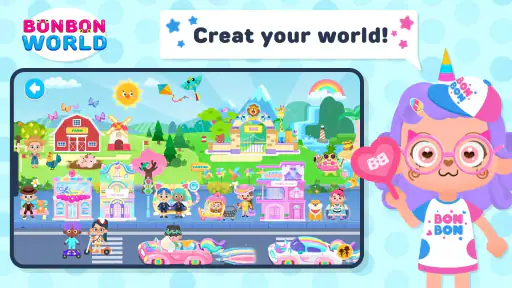
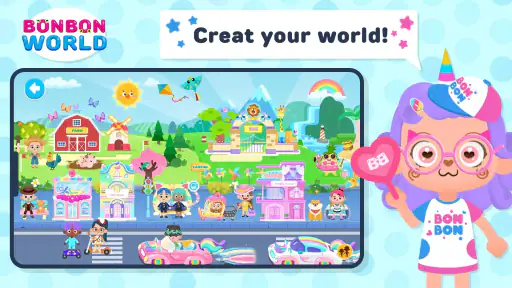
From the moment I opened BonBon Life World Make Stories, I was hooked. The app invites you to create and explore vibrant worlds filled with quirky characters and delightful scenarios. Imagine being able to construct your own bustling city, complete with adorable citizens who have their own unique personalities. It's like playing god, but in the most charming way possible.
Gameplay and Features
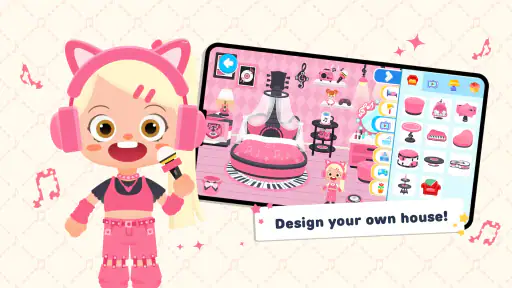
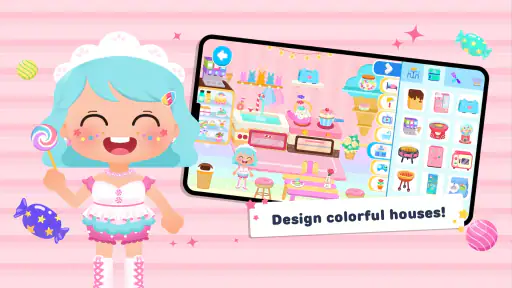
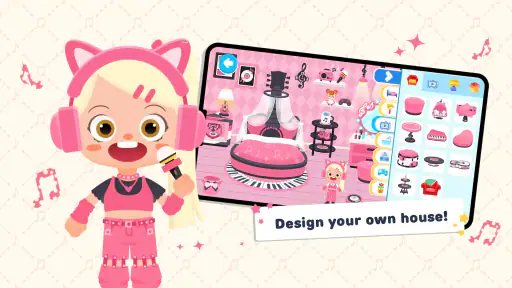
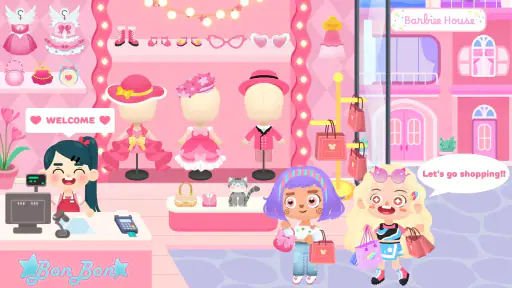
The gameplay is as straightforward as it is engaging. You start by selecting a blank canvas, which could be anything from a bustling cityscape to a serene countryside. From there, you can populate your world with a variety of buildings, landscapes, and characters. The app boasts an impressive array of customization options, allowing you to tweak every detail to your liking. The drag-and-drop interface is intuitive, making it easy for even the youngest of players to create their dream world with ease.
What really sets this app apart is its storytelling aspect. Once your world is built, you can craft intricate stories by moving characters around and interacting with different objects. This feature encourages creativity and critical thinking, as you must consider how each element of your world interacts with others.
Building scenes that are easy to play
One useful way to approach the drag-and-drop setup is to build a scene in layers. I would place the main location first, add only the characters needed for the moment, and then bring in objects that give those characters something to do. This keeps the story readable and gives younger players a clear starting point. After the scene works, they can add details for fun rather than feeling they must fill every available space.
A second good habit is to let the story dictate the layout. If the idea is a visit, make the destination obvious and arrange the characters around that action. If the idea is a change in mood or a surprise, leave room to move someone or introduce an object later. That small bit of planning makes the play feel more like storytelling and less like collecting decorations.
Compared with many educational games that rely on quizzes, timed tasks, or a sequence of correct answers, this one gives more room to invent and rearrange. That is a strength for imaginative children and for adults who want to play alongside them without turning the session into a test. The trade-off is that players who want clear objectives, a progress path, or frequent rewards may find the open format less satisfying. A structured puzzle or lesson game would be a better choice for that kind of motivation.
Visuals and Soundscapes
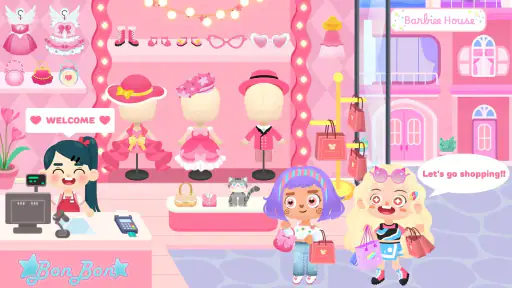
Visually, the game is a treat. The graphics are colorful and cartoonish, perfectly complementing the light-hearted nature of the app. Each character and building is designed with a level of detail that makes them feel alive. As for the soundscapes, they are whimsical and engaging, enhancing the immersive experience without being overwhelming.
For a real everyday use, I can picture handing it to a child for a short, calm stretch while dinner is being prepared, then asking them to show what their characters are doing. A five-minute prompt such as “make a place where someone needs help” can give the session a direction without dictating the ending. It also creates a natural stopping point: the child can tell the story aloud, then return to it another time if they want to keep developing it.
That kind of shared play is where I see the strongest use case. A child who enjoys drawing, pretend play, or making up characters may take to it quickly, and a parent can join by asking questions rather than taking over the controls. On the other hand, someone looking for a quiet game with no need to invent a premise may prefer a guided activity. And if the child is easily frustrated by making choices without a prompt, I would start with a specific storytelling idea rather than leave the whole session open.
One thing I really appreciated was the lack of intrusive ads. It's rare to find a free app that doesn't bombard you with commercials every few minutes. This allows for uninterrupted play, which is a huge plus in my book!
Who will enjoy the open-ended play
The game is a stronger match for players who like to decide the rules of a scene themselves than for those who want a conventional win-or-lose structure. I would recommend it to families who enjoy telling stories together, children who like moving figures around imaginary places, and anyone seeking a relaxed creative activity. Its Everyone age rating makes it broadly approachable, though an age label cannot tell you whether a particular child will enjoy a game with this much freedom.
I would skip it if the main priority is a tightly guided educational curriculum, a competitive challenge, or a clear campaign to finish. It is also not the best pick when a child wants the device to supply the story for them at every step. In those cases, a lesson-based app, a puzzle game, or a story with a fixed sequence will provide more direction. BonBon Life World’s value is in letting the player supply the ideas.
Overall Experience
In conclusion, BonBon Life World Make Stories is a delightful app that offers endless possibilities for creativity and fun. Whether you're a kid or just a kid at heart, this game is sure to provide hours of entertainment. It's one of those apps that you can easily lose track of time with, as you get lost in the worlds you create. If you’re looking for a game that’s both relaxing and stimulating, give this one a shot. You'll be surprised at how addictive it can be!
My practical verdict is that it works best when you bring a small idea to the screen and let the characters take it somewhere unexpected. Start with one scene, keep the cast manageable, and use a quick verbal recap if the session gets interrupted. Those habits make the creative freedom feel approachable rather than overwhelming. With a 4.3 average and over 5 million installs, it has clearly found an audience, but I would still choose it for its particular style—not just because it is popular or free.
BonBon Life World Make Stories Pros and Cons
Pros
- Vibrant graphics and animations.
- Intuitive and child-friendly interface.
- Encourages creativity and storytelling.
- Regular updates with new content.
- Suitable for a wide age range.
Cons
- Contains in-app purchases.
- Requires internet for full features.
- May have ads interrupting gameplay.
- Limited free content available.
- Can be repetitive over time.
Frequently Asked Questions
What is BonBon Life World Make Stories?
BonBon Life World Make Stories is an interactive mobile application designed to stimulate creativity and imagination. Users can create and explore various virtual environments, develop unique characters, and craft engaging stories. This app is popular among children and adults alike, providing a versatile platform for storytelling and creative play.
Is BonBon Life World Make Stories suitable for children?
Yes, BonBon Life World Make Stories is designed to be user-friendly and appropriate for children. The app encourages creativity and learning through play, offering a safe environment where kids can express themselves freely. Parental controls are available to ensure a secure experience, making it a great choice for young users.
What platforms is BonBon Life World Make Stories available on?
BonBon Life World Make Stories is available for both Android and iOS devices. Users can download it from the Google Play Store or Apple App Store. The app is optimized for mobile use, providing a seamless experience across different devices, ensuring accessibility to a wide range of users.
Are there in-app purchases in BonBon Life World Make Stories?
While BonBon Life World Make Stories is free to download and offers a variety of features at no cost, it does include optional in-app purchases. These purchases provide access to additional content and customization options, enhancing the user experience. Users can enjoy the core features without spending any money, but additional features are available for those interested.
What are the system requirements for BonBon Life World Make Stories?
To run BonBon Life World Make Stories smoothly, Android users need to have version 6.0 or higher, while iOS users require iOS 11.0 or later. The app is designed to perform well on most modern devices, but ensuring your device meets these requirements will provide the best performance and user experience.


